Mundaun is a hand-pencilled folk horror adventure from Hidden Fields, published by Annapurna Interactive and released on Steam on 16 March 2021. It follows a young man returning to a secluded alpine valley after his grandfather’s death, exploring on foot and by vehicle, solving puzzles, managing a small inventory and surviving hostile encounters. Its themes are handled here in gameplay terms only; the question for this page is narrower: what does the game’s own record say about Linux?
The short answer is that the record is closed at the store level and open at the compatibility level. Steam’s flags, requirements fields and depot table all describe a Windows game, with no Linux build anywhere in the family. What Linux players actually use is the Windows build under Proton, and there the paperwork is unusually strong: a unanimous Platinum file on ProtonDB and a Verified badge on Steam Deck.
As an Amazon Associate, we earn from qualifying purchases.
Quick answer
Mundaun has no native Linux build. Steam flags the game Windows only, its Linux requirements field is an empty shell, and SteamDB lists no Linux depot. Linux players run the Windows build through Proton: ProtonDB rates it Platinum on its headline, best-reported and trending tiers across eleven reports, and Valve rates the game Verified on Steam Deck.
What the store record actually says
Start with the flags, because everything else agrees with them. Steam’s record for app 720350 reads windows true, mac false, linux false. The developer field names Hidden Fields and the publisher field names Annapurna Interactive. The categories are exactly: Single-player, Steam Achievements, Full controller support, Steam Cloud and Family Sharing, under the genres Action, Adventure and Indie.
The requirements fields tell the same story with one wrinkle on the Mac side. The Windows tab is genuinely populated at both tiers: Windows 10 in 64-bit form, a Core i3-6100 class processor, 8 GB of memory and a GeForce GTX 650 class card at minimum, rising to a Core i5-7400 with 16 GB and a GeForce GTX 1060 recommended, with 5 GB of storage at both tiers. The Linux field, by contrast, is an empty shell: the Minimum and Recommended headings are present, but both lists under them are empty.
The Mac field is the wrinkle. It is genuinely populated at the minimum tier, naming Mac OS X 10.12.6 or later, a 2012-or-newer Core i7 and 4 GB of memory, yet it sits under a false Mac flag, and the depot table below shows the macOS depot carries no data at all. It is leftover paperwork, text without a delivered build, and it changes nothing for Linux. Two absences are gaps rather than promises: no DRM notice and no external account notice appear on the record.
The depot table: three depots, none for Linux
SteamDB’s depot table settles the delivery question. The game ships three depots: a common content depot carrying no size, a Windows content depot at 2.66 GiB on disk, and a macOS content depot at zero bytes. There is no Linux depot in any branch, and not even an equivalent shell on the Linux side: nothing in the download a buyer receives is addressed to Linux. SteamDB’s configuration fields add osarch 64 and an osextended value that is an empty string, so no extended-OS claim is made here either. The public branch stands on a build from October 2025, so this table describes the current download.
A family of one
The recurring failure mode in this series is a Windows-only game whose soundtrack or artbook app flags Linux, so store filters mislabel the game itself. That trap cannot form here: the game’s record carries no DLC array at all, so no soundtrack, art book or expansion app exists to read. The only family member is the game itself, flagging Linux false. Across the whole readable family, the Linux-flag tally is zero of one.
Anti-cheat, checked three ways
Anti-cheat is a three-source negative, the sources kept separate. Steam’s record names none, expected for a single-player-only game. SteamDB’s detected technologies are the Unity Engine, the Mono SDK, the Vorbis audio SDK and the cURL SDK: engine and audio plumbing, not an anti-cheat product. The Are We Anti-Cheat Yet dataset, searched in full by name and by app number, carries no entry for this title. Nothing stands between a Linux player and the game except the missing build itself.
ProtonDB: Platinum across the board, on eleven reports
With no native build, the practical question is the Proton file, and here it is as strong as its size allows. ProtonDB’s summary record answers in full: headline Platinum, best-reported Platinum, trending Platinum, across eleven reports in total, at the confidence the service labels moderate. Eleven reports is a small pool, claimed at exactly that size: the unanimous tiers say every reporter who filed got a clean run, and the moderate label says the pool is too thin to dress up as a settled verdict.
One check could not be completed this session: ProtonDB’s game page, where a classification header would appear, did not return readable content, so no claim is made here about any header or tag on that page.
Steam Deck: Verified, on 2022 paperwork
Valve’s own compatibility endpoint returned an unreadable response this session, so the Deck record here is read from SteamDB’s republication of Valve’s compatibility data. The sheet rates the game Verified on Steam Deck, with SteamOS compatibility separately rated Compatible. The passing items are the full set: all functionality is accessible with the default controller configuration, the game shows Deck controller icons, interface text is legible, and the default graphics configuration performs well. The configuration names gamepad as the supported input, with no manual keyboard invocation and no launcher navigation required.
The dated paperwork needs one plain statement. The test behind the badge is dated 9 April 2022, with the stable Proton runtime recommended. The public branch has since moved to an October 2025 build, so the paperwork predates the current download while the live category still reads Verified. Note also what the badge certifies: because the recommended runtime is Proton, the test describes the Windows build under the compatibility layer, the same route a desktop Linux player takes.
The GOG edition: it exists, and it is Windows only
GOG sells this game, so the ruling rests on GOG’s own records rather than its search results. The live product page is this game: its description matches the Steam record’s story, and its release date is the same 16 March 2021. Its works-on line names Windows alone. So a GOG edition exists, but it is the same Windows build in a different wrapper: no Linux build there either, and none of Valve’s Deck paperwork behind it.
Gear for a Proton playthrough
The record points to a pad-friendly, modest-size install: full controller support is listed and the Deck sheet is Verified. The gear below follows that shape.
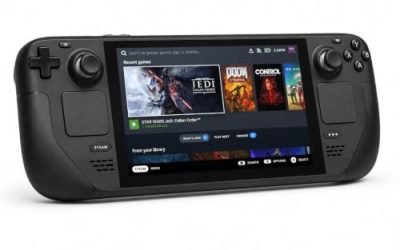
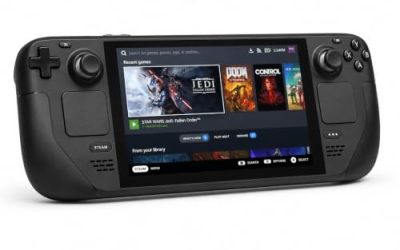
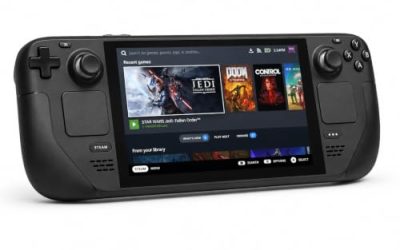
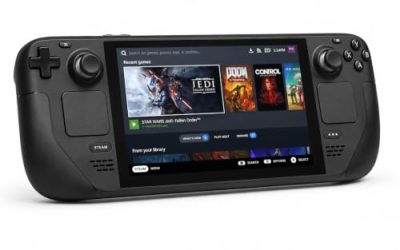
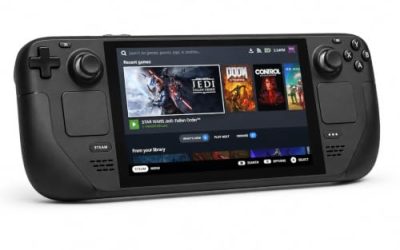
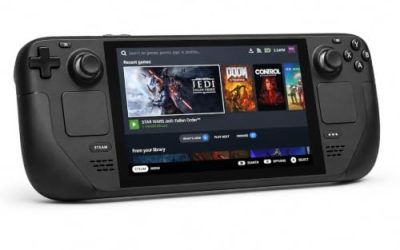
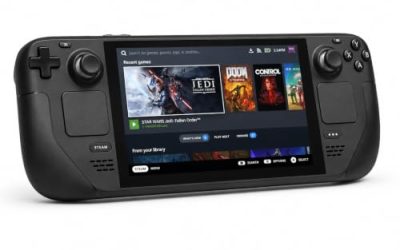
Valve Steam Deck OLED 512GB

The handheld this game’s paperwork was written for: the Verified sheet covers the default controller configuration and legible interface text, and the small install barely touches the internal drive.
Specs
- Display: 7.4-inch HDR OLED, 1280 by 800, up to 90 Hz
- Processor: AMD Zen 2 and RDNA 2 custom APU
- Memory: 16 GB LPDDR5
- Storage: 512 GB NVMe, plus a microSD slot
- Wireless: Wi-Fi 6E and Bluetooth
- Channel note: Valve sells the Deck mainly through its own store, so Amazon listings are third-party sellers
8BitDo Ultimate 2 Bluetooth Controller

The couch pad pick. The record lists full controller support, and Mundaun’s exploration, driving and inventory work suit a pad with modern sticks, hall-effect triggers and back buttons.
Specs
- Connectivity: Bluetooth wireless and USB-C wired
- Joysticks: TMR electromagnetic, anti-drift design
- Triggers: Hall effect, with mode switching
- Extras: two remappable back buttons, motion control
- In the box: charging dock included
Xbox Wireless Controller, Carbon Black

The safest guest pad in PC gaming: Steam Input support is universal, the glyphs match what most games display, and it pairs over Bluetooth or its own wireless standard.
- Connectivity: Xbox Wireless and Bluetooth
- Port: USB-C for wired play
- Controls: hybrid D-pad, dedicated Share button
- Power: AA batteries or optional rechargeable pack
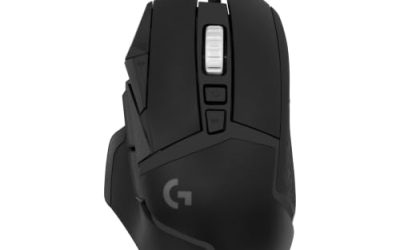
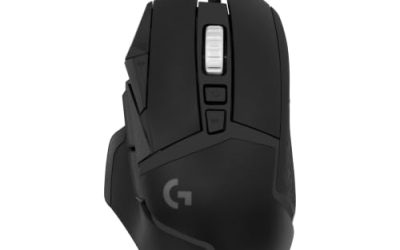
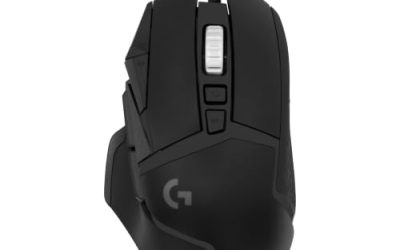
Logitech G502 HERO

At a desk, Mundaun’s inventory and puzzle work is pointer work, and a precise wired mouse makes that searching faster than a stick. Eleven programmable buttons cover the inputs a long session repeats.
Specs
- HERO optical sensor, up to 25,600 DPI
- 11 programmable buttons
- Adjustable weight system
- Wired USB connection
- On-board memory profiles
Samsung T9 Portable SSD 2TB

The install itself is small, but a growing Linux library is not: for moving that library between machines, or keeping an offline backup, a fast USB-C drive is the simple answer. The headline figure needs a Gen 2×2 host port; on a lesser port the drive runs at that ceiling.
Specs
- Capacity: 2 TB portable SSD
- Interface: USB 3.2 Gen 2×2, USB-C connector
- Maker-rated speeds: up to 2,000 MB per second read, 1,950 MB per second write
- Features: Dynamic Thermal Guard, maker-rated drop resistance
How to choose
Choose the Steam copy if the ProtonDB file and the Deck paperwork matter to you, because both describe this exact Windows build. On a desktop or laptop, install under Proton and start with the default compatibility tool; a unanimous Platinum file, even a small one, says that is the expected route. Choose the GOG copy only if the offline installer is the deciding factor. Input is a matter of taste: the game lists full controller support, so a pad is the default shape, while a mouse earns its place for the inventory and puzzle work.
Who should skip
Skip this one if you buy only native Linux builds: there is none here, and no family app suggests one is coming. Skip it if you want a deep, settled ProtonDB file before buying, because eleven reports at moderate confidence is real evidence but not much of it. Skip it if you need Deck paperwork for the current build, because the Verified test dates from 2022. And skip it if the material is not for you: it is a folk horror game built around death, myth and hostile creatures.
FAQ
Is Mundaun native on Linux?
No. Steam flags the game Windows only, its Linux requirements field is an empty shell, and the depot table holds no Linux depot. The Linux route is Proton on a desktop, laptop or Steam Deck.
How well does Mundaun run under Proton?
ProtonDB’s summary record rates it Platinum on its headline, best-reported and trending tiers, across eleven reports at moderate confidence: a unanimous but small file, not a settled verdict.
Is Mundaun Steam Deck Verified?
Yes. Valve’s compatibility record rates it Verified, from a test dated April 2022 with the stable Proton runtime recommended. The branch has since moved to a newer build, so the paperwork predates the current download while the rating still stands.
Can I buy Mundaun on GOG instead?
Yes, a GOG edition exists, but its product page lists Windows alone, so it is the same Windows build without Valve’s Deck testing behind it. On Linux it would run through Proton like the Steam copy.
Final verdict
Mundaun is a closed store record with an open compatibility file: a Windows-only game whose flags, empty Linux shell and depot table all agree, whose family is a single app with nowhere for a stray flag to hide, and whose GOG edition changes the wrapper rather than the build. Linux players are served by the layer underneath: a unanimous Platinum ProtonDB file and a Verified Deck badge, both describing the Windows build under Proton. Buy the Steam copy and run it through Proton.
Product and ASIN Reference
| Product | ASIN |
|---|---|
| Valve Steam Deck OLED 512GB | B0CQ3RWQQZ |
| 8BitDo Ultimate 2 Bluetooth Controller | B0F194QFT2 |
| Xbox Wireless Controller, Carbon Black | B08DF248LD |
| Logitech G502 HERO | B07GBZ4Q68 |
| Samsung T9 Portable SSD 2TB | B0CHFS9K14 |