Lightyear Frontier, FRAME BREAK’s mech-farming game published with Coffee Stain Publishing, spent a long stretch in Early Access from March 2024 before reaching its full release. Steam’s record dates that release 4 November 2026, and this article follows the field as it stands. Through the whole run, no Linux build ever appeared: the store flags the game for Windows alone.
So the practical question is how the one build that exists behaves under Proton, on a Linux desktop and on Steam Deck. The paper trail here is unusually legible: a community file with a settled tier, the strongest badge Valve gives out, and a DLC list short enough to read in full. This piece reads each layer separately: the flags, the requirements fields, the depot census, the add-on app, the Proton file, the Deck test sheet and the second-storefront ruling.
As an Amazon Associate, we earn from qualifying purchases.
Quick answer
Lightyear Frontier is not native on Linux. Steam’s record flags the game Windows only, its Linux requirements field is an empty shell, and the single content depot ships beside Windows redistributables alone. The route in is Proton: ProtonDB settles at Gold across 25 reports, and Valve rates the game Verified on Steam Deck.
The status at a glance
| Check | Reading |
|---|---|
| Native Linux build | No — Windows flag only |
| Content depots | One, 4.30 GiB, beside Windows redistributables only |
| DLC family | One app (the soundtrack), Windows only |
| ProtonDB | Gold settled, Platinum best-reported, 25 reports, strong confidence |
| Steam Deck | Verified, tested 29 January 2025 against build 17088929 |
| SteamOS | Compatible, rated separately |
| GOG edition | None |
| Anti-cheat listing | No tracker entry |
Inside Steam’s record: one populated tab, two empty shells
Start with the flags, because everything else agrees with them. The record lists Windows true, Mac false and Linux false. The Windows requirements tab is genuinely populated, with full minimum and recommended lists. The Mac and Linux requirements fields, by contrast, exist only as headings over empty lists: the field is present in the data, and there is nothing in it. That shape matters beyond tidiness, because an empty Linux field is exactly what generates the misleading heading on the game’s community page, covered below.
The depot census settles the question on its own. Steam delivers the game through exactly one content depot, numbered 1677111 and sized at 4.30 GiB. The only other depots attached are shared-install redistributables, all three of them Windows components: the Visual C++ 2022 redistributable, the DirectX June 2010 redistributable and a PhysX system package. There is no Linux depot, no Mac depot and no shared cross-platform depot. The registered store assets run to a client icon, a client tga, an icon and a logo; no Linux client icon is registered, and the record’s extended OS field is an empty string.
The branch list adds context rather than doubt: the public branch sits at build 26813491, built 20 November 2026, and a legacy branch preserves the 2024 version. Neither branch carries a Linux build.
The entire DLC list is a soundtrack
Family sweeps matter because a stray Linux flag on an add-on app is the classic way a Windows-only game gets misread. Lightyear Frontier makes the sweep short: the DLC array holds exactly one app, the Lightyear Frontier Soundtrack, a music-type release dated 19 March 2024, the Early Access launch day.
Read on its own record, the soundtrack flags Windows true, Mac false and Linux false, the same shape as the game. So the trap does not fire here: the family count is zero Linux flags across two records, and the native ruling rests on the base game alone.
ProtonDB: Gold settled, Platinum at the top end
The full ProtonDB summary for this app reads: settled tier Gold, best-reported tier Platinum, trending tier Gold, across 25 reports, with confidence rated strong. That is a healthy file for a game of this size: the typical report describes a game that runs well, and the best filed outcomes reach the top tier.
One warning belongs in this section. The game’s ProtonDB page carries a “Natively Supports:” heading above its requirements panel, which a quick reader could take as a native Linux claim. It is generated by the empty Linux requirements field described above, and Steam’s record contradicts it on every layer. Follow Steam: the heading is a formatting artefact of an empty field, not a build.
The filing colour is mostly calm, with two practical notes. Recent reports on current Proton builds describe the game running well out of the box, and one filing rates online co-op Excellent. One reporter found the DirectX 11 startup variant crashed instantly while the DirectX 12 variant ran fine, the single most useful tinker note in the file. Deck reports from the Early Access period are more mixed: slight performance problems, dips into the low twenties while harvesting, and a 30 fps lock as the standing fix. The recent file is quieter than the early one.
A Verified badge written against an Early Access build
Valve’s own compatibility record resolves to Verified, the strongest category it awards. The published checks pass across the board: all functionality is accessible with the default controller configuration, the game shows Steam Deck controller icons, interface text is legible, and the default graphics configuration performs well. The one note is that the game does not default to external Bluetooth or USB controllers, which may need a manual switch through the Quick Access Menu. SteamOS is rated separately and comes out Compatible.
The test metadata, read through SteamDB’s republication of Valve’s sheet, dates the examination to 29 January 2025, against build 17088929, with a Proton 9.0 release candidate as the recommended runtime. That timing matters: the test predates the full release by well over a year, and the current public build, 26813491, is far newer. The badge is a strong historical signal about the game’s shape — controller-first, legible, undemanding — rather than a test of the shipping 1.0 code.
Controller support is easy to overstate, so take it from the record: the game rates controller support partial, its store category list says the same, and Valve’s test configuration takes a gamepad as the supported input.
The anti-cheat file and the GOG question
The game supports online co-op, so the anti-cheat question is a fair one. The store record names no anti-cheat, and the community anti-cheat tracker’s database, read in full, holds no entry for this app in either direction. That is documentation silence, stated as such: the practical evidence is the Proton file, where multiplayer reports are positive.
On storefronts, there is nothing to weigh. GOG holds no product record for Lightyear Frontier: the natural product address lands on its general catalogue, its catalogue search returns unrelated titles, and its embed search returns nothing at all. The Steam copy is the only PC edition on sale.
Gear that fits the record
The gear below follows the record’s shape: the handheld the badge was written for, two pads, a mouse for desktop sessions, and library storage.
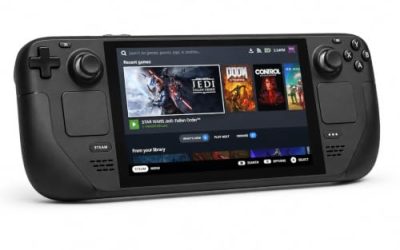
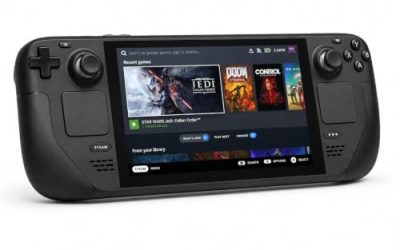
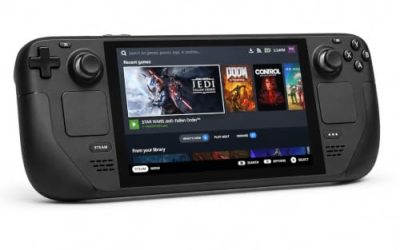
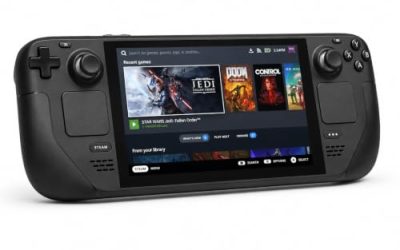
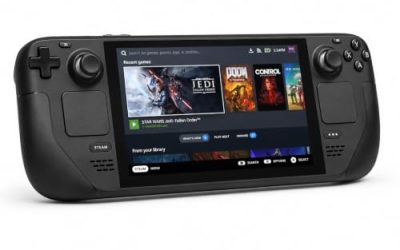
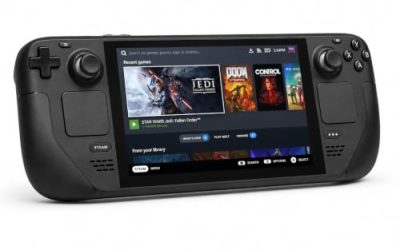
Valve Steam Deck OLED 512GB

The handheld Valve’s test sheet describes, with the caveat that the examination predates the full release. The 4.30 GiB install sits far inside this hardware’s envelope, and the sheet passes its default graphics configuration on performance.
Specs
- Display: 7.4-inch HDR OLED, 1280 by 800, up to 90 Hz
- Processor: AMD Zen 2 and RDNA 2 custom APU
- Memory: 16 GB LPDDR5
- Storage: 512 GB NVMe, plus a microSD slot
- Wireless: Wi-Fi 6E and Bluetooth
- Channel note: Valve sells the Deck mainly through its own store, so Amazon listings are third-party sellers
8BitDo Ultimate 2 Bluetooth Controller
The docked and desktop pad pick. The record lists partial controller support and Valve’s configuration takes a gamepad as the supported input, so a capable pad covers the couch case.
Specs
- Connectivity: Bluetooth wireless and USB-C wired
- Joysticks: TMR electromagnetic, anti-drift design
- Triggers: Hall effect, with mode switching
- Extras: two remappable back buttons, motion control
- In the box: charging dock included
Xbox Wireless Controller, Carbon Black
The safest guest pad in PC gaming: Steam Input support is universal, the glyphs match what most games display, and it pairs over Bluetooth or its own wireless standard. On the handheld, Valve’s sheet notes the game does not default to external controllers, so a paired pad may need the Quick Access Menu switch before it takes over.
- Connectivity: Xbox Wireless and Bluetooth
- Port: USB-C for wired play
- Controls: hybrid D-pad, dedicated Share button
- Power: AA batteries or optional rechargeable pack
Logitech G502 HERO
At a desk, the building and inventory screens reward a precise wired mouse. Eleven programmable buttons cover the confirm, cancel and camera inputs a long session repeats.
Specs
- HERO optical sensor, up to 25,600 DPI
- 11 programmable buttons
- Adjustable weight system
- Wired USB connection
- On-board memory profiles
Samsung T9 Portable SSD 2TB
For moving a Linux game library between machines, or keeping an offline backup of installers, a fast USB-C drive is the simple answer. The headline figure needs a Gen 2×2 host port; on a lesser port the drive runs at that ceiling instead.
Specs
- Capacity: 2 TB portable SSD
- Interface: USB 3.2 Gen 2×2, USB-C connector
- Maker-rated speeds: up to 2,000 MB per second read, 1,950 MB per second write
- Features: Dynamic Thermal Guard, maker-rated drop resistance
How to choose
Choose the Steam copy, because it is the only PC edition on sale and the exact build both compatibility records describe. On a Linux desktop or laptop, install under Proton and stay with the current Proton builds the recent filings use; if the launcher offers a graphics API choice, take the DirectX 12 variant, since the DirectX 11 variant crashed on startup for one reporter. On Steam Deck, the Verified badge means the default configuration is expected to work as shipped; pair an external pad through the Quick Access Menu if it does not take over, and consider a 30 fps lock for harvesting-heavy sessions, which is what the Deck filings settled on.
Who should skip
Skip this one if you are shopping for a native Linux game: this is not one, and the empty Linux requirements field is a shell, not a promise of a port. Skip it if a Deck badge earned against an Early Access build is not reassurance enough for the current release, because no newer Valve test exists. Skip it if you want a DRM-free copy, since no GOG edition exists, or if partial controller support is a dealbreaker for your setup.
FAQ
Is Lightyear Frontier native on Linux?
No. Steam flags the game Windows only, the Linux requirements field is an empty shell, the single content depot ships beside Windows redistributables alone, and no Linux client icon is registered on the record.
How well does Lightyear Frontier run under Proton?
ProtonDB’s full summary settles at Gold, with a Platinum best-reported tier, across 25 reports at strong confidence. Recent filings mostly describe the game running well, and the DirectX 12 startup variant is the safer choice in the file.
Is Lightyear Frontier Steam Deck Verified?
Yes. Valve rates it Verified, tested on 29 January 2025 against build 17088929 with a Proton 9.0 release candidate recommended. That build predates the full release; the current public build is 26813491. SteamOS is rated Compatible separately.
Can I buy Lightyear Frontier on GOG instead?
No. GOG holds no product record for the game, and its catalogue surfaces only unrelated titles. The Steam copy is the only PC edition on sale.
Final verdict
Lightyear Frontier is a clean Windows-only case with an unusually honest paper trail. Every layer of Steam’s record agrees, the one-app DLC family adds no contradiction, and the stray native heading on the community page traces back to an empty requirements field rather than a hidden build. Proton carries it at Gold with a Platinum best case, and the Deck badge is Verified, earned admittedly against an Early Access build. Buy the Steam copy, choose the DirectX 12 variant, and play confidently.
Product and ASIN Reference
| Product | ASIN |
|---|---|
| Valve Steam Deck OLED 512GB | B0CQ3RWQQZ |
| 8BitDo Ultimate 2 Bluetooth Controller | B0F194QFT2 |
| Xbox Wireless Controller, Carbon Black | B08DF248LD |
| Logitech G502 HERO | B07GBZ4Q68 |
| Samsung T9 Portable SSD 2TB | B0CHFS9K14 |