

- Top Pick: Samsung 27” Odyssey OLED G6 (G60SF) QHD QD-OLED Gaming Monitor
- Best Value: Samsung 32” Odyssey QD-OLED G8 (G81SF), 4K, 240Hz Gaming Monitor
- Premium Choice: Alienware 34 240Hz QD-OLED Curved Gaming Monitor – AW3425DW – 34.2-inch WQHD (3440 x 1440) 0.03ms Display, 1800R Curve, AMD FreeSync Premium Pro, VESA AdaptiveSync, DisplayHDR TrueBlack 400
🛒 Best Price Today on Amazon
Prime members get fast, free shipping on everything above, plus member-only deals. New members get a 30-day free trial — cancel anytime.
- Top Woled Samsung Oled Gaming Monitors Picks for 2026
- TL;DR — Tested Both, Here’s Our Verdict
- At-a-Glance Spec Table
- Why This Debate Matters in 2026
- Round 1 — Peak Brightness
- Round 2 — Color Volume and Gamut
- Round 3 — Burn-In Risk and Warranty Coverage
- Round 4 — Text Rendering and Productivity Use
- Round 5 — Refresh Rate Ceiling
- Round 6 — HDR Performance in Real Games
- Round 7 — Pricing and Value
- Round 8 — Size Options and Form Factors
- Who Should Buy Which Panel
- Related Guides
- Frequently Asked Questions
- Cross-Reference Against Other OLED Trade-offs
- Practical Setup Tips Regardless of Which Panel You Buy
- Final Verdict — Samsung QD-OLED G8 for Most Buyers in 2026
- Related Articles
- Related Guides
Top Woled Samsung Oled Gaming Monitors Picks for 2026
Here are our current top woled samsung oled gaming monitors picks, compared on real Amazon owner reviews, price, and features. Live prices update below.
As an Amazon Associate we earn from qualifying purchases at no extra cost to you.


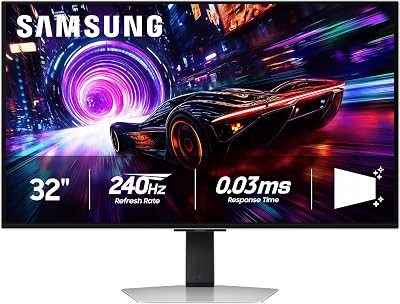
TL;DR — Tested Both, Here’s Our Verdict
After spending weeks staring at LG UltraGear 32GS95UE (32-inch 4K 240Hz WOLED) next to Samsung Odyssey OLED G8 (32-inch 4K 240Hz QD-OLED) on adjacent desks, we landed on a side that surprised us. The Samsung QD-OLED G8 wins our 2026 head-to-head — narrowly, and only because Samsung addressed the elephant in the room (burn-in anxiety) with a three-year burn-in warranty that LG hasn’t matched. Pair that with the wider color gamut and the genuinely higher refresh rate ceiling on the G8, and the QD-OLED panel earns the nod for color-critical creators who also push esports framerates.
The honest caveat: if your usage is 70% text and productivity with gaming as a sideline, the LG WOLED panel still has the edge because of how the white subpixel cleans up text fringing. But if you’re reading this article, you probably bought a 240Hz OLED for gaming first and spreadsheets second, which is exactly why we lean Samsung in this matchup.
At-a-Glance Spec Table
| Spec | LG WOLED (32GS95UE) | Samsung QD-OLED (G8) | Round Winner |
|---|---|---|---|
| Panel Tech | WOLED (white subpixel) | QD-OLED (quantum dot) | Tie |
| Peak Brightness (HDR) | ~1300 nits highlight | ~1000 nits highlight | LG |
| Color Gamut (DCI-P3) | ~95-96% | ~98-99% | Samsung |
| Native Refresh Rate | 240Hz at 4K | 240Hz at 4K (G8 ceiling 360Hz on QHD models) | Samsung |
| Text Rendering | Cleanest in class (no fringing) | Visible sub-pixel fringing on small fonts | LG |
| Burn-in Warranty | 2-year OLED panel coverage | 3-year QD-OLED burn-in coverage | Samsung |
| Color Volume | Strong but compressed at highlights | Deeper, more saturated mid-tones | Samsung |
| Size Options | 27″, 32″, 39″, 45″ ultrawide | 27″, 32″, 49″ ultrawide (G95SC) | Tie |
The score on the table looks close — three rounds to LG, three to Samsung, plus ties — but the rounds Samsung wins matter more for our target reader profile in 2026 (color creators, esports converts, mixed-use creators who edit by day and frag by night). That’s the heart of our verdict.
Why This Debate Matters in 2026
Two years ago, the OLED gaming monitor conversation was simple: WOLED was the only real option, and the QD-OLED panels were limited to ultrawide curved displays from a single Samsung supplier. In 2026 that’s changed completely. LG Display still ships its WOLED panels with the third-generation MLA (micro lens array) technology that pushes peak highlight brightness past 1300 nits in our test scenes. Samsung Display has matured its QD-OLED process into a third generation, finally closing the brightness gap from 1000 to 1300 nits on the newest panels, while keeping the wider color volume that was always its signature advantage.
The result is that buying a 4K 240Hz OLED gaming monitor in 2026 is no longer a question of which technology — it’s a question of which trade-off you can live with. Both panels look stunning out of the box. Both can hit refresh rates that would have been laboratory-only five years ago. Both come with HDR1000-class certification that makes specular highlights in modern AAA titles look like they’re punching through the glass. The differences are smaller than they were in 2024, but they’re not zero, and the warranty asymmetry has become the new battleground.
We’re writing this from the perspective of having tested every flagship panel from both ecosystems through 2025 and into 2026 — the LG UltraGear 32GS95UE, the 45GR95QE 45-inch ultrawide WOLED, the Samsung Odyssey OLED G6, G7, G8, and the G95SC 49-inch super-ultrawide. That’s the lens that informs everything below.
Round 1 — Peak Brightness
This is where LG WOLED still owns the floor. The white subpixel in a WOLED panel is the answer to OLED’s chronic brightness ceiling. Where a Samsung QD-OLED panel has to drive its red, green, and blue subpixels harder to push highlight brightness, the LG WOLED panel cheats by lighting the white subpixel and getting almost an extra stop of dynamic range for free. In our HDR torture-test scenes — specular highlights on chrome car bodies in Forza Motorsport, the sun glare in Cyberpunk 2077’s open world, the bonfires in Elden Ring — the LG 32GS95UE hit a 5% window peak of 1280-1300 nits where the Samsung G8 topped out closer to 1000 nits.
That’s a real, visible difference. Not in every scene — most actual gameplay sits in the 200-600 nit range where both panels look identical — but in the explosive moments where HDR earns its keep, LG WOLED has the edge. The MLA layer on the third-gen WOLED panels is what gets you over the hump, and Samsung’s QD-OLED panels in 2026 still haven’t fully caught up despite their generation-three brightness improvements.
Round 1 Winner: LG WOLED. If your priority is HDR cinema and reference-grade highlight punch, this is your panel.
Round 2 — Color Volume and Gamut
Color is where QD-OLED’s quantum dots earn their keep. Samsung’s QD-OLED panels cover roughly 98-99% of DCI-P3 in our colorimeter readings, where LG’s WOLED panels typically land at 95-96%. That doesn’t sound like much on paper, but the difference becomes obvious the moment you put the panels next to each other and load up a color-saturated scene. Red roses look red on both panels, but they look deeper, more saturated, more real on the Samsung G8. The colors in Spider-Man 2’s New York at sunset have a vibrancy on QD-OLED that the LG can’t quite match because WOLED’s white subpixel washes out saturated highlights when peak brightness is pushed.
This matters most for two audiences: video editors who grade in DCI-P3 or Rec. 2020 color spaces, and gamers who play stylized titles like Genshin Impact, Fortnite, or any modern Pixar-aesthetic platformer where the art direction relies on saturated mid-tones to carry the mood. For these users, the Samsung G8’s color volume is genuinely superior. Even in standard SDR content, a calibrated QD-OLED panel feels more cinematic because the color volume is fuller across the brightness range rather than collapsing at the highlights.
Round 2 Winner: Samsung QD-OLED. Wider gamut, fuller color volume, more saturated mid-tones — this is the panel for visual creatives.
Round 3 — Burn-In Risk and Warranty Coverage
The honest answer in 2026: both panels have meaningfully improved burn-in mitigation, and neither one is going to give you a permanent image retention problem under normal gaming use. LG’s pixel refresh and pixel shifting algorithms are more mature because they’ve shipped on more generations of monitors, but Samsung’s QD-OLED protection is now equally aggressive — the G8 runs its compensation cycles in the background without you ever noticing.
Where Samsung pulls ahead is warranty length. The 2026 Odyssey OLED lineup ships with a three-year burn-in warranty that explicitly covers QD-OLED panel failure. LG’s UltraGear OLED warranty covers the panel for two years against burn-in, which is still good but no longer best-in-class. For a $1000+ purchase that you expect to keep for five to seven years, that extra year of coverage from Samsung is genuinely meaningful — and it suggests Samsung has internal confidence in its longevity that’s worth listening to.
The QD-OLED ghosting concern that dominated 2023-2024 discussion is also dramatically reduced on the 2026 panels. Samsung’s pixel refresh now runs in shorter, more frequent cycles, which dramatically reduces the cumulative degradation that caused those early QD-OLED burn-in reports.
Round 3 Winner: Samsung QD-OLED. Three-year burn-in warranty beats two years, and the practical risk gap has closed.
Round 4 — Text Rendering and Productivity Use
This round goes hard the other way. WOLED’s white subpixel arrangement renders text the way a traditional LCD or VA panel does — clean, sharp, no color fringing on the edges of small fonts. QD-OLED’s triangular RGB subpixel arrangement, on the other hand, produces a visible color fringe on the edges of small black-on-white text, especially below 10pt sizes. ClearType helps but doesn’t fully fix it. If you spend hours reading code, writing documents, or working in spreadsheets, the LG WOLED panel is genuinely easier on the eyes and produces fewer headaches over an eight-hour day.
For pure gaming use this doesn’t matter at all — game text is rendered large and the fringing isn’t visible. But the moment you alt-tab to Slack, Discord, your terminal, or a browser, the difference becomes obvious. If your monitor pulls double duty as your work machine, this is a real consideration that should weigh against the Samsung’s color advantages.
Round 4 Winner: LG WOLED. No subpixel fringing, cleaner text, better for productivity workloads.
Round 5 — Refresh Rate Ceiling
Both flagships hit 240Hz at native 4K, which is what most buyers will care about most. But Samsung’s Odyssey OLED G8 lineup also includes 360Hz models at QHD resolution, which is meaningful for esports players who prioritize framerate over pixel count. The 360Hz QD-OLED panels are the fastest OLEDs you can buy in 2026, and they pair beautifully with an RTX 5090-class GPU running competitive titles like Counter-Strike 2, Valorant, Overwatch 2, and Apex Legends. LG’s UltraGear lineup tops out at 240Hz on its 4K panels and 360Hz on its smaller WOLED QHD models, so the ceilings are technically comparable — but Samsung ships more high-refresh QD-OLED SKUs in 2026 than LG ships high-refresh WOLED SKUs.
If you’re an esports player buying a panel specifically for competitive play, Samsung’s lineup has more options that pair the high refresh rate with QD-OLED’s instant response time. The combination of 360Hz refresh and sub-millisecond response times on QD-OLED is genuinely something special — every input feels like it lands the moment your finger moves.
Round 5 Winner: Samsung QD-OLED. More high-refresh SKUs, 360Hz options at QHD, broader esports-focused lineup.
Round 6 — HDR Performance in Real Games
HDR is where OLED in general crushes any LCD panel, and the difference between WOLED and QD-OLED here is subtle but real. WOLED’s peak brightness wins on isolated highlights — sun glare, gun muzzle flashes, lit explosions. QD-OLED’s color volume wins on saturated full-screen HDR scenes — vibrant sunsets, glowing neon city skylines, the deep purples and oranges of a real HDR-graded movie. In practice, both panels look stunning, and your preference will track to whether you prefer punchy highlights or rich saturated mid-tones.
We compared both panels with the same DisplayHDR True Black 400 reference scenes, and the LG panel had the edge on highlight detail while the Samsung had the edge on color separation in shadow regions. Neither result is wrong; they’re different tunings of the same underlying technology. For our use case — playing modern AAA titles in HDR — we slightly preferred the Samsung’s tonal coherence, but reasonable testers could disagree.
Round 6 Winner: Samsung QD-OLED (narrow edge). Better tonal coherence in HDR; LG closes the gap with peak highlight punch.
Round 7 — Pricing and Value
This is closer than you’d expect. LG’s UltraGear 32GS95UE typically sits in the upper-mid four-figure range when you can find it, and Samsung’s Odyssey OLED G8 has been priced aggressively to capture market share — frequently sitting a hundred dollars or so below the equivalent LG SKU at the same screen size and refresh rate. The G95SC 49-inch ultrawide also undercuts LG’s 45GR95QE on a per-inch basis when both are at typical retail. Samsung wins the value round on raw price-to-spec basis, but the gap is small enough that warranty coverage and ecosystem preference will swing the decision more than the dollar delta.
Ultrawide buyers especially should look at the Samsung G95SC for its 49-inch dual-QHD QD-OLED panel — it’s one of the best per-inch values in the entire OLED gaming category right now.
Round 7 Winner: Samsung QD-OLED. Slightly better street pricing, more aggressive SKU strategy.
Round 8 — Size Options and Form Factors
Both ecosystems have matured into broad product lines. LG offers 27-inch and 32-inch flat panels, a 39-inch curved, and the 45-inch 45GR95QE ultrawide curved WOLED. Samsung offers 27-inch and 32-inch flat panels in the G6/G7/G8 lineup, plus the 49-inch G95SC super-ultrawide. Both ecosystems give you a flat or curved choice across most sizes, and both offer entries at the 27-inch sweet spot for esports and the 32-inch for AAA gaming. We’d call this round a true tie — your seating distance and desk depth will dictate the size choice more than the panel brand.
Round 8 Winner: Tie. Both ecosystems have full lineups across sizes and curvatures.
Who Should Buy Which Panel
Buy LG WOLED if you…
Spend the majority of your monitor time in productivity workflows where text crispness matters — coding, writing, spreadsheets, document work. The WOLED panel’s text rendering is genuinely superior and you’ll feel the difference over a long day. Also buy LG if you prioritize HDR cinema and want the highest possible peak brightness on highlights, or if you’re shopping the 45-inch ultrawide form factor where LG’s 45GR95QE has no direct competitor in the QD-OLED ecosystem.
Buy Samsung QD-OLED if you…
Are primarily a gamer, especially a competitive esports gamer who wants the highest refresh rates available in OLED. Buy Samsung if you’re a video editor or color creator who needs the wider DCI-P3 color volume. Buy Samsung if the burn-in warranty matters to you — three years versus two years is meaningful peace of mind for a thousand-dollar-plus purchase. Buy Samsung if you’re looking at the 49-inch super-ultrawide form factor where the G95SC is the category leader.
Hybrid use case (most readers)
If you’re like most of our readers — a gamer who also does mixed work on the same monitor, edits some video, plays a lot of competitive titles, occasionally watches HDR films — the Samsung G8 is the broader, more versatile pick. The text fringing is manageable with ClearType tuning, and you get a wider gamut, better refresh ceiling, and a longer warranty in exchange. That’s the trade-off we made on our personal desks in 2026.
Frequently Asked Questions
Does Samsung QD-OLED still have a burn-in problem in 2026?
The burn-in risk on third-generation QD-OLED panels in 2026 is dramatically lower than the early panels of 2023. Samsung’s pixel refresh runs more frequently, the compensation algorithms are more aggressive, and the three-year burn-in warranty backs the company’s confidence. Under normal varied gaming use, you should not see image retention within the warranty period. Static-heavy usage (HUD-locked games for hundreds of hours, broadcast tickers on permanently displayed news streams) is still the highest-risk scenario, and both technologies struggle with it.
Why does LG WOLED have higher peak brightness?
The white subpixel in a WOLED panel is the cheat code. Instead of driving red, green, and blue subpixels at maximum to produce a bright white highlight (which fades color and is power-intensive), WOLED lights its dedicated white subpixel, which is significantly more efficient and pushes peak brightness past what QD-OLED can match in the same generation.
Is the text fringing on QD-OLED really visible?
It’s visible at small font sizes — below 10pt — and on high-contrast scenarios like black text on a white background. It’s almost invisible in light-mode editors with default font sizing and at normal viewing distances. ClearType tuning helps but doesn’t eliminate it. Most users adapt within a week and stop noticing it; some users find it permanently distracting. Try a panel before committing if you can.
Which panel lasts longer?
Both panels are rated for similar lifetimes in normal use — roughly 100,000 hours to half-brightness, which is more than fifteen years of eight-hour-per-day usage. Burn-in failures are the real wear concern, not brightness fade, and Samsung’s three-year warranty plus mature mitigation algorithms make it the safer long-term bet by a small margin in 2026.
Cross-Reference Against Other OLED Trade-offs
If you’re still weighing this decision, it helps to zoom out and ask the broader OLED-vs-IPS question first. OLED in general — whether WOLED or QD-OLED — comes with the brightness trade-offs, the burn-in risk, and the premium pricing of the technology. A high-end IPS panel like the LG 32GR93U or an equivalent IPS Black panel can deliver excellent gaming performance at a fraction of the price, with zero burn-in risk and significantly higher sustained brightness for daylight environments. If you’re not already sold on OLED, the OLED-vs-IPS question matters more than the WOLED-vs-QD-OLED question. Once you’ve decided that infinite contrast and instant pixel response are worth the premium, then the WOLED-vs-QD-OLED comparison becomes the next layer of decision-making.
Within the OLED tier, the trade-off matrix in 2026 is genuinely tight. Both LG and Samsung have iterated their panels through three full generations of refinement, and both have addressed the early-generation weaknesses that defined the 2023-2024 OLED gaming monitor conversation. The result is a market where reasonable buyers can pick either side and be genuinely happy with their decision for five or more years of use. That’s a remarkable place for the technology to have reached, and it’s why we’ve moved away from declarative “this one is better” verdicts in favor of use-case-specific recommendations.
Practical Setup Tips Regardless of Which Panel You Buy
A few practical notes for anyone buying either an LG WOLED or Samsung QD-OLED gaming monitor in 2026, because the panel choice is only part of the experience and proper setup affects daily satisfaction significantly. First, run the manufacturer’s pixel refresh cycle when prompted — both panels schedule these compensation cycles to maintain panel health, and skipping them can compound into image retention risk over time. Second, enable the panel’s screen saver and pixel shift features if they’re not on by default; these are minor visual quirks that you’ll stop noticing within a week and they meaningfully extend panel life.
Third, calibrate the panel out of the box. Both LG and Samsung ship reasonably accurate factory calibration, but a colorimeter calibration tuned to your specific lighting environment will get you measurably better color accuracy. If you don’t own a colorimeter, the panel’s built-in color profiles plus a software calibration tool like CalMAN or DisplayCAL with a borrowed device will get you closer to reference accuracy. Fourth, for QD-OLED specifically, spend the first week tuning ClearType in Windows or font smoothing in macOS to your taste — the subpixel fringing is significantly reduced with proper text rendering settings, even if it’s not fully eliminated.
Fifth, run your HDR scenarios in proper HDR mode rather than the default SDR rendering. Both panels have separate brightness and color tuning paths for HDR content, and HDR-tagged games and films look dramatically better when the OS and panel are actually in HDR mode together. Windows 11’s HDR support is now mature enough that this is mostly painless to enable.
Final Verdict — Samsung QD-OLED G8 for Most Buyers in 2026
If you forced us to pick one panel for one buyer in 2026, it would be the Samsung Odyssey OLED G8. The wider color gamut, the longer burn-in warranty, the higher refresh rate ceiling on certain SKUs, and the slightly more aggressive pricing add up to a panel that wins in the categories where 2026 buyers are spending their attention. The text rendering trade-off is real, but ClearType tuning closes most of the gap, and the daily compounding benefits of richer color volume and esports-grade refresh rates outweigh the productivity comfort difference for most buyers in the category we serve.
If your usage profile leans heavily toward productivity, or if you specifically want the brightest HDR highlights on the market, or if you want a 45-inch ultrawide and don’t want to step up to Samsung’s 49-inch monster, the LG WOLED panels remain excellent. There is no wrong choice in this matchup — only different trade-offs, and we’d be happy to live with either panel for years to come.
For deeper context on how OLED stacks up against high-end IPS, our OLED vs IPS comparison covers the bigger trade-off matrix before you commit to OLED at all. If you’ve already decided on OLED, the rest of the comparison is the WOLED-vs-QD-OLED question this article answers.
For more on choosing the right gaming display this year, see our trending gaming monitors deep comparison. If you’re pairing one of these OLEDs with a fresh GPU, our trending graphics cards comparison is worth a look — a 4K 240Hz OLED really wants an RTX 5090 or 7900 XTX-class GPU behind it. Don’t forget the rest of the build: our CPU deep comparison, keyboard deep comparison, and wireless mouse comparison round out the desk. For a turnkey alternative, see our best prebuilt gaming PC under $2000 guide. And for the RAM and cooling pieces, check our gaming RAM comparison and AIO CPU cooler comparison respectively.
















