

- Top Pick: Samsung SSD 990 EVO Plus 2TB, PCIe Gen 4×4 | 5×2 M.2 2280, Up to 7,250 MB/s
- Best Value: Crucial P310 2TB SSD, PCIe Gen4 NVMe M.2 2280, Up to 7,100MB/s, for Laptop, Desktop (PC), & Handheld Gaming Consoles, Includes Acronis Data Recovery Software, Solid State Drive – CT2000P310SSD801
- Premium Choice: Western Digital 2TB WD Green SN350 NVMe Internal SSD Solid State Drive – Gen3 PCIe, QLC, M.2 2280, Up to 3,200 MB/s – WDS200T3G0C
This comparison trips people up because “M.2” isn’t actually a competitor to SSD, it’s a shape. The real decision is three-way: spinning hard drive, SATA SSD, or NVMe SSD (which usually comes in the M.2 form factor). Here’s what actually separates them and where your money is wasted if you buy more speed than you need.
As an Amazon Associate we earn from qualifying purchases at no extra cost to you.


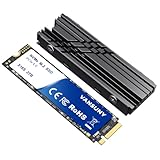
What’s the actual difference
A hard drive (HDD) stores data on spinning magnetic platters with a mechanical arm reading it. It’s 1980s tech refined for 40 years, which is why it’s cheap and reliable for bulk storage but slow by solid-state standards.
An SSD has no moving parts, just flash memory chips. “SATA SSD” connects through the same SATA cable your old hard drive used, capping speed around 550 MB/s. “NVMe SSD” talks directly to the PCIe bus, which is why it’s dramatically faster, often 3,000-7,000 MB/s depending on generation.
M.2 is just the physical connector, a small rectangular slot on the motherboard. Most M.2 drives are NVMe, but some cheaper ones are actually SATA electrically, just shaped like M.2. That matters if you’re buying based on specs alone, check the listing says NVMe, not just M.2.
Speed and what you actually notice
Sequential speed numbers on the box are the least useful part of the spec sheet for daily use. What you feel day to day is boot time, app launch, and file copy of large stuff like video or game installs.
| Drive type | Typical sequential speed | Boot to desktop | Game load (open world) |
|---|---|---|---|
| 7200 RPM HDD | 80-160 MB/s | 30-45 sec | 45-90 sec |
| SATA SSD | 450-550 MB/s | 10-15 sec | 15-25 sec |
| NVMe SSD (Gen3/Gen4) | 2,000-7,000 MB/s | 8-12 sec | 10-18 sec |
Notice the gap between SATA SSD and NVMe is much smaller in real use than the spec sheet suggests. Going from HDD to any SSD is the transformative upgrade. Going from SATA SSD to NVMe is a nice-to-have, not a night-and-day change, unless you’re doing video editing, large file transfers, or working with datasets that genuinely saturate the bandwidth.
Price and capacity trade-offs
Hard drives still win decisively on cost per terabyte. A 4TB HDD runs somewhere around $70-90, while 4TB SSDs are still often $200+. If you’re storing a media library, backups, or archival footage you rarely touch, that price gap is hard to ignore. For bulk storage, a 4TB internal hard drive is still the sane choice.
SSD prices per gigabyte have dropped a lot, and a 1TB SATA SSD is now cheap enough that there’s no good reason to boot Windows from a hard drive anymore, even on a budget build. For a general-purpose boot drive, a 1TB SATA SSD is the budget-sensible pick, and a 1TB NVMe M.2 SSD if your motherboard has the slot and you want the extra headroom for a similar price in a lot of cases.
How they actually fail
Hard drives fail mechanically. Bearings wear out, read heads can click and stop working, and physical shock (dropping the PC, shipping damage) can cause head crashes that scrape the platter. When they fail, it’s often sudden and total, though you sometimes get warning clicking noises first. Backblaze’s annual drive failure reports consistently put HDD annualized failure rates around 1-2% in year one, climbing after 3-4 years of continuous use.
SSDs fail differently. Flash memory has a finite number of write cycles, but for normal consumer use (even gaming, web browsing, office work) you will not wear out a modern SSD’s write endurance within the life of the PC. The more common SSD failure is controller failure, a sudden, often total failure with little warning, or firmware bugs causing drives to vanish from the system entirely. SSDs don’t degrade gracefully with age the way people fear, they just eventually die or don’t.
Neither drive type gives you a reliable warning. Always back up important data regardless of what you’re using, RAID is not a backup, and neither is “it’s an SSD so it’s fine.”
Which one should you actually buy
For a Windows or game boot drive, don’t use a hard drive in 2024 onward, the day-to-day sluggishness isn’t worth the savings. SATA SSD is the floor, NVMe is the comfortable upgrade if your board supports it.
For mass storage, a hard drive is still genuinely the right call for most people, not a compromise. Media servers, backup targets, and archives of stuff you access occasionally don’t benefit from SSD speed, and the cost difference is real money.
If you’re building new and your motherboard has an M.2 slot (most made after 2017 do), put your OS and most-used games there and skip SATA SSD entirely for the boot drive, prices are close enough that there’s little reason to choose SATA for a primary drive anymore. Keep the hard drive, or a secondary SSD, for everything that doesn’t need the speed.
Common mistakes worth avoiding
People buy a high-end Gen4 NVMe drive expecting a visible difference over Gen3, then can’t tell the difference in anything but file transfer benchmarks. Unless you’re moving huge files constantly, that premium is wasted. People also assume “M.2” alone means fast, then end up with a SATA-based M.2 drive that performs identically to a $40 SATA SSD. Read the actual interface spec, not just the connector shape, before paying extra.














