Duck Game is Landon Podbielski’s arena brawler about armed ducks, published by CORPTRON GAMES CORP. and released on Steam on 4 June 2015. It is built around fast rounds for one to four players, with online and LAN play, shared-screen local matches, a level editor and Workshop support. Because it is a natural couch and party pick, Linux players keep asking whether a native build ever shipped.
It did not. Steam’s record for app 312530 is one of the plainest Windows-only files in this series: one platform flag, one content depot, and no Linux paperwork of any kind. What Linux players get instead is a Proton route the developer has visibly supported, plus a Steam Deck badge earned on the current build.
As an Amazon Associate, we earn from qualifying purchases.
Quick answer
No. Duck Game has no native Linux build: Steam flags the game Windows only, its Linux requirements field is an empty list, and its single content depot is a Windows build delivered by Windows-only store packages. Linux players run that build through Proton instead, and Valve rates it Playable on Steam Deck, with SteamOS marked Compatible.
What Steam’s record actually sells
The app record flags Windows true and both Mac and Linux false, and the requirements fields match that shape exactly. The Windows minimum is genuinely written out: Windows 7, a 2.0 GHz processor, 1 GB of RAM, Pixel Shader 2.0 graphics, DirectX 9.0 and 150 MB of available space. The Mac and Linux requirements fields are both empty lists. There is no Linux tab in shell form and no copied Windows text wearing a Linux heading: the field is simply blank.
SteamDB lists exactly one content depot, depot 312531, at 262.43 MiB, with no operating-system split. The only other depots attached to the app are Windows redistributables: Visual C, .NET and XNA runtime packages. There is no Linux depot hiding outside the store package and no unpackaged build. What a purchase delivers confirms it: the record’s two store packages, the standard Duck Game package and the Four Pack, both grant app 312530 and both are flagged Windows only at the package level.
The family sweep is the shortest in this series, because there is no family. The app record carries no DLC array at all: no soundtrack, artbook, demo or supporter pack app. That matters because the classic false Linux flag in this cluster rides on soundtrack apps that flag all three platforms while the game itself does not; here there is no second app to misread. The record also carries no DRM notice and no external-account notice, absences worth naming because they shape the anti-cheat picture below.
The Proton route, and the branch that proves it is the intended one
If the Windows build is the only build, the Linux question becomes how that build is meant to run. Valve’s compatibility work points at Proton, and the branch list on SteamDB shows the developer meeting it halfway. Alongside the public branch sits a branch named linux_fix, described in the record itself as experimental fixes to help Duck Game run through Proton. The branch exists because Proton is the Linux route, and it has been part of the record since April 2022.
The public branch has served build 8782838 since May 2022, and that is the build a purchase installs today. The detected technology fits the picture: SteamDB identifies the XNA framework and the Vorbis audio SDK, the stack of a Windows-era indie game, with no Linux-specific technology anywhere in the file. None of this makes the game native. It does mean the Proton path is neither accidental nor abandoned.
Anti-cheat: three sources, three separate answers
Duck Game is an online title, with Online PvP and LAN PvP in its category list, so the anti-cheat layer deserves its own check rather than an assumption. The three sources this series keeps separate should be reported one by one. Steam’s record names no anti-cheat, and carries neither a DRM notice nor an external-account notice. SteamDB’s detected-technology list contains only the XNA engine and the Vorbis SDK, with no anti-cheat product detected. Are We Anti-Cheat Yet, the community dataset tracking anti-cheat support on Linux, carries no entry for app 312530 at all; the duck-titled games in that dataset are different games, and their entries say nothing about this one.
Read together, the record describes a multiplayer game with no anti-cheat layer between Linux players and online play. That is a statement about the paperwork, not a promise about any given session, and this article makes no claims about servers or player counts, which no primary record publishes.
Steam Deck: Playable, and tested on the build you can buy
Valve’s Deck record for Duck Game, read through SteamDB’s republication of Valve’s compatibility data, gives the game the Playable category. SteamOS is separately marked Compatible. The recommended runtime on the sheet is Proton Experimental, which underlines what the badge certifies: the Windows build running through Proton, not a native build.
The individual checks explain the Playable grade. Interface text is legible, and the default graphics configuration performs well. Against that, Valve records that some functionality is not accessible with the default controller configuration and may need the touchscreen, the virtual keyboard or a community configuration; that the game sometimes shows mouse, keyboard or non-Steam-Deck controller icons; and that entering some text requires manually invoking the on-screen keyboard. The configuration block also records no internet requirement for single-player or setup. One detail makes this badge more useful than most: Valve’s test was recorded in March 2026 against build 8782838, exactly the build the public branch still serves, so the Playable verdict applies to the game as it is actually delivered today.
ProtonDB: an honest gap in the file
ProtonDB is the one source this article could not fully read. Its summary feed returned an error on repeated attempts during this check, so no headline tier, report count or confidence figure is quoted here. What the game’s ProtonDB page itself shows, in the reports readable on it, agrees with the rest of the record: players describe the Windows build running through Proton, including long local-multiplayer sessions with several controllers working well.
Those reports also carry the game’s one recurring complaint. Several describe stuttering that appears after a few minutes of vanilla play under Proton, and the commonly cited remedy in the reports is a community Workshop mod focused on performance fixes. That is community reporting, not a graded record, and it is presented here at that weight. Readers who want a tier should treat its absence as exactly that: an absence, disclosed rather than filled in.
Gear that fits the record
Duck Game is a pad-first party brawler with full controller support, and its Deck badge was written for the Windows build under Proton. The gear below follows that shape.
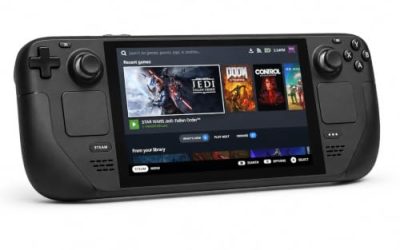
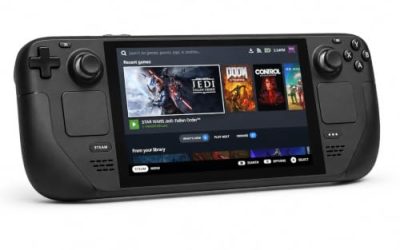
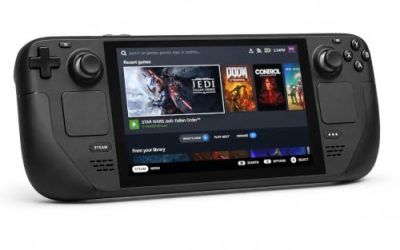
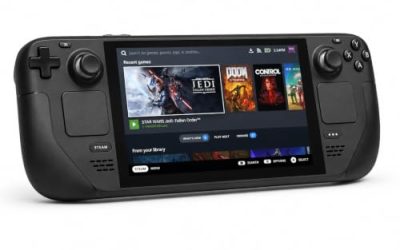
Valve Steam Deck OLED 512GB

The handheld Valve rated Playable on the current build. Its tiny footprint suits handheld sessions, and the Deck also covers docked four-player play.
Specs
- Display: 7.4-inch HDR OLED, 1280 by 800, up to 90 Hz
- Processor: AMD Zen 2 and RDNA 2 custom APU
- Memory: 16 GB LPDDR5
- Storage: 512 GB NVMe, plus a microSD slot
- Wireless: Wi-Fi 6E and Bluetooth
- Channel note: Valve sells the Deck mainly through its own store, so Amazon listings are third-party sellers
8BitDo Ultimate 2 Bluetooth Controller

The first extra pad to buy, because Duck Game’s local modes want up to four controllers on one screen. It covers docked and desktop play with modern sticks and triggers, plus back buttons for repeated inputs.
Specs
- Connectivity: Bluetooth wireless and USB-C wired
- Joysticks: TMR electromagnetic, anti-drift design
- Triggers: Hall effect, with mode switching
- Extras: two remappable back buttons, motion control
- In the box: charging dock included
Xbox Wireless Controller, Carbon Black

The safest guest pad in PC gaming: Steam Input support is universal, and it pairs over Bluetooth or its own wireless standard. On the handheld, Valve’s sheet notes the game can show non-Deck controller icons, so a familiar pad layout keeps prompts easy to read.
- Connectivity: Xbox Wireless and Bluetooth
- Port: USB-C for wired play
- Controls: hybrid D-pad, dedicated Share button
- Power: AA batteries or optional rechargeable pack
Logitech G502 HERO

Duck Game is played on a pad, but the desktop work around it is mouse work: the level editor, Workshop browsing and library management.
Specs
- HERO optical sensor, up to 25,600 DPI
- 11 programmable buttons
- Adjustable weight system
- Wired USB connection
- On-board memory profiles
Samsung T9 Portable SSD 2TB

For moving a Linux game library between machines or keeping offline installer backups, a fast USB-C drive is the simple answer. The headline figure needs a Gen 2×2 host port; on a lesser port the drive runs at that ceiling.
Specs
- Capacity: 2 TB portable SSD
- Interface: USB 3.2 Gen 2×2, USB-C connector
- Maker-rated speeds: up to 2,000 MB per second read, 1,950 MB per second write
- Features: Dynamic Thermal Guard, maker-rated drop resistance
How to choose
Choose the Steam copy, because it is the only PC edition on sale, and both of Steam’s packages deliver the same Windows build. On a desktop or laptop, install the game and run it through Proton; the developer’s linux_fix branch shows that route has had attention, and the public build is the one Valve tested. On a Steam Deck, expect the Playable experience the sheet describes, with occasional touchscreen or community-configuration moments in menus. For input, plan around pads: the game lists full controller support and up to four local players, and rewards spare controllers over any keyboard setup.
Who should skip
Skip this one if you are shopping for a native Linux build: Duck Game does not have one, and no layer of its record suggests one is coming. Skip it if you want a DRM-free offline installer, because there is no GOG edition to buy. Skip the Deck plan if Valve’s notes about default-configuration gaps and manual keyboard invocation are friction you do not want in a party game. And skip it if the stutter reports on ProtonDB matter to you and you are unwilling to consider the community fixes those reports describe; the graded records here cannot promise a flawless session.
FAQ
Is Duck Game native on Linux?
No. Steam flags app 312530 for Windows only, the Linux requirements field is an empty list, and SteamDB lists a single content depot with no platform split, delivered by store packages flagged Windows only. No native build exists on any layer.
Does Duck Game’s online play work on Linux?
The record names no obstacle: Steam lists no anti-cheat and no DRM or account notice, SteamDB detects none, and Are We Anti-Cheat Yet carries no entry for it. Online and LAN PvP are in the game’s Steam category list, and the Linux route to them is the Windows build under Proton.
How does Duck Game run on Steam Deck?
Valve rates it Playable, with SteamOS marked Compatible, tested in March 2026 on build 8782838, the same build the public branch still serves. Text is legible and the default graphics configuration performs well; the caveats are default-configuration gaps, occasional non-Deck controller icons and manual on-screen keyboard invocation for text entry.
Can I buy Duck Game on GOG instead?
No. GOG’s catalogue search returns no product for the game, and the address a Duck Game page would occupy resolves to GOG’s general catalogue. The Steam copy is the only PC edition, and it is the Windows build this article describes.
Final verdict
Duck Game is a Windows-only release whose record is unusually easy to read: one flag, one depot, no DLC family to inflate the scan, and no anti-cheat entry in any of the three sources. Against that plain negative sits a supported Proton route, complete with a developer-maintained fix branch, and a Playable Steam Deck badge tested on the build the store still sells. Buy the Steam copy, bring controllers, and play it under Proton.
Product and ASIN Reference
| Product | ASIN |
|---|---|
| Valve Steam Deck OLED 512GB | B0CQ3RWQQZ |
| 8BitDo Ultimate 2 Bluetooth Controller | B0F194QFT2 |
| Xbox Wireless Controller, Carbon Black | B08DF248LD |
| Logitech G502 HERO | B07GBZ4Q68 |
| Samsung T9 Portable SSD 2TB | B0CHFS9K14 |