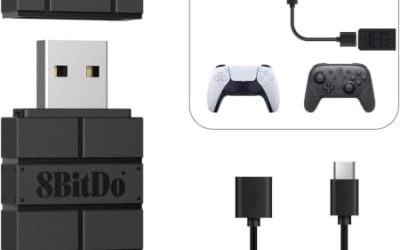
The real decision is not which Bluetooth version is printed biggest on the box. It is whether your controller stays connected through a three-hour session without drifting, doubling inputs or dropping out when you lean back, and whether your headset audio stays in sync with the game instead of trailing a half-second behind the action. A weak radio, a badly placed dongle or the wrong Windows driver causes those failures, and no version number on the packaging fixes any of them.


This guide is for desktop owners whose motherboard skipped Bluetooth, laptop players whose built-in radio is unreliable, and couch gamers who want a controller and headset running off one PC across the room. Every adapter below was chosen from the product names and specifications printed on its Amazon product page, so the Bluetooth version, range claim, codec support and operating-system limits in each entry are exactly what the listing states, nothing more.
Quick Picks
As an Amazon Associate we earn from qualifying purchases.
| Product | Best for | Key spec from title |
|---|---|---|
| TP-Link UB500 | A desktop that needs Bluetooth added once | Bluetooth 5.4 nano dongle with EDR and BLE |
| TP-Link UB500 Plus | Couch gaming with the PC across the room | Bluetooth 5.3 long range with adjustable antenna |
| UGREEN Bluetooth 5.3 Adapter | A work-and-gaming laptop | Bluetooth 5.3, plug & play for Windows 11/10/8.1 |
| ASUS USB-BT500 | Linux and older or stubborn Windows builds | Bluetooth 5.0, backward compatible with 2.1/3.x/4.x |
| Avantree DG45 | A Windows desk full of wireless gear | Bluetooth 5.0, connects up to seven devices |
How to Choose
Bluetooth Version and Chipset Decide Stability
Version numbers set the ceiling, not the experience. Bluetooth 5.0 already covers what a controller needs, while 5.3 and newer radios add connection-management refinements that help in crowded wireless environments. What you feel in game is the chipset and firmware underneath: a well-supported radio from TP-Link, ASUS or UGREEN pairs once and reconnects cleanly after sleep, while bargain no-name dongles often vanish from Device Manager after a Windows update. If your motherboard already has Bluetooth that drops controllers, disable it in Device Manager before installing any USB adapter, so Windows is not juggling two radios.
Range Is Mostly About Antenna and Placement
Every nano dongle here is a short-range radio by design, and its antenna is a trace on a tiny circuit board. That is fine at a desk, but a PC tower under a desk, against a wall, adds metal and drywall between the dongle and your controller. Antenna models such as the UB500 Plus exist for exactly that gap. Placement matters as much as hardware: a front-panel USB port or a short USB extension cable lifts any of these adapters out of the interference shadow behind a case, where USB 3.0 ports and drives radiate noise on the same 2.4 GHz band.
Codecs and Latency for Headset Users
Controllers ask little of a dongle; headsets ask a lot. When a headset microphone is active, standard Windows Bluetooth falls back to a hands-free profile that flattens audio quality, and the default SBC codec adds delay you can hear in rhythm games and dialogue. Some listings advertise aptX support, but the codec you actually get depends on the driver stack the adapter installs, so treat codec badges as a claim to verify on the product page rather than a guarantee. Our broader roundup of Bluetooth adapters for PC compares more audio-focused options if headset sound is your main reason for buying.
Drivers and Windows Compatibility
Most current adapters are plug and play on Windows 10 and 11: the operating system already carries the driver, and pairing happens in Settings. The exceptions matter. Avantree’s DG45 uses its own driver, downloaded from Avantree, and only supports Windows 8 through 11 — no macOS, no Linux, no consoles. ASUS publishes its own driver package for the USB-BT500, which is why that older 5.0 dongle keeps working on stubborn builds. Before ordering, match the listing’s supported-OS line to your machine, and plan to uninstall any leftover third-party Bluetooth stacks, which are the most common cause of failed installs.
The 5 Best Options
TP-Link UB500
The UB500 is the default recommendation for a desktop that simply has no Bluetooth. Its nano body disappears into a rear or front USB port and stays there, Windows treats it as a native radio, and it handles a controller, a headset and a mouse without the pairing drama that follows no-name dongles. TP-Link’s current listing sells this model as a Bluetooth 5.4 receiver with EDR and BLE support, so it covers both modern low-energy peripherals and older classic-Bluetooth gear. Pick it when your PC sits at the same desk you play at and you want the connection to become a non-issue.
Specs
- Bluetooth 5.4 dongle receiver with EDR and BLE (per the current listing title)
- Nano design, plug and play
- Supports Windows 11 / 10 / 8.1 / 7
- For desktop and laptop PCs; connects keyboards, mice, headsets, speakers and controllers
- Model: UB500
Best for: A desktop at your desk that needs Bluetooth added once and forgotten.
Watch out for: The nano body has no external antenna, so range through walls is limited; move it to a front port if your controller drops at couch distance.
ASIN: B09DMP6T22
TP-Link UB500 Plus
Choose the Plus when distance is the whole problem. It keeps the same plug-and-play TP-Link formula but adds an adjustable external antenna and a long-range Bluetooth 5.3 radio, which is the combination that survives a PC towered in a TV stand or a desk on the opposite wall. The antenna rotates, so you can angle it upright instead of leaving the signal buried behind the case. For couch gaming with a controller, or a headset worn while you move around the room, this is the pick that removes placement from the troubleshooting list.
Specs
- Bluetooth 5.3 long-range receiver
- Adjustable external antenna
- Plug and play
- Supports Windows 11 / 10 / 8.1 / 7
- Model: UB500 Plus
Best for: Couch setups where the PC is across the room or inside a TV stand.
Watch out for: The antenna needs clearance behind the port; check it will not foul cables or the wall before choosing it over a nano model.
ASIN: B0DKFXGR21
UGREEN Bluetooth 5.3 Adapter
UGREEN’s 5.3 adapter is the one to leave in a laptop bag. It is a mini receiver that Windows 11, 10 and 8.1 accept without a driver hunt, and UGREEN lists it as both receiver and transmitter for the usual spread of keyboards, mice, headphones, speakers and printers. In practice it suits the player who games on the same laptop they work on: plug it in once, pair a controller and a headset, and stop thinking about it. It lacks an antenna, so it shares the distance limits of every nano dongle here.
Specs
- Bluetooth 5.3
- Plug & play for Windows 11 / 10 / 8.1
- Receiver and transmitter for keyboard, mouse, headphones, speakers and printer
- Mini USB dongle design
- Model: 35995
Best for: A gaming-and-work laptop that needs one small dongle left permanently in a side port.
Watch out for: The listing supports Windows only, so do not buy it for a Linux or macOS machine.
ASIN: B0CZD94YFR
ASUS USB-BT500

The USB-BT500 is the oldest radio in this roundup and still earns its place on support rather than specs. Bluetooth 5.0 is enough for controllers, and ASUS backs the dongle with its own published drivers for Windows and Linux, which rescues builds where generic adapters fail after an update. Backward compatibility with Bluetooth 2.1, 3.x and 4.x devices also makes it the safest pick for an older headset or controller you refuse to retire. Buy it when your machine is non-standard — a Linux box, an older Windows install, a problem motherboard — and boring reliability beats a newer version number.
Specs
- Bluetooth 5.0, backward compatible with Bluetooth 2.1 / 3.x / 4.x
- Ultra-small USB design
- USB 2.0 interface
- ASUS driver support for Windows and Linux
- Model: USB-BT500
Best for: Linux players and older or troublesome Windows builds that need vendor driver support.
Watch out for: It is Bluetooth 5.0 only, and some systems need the ASUS driver installed manually rather than relying on the one built into Windows.
ASIN: B08DFBNG7F
Avantree DG45

The DG45 is built for the desk where everything is wireless at once. Avantree rates it for up to seven paired devices, spanning headphones, speakers, keyboards, mice, printers and compatible controllers, and its own driver stack is tuned for exactly that juggling act, including headset calls alongside game audio. The trade-offs are written plainly in its listing: Windows 8 through 11 only, nothing else, and only one Bluetooth audio device can be active at a time. If your setup is Windows-only and crowded, those limits rarely bite, and the multi-device memory is genuinely useful.
Specs
- Bluetooth 5.0 with EDR, data transfer rate up to 3 Mbps
- Class 2 range up to 10 m (33 ft) in open space
- Audio codec support: SBC; profiles A2DP and AVRCP
- Connects up to seven Bluetooth devices
- Windows 11 / 10 / 8.1 / 8 only; driver available from Avantree
- Model: BTDG-45
Best for: A Windows desk running a controller, headset, keyboard and mouse off one adapter.
Watch out for: Windows only — no macOS, Linux or consoles — and your PC’s built-in Bluetooth must be disabled for its driver to work cleanly.
ASIN: B08GM1MV6B
Which One Fits Your Situation
Your Desktop Has No Bluetooth at All
Start with the TP-Link UB500. It is the cheapest route to a native-feeling Windows radio, it disappears into a spare port, and it covers the standard gaming load of a controller plus a headset. Only step up to an antenna model if you already know distance is part of your problem; at a normal desk, placement is not the bottleneck, and the nano dongle’s simplicity is the feature.
You Play From the Couch, PC Across the Room
Take the UB500 Plus and angle its antenna upright. That external antenna is the one hardware difference in this roundup aimed squarely at your problem, and it keeps a controller connected through the distance and furniture that defeat nano dongles. If the PC lives inside a closed TV cabinet, pair it with a short USB extension lead as well, so the radio sits outside the box entirely.
You Game on a Laptop That Travels With You
The UGREEN 5.3 adapter fits this life best. It is small enough to stay in a side port through commutes, Windows installs it without a driver search, and it remembers the controller and headset you pair at home. Because it has no antenna, keep your expectations desk-sized: it is a convenience pick for near-range play, not the tool for a living-room setup.
Your Build Is Old, Linux-Based, or Just Stubborn
Choose the ASUS USB-BT500. Its Bluetooth 5.0 radio is unremarkable, but ASUS maintains real drivers for Windows and Linux, and its backward compatibility reaches headsets and controllers from the Bluetooth 2.1 era. On a machine where a generic dongle has already failed once, that support trail is worth more than a newer version badge, and it is the pick most likely to simply work.
Common Mistakes
- Buying on Bluetooth version alone, when chipset support, drivers and placement decide whether a controller actually stays connected.
- Leaving the dongle in a rear USB 3.0 port behind a metal case, surrounded by drives and hubs radiating interference on the same 2.4 GHz band.
- Leaving a motherboard’s built-in Bluetooth enabled alongside a USB adapter, so Windows swaps between two radios and pairings keep breaking.
- Expecting console-style low-latency audio: with a microphone active, standard Windows Bluetooth drops a headset to a low-quality hands-free profile.
- Plugging the adapter into a TV, console or car stereo and expecting it to work; these are Windows PC devices that need PC drivers.
Frequently Asked Questions
Can I connect an Xbox or PlayStation controller with one of these?
Yes, on a Windows PC. Modern Xbox controllers and Sony’s DualSense pair over standard Bluetooth, and every adapter here handles that connection. Remember that some controller features, such as firmware updates or the Xbox headset jack, still need a cable or Microsoft’s own wireless adapter; Bluetooth covers gameplay input and, for DualSense, basic audio routing through Windows.
Does Bluetooth 5.3 actually feel faster than 5.0 for gaming?
For a controller, no difference you can feel. Input latency is dominated by the controller’s own radio and polling behaviour, not the dongle’s version. Newer versions mainly help with connection stability around other wireless gear and with low-energy peripherals. Placement, chipset quality and driver support change your experience far more than the number after “Bluetooth”.
Why does my headset sound bad as soon as I join voice chat?
That is a Bluetooth profile limit, not a broken adapter. Stereo music uses the A2DP profile, but the moment a microphone opens, Windows switches the headset to a hands-free profile with much lower audio quality. Every standard dongle behaves this way. Players who need full-quality audio and voice together use a wired headset or a proprietary 2.4 GHz wireless headset instead.
Can I plug one of these into my TV or console to add Bluetooth?
No. These adapters are Windows PC peripherals: they rely on the Windows Bluetooth stack or a vendor driver written for Windows, and televisions and consoles cannot load either. A TV or console needs a dedicated audio transmitter designed for it, usually one that plugs into an optical or 3.5 mm output. Check the listing’s supported-OS line before assuming any wider compatibility.