Our Short List of 3

- Best for: A balanced everyday build on 8th or 9th Gen Intel.
- LGA1151 socket for 8th and 9th Gen Intel Core processors
- Intel Z390 chipset
- 4 DDR4 DIMM slots, up to 64GB
- Dual M.2 slots for NVMe storage

- Best for: Builders who want many USB ports and steady power delivery.
- LGA1151 socket for 8th and 9th Gen Intel Core processors
- Intel Z390 chipset
- 4 DIMM slots, dual-channel DDR4 up to 4400MHz overclocked
- 2 USB 3.1 Gen2 ports, 1 Type-A and 1 Type-C

- Best for: Gaming builds that need Wi-Fi and the fastest USB ports.
- LGA1151 socket for 8th and 9th Gen Intel Core processors
- Intel Z390 chipset
- 4 USB 3.1 Gen2 ports, 3 Type-A and 1 Type-C
- 4 USB 3.1 Gen1 ports
All 3 Picks at a Glance
| Product | Specs | Action |
|---|---|---|
| ASUS Prime Z390-A |
| Check price on Amazon |
| MSI Z390-A PRO |
| Check price on Amazon |
| ASUS ROG Strix Z390-E |
| Check price on Amazon |
A USB 3.1 motherboard for an Intel build is a specific purchase with a hard limit: these boards use the LGA1151 socket and the Z390 chipset, which support 8th and 9th Gen Intel Core processors and nothing newer. The real decision is which board matches the processor you already own or plan to buy, because the socket decides compatibility before any feature list matters. After that comes the USB layout, since Gen 2 ports run twice as fast as Gen 1, and the memory and storage options that decide how far the build goes.
This guide is for builders reviving or finishing an 8th or 9th Gen Intel system, for owners replacing a failed board without changing the processor, and for anyone adding fast external storage to an older machine. Each board below was chosen from the names and specifications shown on its Amazon product page, with socket, chipset, USB counts and memory support taken from the listing itself.
Quick Picks
As an Amazon Associate we earn from qualifying purchases
| Product | Best for | Key spec from title |
|---|---|---|
| ASUS Prime Z390-A | A balanced ATX board for 8th and 9th Gen | LGA1151, USB 3.1 Gen2, DDR4, M.2 |
| MSI Z390-A PRO | A workhorse board with strong USB counts | LGA1151, USB 3.1 Gen 2, DDR4, M.2 |
| Gigabyte Z390 UD | Multi-GPU and mining-style expansion | LGA1151, Intel Z390, 6 x PCIe slots |
| ASUS ROG Strix Z390-E | Gaming with Wi-Fi and fast USB | LGA1151, USB 3.1 Gen2, 802.11AC Wi-Fi |
How to Choose
Confirm Socket and Processor Generation
The LGA1151 socket on these boards accepts 8th and 9th Gen Intel Core, Pentium Gold and Celeron processors, and it does not accept 10th Gen or newer chips even though the socket name looks familiar. Check your processor model against the board’s compatibility list before ordering, since a 9th Gen chip needs a BIOS version that early boards may lack. If you are replacing a failed board, match the new board to the processor you already own rather than buying a board first. A board that cannot take your chip is useless no matter how good its USB layout looks.
Count USB 3.1 Gen 2 Against Gen 1
USB 3.1 comes in two speeds, and the naming hides the difference. Gen 2 ports move data at up to 10Gbps, while Gen 1 ports run at up to 5Gbps, so a board with more Gen 2 ports suits fast external drives and docks. Count the rear Type-A and Type-C Gen 2 ports in the listing, then check the internal headers for front-panel ports on your case. A board with a single Gen 2 port and many Gen 1 ports still serves ordinary peripherals well, but a builder moving large files daily should favour the board with more Gen 2 connections.
Check Memory and Storage Support
Memory and storage decide how long the build stays useful. All four boards here take DDR4 across four slots, with support up to 64GB on most models and higher memory speeds through overclocking profiles. Dual M.2 slots matter for builders who want a fast NVMe system drive plus a second SSD, so confirm the slot count and whether a slot shares lanes with a SATA port. Six SATA ports cover hard drives and older SSDs for archives. Match the memory speed to your processor’s memory controller, and buy the capacity you will need for the life of the build.
Form Factor, Power and Expansion
All four boards are ATX, so they need a mid-tower or larger case with the matching standoff layout and room for a full-size graphics card. Power delivery matters for higher-end 9th Gen chips, so look for the number of power phases and the heatsinks on the voltage regulators when the listing shows them. PCIe slot counts decide whether the build can hold two graphics cards or several expansion cards, and built-in Wi-Fi saves a slot on boards that include it. Measure the case, confirm the power supply has the right CPU connector, and check the rear panel layout against your peripherals.
The 4 Best Options
ASUS Prime Z390-A
- Best for: A balanced everyday build on 8th or 9th Gen Intel.
- LGA1151 socket for 8th and 9th Gen Intel Core processors
- Intel Z390 chipset
- 4 DDR4 DIMM slots, up to 64GB
- Dual M.2 slots for NVMe storage
A balanced everyday build on 8th or 9th Gen Intel.
Z390 boards are end-of-life, so confirm the listing shows a new board before ordering.
The Prime Z390-A is the balanced choice for a builder who wants a solid ATX board without gaming extras. Its AI overclocking tunes the processor automatically, dual M.2 slots cover fast storage, and the USB 3.1 Gen2 ports handle fast external drives. DisplayPort and HDMI outputs suit a build that sometimes runs on integrated graphics, while Gigabit LAN covers wired networking. Four DDR4 slots take up to 64GB of memory for a system that stays useful for years. It is the pick for a straightforward 8th or 9th Gen build.
MSI Z390-A PRO
- Best for: Builders who want many USB ports and steady power delivery.
- LGA1151 socket for 8th and 9th Gen Intel Core processors
- Intel Z390 chipset
- 4 DIMM slots, dual-channel DDR4 up to 4400MHz overclocked
- 2 USB 3.1 Gen2 ports, 1 Type-A and 1 Type-C
Builders who want many USB ports and steady power delivery.
Confirm the board revision matches your processor, since early BIOS versions may need an update.
The Z390-A PRO is the workhorse of this group, with a generous USB layout and a focus on stable power delivery. Two USB 3.1 Gen2 ports, one Type-A and one Type-C, sit on the rear panel alongside six Gen1 ports, so fast drives and ordinary peripherals both have room. DDR4 support reaches 4400MHz with overclocking, and the Turbo M.2 slot gives NVMe storage a full-speed link. Dual Gigabit LAN and 8-channel audio cover networking and sound without add-in cards. It is the pick for a builder who values ports and stability over looks.
Gigabyte Z390 UD
The Z390 UD suits builders who need expansion more than polish, with six PCIe slots for multiple graphics cards or other add-in hardware. Its 10-plus-2 phase digital power design feeds demanding processors steadily, and Smart Fan 5 keeps temperatures under control with several temperature sensors. Dual-channel DDR4 across four slots and an ultra-fast NVMe M.2 slot cover memory and storage, while Realtek gaming LAN handles wired networking. Six USB 3.1 Gen1 ports on the rear panel cover everyday peripherals. It is the pick for a build with many cards.
Specs
- LGA1151 socket for 8th and 9th Gen Intel Core processors
- Intel Z390 chipset
- 10-plus-2 phase digital VRM
- 6 PCIe slots for multi-GPU or expansion cards
- Dual-channel DDR4, 4 DIMM slots
- Ultra-fast NVMe PCIe Gen3 x4 M.2 slot
- 6 USB 3.1 Gen1 ports on the rear panel
- Realtek 8118 Gaming LAN
- Smart Fan 5 with multiple temperature sensors
Best for: Builds with several expansion cards or multiple graphics cards.
Watch out for: This board has no USB 3.1 Gen2 rear ports, so fast external drives run at Gen1 speed.
ASIN: B07HS59X7P
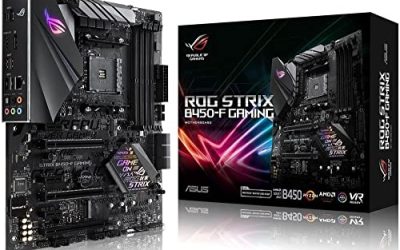
ASUS ROG Strix Z390-E
- Best for: Gaming builds that need Wi-Fi and the fastest USB ports.
- LGA1151 socket for 8th and 9th Gen Intel Core processors
- Intel Z390 chipset
- 4 USB 3.1 Gen2 ports, 3 Type-A and 1 Type-C
- 4 USB 3.1 Gen1 ports
Gaming builds that need Wi-Fi and the fastest USB ports.
Two ASINs appear for this board in search results, so confirm the listing title matches before ordering.
The Strix Z390-E is the gaming pick, with built-in 802.11ac Wi-Fi, Aura Sync lighting and the fastest USB layout in this guide. Four USB 3.1 Gen2 ports, three Type-A and one Type-C, sit on the rear panel with a front-panel Gen2 connector for the case. Dual M.2 slots with heatsinks keep fast SSDs cool, and DDR4 support reaches 4266MHz for overclocked memory. Five-Way Optimization tunes the processor automatically, and the pre-mounted I/O shield makes installation simpler. It is the pick for a gaming build on 9th Gen Intel.
Which One Fits Your Situation
You Are Replacing a Failed Board
Pick the ASUS Prime Z390-A when the job is a straight replacement that keeps the processor, memory and case. Its balanced layout covers ordinary needs without surprises, and the standard ATX size fits the case the old board came from. Confirm the processor generation first, then swap the board and reuse everything else. It is the least disruptive way back to a working machine.
You Need Many USB Ports
Pick the MSI Z390-A PRO when the desk holds many peripherals and external drives. Its mix of Gen2 and Gen1 ports covers fast storage and everyday devices at once, and the dual LAN and strong audio remove the need for add-in cards. It suits a workstation where the rear panel is always full and every port earns its place.
You Run Several Expansion Cards
Pick the Gigabyte Z390 UD when the build needs six PCIe slots for graphics cards or other hardware. The strong power design feeds demanding chips, and the extra slots leave room to grow. It suits a multi-GPU setup or a machine that hosts several specialist cards alongside the graphics card.
You Are Building a Gaming PC
Pick the ASUS ROG Strix Z390-E when the build is for gaming on a 9th Gen processor. Built-in Wi-Fi removes a card from the slots, the four Gen2 ports handle fast external drives, and the M.2 heatsinks keep storage cool during long sessions. The lighting and tuning tools are a bonus for a build that sits on display.
Common Mistakes
- Buying a Z390 board for a 10th Gen or newer processor that the LGA1151 socket cannot take.
- Confusing USB 3.1 Gen1 and Gen2 speeds when choosing a board for fast external storage.
- Forgetting to check whether the board’s BIOS supports a 9th Gen processor out of the box.
- Ordering an ATX board for a case that only fits smaller micro-ATX boards.
- Assuming a board is new when the listing only offers used or refurbished stock.
Frequently Asked Questions
Which Intel processors work with these boards?
These boards use the LGA1151 socket with the Z390 chipset, which supports 8th and 9th Gen Intel Core, Pentium Gold and Celeron processors. They do not support 10th Gen or newer chips, even though later sockets share a similar name. Check your exact processor model against the board’s compatibility list before ordering, and confirm the BIOS version covers 9th Gen chips.
What is the difference between USB 3.1 Gen1 and Gen2?
Gen1 ports move data at up to 5Gbps, while Gen2 ports reach 10Gbps, so Gen2 is twice as fast for external drives and docks. Both use the same USB-A and USB-C connectors, which is why the naming confuses buyers. Count the Gen2 ports when fast storage matters, and treat Gen1 ports as fine for keyboards, mice and printers.
Can I use DDR4 memory I already own?
Yes, when it is standard DDR4 desktop memory in the speed range the board supports. All four boards take four DDR4 modules, with higher speeds available through overclocking profiles. Check the board’s memory compatibility list for your exact modules, since very fast kits may need manual settings to run at their rated speed.
Are Z390 boards still sold new?
Z390 boards are end-of-life, so new stock is limited and many listings now offer used or refurbished boards. Check the listing condition carefully before ordering, and confirm the board ships in its original box with the accessories. When new stock cannot be found, a used board from a reputable seller is the practical route for keeping an older system running.