A laptop for study and work needs to do the ordinary things well: open documents quickly, hold a video call without stuttering, last through a lecture or a shift, and stay light enough to carry every day. The processor, memory and storage decide all of that, yet two laptops with the same screen size can feel completely different once you open a dozen browser tabs and a video call at the same time.


One note on the keyword for this guide: as supplied it reads “oth gen”, which looks garbled, and this guide does not assign it a generation it does not state. Instead it covers Intel laptops generally, from a budget Celeron model to 13th generation Core i5 and i7 machines, so you can compare real processors and choose the level that fits your work.
Quick Picks
As an Amazon Associate we earn from qualifying purchases
| Product | Best for | Key spec from title |
|---|---|---|
| Lenovo IdeaPad 1 15IJL7 | Budget study on a tight budget | Intel Celeron N4500, 8GB RAM, 128GB SSD |
| Lenovo IdeaPad Slim 3 15 | Everyday use with long battery life | Intel N150, 8GB LPDDR5, 128GB storage |
| Lenovo IdeaPad Slim 3 15.3 i5-13420H | Work and multitasking with a fast chip | Intel Core i5-13420H, 16GB DDR5, 512GB SSD |
| Lenovo IdeaPad Slim 3 15.3 i7-13620H | Heavy multitasking with large storage | Intel Core i7-13620H, 24GB DDR5, 1TB SSD |
How to Choose
Match the processor to your daily workload
The processor decides how smoothly a laptop handles your real work. A dual-core Celeron N4500 suits documents, email, web browsing and video playback, which covers many students and home users. An Intel N150 adds efficiency for the same everyday tasks with longer battery life. A 13th generation Core i5 with eight cores handles multitasking, spreadsheets, photo editing and video calls at the same time, while a 10-core Core i7 suits heavier workloads such as large documents, coding and media work. Choose the lowest processor that handles your daily programs comfortably.
Check memory and storage together
Memory and storage work as a pair, and a weak link in either one slows the whole laptop. For study and office work, 8GB of RAM is a workable minimum, while 16GB or more suits multitasking with many browser tabs and large documents. Storage matters just as much: a 128GB drive fills quickly once you add documents, photos and programs, while a 512GB or 1TB SSD leaves room for a full library of files. Check whether the laptop uses an SSD, an eMMC drive or a mix of the two, because an SSD boots and loads programs far faster.
Compare screen, weight and battery life
A laptop you carry every day should be judged by its screen, its weight and its battery as much as by its chip. A 15.6-inch Full HD screen at 1920 by 1080 gives a clear view for documents and video, and an anti-glare coating helps in bright rooms. Weight matters on a long walk across campus or a commute: the laptops here start at 3.42 pounds, which is light for a 15-inch machine. Battery life decides whether you need a charger at your desk, so check the battery size in watt-hours and the adapter that comes with it.
Look at ports, Wi-Fi and the webcam
Ports and connectivity decide whether a laptop fits your desk without a bag full of adapters. Check for USB-C and USB-A ports, an HDMI port for an external monitor, a headphone jack and a card reader if you use one. Wi-Fi 6 and Bluetooth 5.2 are the current standards for wireless speed and accessory pairing, and all four laptops here list them. The webcam matters more than it used to, so check whether it has a privacy shutter and whether the microphone suits video calls.
The 4 Best Options
Lenovo IdeaPad 1 15IJL7
The Lenovo IdeaPad 1 15IJL7 is the budget laptop in this guide, built for students and home users who need a full-size machine for documents, browsing and video. Its Intel Celeron N4500 dual-core processor runs up to 2.8 GHz, and 8GB of DDR4 memory keeps several browser tabs and a document open at once. Storage pairs a 128GB SSD with 128GB of eMMC, giving room for programs and files on a budget machine. The 15.6-inch Full HD display shows documents and video clearly at 1920 by 1080, and Intel UHD Graphics handles playback and light visual work.
Specs
- Processor: Intel Celeron N4500, dual core, up to 2.8 GHz
- Memory: 8GB DDR4
- Storage: 128GB SSD plus 128GB eMMC
- Display: 15.6 inch Full HD, 1920 x 1080
- Graphics: Intel UHD Graphics
- Wireless: Wi-Fi 6, Bluetooth
- Operating system: Windows 11 Home
- Weight: 3.42 lb
- Dimensions: 14.18 x 9.29 x 0.7 inches
- Ports: HDMI 1.4b, USB-C 3.2 Gen 1, USB-A 3.2 Gen 1, USB-A 2.0, card reader
- Model: IdeaPad 1 15IJL7
Best for: Students and home users who need a budget 15.6-inch laptop for study, browsing and video, and who carry it between classes and home.
Watch out for: The Celeron chip suits light work only, so heavy multitasking or large programs will feel slow, and storage fills quickly with large media files.
Lenovo IdeaPad Slim 3 15
The Lenovo IdeaPad Slim 3 15 is an everyday laptop for work, school and home, built around an Intel N150 processor with 8GB of LPDDR5 memory and 128GB of UFS storage. Its 15.6-inch Full HD anti-glare screen shows documents and presentations clearly at 1920 by 1080, with a 250-nit brightness and a low blue light software solution for comfortable extended viewing. The laptop weighs 3.42 pounds and measures 0.70 inches thin, so it slips into a bag without weighing you down, and MIL-STD-810H testing across 21 items supports dependable performance through everyday travel.
Specs
- Processor: Intel N150
- Memory: 8GB LPDDR5
- Storage: 128GB UFS 2.2
- Display: 15.6 inch Full HD, 1920 x 1080, anti-glare
- Wireless: Wi-Fi 6, Bluetooth 5.2
- Operating system: Windows 11 Home
- Battery: 47Wh, 65W adapter
- Weight: 3.42 lb, 0.70 inches thin
- Durability: MIL-STD-810H testing, 21 items
- Camera: 720p with physical privacy shutter
- Audio: Dolby Audio speakers, dual microphones
- Model: IdeaPad Slim 3 15
Best for: Everyday work, school and home use where light weight and battery life matter most, and where a thin laptop must still survive daily travel.
Watch out for: Storage is limited to 128GB, so large media libraries need an external drive or cloud storage, and the memory cannot be expanded beyond 8GB.
Lenovo IdeaPad Slim 3 15.3 i5-13420H
The Lenovo IdeaPad Slim 3 15.3 with a 13th generation Intel Core i5-13420H is the workhorse of this guide, built for multitasking and productivity. Its eight-core processor runs up to 4.6 GHz, and 16GB of DDR5 memory keeps many programs open at once without slowing down. Storage is a 512GB PCIe NVMe SSD, which boots quickly and holds a full set of documents, photos and applications. The 15.3-inch Full HD display gives a wide view for spreadsheets and research, and Intel UHD Graphics handles everyday visual work.
Specs
- Processor: 13th Gen Intel Core i5-13420H, 8 cores, up to 4.6 GHz
- Memory: 16GB DDR5
- Storage: 512GB PCIe NVMe SSD
- Display: 15.3 inch Full HD
- Graphics: Intel UHD Graphics
- Wireless: Wi-Fi 6, Bluetooth 5.2
- Operating system: Windows 11 Home
- Weight: 3.51 lb
- Dimensions: 13.52 x 9.51 x 0.67-0.70 inches
- Keyboard: Full keyboard with number pad
- Ports: USB-C, 2 x USB-A, HDMI 1.4, SD card reader, headphone jack
- Model: IdeaPad Slim 3
Best for: Work and study that need fast multitasking, large documents and a 512GB SSD, with a full keyboard for spreadsheets and data entry.
Watch out for: The 15.3-inch size is a little wider than a standard 15.6-inch laptop bag, so check your sleeve before buying, and confirm the ports match your monitor.
Lenovo IdeaPad Slim 3 15.3 i7-13620H
The Lenovo IdeaPad Slim 3 15.3 with a 13th generation Intel Core i7-13620H is the most capable laptop in this guide, built for heavy multitasking and large files. Its 10-core processor runs up to 4.9 GHz, and 24GB of DDR5 memory keeps demanding programs open side by side. Storage is a 1TB PCIe NVMe SSD, which holds a large library of documents, photos, video and applications without an external drive. The 15.3-inch Full HD display suits long work sessions, and Intel UHD Graphics handles everyday visual tasks.
Specs
- Processor: 13th Gen Intel Core i7-13620H, 10 cores, up to 4.9 GHz
- Memory: 24GB DDR5
- Storage: 1TB PCIe NVMe SSD
- Display: 15.3 inch Full HD
- Graphics: Intel UHD Graphics
- Wireless: Wi-Fi 6, Bluetooth 5.2
- Operating system: Windows 11 Home
- Weight: 3.51 lb
- Dimensions: 13.52 x 9.51 x 0.67-0.70 inches
- Keyboard: Full keyboard with number pad
- Camera: 720p with privacy shutter
- Ports: USB-C, 2 x USB-A, HDMI 1.4, SD card reader, headphone jack
- Model: IdeaPad Slim 3
Best for: Heavy multitasking, large files and long work sessions that need 24GB of memory and 1TB of storage, without carrying an external drive.
Watch out for: The extra memory and storage add cost over the i5 model, so choose it only if your work uses them, and check your bag fits the 15.3-inch frame.
Which One Fits Your Situation
You need the cheapest laptop for study and browsing
Choose the Lenovo IdeaPad 1 15IJL7. Its Celeron processor, 8GB of memory and 128GB SSD plus eMMC cover documents, email, browsing and video at the lowest level in this guide. The 15.6-inch Full HD screen and 3.42-pound weight make it easy to carry, and Wi-Fi 6 keeps it connected on campus.
You carry your laptop everywhere and work on battery
Choose the Lenovo IdeaPad Slim 3 15. Its Intel N150 processor and 47Wh battery suit a full day of light work, and at 3.42 pounds and 0.70 inches thin it is the easiest laptop here to carry. The anti-glare screen and privacy-shutter camera suit classrooms, libraries and video calls.
You multitask with many programs and large documents
Choose the Lenovo IdeaPad Slim 3 15.3 i5-13420H. Its eight-core i5 processor and 16GB of DDR5 memory handle spreadsheets, research and video calls at the same time, and the 512GB SSD holds a full set of files. The full keyboard with number pad helps with data entry and study notes.
You work with large files and need the most headroom
Choose the Lenovo IdeaPad Slim 3 15.3 i7-13620H. Its 10-core i7 processor, 24GB of DDR5 memory and 1TB SSD give you room for demanding programs and a large media library without an external drive. It is the right pick when your work regularly pushes a laptop with 8GB of memory to its limits.
Common Mistakes
- Buying the cheapest laptop without checking whether its processor handles the programs you open every day, then finding it struggles with the work you actually do.
- Choosing 128GB of storage for a large photo or video library, then running out of space within months and needing an external drive everywhere.
- Ignoring weight and battery life, then carrying a heavy laptop with a short battery through a full day of classes or meetings.
- Assuming every 15-inch laptop fits the same sleeve, when 15.3-inch models can be a little wider than the bag you already own.
- Skipping the port list, then finding there is no HDMI port for your monitor or no USB-C port for your accessories when you set up your desk.
More Intel Laptops Worth Comparing for Study and Work
If the four laptops above do not match your budget or screen preference, these Intel-based 15.6-inch models cover similar everyday use. Check the exact processor, memory and storage on the listing before choosing, because configurations vary a lot between sellers.
Dell 15.6-inch FHD Touchscreen Laptop with Core i5-1334U
A 13th-gen Core i5 with 8GB of memory and a 512GB SSD in a full HD touchscreen body. It suits lectures, documents and video calls, and the touch panel is handy for annotating notes.
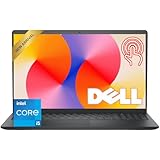
Dell 15.6-inch Laptop with Intel Core Ultra 5 225U
A newer Core Ultra chip paired with 16GB of memory and an anti-glare screen. Choose it when you keep many browser tabs and documents open and want more headroom than an entry-level machine.

Acer Aspire Go 15 with Intel Core 3 N355
A budget-minded option with a 15.6-inch IPS display and an Intel Core 3 processor. It is aimed at browsing, streaming and light office work rather than heavy multitasking.

Dell Inspiron 15 3530 with Core i7-1355U
A step up in processing power with 16GB of memory and a 1TB SSD. It makes sense for large spreadsheets, coding classes and students who want a laptop to last through a degree.

Frequently Asked Questions
What does “oth gen” mean in this laptop keyword?
As supplied, the keyword reads “oth gen”, which looks garbled, and this guide does not assign it a generation it does not state. The word could be a mistyped generation number, but no source in the brief confirms which one, so the guide covers Intel laptops generally instead.
How much RAM do I need in an Intel laptop for study?
For documents, browsing and video, 8GB of RAM is a workable minimum, and both budget laptops here offer it. For multitasking with many tabs, large spreadsheets or photo editing, 16GB is a better fit, and the i5 model here offers exactly that. Heavy work with large files benefits from 24GB, which the i7 model provides.
Is a Celeron laptop enough for school work?
Yes, for light school work such as documents, email, web research and video playback, a Celeron N4500 with 8GB of memory is enough. It will feel slow with heavy multitasking, large spreadsheets or demanding programs, so students in those subjects should choose a Core i5 model instead.
Should I choose a 512GB or 1TB SSD in a laptop?
A 512GB SSD suits most study and office work, holding the operating system, programs, documents and a reasonable media library. A 1TB SSD suits users with large photo, video or project libraries who do not want an external drive.