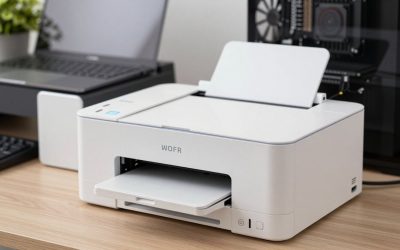
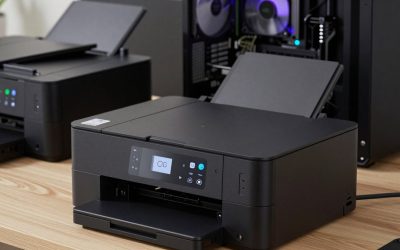
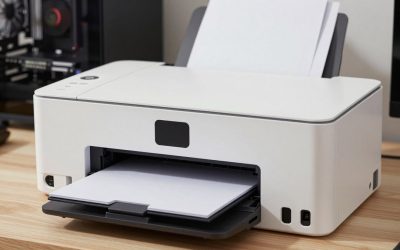
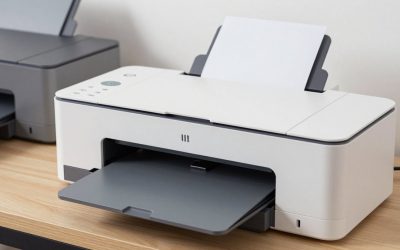
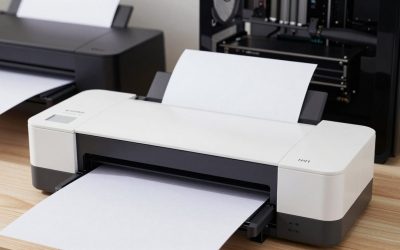
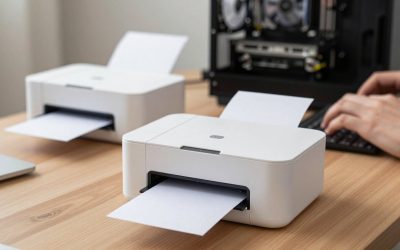
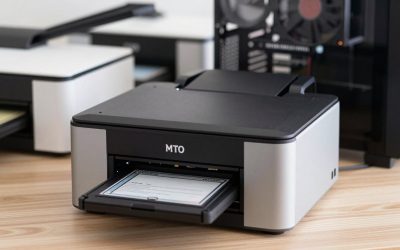
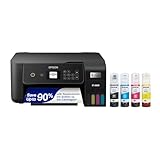
- Top Pick: Epson EcoTank ET-2800 Wireless Color All-in-One Supertank Printer – Black | Cartridge-free print, scan, copy; up to 10 ppm, borderless photo printing; ideal for home and everyday use
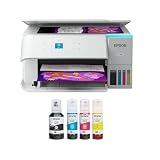
- Best Value: Epson EcoTank ET-2900 Wireless All-in-One Color Supertank Printer with up to 3 Years of Ink, Refillable Tanks, Perfect for Home, 11 PPM, 1.44" Color Screen, Built-in Scanner – White
- Premium Choice: Epson EcoTank ET-4800 Wireless Color All-in-One Supertank Printer | Cartridge-free print, scan, copy, fax; up to 10 ppm, ADF, Ethernet; ideal for home and small offices
If you want a supertank printer with the least fuss, the Canon MegaTank PIXMA G3290 and Epson EcoTank ET-2800 are the budget-minded choices, the HP Smart Tank 7301 or 7602 suit households that value an ADF and fast duplex, the Brother INKvestment Tank MFC-T780DW suits home offices that want included ink for up to three years, and the Epson EcoTank Pro ET-5850 is the pick for heavy office use. This guide compares the main tank families, covering Epson, Canon, HP and Brother, using the makers’ stated figures and what independent outlets report.
As an Amazon Associate we earn from qualifying purchases at no extra cost to you.


What a Supertank Printer Is
A supertank (also called an ink tank or bulk-ink printer) has refillable reservoirs built into the machine. You pour ink from bottles, rather than snapping in cartridges. Each maker uses its own name: Epson calls them EcoTank, Canon calls them MegaTank, HP calls them Smart Tank, and Brother uses INKvestment Tank. The shared promise is a much lower ink cost per page, offset by a higher up-front cost tier than a cartridge machine.
Tom’s Guide, TechRadar and PC Guide all rank tank models highly for people who print regularly. They disagree on a single winner, because the right choice depends on paper handling, document scanning and how much you value photo quality.
At a Glance: Tank Printers Compared
| Model | Best for | Key stated specs | Limits |
|---|---|---|---|
| Canon MegaTank PIXMA G3270 | Tight budgets, light printing | GI-21 ink; Canon lists up to 6,000 black and 7,700 color pages per full bottle set in default mode, and 7,600 black / 8,100 color in economy mode | No ADF and no automatic duplex printing |
| Canon MegaTank PIXMA G3290 | Budget buyers who need duplex and an ADF | Same yields as the G3270; automatic duplex printing; 35-sheet ADF per Canon Canada; 3,000 pages monthly duty cycle | Prints up to 11 ppm black and 6 ppm color |
| HP Smart Tank 5101 | Easy home setup | HP 32XL black rated 6,000 pages and HP 31 color rated 8,000; 12 ppm black / 5 ppm color; 3,000 pages monthly duty cycle | Dynamic Security firmware blocks non-HP ink |
| HP Smart Tank 7301 | Households that want speed and an ADF | 15 ppm; automatic duplex; 35-sheet ADF | Narrow color gamut per RTINGS |
| HP Smart Tank 7602 | Small offices needing fax | 250-sheet main tray; integrated fax; 35-page ADF per HP | Basic app frustrates some reviewers, says Tom’s Guide |
| Brother INKvestment Tank MFC-T780DW | Home offices with steady volume | Up to three years of ink included per Brother; 150-sheet tray; 20-page ADF; automatic duplex printing; 2,500 pages monthly duty cycle | No duplex scanning or copying |
| Epson EcoTank Pro ET-5850 | Heavy office workloads | 542 pigment ink; 7,500 black and 6,000 color pages per bottle set; 500-sheet front tray | Premium tier; bulky |
Epson: The Reviewer Favorite
Epson EcoTank models turn up most often as best overall or best value. Epson lists the ET-2800 at 4,500 black and 7,500 color pages per bottle, and independent testing quoted by Castle Ink found roughly 3,990 black and 3,979 color pages from the included bottles. The ET-3850 is rated by Epson for up to 7,500 black and 6,000 color pages, and Digital Trends put its ink cost near three-tenths of a cent per mono page. The ET-5850 earns an Editor’s Choice from Tom’s Guide for its speed, print quality and very low ink cost, and Digital Trends reports a first page in under six seconds and speeds up to 25 pages per minute on long jobs.
Canon: Strong Value and Color
Canon’s MegaTank line is the budget pick at Tom’s Guide (the G3290) and the overall pick at Fypower (the G3270). Canon’s black bottle is pigment based and the color bottles are dye based, which suits text with colorful graphics. Remember that bottles in the box yield less than replacements because some ink primes the print head. The G3270 is flatbed only, so scanning a stack of pages means manual work; the G3290 adds the feeder.
HP: Easy Setup, With an Ink Catch
HP’s Smart Tank family shares the HP 31 and HP 32XL bottle set across the 5101, 7301 and 7602. HP states ink costs of about 0.4 cents per black page and 1.7 cents per color page, which is ink only. The catch is Dynamic Security: a 2026 buyer guide for the 7602 says the printers are built to work with genuine HP bottles and that firmware can block non-HP ink. If you want the freedom to buy third-party ink, this is a reason to look elsewhere. Castle Ink also reports Wi-Fi and reliability complaints for the 5101, so keep the return window in mind.
Brother: Office Features in a Tank
Brother’s INKvestment Tank MFC-T780DW stands out for office features: a 20-page ADF, automatic duplex printing and, according to the maker’s listing, up to three years of ink in the box. Tom’s Guide gave it an Editor’s Choice for very low ink cost and handy small-office tools. One site, Printersupport.io, questions whether it counts as a true refillable tank, so read Brother’s current description if refilling matters. Brother’s cartridge-based MFC-J1010DW and MFC-J1170DW are not tank printers; Consumer Reports lists a claimed starter yield of only 200 pages for the J1010DW, which shows why a tank is better for volume.
Setup and Compatibility
- All of these printers connect over Wi-Fi and USB, and most work with Windows, macOS, iOS and Android. Check each product page for operating system support.
- Fill each tank only with its matching color, and keep bottles upright and tightly capped.
- Use the maker’s app for first-time setup; some, like HP’s, ask you to create an account.
- Print a page or two each week so the print head does not dry out.
Pick X If… Decision Table
| If you… | Pick | Why |
|---|---|---|
| Want the lowest up-front cost tier | Canon G3270 or Epson ET-2800 | Simple flatbed machines with large bottle yields |
| Need an ADF and duplex on a budget | Canon G3290 | 35-sheet ADF and automatic duplex |
| Want fast duplex and a feeder at home | HP Smart Tank 7301 | 15 ppm with ADF |
| Need fax in a tank printer | HP Smart Tank 7602 | Integrated fax |
| Run a small office | Brother MFC-T780DW or Epson ET-5850 | Duplex, ADF, large trays |
| Dislike ink lock-in | Epson or Canon | HP uses Dynamic Security firmware |
Alternatives
- Epson EcoTank ET-8550: Six-tank photo printer for A3+ output, per TechRadar.
- Canon Maxify GX4020: TechRadar’s small-office pick.
- Laser all-in-ones: For black-and-white documents, a laser such as the Brother MFC-L2820DW is faster, as reviewers note, though color is limited.
Paper Handling and Speed Compared
Ink cost is only half of the story. Paper handling decides how pleasant a printer is day to day. The entry-level Canon G3270 and Epson ET-2800 have a single rear tray and no feeder, so they suit short jobs. The Canon G3290 lists a 100-sheet rear tray, a 35-sheet ADF and print speeds of up to 11 pages per minute in black and 6 in color. HP’s 5101 is listed at 12 ppm black and 5 ppm color, while the 7301 reaches 15 ppm. Brother’s T780DW has a 150-sheet tray, and the Epson ET-5850 offers a 500-sheet front tray with speeds up to 25 ppm on long documents according to Digital Trends. Maker speed ratings are measured in draft or standard test conditions, so real documents with graphics print slower.
The monthly duty cycle is another useful number. HP lists 3,000 pages for the 5101, Canon lists 3,000 for the G3290, and Brother lists 2,500 for the T780DW. These are ceilings rather than targets, but they hint at how sturdy each design is meant to be.
Who Should Skip a Tank Printer
Tank printers are not for everyone. If you print fewer than a handful of pages a month, the higher entry cost tier will take years to recoup, and ink can dry out between jobs. A mono laser all-in-one is often a calmer choice for text only. If you mainly print photos, a dedicated photo printer or a six-ink tank model such as the Epson ET-8550 fits better than a general office tank printer. And if you want the freedom to shop for third-party ink, the HP Smart Tank family is the one to avoid, based on the reports about Dynamic Security.
Frequently Asked Questions
What is the difference between a supertank and a regular inkjet?
A supertank has built-in reservoirs you fill from bottles, while a regular inkjet uses small cartridges. The tank design prints thousands of pages per bottle set and lowers the cost per page considerably.
Which brand has the cheapest ink?
Makers publish low per-page figures for all four brands, and reviewers place Epson, Canon and Brother tank models close together. HP states about 0.4 cents per black page, but ink-only figures do not capture paper or maintenance.
Is the Brother INKvestment Tank refillable?
Brother markets the MFC-T780DW as a tank model with ink included for up to three years. At least one reviewer disputes whether it is a true bottle-refill design, so confirm the refill method on the maker’s page.
Do tank printers work for photos?
Casual photos are fine on most models, and Canon is often praised for color. For serious photo work, reviewers point to six-ink models like the Epson ET-8550.
Can I use third-party ink?
Epson and Canon advise using their own bottles but do not block others with firmware, as far as reviewers report. HP’s Dynamic Security can block non-HP ink.
How long will the starter ink last?
It depends on the model and your printing. The bottles in the box yield less than replacements, and some models, such as Brother’s, include up to three years of ink for typical home use.