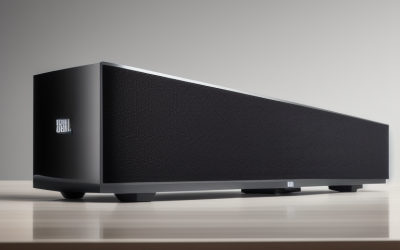
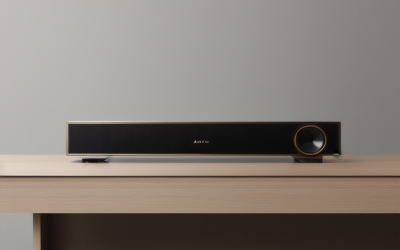
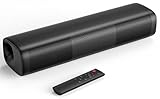
- Top Pick: Assistrust Sound Bar for Smart TV, Soundbar with Bluetooth/ARC/Opt/AUX Connect, Auto Volume Boost, 3 Equalizer Modes, 2 in 1 Detachable Soundbar for TV/PC/Gaming/Projectors
- Best Value: Saiyin 11.7-inch Sound Bar, Home Theater System, Small Size & Big Power | Bluetooth 5.3/Optical/Auxiliary Inputs, 48W Peak Power, Powered by AC Adapter, Compact Sound Bar for Smart TV, PC, Gaming
- Premium Choice: TV Sound Bar Optical Input, Sound Bar Smart TV Compact, Sounds Bars Bluetooth Surround Speakers, 2.0 CH Stereo Sound System, Bluetooth, Optical, AUX, AUX to RCA, USB, for 24"–32" TV (No HDMI), Black
An older TV usually sounds worse than it looks. Slim cabinets leave no room for real speakers, and the sets that predate HDMI ARC often hide their audio behind a red-and-white analog jack or a square optical port on the back panel. Picking a soundbar for that kind of television is less about wattage and more about whether the cable you actually have will reach the bar you buy.
This 2026 guide is for owners of flat panels from the last decade or so, as well as smaller bedroom sets, who want clearer dialogue without replacing the screen. Nine soundbars are compared below based only on their listed connections and features, so you can match each one to the ports on your set. If your TV has no HDMI at all, one entry in the lineup is built for exactly that situation.
Quick Picks
As an Amazon Associate we earn from qualifying purchases at no extra cost to you.





| Product | Best for | Key spec from the title |
|---|---|---|
| Assistrust Sound Bar | Mixed TV, PC, and projector use | Bluetooth, ARC, optical, AUX, detachable |
| Saiyin 11.7-inch Sound Bar | Small rooms and desks | Bluetooth 5.3, optical, AUX, 48W peak |
| Compact 2.0 Optical Sound Bar | Small TVs with no HDMI | Optical, AUX to RCA, USB, 24 to 32 inch TVs |
| Saiyin 4-Speaker Sound Bar | Wall-mounted living room sets | HDMI-ARC, optical, AUX, wall mountable |
| Fire TV Soundbar | Dolby-minded streaming households | 2.0 speakers, DTS Virtual:X, Dolby Audio |
| ULTIMEA Poseidon M20 Pro | Bass on a compact footprint | 2.1ch, built-in subwoofer, 132W peak |
| Sony S100F | Dialogue-first, slim setups | 2.0ch, HDMI ARC, S-Force Front Surround |
| ULTIMEA Poseidon M30 | Movie nights with real low end | Wireless subwoofer, 240W peak, Bluetooth 6.0 |
| Bose TV Speaker | Simple one-box upgrades | Bluetooth, HDMI-ARC, includes remote |
How to Choose
Begin With the Back of Your TV
Look for three possible outputs: HDMI marked ARC, a square optical (TOSLINK) port, or analog RCA and headphone jacks. HDMI-ARC bars need the first, optical bars need the second, and the AUX-to-RCA lead in one listing covers the third. If your set offers none of the digital outputs, the analog route still works, though it carries plain stereo only. Also set the TV’s audio output menu to external or fixed output so the bar controls the volume, which is a setting many first-time buyers overlook.
Choose 2.0 or 2.1 Channels
A 2.0 bar has two speaker channels and relies on its own cabinet for bass. A 2.1 bar adds a subwoofer, either built in or wireless, and is the better call if you watch action films or music. Sound quality in a tiny cabinet is limited by physics, so for older TVs on a bedroom dresser, clear voices matter more than rumble.
Read Peak Power Figures Carefully
Numbers such as 48W, 132W, or 240W are peak figures, and they describe a short burst rather than everyday output. Compare them only within the same maker and use them as a loose hint, not a promise. Budget models often inflate the number while skimping on driver count, so look at how many speakers and what type of woofer the listing names.
Plan for Length and Mounting
An 11.7-inch bar tucks in front of a small television, while a 16-inch bar suits a medium one. Measure the gap beneath your set; many older panels have low stands. If you want a wall mount, look for the words wall mountable or wall mount in the title. Also confirm the bar will not block your TV’s remote sensor, a common annoyance on older sets with a low infrared window.
The 9 Best Options
Assistrust Sound Bar
A flexible choice for households where one bar must serve a living-room set, a computer, and perhaps a projector, with several connection methods in one body.
- Bluetooth, ARC, optical, and AUX inputs cover most older sets.
- Auto volume boost and three equalizer modes help with quiet dialogue.
- Trade-off: the title gives no peak power or channel count, so sound goals are harder to judge.
Skip it if you want a listed subwoofer for a bass-heavy movie setup. Buyers who only ever connect one source and want the simplest possible bar may find the extra input choices more than they need.
Saiyin 11.7-inch Sound Bar
Made for small spaces: a narrow body for a bedroom dresser, a desk monitor, or a compact television that never needed more than a modest boost.
- Bluetooth 5.3 plus optical and auxiliary inputs.
- 48W peak power and a compact size suited to PC and gaming use.
- Trade-off: it lists no HDMI-ARC, so TVs that only offer HDMI will not connect.
Skip it if your living room is large or you want a dedicated subwoofer. A set that offers only an HDMI audio output will also leave this bar without a way in, so check the back panel first.
Compact 2.0 Optical Sound Bar
The only entry here written for sets with no HDMI at all, aimed squarely at 24 to 32 inch televisions found in kitchens and spare rooms.
- Optical input, AUX, AUX to RCA, USB, and Bluetooth in one body.
- 2.0 stereo output designed around small screens.
- Trade-off: it is built for small TVs, so bigger rooms will outgrow it.
Skip it if your TV is 40 inches or larger or has HDMI-ARC available. A bigger screen in a bigger room needs a wider bar with more drivers than this stereo unit provides, and an ARC-capable set can use a more convenient single-cable model.
Saiyin 4-Speaker Sound Bar
A step up in presence for a mounted living-room television, with four speakers and a choice of HDMI-ARC, optical, or AUX.
- Four speakers and wall mountable design.
- Bluetooth with HDMI-ARC, optical, and AUX inputs gives options for older and newer sets.
- Trade-off: the title lists no subwoofer or peak power, so bass depth is unclear.
Skip it if you want a listed low-frequency driver for movies. Anyone with an older set that has only analog out should also look elsewhere, because this title names HDMI-ARC, optical, and AUX, but not an RCA lead.
Fire TV Soundbar
A tidy, no-nonsense bar for buyers who care about Dolby Audio and a virtual surround effect rather than a long list of ports.
- 2.0 speakers with DTS Virtual:X and Dolby Audio.
- Bluetooth connectivity for streaming music from a phone.
- Trade-off: the title does not list optical or analog inputs, so confirm your TV can connect before you buy.
Skip it if your television only has optical or analog audio out and no HDMI-ARC. It may also disappoint anyone hoping for a separate bass driver, since the listing describes a two-speaker design only.
ULTIMEA Poseidon M20 Pro
A 2.1 package that squeezes a built-in subwoofer into a 16-inch bar, for bedrooms, offices, and small rooms where space is tight.
- Built-in subwoofer with 132W peak power and app control.
- Bluetooth 5.4, optical, AUX, and wall mount options.
- Trade-off: it lists no HDMI-ARC, so it relies on optical or AUX.
Skip it if your TV exposes only HDMI audio. People who want a wireless subwoofer placed across the room should also compare it with the larger Poseidon M30, which separates the bass unit from the bar.
Sony S100F
For viewers who want a name-brand, slim bar that focuses on clear speech and simple setup via a single HDMI cable.
- Bass reflex speaker with an integrated tweeter.
- S-Force Front Surround, HDMI ARC, Bluetooth, and USB playback.
- Trade-off: 2.0 channels means no separate subwoofer, and the title lists no optical port.
Skip it if your older TV lacks HDMI-ARC. Viewers who care more about a listed subwoofer or a high peak-power figure than about a slim profile will find other bars in this group a closer match.
ULTIMEA Poseidon M30
The loudest-sounding spec sheet in the group, built for movie nights where a wireless subwoofer can sit beside the sofa.
- Wireless subwoofer with adjustable bass and 240W peak power.
- HDMI, optical, Bluetooth 6.0, and app control.
- Trade-off: a wireless subwoofer needs a spare outlet and floor space.
Skip it if you live in a small apartment where bass carries through walls. It is also overbuilt for a small bedroom television, where a compact bar would fit the screen and the space more naturally.
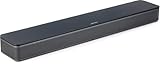
Bose TV Speaker
An all-in-one compact bar for buyers who want an uncomplicated upgrade, a remote, and a single HDMI-ARC connection.
- Bluetooth and HDMI-ARC in a compact body.
- Includes a remote control.
- Trade-off: the title lists no optical or analog input, so check your TV’s ports.
Skip it if you want a subwoofer or app-based sound tuning. It is also a poor match for any set without HDMI-ARC, so owners of the oldest televisions should verify their ports first.
Which One Fits Your Situation
Your TV Has No HDMI Port
The Compact 2.0 Optical Sound Bar is the only listing that calls out No HDMI and includes AUX to RCA for analog sets. For a larger non-HDMI screen with an optical output, the Assistrust or ULTIMEA M20 Pro are options.
Your TV Has HDMI-ARC but Weak Speakers
The Sony S100F and Bose TV Speaker are simple one-cable upgrades, with the Sony aimed at slim placement and clear speech, and the Bose at easy setup with a remote included. The Saiyin 4-Speaker model is a third option if you plan to hang the bar on the wall beneath the screen.
You Want Cinema-Style Bass
The ULTIMEA Poseidon M30 brings a wireless subwoofer with adjustable bass, which none of the 2.0 bars can match. If floor space for a separate box is tight, the Poseidon M20 Pro offers a built-in subwoofer in a single 16-inch body instead.
You Have a Tiny Desk or Bedroom Setup
The Saiyin 11.7-inch Sound Bar fits in front of small screens and also works with a computer, thanks to Bluetooth 5.3 and optical or auxiliary inputs. It is powered by an AC adapter, so plan for a nearby outlet behind the desk or dresser.
Common Mistakes
- Buying an HDMI-ARC bar for a TV that only has optical or analog audio out.
- Trusting peak wattage as if it were continuous output.
- Skipping the measurement of the gap under the TV before choosing a bar.
- Expecting a 2.0 bar to deliver deep bass.
- Forgetting a spare outlet for a wireless subwoofer.
Frequently Asked Questions
Can a soundbar work with a TV that has no HDMI?
Yes, if the bar accepts optical or analog audio. The compact optical model in this list includes AUX to RCA and is described as built for TVs without HDMI.
Is optical or HDMI-ARC better?
HDMI-ARC is more convenient because one cable carries audio and often lets the TV remote control volume. Optical is nearly as capable for everyday viewing and is more common on older sets.
Do I need a subwoofer for older TVs?
Not for news and sitcoms, where clear dialogue matters most. A subwoofer adds weight to action films and music, so choose a 2.1 model if you watch those often.
Does Bluetooth help with older televisions?
It lets the bar play music from a phone or tablet. It is not a substitute for a wired TV connection, since many older TVs cannot send audio over Bluetooth.