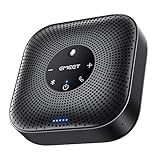
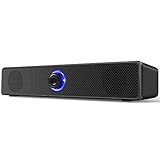
- Top Pick: Computer Speakers for Desktop PC,Desktop Speakers,Small Computer Speakers USB Powered 3.5mm Aux Speaker
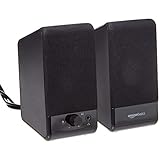
- Best Value: Amazon Basics Stereo 2.0 Speakers for PC or Laptop with Volume Control, 3.5mm Aux Input, USB-Powered, 1 Pair, Black
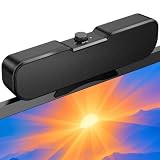
- Premium Choice: Computer Speakers, USB-A Powered PC Speakers, Wired 3.5mm AUX, No Bluetooth | Wired Stereo Desktop Speakers with 3.5mm AUX Audio Plug for Computer, Desktop, Laptop, PC [2026 Version]
A desktop that ships with no audio beyond a tinny monitor speaker, or a laptop that sounds like it is talking from inside a shoebox, is the usual reason people hunt for cheap PC speakers. The goal is not studio monitoring. It is a pair of small, plug-in speakers that make video calls intelligible, YouTube pleasant, and a casual game or playlist a step above headphones-off silence, without a wall of cables or a power brick.
That narrows the field to a very specific kind of product: compact, USB-powered stereo pairs that take their audio over a 3.5mm cable or a USB connection. This 2026 guide covers ten of them, from plain black boxes to RGB-lit designs, and sorts them by what the listings actually say. Anyone building a bedroom desk, a dorm setup, or a spare workstation will find a match here, and anyone craving thumping bass should look at a separate subwoofer system instead.
Quick Picks
As an Amazon Associate we earn from qualifying purchases at no extra cost to you.





| Product | Best for | Key spec from the title |
|---|---|---|
| Uakinat Desktop Speakers | Smallest footprint | USB powered, 3.5mm aux |
| Basics Stereo 2.0 (black) | Plain, dependable setup | Volume control, 3.5mm aux, USB-powered |
| TAOTOSUNE USB-A Speakers | Wired-only simplicity | USB-A powered, 3.5mm AUX, no Bluetooth |
| Basics USB-Powered Compact | Laptop and portable use | Headphone jack, plug-n-play |
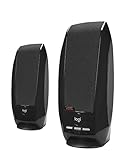
| Logitech S150 | Known-brand safe choice | USB speakers with digital sound |
| MELOGAGA RGB Speakers | Color-lit desks | 7-color RGB, inline volume control |
| Basics Stereo 2.0 with LEDs | Silver finish with lights | LED lights, 3.5mm aux, USB-powered |
| LENRUE G11 | USB-C laptops | USB C or USB powered, touch lights |
| Cirqon Clamp Speakers | Crowded desks | Sturdy clamp, volume knob, USB/USB C adapter |
| FUNLOGY 14W | Louder output | 14W stereo, 30-degree tilt, volume dial |
How to Choose
Power and connection decide compatibility
Nearly every pair here draws power over USB and carries audio over a 3.5mm plug, so you need one free USB-A port and one headphone or line-out jack. If your laptop has only USB-C ports, look for a listing that mentions a USB-C connection or adapter, as the LENRUE and Cirqon do. A model that says no Bluetooth, like the TAOTOSUNE, is a wired-only pair, which is exactly what some people want.
Volume control placement matters daily
You will adjust volume constantly, so where the control lives is not a small detail. An inline dial on the cable, a front knob, or a touch surface each behave differently on a cramped desk. Prefer a physical dial if you share a space, because muting in a hurry is easier with a knob than a menu. Also check cable length: a short lead between the two speakers limits how far apart you can place them around a wide monitor.
Wattage claims need context
Only the FUNLOGY states a power figure, at 14W. Treat any such number as a ceiling, not a loudness guarantee. USB-powered pairs are limited by the port itself, so room-filling volume is rare at this tier. If you sit within an arm’s length of the screen, that limit rarely matters; if the speakers must reach across a bedroom, step up to a mains-powered system instead. Size is a better clue: larger cabinets usually produce fuller mids and a bit more low end than the tiniest cubes.
Ignore the lighting, check the footprint
RGB and LED lights add personality but nothing to sound. At the budget tier, expect thin bass and some distortion near maximum volume. Measure your desk gap before you buy, because a 30-degree tilt, a clamp mount, or a short cable can make the difference between a tidy setup and constant fiddling.
The 10 Best Options
Uakinat Desktop Speakers
Uakinat sells a small stereo pair that runs on USB power and takes audio through a 3.5mm aux cable. The listing keeps the description minimal, which suits shoppers who want something unobtrusive for a laptop on a small table. Think of it as the pair you buy when the only goal is to get past weak built-in laptop audio for podcasts, lectures, and background music.
- Strength: small body fits on a crowded desk or beside a monitor stand.
- Strength: USB power plus aux means no wall adapter.
- Trade-off: the title offers no wattage, controls, or feature detail to compare.
Skip it if you want a visible volume knob or any lighting.
Basics Stereo 2.0 Speakers (black)
This house-brand pair spells out the essentials: stereo 2.0, volume control, a 3.5mm aux input, and USB power, sold as one pair in black. It is the straightforward choice for anyone who wants a no-frills upgrade over built-in laptop sound, and a sensible default for a shared family computer where nobody wants to learn a new control scheme.
- Strength: the feature list is clear and covers everything a basic setup requires.
- Strength: black finish blends into most desks.
- Trade-off: it is a plain design with no extras like tilt, lighting, or USB-C.
Skip it if you want more visual flair than a matte black box.
TAOTOSUNE USB-A Computer Speakers
TAOTOSUNE states in the listing that these are wired, USB-A powered speakers with a 3.5mm AUX plug and no Bluetooth. That clarity helps buyers who have been caught out by pairs that were not what the photos implied, and it makes the connection logic easy to plan around on a desk with plenty of ports.
- Strength: clearly described as wired, so there is no pairing step to troubleshoot.
- Strength: works with desktops, laptops, and PCs through the aux jack.
- Trade-off: no wireless option at all.
Skip it if you want to stream from a phone without a cable.
Basics USB-Powered Computer Speakers (compact)
This is the compact sibling in the same house line, with a volume control, a headphone jack, and plug-n-play behavior in a small, portable size. It leans toward laptop users who move between rooms, such as a kitchen table by day and a bedroom desk by night.
- Strength: built-in headphone jack lets you switch to private listening quickly.
- Strength: compact, portable size is easy to pack with a laptop.
- Trade-off: compact cabinets generally limit bass depth.
Skip it if you want a large, fuller sound for a main desktop.
Logitech S150 USB Speakers
The S150 is the brand-name option, with a title that is blunt: USB speakers with digital sound. For shoppers wary of unfamiliar labels, a recognizable maker is the main selling point, and the short title suggests a no-surprises design meant for everyday computer audio.
- Strength: established manufacturer behind a simple design.
- Strength: USB connection keeps the setup straightforward.
- Trade-off: the listing mentions no volume knob location, lighting, or USB-C support.
Skip it if you need RGB lighting or a clamp mount.
MELOGAGA RGB Computer Speakers
MELOGAGA pairs USB power and a 3.5mm stereo connection with 7-color RGB lighting and an inline volume control. It targets shoppers who want a pair that looks at home beside a lit keyboard and mouse pad, where matching glow counts as part of the desk theme.
- Strength: seven lighting colors add atmosphere to a desk setup.
- Strength: inline volume control sits within easy reach on the cable.
- Trade-off: lights do nothing for sound quality, and may distract from video or work.
Skip it if you prefer a quiet, understated look.
Basics Stereo 2.0 Speakers with LED Lights
This variant of the plain stereo pair adds LED lights and a silver finish while keeping volume control, a 3.5mm aux input, and USB power. It suits a light-colored desk where black would look heavy, and a bright room where the silver body reads cleaner than dark plastic.
- Strength: silver finish plus LEDs gives a lighter look than the black version.
- Strength: same simple connection set as the plain model.
- Trade-off: the LEDs may be unwelcome in a dark room used for sleeping.
Skip it if you want a nondescript pair.
LENRUE G11 Computer Speakers
The G11 offers touch lights, a clear-sound claim, and power from either USB-C or standard USB, along with an AUX audio input. The USB-C option makes it friendlier to modern slim laptops, and the extra USB path means it can also share a desktop port when the laptop is not around.
- Strength: dual USB-C and USB power support suits newer and older machines.
- Strength: AUX input keeps it compatible with desktops and laptops alike.
- Trade-off: touch-sensitive lights can be triggered accidentally on a busy desk.
Skip it if you dislike touch controls.
Cirqon Computer Speakers
Cirqon concentrates on practical hardware: an easy volume knob, a sturdy clamp, a compact design, and a USB or USB C adapter for power and audio. The clamp mount is especially useful on small desks and shelves, where no flat space is left for speaker bases.
- Strength: clamp frees up desk surface.
- Strength: dedicated volume knob and USB-C adapter add convenience.
- Trade-off: a clamp needs a suitable desk edge or monitor stand.
Skip it if your desk edge cannot take a clamp.
FUNLOGY 14W Stereo PC Speakers
FUNLOGY lists 14W stereo output, USB power, a compact size, a 30-degree tilt design, and a volume dial. The tilt aims the sound toward your ears, and the listing mentions use with desktops, laptops, monitors, and gaming consoles, which broadens where one pair can live.
- Strength: the stated 14W is the highest power figure in this group.
- Strength: tilt design points sound upward toward the listener.
- Trade-off: wattage on a USB-powered pair does not guarantee room-filling volume.
Skip it if you only need a tiny desk pair for quiet use.
Which One Fits Your Situation
A slim laptop with only USB-C ports
Choose the LENRUE G11 or Cirqon, since both mention USB-C support in their titles.
A tight desk with a monitor on a stand
The Cirqon clamp design frees space, while the FUNLOGY tilt helps aim sound upward from a low position.
A plain office or dorm desk
The Basics Stereo 2.0 in black or the Logitech S150 handle everyday audio without distraction.
A setup with colored lighting
MELOGAGA matches RGB keyboards, while the silver Basics LED pair is the quieter alternative.
Common Mistakes
- Assuming a USB plug carries audio, when many pairs also need the 3.5mm cable.
- Expecting Bluetooth on a listing that never mentions it.
- Reading a wattage number as proof of loudness on a USB-powered pair.
- Buying for the lights and ignoring where the volume control sits.
- Skipping a desk measurement before choosing a clamp or tilted design.
Related guides
- Combination Smoke And Carbon Monoxide Detectors
- Aio Liquid Coolers For High Performance Gaming
- Graphics Cards For Low Wattage Power Supplies
Frequently Asked Questions
Do these speakers need a power outlet?
No. Every pair here is described as USB-powered, so a USB port on your computer or a charger supplies power.
Can they connect over Bluetooth?
Only if the listing says so. The TAOTOSUNE explicitly says no Bluetooth, and the others describe wired connections.
Will they work with a laptop?
Yes, as long as the laptop has a headphone jack or USB-C compatibility. Check the connector type first, and keep a spare USB-A to USB-C adapter handy if your machine has only the newer port.
Is a headphone jack useful on the speakers?
It is convenient for switching to private listening. Among these ten, the compact Basics model lists one.