

- Top Pick: X36 Ultra Retro Handheld Game Console, Portable Android 10.0 Handheld, 4.2 Inch 720×720 OCA IPS Screen, 28000+ Games, WiFi Support YouTube TikTok, 3500mAh Pocket Gaming Console
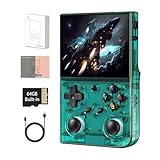
- Best Value: RG35XX Pro Handheld Game Consoles RG35XXPro Retro Gaming Console with 64GB Card 4353 Games Video Game Console Pocket Arcade Support 30+ Simulators WiFi Bluetooth HD Output Transparent Teal
- Premium Choice: MVMOD XF40H Retro Handheld Game Console, 4.0 Inch 4K HD IPS Screen, Linux 64-bit Open Source System, 18000+ Classic Games, WiFi Multiplayer Support, Portable Pocket Video Gaming for Adults (Black)
The best retro handheld console with Wi-Fi for most players is the Retroid Pocket 5, with the AYN Odin 2 as the pick for PS2 and GameCube headroom, the Retroid Pocket 6 as the newer high-refresh option, the Anbernic RG406V as the budget 4:3 pick and the Miyoo Mini Plus as the cheapest pocket pick. Wi-Fi is not a bonus feature on these devices. It is how you get cloud saves, RetroAchievements, game streaming from your PC, over-the-air updates and scraper art for your library.
As an Amazon Associate we earn from qualifying purchases at no extra cost to you.



What Wi-Fi really does on a retro handheld
On a modern retro handheld Wi-Fi is the difference between an offline toy and a connected device. Five uses matter most.
- Streaming from your gaming PC. Apps such as Moonlight and Steam Link turn an Android handheld into a screen for your PC library. Latency depends on your router, band and the device’s Wi-Fi standard.
- Cloud and network saves. You can sync saves between devices with a cloud tool or a shared folder.
- RetroAchievements and netplay. Online achievements and netplay in some emulators need a stable connection.
- Updates and downloads. Emulator and firmware updates arrive over the air, and scrapers fetch box art and metadata.
- Remote play of your own legally owned backups. You can move files over your home network instead of swapping memory cards.
Not every retro handheld has it. Some budget Linux devices ship with no Wi-Fi at all, or with a USB dongle option. Others have Wi-Fi but only on the 2.4 GHz band, which is slower and more congested. This guide only covers devices with built-in Wi-Fi.
How we chose
This is a research-based guide drawn from manufacturer specification pages and published product listings, not a lab review. We compared chipset class, emulation headroom by console generation, screen size and aspect ratio, memory, battery, operating system and wireless support. Where sources disagree on a figure, such as memory configuration, Wi-Fi generation or price, we describe the class or note the variation instead of guessing. We also note that retro handhelds change fast and models are discontinued or revised, so confirm the exact variant when you buy. The guide covers only legal use, meaning games you own and backups you made yourself.
Buyer criteria with thresholds
Emulation headroom by console generation
Pick by the newest system you want to play. Devices with a Linux chip in the Cortex-A35 or A53 class handle 8-bit and 16-bit systems and PlayStation 1. A mid-range Android chip such as a Unisoc T820 handles Dreamcast, PSP and N64 well, with light PS2 and Switch-class titles only in a few cases. A flagship Snapdragon 865 or 8 Gen 2 chip reaches PS2, GameCube and some Wii games. Plan for the system you care about, not the one you might try once.
Screen: size and aspect ratio
A 4:3 screen fits Game Boy Advance, SNES and PlayStation 1 without black bars. A 16:9 or wider panel suits PSP, Dreamcast and modern Android games. A 5-inch to 6-inch 1080p panel is the sweet spot for PSP and above. A 3.5-inch 640×480 panel suits pocket play and older systems.
Wi-Fi generation and band
Wi-Fi 5 or Wi-Fi 6 with 5 GHz support is better for streaming than 2.4 GHz only. A 5 GHz connection reduces interference and latency. If you plan to stream from a PC, look for dual-band and keep the PC on a wired connection to the router.
Operating system
Android devices run apps such as Moonlight and Steam Link and have deep emulator choice. Linux devices offer simple front ends and long battery life but have fewer apps. Pick Android if you want streaming and cloud tools.
Battery and controls
A 5,000 mAh battery or larger gives long sessions on a mid-range device. Check for analog sticks, shoulder triggers, a D-pad that suits your games and, for newer systems, Hall-effect or low-drift sticks.
Comparison table
| Device | Chip class | Screen | OS | Wi-Fi | Best for |
|---|---|---|---|---|---|
| Retroid Pocket 5 | Snapdragon 865 | 5.5 in 1080p AMOLED | Android | Wi-Fi 6 per most sources | All-round, up to light Switch-class and PS2 |
| Retroid Pocket 6 | Snapdragon 8 Gen 2 class | 5.5 in 1080p AMOLED, high refresh | Android | Newer Wi-Fi generation, confirm variant | More headroom, smoother UI |
| AYN Odin 2 | Snapdragon 8 Gen 2 | 6 in 1080p IPS | Android | Wi-Fi and Bluetooth | PS2, GameCube, Wii headroom |
| Anbernic RG556 | Unisoc T820 | 5.48 in 1080p AMOLED | Android | Dual-band Wi-Fi | Mid-range AMOLED |
| Anbernic RG406V | Unisoc T820 | 4 in 960×720 4:3 IPS | Android | Wi-Fi and Bluetooth | 4:3 for classic systems |
| Retroid Pocket Mini | Snapdragon 865 class | 3.7 in 1280×960 AMOLED | Android | Wi-Fi and Bluetooth | Pocket-size with power |
| Miyoo Mini Plus | Low-power Linux chip | 3.5 in 640×480 IPS | Linux | Wi-Fi | Cheap pocket, PS1 and below |
| Miyoo Flip | Low-power Linux chip | 3.5 in 640×480 clamshell | Linux | Wi-Fi and Bluetooth | Clamshell for 16-bit and PS1 |
The eight devices, in detail
1. Retroid Pocket 5: best all-rounder
Spec line: Snapdragon 865 · 5.5 in 1080p AMOLED · Android 13 · 5,000 mAh battery · 8 GB or 12 GB RAM depending on variant · Wi-Fi 6 per most sources.
Best for: Players who want the broadest range of systems with an excellent screen and a large Android app catalog.
Skip if: You want to push heavy GameCube and Wii games, where a flagship chip is more comfortable. Also check stock, since reports say it has been phased out in some regions.
- Pros: Great AMOLED, strong value, proven emulator support, good community.
- Cons: Memory varies by variant, aging chip next to newer flagship models.
2. AYN Odin 2: best headroom
Spec line: Snapdragon 8 Gen 2 · 6 in 1080p IPS · up to 16 GB RAM · about 8,000 mAh battery · Wi-Fi and Bluetooth.
Best for: Players who want PS2, GameCube and Wii emulation and also native Android games and streaming.
Skip if: You want a pocketable device. It is large and heavy for a retro handheld.
- Pros: Flagship performance, big battery, active cooling, strong emulation.
- Cons: Higher cost tier, bulky, import fees may apply.
3. Retroid Pocket 6: best newer high-refresh option
Spec line: Snapdragon 8 Gen 2 class chip · 5.5 in 1080p AMOLED with a higher refresh rate · Android · newer Wi-Fi generation, confirm on the listing.
Best for: Players who want the Pocket 5 design with more power headroom.
Skip if: Price matters more than headroom, because the Pocket 5 covers most systems.
- Pros: More headroom, smoother interface, same familiar form.
- Cons: Higher cost than the Pocket 5, exact variants differ by region.
4. Anbernic RG556: best mid-range AMOLED
Spec line: Unisoc T820 · 5.48 in 1080p AMOLED · Android · dual-band Wi-Fi.
Best for: Players who want a bright screen and strong PSP, Dreamcast and N64 performance at a mid-range cost.
Skip if: You want heavy PS2 titles. The chip tops out well before flagship class.
- Pros: Bright display, good value, strong mid-range emulation.
- Cons: Limited PS2 and GameCube headroom, software polish varies.
5. Anbernic RG406V: best 4:3 budget
Spec line: Unisoc T820 · 8 GB LPDDR4X · 4 in 960×720 4:3 IPS · Android · Wi-Fi and Bluetooth.
Best for: Players focused on DS, GBA, SNES, PS1 and PSP-and-below games who want a 4:3 screen without black bars.
Skip if: You want to push PS2 or modern 16:9 games.
- Pros: Natural 4:3 screen, solid mid-range chip, lower cost.
- Cons: IPS rather than AMOLED, light PS2 only.
6. Retroid Pocket Mini: best pocket-size power
Spec line: Snapdragon 865 class · 3.7 in 1280×960 AMOLED · Android · Wi-Fi and Bluetooth.
Best for: Players who want a small, pocketable Android handheld with a sharp 4:3 display.
Skip if: You want a large screen for PSP and above or a big battery.
- Pros: Small, strong chip, sharp screen.
- Cons: Small battery for the power, small screen for 16:9 games.
7. Miyoo Mini Plus: best cheap pocket pick
Spec line: Low-power Linux chip · 3.5 in 640×480 IPS · about 3,000 mAh battery · Wi-Fi.
Best for: Players focused on NES, SNES, Game Boy, GBA and PlayStation 1 games with a simple front end.
Skip if: You want anything beyond PS1-level, or Android apps such as game streaming.
- Pros: Very low cost, long battery life, simple use.
- Cons: Limited emulation headroom, Linux app choice, small screen.
8. Miyoo Flip: best clamshell
Spec line: Low-power Linux chip · 3.5 in 640×480 clamshell · Wi-Fi and Bluetooth per maker listing.
Best for: Players who want a clamshell that protects the screen in a pocket and plays 16-bit and PS1 games.
Skip if: You need power for PSP and above or Android streaming apps.
- Pros: Clamshell protects the screen, simple, small.
- Cons: Limited headroom, small screen, firmware varies.
Worked example: will streaming from your PC work?
Suppose you want to stream a PC game to a retro handheld at 1080p and 60 fps. A typical stream uses roughly 20 to 40 Mbps. Your Wi-Fi link rate must be far above that because real throughput is often a third to a half of the link rate. A 5 GHz Wi-Fi 5 link at around 433 Mbps gives perhaps 150 to 200 Mbps real, well above 40 Mbps. A 2.4 GHz link at 72 Mbps gives maybe 25 to 35 Mbps, which is borderline for 1080p at 60 fps and risky for stability.
Latency matters as much as bandwidth. Add encode time on the PC, network delay and decode time on the handheld. If the three add up to under about 40 ms, fast games feel acceptable. A 5 GHz link, a wired PC and a modern chip usually keeps you there. A congested 2.4 GHz link often does not.
Gaming-room fit: latency, controls and desk use
If you already own a gaming PC, a connected handheld can double as a second screen for your library. Input latency on the device itself is low, so the lag you feel in streaming comes from the network and the encode. Use a wired PC, a 5 GHz network and a router with a quality-of-service setting that prioritizes the handheld. Keep the handheld within a room or two of the router, because walls cut 5 GHz range quickly.
Controls matter as much as the chip. A 4:3 device with a true D-pad is better for fighting games and 2D platformers than a 16:9 device with a floating pad. Larger Android devices have analog sticks and triggers that suit PSP and later games. For desk play, a handheld with a kickstand or a simple stand and Bluetooth controller support lets you connect a gamepad and use the screen like a small monitor. Many Android models also output video through USB-C, so you can plug into a TV or monitor for couch play.
Finally think about storage and sync. A 256 GB or larger microSD card is a sensible starting point for a library that includes PSP, Dreamcast and PS1 disc images, which are much larger than cartridge-era games. Back up your saves to a PC or cloud service over Wi-Fi so that a failed card does not cost you progress.
Decision matrix
| You want | Pick | Reason |
|---|---|---|
| Best all-round Android | Retroid Pocket 5 | AMOLED, wide emulation |
| PS2, GameCube, Wii headroom | AYN Odin 2 | Flagship chip, big battery |
| Newer, faster Pocket | Retroid Pocket 6 | More headroom |
| Mid-range AMOLED | Anbernic RG556 | Bright 1080p panel |
| 4:3 classics on a budget | Anbernic RG406V | 4:3 screen |
| Pocket-size Android | Retroid Pocket Mini | Small, strong |
| Cheapest Wi-Fi pocket | Miyoo Mini Plus | Low cost |
| Clamshell | Miyoo Flip | Folding screen guard |
Setup tips for a connected retro handheld
- Join a 5 GHz network when you can, and keep the handheld within the same room as the router for streaming.
- Use your own game backups only, and keep a copy of your saves on a PC or cloud service.
- Choose a fast microSD card, because slow cards cause long load times and stutter in larger systems.
- Update emulators over Wi-Fi, but read release notes, since updates can change settings.
- For streaming, put the PC on a wired connection, lower the stream resolution to match the handheld’s screen, and cap the bitrate.
- Turn off background radios you do not need. Wi-Fi and Bluetooth reduce battery life if they stay on during offline play.
Frequently asked questions
What is the best retro handheld with Wi-Fi?
The Retroid Pocket 5 is the best all-rounder, and the AYN Odin 2 is best if you want PS2 and GameCube headroom.
Budget buyers should look at the Anbernic RG406V or the Miyoo Mini Plus, depending on how new a system they want to play.
Why does a retro handheld need Wi-Fi?
Wi-Fi enables game streaming, cloud saves, RetroAchievements, updates and artwork downloads.
Without it, you must move files by cable or memory card, and you lose online features.
Can a retro handheld stream games from a PC?
Yes, Android handhelds can use apps such as Moonlight and Steam Link to stream a gaming PC over your network.
Use 5 GHz Wi-Fi, a wired PC and a bitrate that matches the screen to keep latency low.
Is Android or Linux better for a retro handheld?
Android has more apps and emulators and supports streaming, while Linux devices are simpler and often last longer on a charge.
Pick Android for PSP and above, streaming and cloud tools. Pick Linux for simple, cheap play of older systems.
What chip do I need for PS2 emulation?
A flagship class chip such as the Snapdragon 8 Gen 2 is the comfortable choice. Mid-range chips run only a limited set of PS2 games.
If PS2 is a priority, choose the Odin 2 or a Retroid Pocket 6 class device rather than a Unisoc T820 handheld.
Do all retro handhelds support 5 GHz Wi-Fi?
No. Some budget Linux devices only support 2.4 GHz or need a dongle, and specifications vary between variants.
Check the listing for dual-band support before buying if you plan to stream.
Are retro handhelds legal to use?
The devices are legal, and emulators are generally legal. Copying games you do not own is not.
Use backups of games you own, and avoid downloading copyrighted game files.
How long does a retro handheld battery last?
Mid-range devices with about 5,000 mAh last several hours in lighter systems and less in demanding ones. Low-power Linux devices last longer.
Heavy emulation, high brightness and constant Wi-Fi shorten it. Lower the brightness and turn off radios when you do not need them.







