- Top Pick: Thrustmaster Ferrari 458 Spider Racing Wheel (Xbox Series X/S & One)
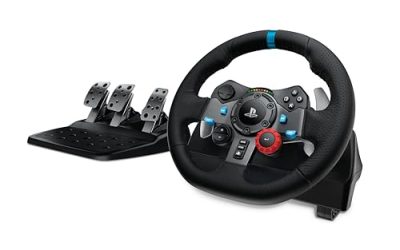
- Best Value: Logitech G920 Racing Wheel and Pedals for Xbox X|S/Xbox One/PC | Real force feedback, stainless steel paddle shifters, leather steering wheel cover, for Xbox Series X|S, PC, Mac
- Premium Choice: G920 Driving Force Gaming Steering Wheel + Pedals + Shifter Bundle – Black | G driving force sim racing cockpit for Xbox X|S/Xbox One/PC, xbox racing wheel, pressure-sensitive pedal, helical gearing
The best racing wheel for Xbox Series X for most players is the Logitech G923 Racing Wheel for Xbox and PC, with the Thrustmaster T248X as the pick for a stronger hybrid-drive feel, the Thrustmaster TS-XW Racer as the servo-base upgrade, the Moza R3 and Fanatec CSL DD as the direct-drive picks, and the Hori Racing Wheel Overdrive as the budget pick. The key rule on Xbox is licensing: a wheel must be made for or licensed by Xbox, so a PC-only wheel will not work, no matter how good it is.
As an Amazon Associate we earn from qualifying purchases at no extra cost to you.


The Xbox compatibility rule
An Xbox Series X wheel has to identify itself to the console as an approved device. That means:
- Only wheels sold as Xbox compatible work. Look for the Xbox and PC label on the exact product name, such as the X version of a model.
- PlayStation-only versions of the same wheel do not work, even if the shape is identical. The G29 and T300 are examples of well-known wheels that are not for Xbox.
- Some brands sell one base with different wheel rims for each platform, so the rim and the base both need Xbox support. A direct-drive base paired with a PC-only rim will not run on Xbox.
- Check each game too. Forza Motorsport, Forza Horizon, F1 and Assetto Corsa titles on Xbox support wheels, but features and force feedback tuning vary.
Always verify Xbox support on the exact bundle name before you buy. Several brand listings are confusing, and some direct-drive wheels work on PC only.
How we chose
This guide is research-based, drawn from manufacturer specification pages and product listings, not a lab review. We compared drive type, rotation range, force feedback class, pedal set, Xbox licensing, mounting options and upgrade path. Every wheel named exists as a retail product and is sold in an Xbox-compatible version. Where makers do not publish a torque or pedal spec, or where it varies by bundle, we describe the class instead of guessing. Tier words stand in for prices.
Buyer criteria with thresholds
Drive type: gear, belt or direct drive
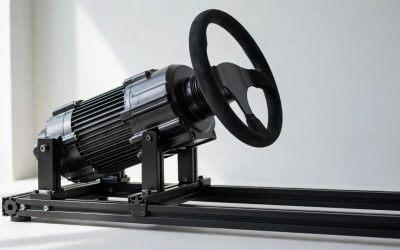
Entry wheels use gears, which can feel notchy. Mid-range wheels use a belt or hybrid system for smoother force. Direct drive wheels attach the rim directly to the motor and give the most detailed feedback. Torque is measured in newton-meters. Entry-level direct drive begins around 3 Nm to 5 Nm, and strong units reach 8 Nm or more. A higher number is not always better, because very strong wheels need a rigid mount and can cause fatigue.
Rotation range
Road cars typically feel right at 900 degrees lock to lock. Many wheels offer 900 to 1,080 degrees. Budget wheels with a short rotation such as 270 degrees feel like arcade steering, which suits casual play but not simulation.
Pedals: two or three
A three-pedal set with a clutch is only useful if you drive manual cars with a shifter. A load-cell brake gives more consistent braking than a simple potentiometer pedal, which is worth paying for if you race competitively.
Mounting: desk, stand or cockpit
Desk clamps work for gear and belt wheels. Strong belt and direct drive bases need a stable mount, either a rigid desk, a wheel stand or a cockpit. Plan for this early, because a wobbly mount ruins force feedback.
Xbox features and menus
Check that you can navigate Xbox menus with the wheel, since many wheels include a D-pad and buttons. A wheel that needs a controller to open games adds friction.
Comparison table
| Wheel | Drive type | Rotation | Pedals | Class |
|---|---|---|---|---|
| Hori Racing Wheel Overdrive | Gear, arcade | About 270 degrees | Two pedals | Budget |
| Thrustmaster T128X | Hybrid motor | Up to 900 degrees | Two pedals | Entry |
| Logitech G923 Xbox and PC | Dual-motor gear, TRUEFORCE | 900 degrees | Three pedals | Mid-range |
| Thrustmaster T248X | Hybrid drive | Up to 900 degrees | Magnetic pedals | Mid-range |
| Thrustmaster TS-XW Racer | Servo base | Up to 1,080 degrees | Three pedals | Premium |
| Moza R3 bundle | Direct drive | Up to 1,080 degrees, per maker | Two-pedal set | Entry direct drive |
| Fanatec CSL DD | Direct drive | Up to 1,080 degrees | Pedals sold separately in some bundles | Premium direct drive |
| Turtle Beach VelocityOne Race | Direct drive | Wide rotation | Included pedals | Premium direct drive |
The eight wheels, in detail
1. Logitech G923 Racing Wheel for Xbox and PC: best overall for most players
Spec line: Dual-motor gear drive with TRUEFORCE · 900-degree rotation · leather-wrapped rim · three-pedal set · Xbox and PC.
Best for: Players who want a plug-and-play wheel with solid force feedback and a pedal set that includes a clutch.
Skip if: You want smoother force than a gear system gives, or you plan to upgrade the wheel base later.
- Pros: Plug-and-play, strong game support, three pedals, TRUEFORCE feedback in supported games.
- Cons: Gear drive feels less smooth than belt or direct drive, shift paddles are modest.
2. Thrustmaster T248X: best hybrid-drive feel
Spec line: Hybrid drive · up to 900-degree rotation · magnetic pedals · Xbox and PC variant.
Best for: Players who want smoother feedback than a gear wheel for the same tier of cost.
Skip if: You want a clutch pedal in the box.
- Pros: Smooth hybrid drive, magnetic pedals, ecosystem of add-on rims.
- Cons: Two pedals only, check the Xbox variant before buying.
3. Thrustmaster TS-XW Racer: best premium servo wheel
Spec line: Servo base · up to 1,080-degree rotation · Xbox-licensed · three-pedal set · swappable rims and pedals.
Best for: Players who want a strong, belt-like feel and the option to upgrade pedals, shifters and rims over time.
Skip if: You want direct-drive precision or a lower entry cost.
- Pros: Strong force, flexible ecosystem, official Xbox license.
- Cons: Premium tier, needs a solid mount.
4. Moza R3: best entry direct drive
Spec line: Direct drive · torque in the low single-digit newton-meters per maker · Xbox and PC bundle · compact base.
Best for: Players who want a first direct-drive feel on Xbox in a compact, mid-tier bundle.
Skip if: You want an established Xbox ecosystem or heavy torque. Confirm that your exact bundle is the Xbox version.
- Pros: Direct-drive detail at a mid-range tier, compact.
- Cons: Smaller Xbox ecosystem, fewer rims and accessories than larger brands, confirm Xbox support per bundle.
5. Fanatec CSL DD: best premium direct drive
Spec line: Direct drive · 5 Nm or 8 Nm depending on power supply and kit · up to 1,080-degree rotation · Xbox-compatible bundles, confirm the exact SKU.
Best for: Serious Xbox sim racers who want a path to upgrade rims, pedals and shifters.
Skip if: You want a simple box that works out of the box on a budget, or cannot mount a strong base.
- Pros: Detailed force feedback, upgrade ecosystem, strong rim choice.
- Cons: Premium tier, needs a rigid mount, Xbox support depends on the bundle.
6. Turtle Beach VelocityOne Race: best all-in-one premium direct drive
Spec line: Direct drive · Xbox and PC · pedals included · modular design.
Best for: Players who want a complete premium direct-drive package for Xbox from one brand.
Skip if: You want a smaller footprint or a lower tier of cost.
- Pros: Complete bundle, direct-drive detail, built for Xbox.
- Cons: Premium tier, a smaller community than the largest brands.
7. Thrustmaster T128X: best entry wheel with real force feedback
Spec line: Hybrid motor · up to 900-degree rotation · two-pedal set · Xbox and PC.
Best for: New racers who want force feedback and a lower tier of cost.
Skip if: You want a clutch pedal or the strongest feedback.
- Pros: Low entry cost, real force feedback, compact.
- Cons: Plastic feel, two pedals, limited upgrade path.
8. Hori Racing Wheel Overdrive: best budget arcade wheel
Spec line: Gear-driven arcade wheel · about 270-degree rotation · two-pedal set · Xbox-licensed.
Best for: Casual players, kids and Forza Horizon fans who want a simple, low-cost wheel.
Skip if: You want realistic simulation, a clutch or strong force feedback.
- Pros: Lowest cost, easy setup, official license.
- Cons: Short rotation, limited force feedback detail, simple pedals.
Worked example: pick a wheel by budget and mount
Use a decision path. Step one: what is your mount? If you use a desk with a clamp and no stand, pick from gear and hybrid wheels such as the G923, T128X or T248X. If you have a rigid stand or cockpit, direct drive becomes an option.
Step two: what do you drive? If you play Forza Horizon casually, the Hori Overdrive or T128X is enough. If you race Forza Motorsport or F1 in lobbies, the G923 or T248X gives smoother feedback. If you want a sim path with upgrade rims, the TS-XW, Moza R3 or CSL DD makes sense.
Step three: add up the real cost. A direct-drive base needs a stand or cockpit and pedals, which can double the cost of a bundle. A G923 may need only a desk clamp. If a rig upgrade would push the total beyond what you will use, the G923 is the better choice. Torque helps as an example: a 5 Nm base is about twice as strong as a 2.5 Nm wheel in peak force, but a rigid mount matters more than the figure for how the wheel feels.
Decision matrix
| Your situation | Pick | Why |
|---|---|---|
| Want one dependable wheel | Logitech G923 | Plug-and-play, three pedals |
| Smoother feel at similar tier | Thrustmaster T248X | Hybrid drive |
| Want a long-term upgrade path | TS-XW Racer or Fanatec CSL DD | Swappable parts |
| Want direct drive on a compact base | Moza R3 | Entry direct drive |
| Want a complete premium bundle | Turtle Beach VelocityOne Race | Everything included |
| Tight budget with force feedback | Thrustmaster T128X | Low entry cost |
| Casual or kids | Hori Overdrive | Simple, low cost |
Setup tips for Xbox Series X
- Connect the wheel base to the console by USB and power it from its own adapter. Do not use a hub that cannot deliver power.
- Update the wheel firmware on a PC first if the maker provides an updater. Xbox does not always update wheel firmware.
- Set the in-game rotation to match the wheel and the car. Set the steering lock to 900 degrees for road cars and shorter for race cars.
- Start with moderate force feedback strength. Very high settings clip detail and tire your hands.
- Secure the mount. A desk clamp should be tight and the desk should be sturdy. Place a mat under the pedals so they do not slide.
- Check controller assignments in the console settings. Some games need the wheel to be the first device or to be set in the game menu.
Gaming-room fit: desk, noise and heat
Gear and belt wheels make mechanical noise during strong force. If you play late at night, check how loud the motor and gears are on a shared desk. Direct drive bases run quieter but have cooling fans on some models. Heat is also a factor for strong bases, which can run warm during long sessions. Leave space around the base for airflow. If you use a headset with a boom microphone near the wheel, keep the base away from it, since vibration travels through the desk and can show up in your voice chat.
Upgrade path: what to buy first
If you expect to grow into the hobby, spend on the parts that last. A wheel base can be kept for years, a rim can be swapped, and pedals are the first part many racers upgrade. Pedals affect lap times more than torque, since consistent braking pressure is what makes a car predictable. If your budget is split, a mid-range wheel with a load-cell brake beats a stronger base with weak pedals. Add a shifter or handbrake only when you drive cars that need one, and add a stand or cockpit before you add torque, because a stable mount is what lets any wheel deliver its full detail.
Frequently asked questions
What is the best racing wheel for Xbox Series X?
The Logitech G923 is the best pick for most players. It is plug-and-play and has three pedals.
Players who want a stronger feel can step up to the Thrustmaster TS-XW Racer or a direct-drive bundle.
Do PlayStation racing wheels work on Xbox Series X?
No. Xbox requires licensed wheels, and PlayStation versions will not work, even on similar models.
Always check that the exact product is sold for Xbox and PC, and look for an X in the model name.
Is direct drive worth it on Xbox?
It is worth it if you race often, have a rigid mount and want detailed force feedback.
For casual play, a gear or hybrid wheel is enough and costs less overall, because direct drive needs a stand.
How much rotation do I need?
900 degrees lock to lock suits road cars. Many wheels also support up to 1,080 degrees for some cars.
A short rotation, such as 270 degrees, suits arcade play but feels limited for simulation.
Do I need a clutch pedal?
Only if you drive manual cars with a shifter. For paddle shifters, two pedals are enough.
A clutch adds cost and complexity, so skip it unless you want a manual driving experience.
Can I use a wheel stand with my wheel?
Yes, a stand improves stability, especially for belt and direct-drive bases.
Choose one that matches your base mounting pattern and holds the pedals securely at a comfortable distance.
Does a wheel work with every Xbox racing game?
Most major racing games support wheels, but menus and force feedback quality vary by game.
Check the game’s settings for wheel support and calibrate the wheel inside the game for best results.
Can I use an Xbox wheel on a PC too?
Yes. Most Xbox-compatible wheels also work on PC, which lets you use the same wheel for more sims.
If you plan to switch between platforms, a wheel marked Xbox and PC gives the most flexibility.