
Best PSU for RTX 5090 Gaming 2026
The RTX 5090 is one of the highest-power consumer graphics cards on the market, and choosing a power supply for it is a different exercise from choosing one for a mid-range card. The card’s board power is high, its transient spikes are sharp, and the rest of a system built around it often includes a high-end processor and cooling. This page is a buying guide for PSUs suited to an RTX 5090 build. We have not tested any unit with that card, so the advice relies on the card maker’s published guidance, the product class and the listing above.
The hero listing above is the main pick for the query “best PSU RTX 5090”, and the four alternatives sit in the same high-wattage class. Check the card for the exact model, the rated output, the revision, the connector set and the warranty. A listing can describe a unit as RTX 5090 ready without stating the revision or the cable count, so confirm both before you buy.

What the RTX 5090 Asks of a Power Supply
The RTX 5090 draws a large share of a high-end system’s power budget under load. Its board power sits at a level that pushes a builder toward a 1000W or larger unit, and the card uses the 12V-2×6 connector. NVIDIA’s published guidance for the card recommends a 1000W power supply for the system, and board partners may list a different figure for particular models. Treat the card maker’s page as the first reference, then match it to the rest of your parts.
Transient power is the other concern. Modern graphics cards can produce short, sharp spikes above their average draw. A unit that is designed for those spikes, with protections and an appropriate revision, is safer than one that only meets the average wattage on paper. That is why the ATX revision and the protection list matter as much as the headline wattage for this card.
Wattage and Headroom for an RTX 5090 System
Start From the Card Maker’s Recommendation
Look up the recommended system wattage for your exact RTX 5090 model. If it lists 1000W, that is the starting point. Builders with a very high-end processor, a large pump or several drives may choose 1200W or more to keep the unit well inside its comfortable range. A unit that runs close to its rating under sustained load works harder, produces more heat and tends to run its fan louder.
Efficiency and Heat
An RTX 5090 system generates a lot of heat, and the PSU adds to it. A higher efficiency tier wastes less energy as heat inside the case. Gold is a practical minimum for a system at this level, and Platinum or Titanium make sense if the machine runs long hours or sits in a compact case. The power supply guide explains what the tier does and does not promise.

ASUS ROG Thor 1200W Platinum III Power Supply | 80 PLUS & Cybenetics Platinum, Fully Modular, ATX 3.1, PCIe 5.1, OLED Display, GaN MOSFET, GPU-First IVS, 10-Year Warranty


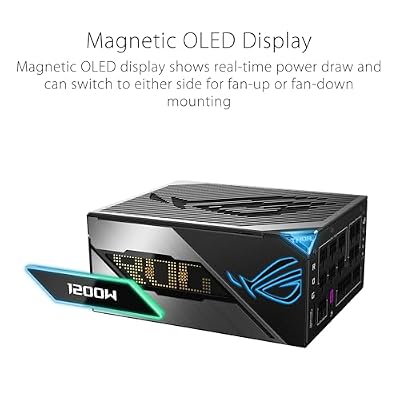


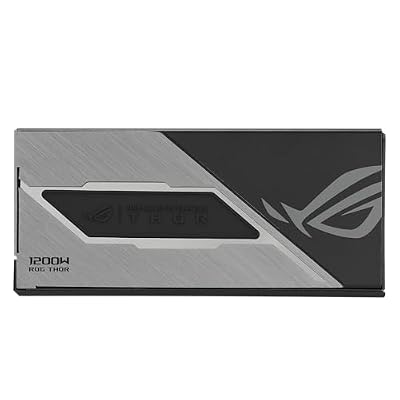


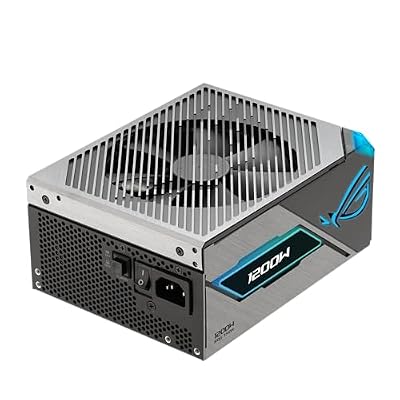


As an Amazon Associate we earn from qualifying purchases. Product prices and availability are accurate as of the date/time indicated.
The 12V-2×6 Cable
The RTX 5090 uses the 12V-2×6 connector, and a native cable from the PSU is the simplest and safest connection. Confirm the unit includes a native 12V-2×6 cable, or a cable that fits the port directly. Insert the connector fully until it clicks, avoid sharp bends near the plug, and leave slack so the card does not pull on the connection. If the unit relies on an adapter, check that the adapter is rated for the card.
Comparing PSUs for the RTX 5090
The table compares the hero listing with four alternatives by role. It leaves out prices and ratings, which change often and vary by seller. Use the live listing for every number before ordering.
| Option | Role in this guide | Best for | What to confirm | Price |
|---|---|---|---|---|
| Hero listing | Primary pick for the RTX 5090 query | Single RTX 5090 builds with a high-end processor | Rated output, revision and native cable | Check current price |
| Alternative 1 | Higher-wattage class | Builds with a large power budget | Rated output and fit in the case | Check current price |
| Alternative 2 | Higher efficiency tier | Long daily sessions and compact cases | 80 Plus rating on the exact model | Check current price |
| Alternative 3 | Same class, different brand | Buyers comparing warranty and protections | Warranty length as written | Check current price |
| Alternative 4 | Same class, newer revision | Builders who want the latest connector set | 12V-2×6 cable included | Check current price |
The table is a checklist. For an RTX 5090 build, the first three details to confirm are the rated output, the revision and the native cable. Those determine whether the unit matches the card safely.
Who Needs More Than 1000W
A 1000W unit covers most RTX 5090 gaming systems, but not every one. Builders who pair the card with a high-core-count processor under sustained load, a large custom loop, several high-draw devices or an overclock are better served by a larger unit. The 1000W roundup for RTX 5090 systems compares units in that band, and the power supply unit roundup covers the other wattage tiers.
Cooling deserves the same attention as power for this class of system. The CPU cooler guide for RTX 5090 builds explains the cooler options, and the air versus AIO cooling comparison covers the trade-offs in noise and performance.
Practical Checklist for an RTX 5090 Build
Confirm the Card Maker’s Requirements
Read the recommended system wattage and the connector requirements for the exact RTX 5090 model you plan to buy. The RTX 5090 review explains the card’s power profile in more detail.
Choose the Right Case
A large card needs a case with enough clearance for its length and the PSU length. The mid-tower case roundup lists options with generous space, and the gaming PC case guide compares designs by airflow and fit.
Follow the Build Order
The step-by-step build guide explains where the graphics card and the power supply go in the assembly order, and the ultimate gaming PC build guide shows how a top-end system balances power, cooling and parts.
Frequently Asked Questions
Is 1000W enough for an RTX 5090?
For most systems, 1000W is the recommended starting point according to the card maker’s published guidance. Check the guidance for your exact model, and choose a larger unit if your other parts draw heavily.
Do I need ATX 3.1 for an RTX 5090?
A unit with the current ATX revision and a native 12V-2×6 cable is the safer match for this card. Confirm the revision on the spec sheet rather than relying on a marketing label.
Can an 850W PSU run an RTX 5090?
It is not the recommended choice for this card. Most RTX 5090 buyers use a 1000W or larger unit to keep the system well inside its comfortable range.
Should I choose a higher efficiency tier for this card?
A higher tier reduces heat inside the case, which is useful for a high-power build. Gold is a practical minimum, and Platinum or Titanium makes more sense for long daily sessions or compact cases.


