Resident Evil Village is a first-person survival-horror shooter, and on PC the standard way to play it is mouse and keyboard. The mouse hand does the aiming: lining up a pistol shot on a closing Lycan, holding a rifle steady on a distant target across the village rooftops, or tracking a fast-moving enemy through the dark halls of Castle Dimitrescu. Every one of those actions depends on the surface under the mouse, because a pad that drags, skips, or shifts under pressure turns careful aim into guesswork.
The five pads below were chosen for the way Resident Evil Village is actually played: slow, deliberate aiming rather than fast flick shots, long exploration sessions, and plenty of tense moments where a single steady shot matters more than raw speed. Each suits a different desk size, surface feel, and aiming style, and all five are cloth gaming pads with a non-slip base.
As an Amazon Associate, we earn from qualifying purchases.
Quick answer
For most Resident Evil Village players on PC, the SteelSeries QcK Large is the best overall pick: its micro-woven cloth gives smooth, predictable tracking for pistol and rifle aiming, and its size suits a standard desk. Players who want a full desk mat should look at the Corsair MM500 v2, while the ASUS ROG Sheath suits large setups.
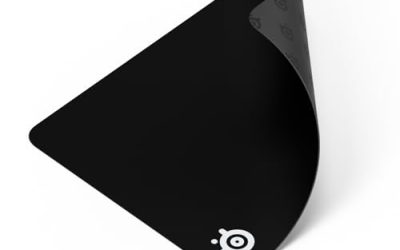
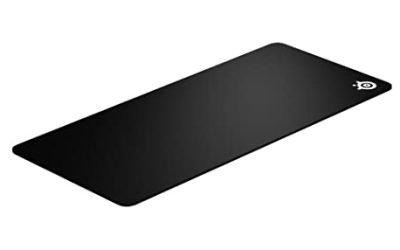
SteelSeries QcK Large Gaming Mousepad

The SteelSeries QcK Large is the classic cloth pad, and it is the pad to buy when the goal is reliable tracking without fuss. Its micro-woven cloth surface is the same weave that has been a default choice for PC gamers for years: smooth enough for easy gliding, with enough texture to keep the mouse from sliding past the target. In Resident Evil Village, where aiming is usually a controlled drag onto a weak point, that balance fits well.
At 17.72 inches by 15.75 inches, the Large covers the mouse area with room to spare and still fits a standard desk beside the keyboard. Wrist aimers and players who use a medium to high sensitivity will find it roomy enough, since Village rarely demands the huge sweeps of a low-sensitivity shooter. The trade-off is size: arm aimers at low sensitivity will run out of room and need to lift and re-center the mouse more often. There is also no stitched edge on this classic version, so the border can wear with heavy use.
Specs
- Surface: Micro-woven cloth, optimized for gaming sensors
- Size: 17.72 x 15.75 inches
- Base: Non-slip silicone rubber base
- Thickness: 0.08 inches
- Model: 63003
- Tier: Budget
Corsair MM500 v2 Hybrid Cloth Gaming Mouse Pad

The Corsair MM500 v2 is the best extended pad in this roundup, and it is the pick for players who want the keyboard and the mouse on one continuous surface. Its hybrid cloth top is denser than a standard cloth weave, which gives a slightly firmer glide and very consistent tracking in every direction. That consistency matters in Village, where the mouse moves between slow, careful aiming and quick turns when a Lycan closes the distance.
At 36.61 inches by 11.81 inches, the MM500 v2 spans most of a desk and holds a full-size keyboard with room left for wide mouse sweeps. A spill-proof coating guards the surface against accidents, and anti-fray stitched edges keep the border intact through long sessions. The 3 mm non-slip rubber base holds the pad in place during tense fights. The main drawback is the footprint: on a small desk, the extended size leaves little room for anything else.
Specs
- Surface: Hybrid cloth with spill-proof coating
- Size: 36.61 x 11.81 inches
- Base: Non-slip natural rubber base
- Thickness: 3 mm
- Edges: Anti-fray stitched edges
- Model: CH-941B141-WW
- Tier: Mid-range
ASUS ROG Sheath Gaming Mouse Pad

The ASUS ROG Sheath is the desk-mat pick for players with a large setup. At 35.4 inches by 17.3 inches, it is one of the deepest pads in this roundup, covering the keyboard, the mouse, and the space in front of them on a single surface. The woven cloth top is built for pixel-precise tracking, and ASUS states that the surface was put through extended glide testing, including a mouse glide distance of more than 155 miles and temperature extremes during stress testing.
The non-slip ROG-red rubber base keeps the Sheath in place even during frantic moments, and the stitched edges resist fraying over years of use. At 0.12 inches thick, it adds a light cushion under the wrist without raising the mouse hand far above the desk. The trade-off is the sheer size: it needs a deep desk, and on a shallow desk the front edge will hang over. The red base is also a bold look that suits a ROG-themed setup better than a plain one.
Specs
- Surface: Intricately woven cloth, pixel-precise tracking
- Size: 35.4 x 17.3 inches
- Base: Non-slip ROG-red rubber base
- Thickness: 0.12 inches
- Edges: Anti-fray stitched edges
- Model: 90MP00K1-B0UA00
- Tier: Mid-range
HyperX Pulsefire Mat RGB XL

The HyperX Pulsefire Mat RGB XL is the pick for players who want their desk mat to look as good as it plays. Two zones of customizable RGB lighting run around the edge of the pad, and a built-in touch sensor switches between three lighting profiles saved to onboard memory. The lighting is controlled through HyperX NGENUITY software, so the pad can match the rest of a setup without extra hardware.
Under the lighting, the pad itself is a serious gaming surface. The densely woven cloth top gives a smooth, precise glide, and the anti-slip rubber base keeps it planted during combat. At 35.4 inches by 15.2 inches, it holds a keyboard and a mouse with room for wide sweeps, and the 4 mm thickness adds cushioning for long sessions in the village. The drawbacks are practical: the pad needs a USB connection for the lighting, and the attached braided cable adds clutter to the desk.
Specs
- Surface: Densely woven cloth, precision tracking
- Size: 35.4 x 15.2 x 0.2 inches
- Base: Anti-slip rubber base
- Thickness: 4 mm
- Lighting: 2 RGB zones, touch sensor, 3 onboard profiles
- Model: HMPM1R-A-XL
- Tier: Premium
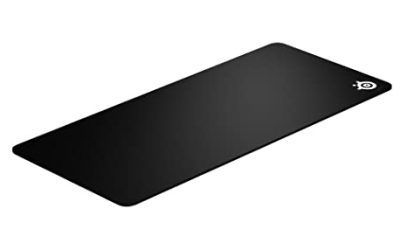
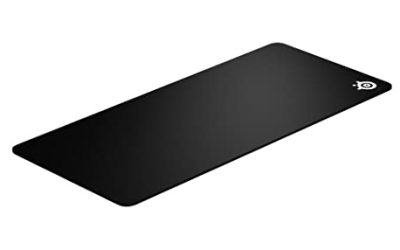
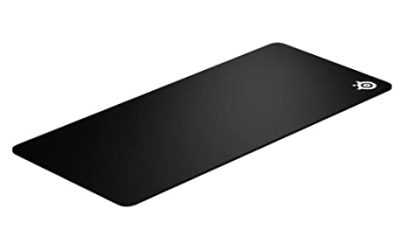
SteelSeries QcK Gaming Mouse Pad – XXL Thick Cloth

The SteelSeries QcK Gaming Mouse Pad – XXL Thick Cloth is the thickest pad in this roundup, and it is the pick for players who want cushioning under the wrist during long horror sessions. The extra-thick cloth layer smooths out small bumps in the desk surface, so the mouse glides evenly even on a desk that is not perfectly flat. The legendary micro-woven cloth top is the same surface as the QcK Large, giving consistent tracking for optical and laser sensors.
At 17.72 inches by 15.75 inches, the pad covers the mouse area generously while leaving the keyboard on the bare desk, which suits players who prefer a separate pad rather than a desk mat. The non-slip rubber base is designed to eliminate unwanted movement, and the pad is washable, which helps it last through years of use. The trade-off is that it is not a desk mat: players who want the keyboard and mouse on one surface should look at the Corsair or ASUS options above.
Specs
- Surface: Micro-woven cloth, optimized for gaming sensors
- Size: 17.72 x 15.75 inches
- Base: Non-slip rubber base
- Thickness: 0.2 inches
- Model: 67500
- Tier: Mid-range
How to choose
Start with size, because it decides everything else. Measure the desk and the space beside the keyboard: a Large pad suits a standard desk, while an extended desk mat suits a wide desk and low-sensitivity arm aiming. Village is a slow-aiming game, so most players do well with a Large or XXL pad rather than a full desk mat, but arm aimers should go bigger.
Next, consider surface feel. A control cloth with a little friction suits the deliberate aiming of a survival-horror shooter, where stopping on a weak point matters more than flick speed. A hybrid or speed cloth suits players who also play fast shooters and want one pad for everything. Thickness is the third factor: a thicker pad cushions the wrist and smooths an uneven desk, while a thin pad keeps the wrist low and the glide fast.
Who should skip
Players who use a controller on PC should skip these pads entirely, since a controller needs no mouse surface at all. Players with a very small desk should also skip the extended desk mats in this roundup, because a pad that hangs over the desk edge will bunch up and track unevenly. The RGB HyperX pad is a poor fit for players who want a clean, cable-free desk, since its lighting needs a USB connection and an attached cable.
FAQ
Do I need a gaming mousepad for Resident Evil Village on PC?
A gaming mousepad is not required, but it helps. Village is a first-person shooter where the mouse does the aiming, and a consistent cloth surface gives the sensor steadier tracking than a bare desk. A basic cloth pad is enough for most players, and the difference is most noticeable during long sessions and precise rifle shots.
What size mousepad is best for Resident Evil Village?
A Large pad is enough for most players, since Village uses slow, deliberate aiming rather than the huge sweeps of a low-sensitivity shooter. Arm aimers at low sensitivity should choose an extended desk mat instead.
Is a control or speed mousepad better for Resident Evil Village?
A control pad is usually better for Village. The game rewards steady aiming at weak points, and a cloth surface with a little friction helps the mouse stop exactly where it should. A speed pad suits players who also play fast shooters, but it can make precise stopping harder.
Can I use the same mousepad for Resident Evil Village and other games?
Yes. All five pads in this roundup are general-purpose gaming surfaces that work across genres, from horror shooters to strategy games. The only reason to pick a different pad for another game is size or speed preference: a fast shooter may call for a larger or faster surface, while a slow game like Village is comfortable on any of these pads.
Final verdict
For most Resident Evil Village players on PC, the SteelSeries QcK Large is the best pick: it is a proven cloth surface at the budget tier, it fits a standard desk, and its tracking suits the slow, deliberate aiming the game demands. Players with a wide desk should step up to the Corsair MM500 v2 for a full keyboard-and-mouse surface, and players who want a deep desk mat should consider the ASUS ROG Sheath. The HyperX Pulsefire Mat RGB XL is the right choice for an RGB setup, while the QcK XXL Thick Cloth suits players who want extra cushioning under the wrist. Any of the five will serve Village well; the best choice is the one that fits the desk.
Product and ASIN Reference
| Product | ASIN |
|---|---|
| SteelSeries QcK Large Gaming Mousepad | B000UVRU6G |
| Corsair MM500 v2 Hybrid Cloth Gaming Mouse Pad | B0D62LCDKH |
| ASUS ROG Sheath Gaming Mouse Pad | B01G5ATZAE |
| HyperX Pulsefire Mat RGB XL | B09DFBG9C1 |
| SteelSeries QcK Gaming Mouse Pad – XXL Thick Cloth | B00WAA2704 |