- Top Pick: Wallhack PTFE Dot Mouse Skates | Premium Universal Skates for Gaming Mice | Ultra-Smooth Glide on Cloth & Glass Pads | Customize Speed & Control | Fast, Easy to Apply | Black 7mm x 7mm
- Best Value: PWNAGE SmoothGlide Universal Dot PTFE Rounded Replacement Mouse Skates Feet for All Mice, Ultra-Smooth and Durable, 3M Adhesive, Gaming Mouse 40 Pieces Round Dots White DIY
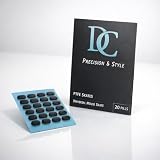
- Premium Choice: Digital Creation DC PTFE Mouse Skates, Universal Fit for All Gaming & Office Mice, Ultra-Smooth 100% Pure Teflon Replacement Feet, Low Friction Glide Pads (Pill Shape 20 Count)
Mouse skates are the cheapest upgrade in PC gaming and the one most often ignored. The factory feet on a mouse wear down, pick up grit, and gradually change how the mouse begins and stops on the pad. A fresh set of PTFE feet restores that glide for the price of a snack, and the right shape can make a lightweight mouse feel noticeably more controllable on a cloth pad or a hard surface.
The picks below cover three kinds of buyers. Some want model-specific sets cut to match a particular mouse, some want universal dot sheets to cut up for any shape, and some want larger multi-pack bundles for several mice. The decisions that matter are the PTFE content, the thickness, the edge shape, and whether the adhesive looks reliable. Fit matters more than hype, and in 2026 the market is full of near-identical packs, so the title details are the only reliable way to tell them apart.
Quick Picks
As an Amazon Associate we earn from qualifying purchases at no extra cost to you.




| Product | Best for | Key spec from the title |
|---|---|---|
| Wallhack PTFE Dot Skates | Tuning speed and control | Universal dots for cloth and glass pads |
| PWNAGE Universal Dot Skates | Cutting to any mouse | Rounded PTFE dots, 3M adhesive, 40 pieces |
| Digital Creation DC PTFE | Gaming and office mice | 100% pure Teflon, universal fit |
| PWNAGE for G Pro X Superlight | Superlight owners | Shaped for the GPX, 3M adhesive |
| HOTLINEGAMES for MX Master 3S | Productivity mouse | Rounded curved edges, 0.8mm, 2 sets |
| ZUFECY 6mm 80 Pack | Small dots, big bundle | 6mm white PTFE dots, 4 sheets |
| Pulsar for X2 Crazylight | Pulsar mouse owners | 0.6mm, virgin PTFE, rounded feet |
| ENDGAME GEAR for XM1 | XM1 and XM1r owners | 99.5% PTFE, white |
| ZUFECY 7mm 80 Pack | Larger dots | 7mm white PTFE dots, 4 sheets |
| TXXCLOE 7mm 40pcs | Basic replacement | Black, 7mm, 40 pieces, sticky back |
How to Choose
Model-specific or universal dots
A set cut for your exact mouse covers the original foot outline and keeps the sensor window clear. Universal dot sheets are cheaper and more flexible, but you place them yourself, and a bad layout can leave the mouse tilted. Check your mouse model against the title. The Pulsar, Endgame Gear, G Pro X, and MX Master sets are shaped for specific mice. Dot sheets suit mice with unusual shapes or no available replacement.
Thickness and edge shape
Thickness changes how high the mouse sits and how stable it feels. The listings here mention 0.6mm and 0.8mm values. A thicker foot lasts longer before wearing through, while a thinner foot keeps the original feel. Rounded or curved edges, as mentioned on several titles, reduce catching and make the initial break-in shorter than a hard-edged cut piece.
PTFE content and adhesive
Titles that state 99.5% or 100% pure PTFE are describing a material that glides smoothly and wears evenly. Lower-grade plastic feet can feel scratchy on glass or hard pads. The adhesive matters just as much: a foot that lifts at the edge catches on the surface and scratches the pad. Look for named adhesive such as 3M, and skip sets with no adhesive information.
Your mousepad surface
Cloth pads grip and slow the mouse, so a slicker foot helps. Hard and glass surfaces are fast already, and a slick foot can make a lightweight mouse hard to stop. Match the glide to the surface, and remember that small dots give a lighter, less stable feel than a large pad. Ignore speed claims with no numbers behind them, and expect budget packs to include more pieces than you will ever use.
A quick routine makes any of these sets last longer. Remove the old feet slowly with a plastic card, wipe the shell with isopropyl alcohol until no residue remains, and let it dry before pressing on the new ones. Hold each foot in place for a short time so the adhesive bonds fully. Then run the mouse across the pad for a while, because fresh PTFE edges feel slightly sharp until they wear in.
The 10 Best Options
Wallhack PTFE Dot Skates
Wallhack sells premium universal dots described as ultra-smooth on cloth and glass pads, with options to customize speed and control. It is aimed at players who like to experiment with where the dots go, trading a faster slide for a more planted feel depending on the layout.
- Strength: universal dots work on mice with no official skate set.
- Strength: the title speaks to both cloth and glass surfaces.
- Trade-off: universal dots require careful placement.
Skip it if you want a pre-cut set for a specific mouse.
PWNAGE Universal Dot Skates
This PWNAGE pack offers rounded PTFE dots for all mice, 3M adhesive, and a 40 piece count in a durable, ultra-smooth format. The generous count is its main selling point: after one mouse is done, enough dots remain for a second pass or a friend’s mouse.
- Strength: 40 pieces cover several swaps or several mice.
- Strength: rounded dots and 3M adhesive appear in the title.
- Trade-off: you must plan the layout yourself.
Skip it if you dislike cutting and aligning feet.
Digital Creation DC PTFE
Digital Creation emphasizes 100% pure Teflon with a universal fit for gaming and office mice, and low-friction glide. The mix of gaming and office wording makes it a sensible choice for a desk mouse that sees work all day and games at night.
- Strength: pure PTFE content is clearly stated.
- Strength: suits both desk-work and gaming mice.
- Trade-off: universal shapes may not match a complex foot layout.
Skip it if you want rounded-edge details stated up front.
PWNAGE for G Pro X Superlight
PWNAGE shapes this white set for the G Pro X Superlight, with rounded PTFE and 3M adhesive. For owners of that lightweight mouse, a fresh set is the simplest way to restore the original glide once the factory feet are worn.
- Strength: model-specific, so the fit follows the original feet.
- Strength: rounded edges and 3M adhesive.
- Trade-off: only useful for one mouse family.
Skip it if you use any other mouse.
HOTLINEGAMES for MX Master 3S
HOTLINEGAMES supplies two sets with rounded curved edges for the Logitech MX Master 3S and MX Master 3, at 0.8mm thickness. Productivity-focused mice are heavier, and a thicker foot suits that weight and a long service life.
- Strength: two sets allow a future replacement.
- Strength: curved edges and a stated 0.8mm thickness.
- Trade-off: tied to the MX Master line.
Skip it if your mouse is a lightweight esports model.
ZUFECY 6mm 80 Pack
ZUFECY packs 80 white PTFE dots in 6mm size across 4 sheets of 20, for glass and cloth pads and universal use. Because each sheet holds 20 dots, a single sheet can outfit a mouse several times over.
- Strength: a very large quantity at a low tier.
- Strength: smaller dots allow a creative layout.
- Trade-off: dots give less coverage than full-shape feet.
Skip it if you only need a single replacement set.
Pulsar for X2 Crazylight
Pulsar produces 0.6mm sets from 100% pure virgin PTFE with rounded feet, made for the X2 Crazylight. The slim 0.6mm number points to a low-riding foot that keeps the mouse close to the pad.
- Strength: brand-matched to the mouse.
- Strength: virgin PTFE and rounded feet for consistent glide.
- Trade-off: one-mouse fit only.
Skip it if you do not own that Pulsar model.
ENDGAME GEAR for XM1
Endgame Gear offers white skates in 99.5% PTFE for the XM1 RGB and XM1r, designed for consistent glide on cloth and hard pads. The 99.5% figure signals a material grade, though the title does not say what makes up the remainder.
- Strength: a precise match for the XM1 pair.
- Strength: suits both cloth and hard pads.
- Trade-off: no thickness figure in the visible title.
Skip it if you use a different mouse.
ZUFECY 7mm 80 Pack
A near-twin to the 6mm set, this ZUFECY pack gives 80 white 7mm PTFE dots on 4 sheets for gaming or office mice on cloth or glass pads. The wider dot suits larger mice and anyone who wants more contact area for a steadier stop.
- Strength: 7mm dots give slightly more coverage.
- Strength: big bundle suits multiple mice.
- Trade-off: 80 dots is far more than a single mouse needs.
Skip it if one mouse is all you own.
TXXCLOE 7mm 40pcs
TXXCLOE lists black 7mm Teflon feet in a 40 piece pack with a sticky back and easy installation for gaming or work use. It is the straightforward option for a mouse that just needs fresh feet without any specialty claims.
- Strength: easy install wording and sticky backing.
- Strength: 40 pieces in the pack.
- Trade-off: no purity figure or adhesive brand in the visible text.
Skip it if you want a stated PTFE percentage.
Which One Fits Your Situation
You own a G Pro X Superlight
The PWNAGE GPX set is the clear match. Its model-specific shape means no cutting and no guessing about placement.
Your mouse has no official skate set
Use dots. The PWNAGE Universal pack and the Digital Creation set both state a universal fit, and the Wallhack set adds a speed-and-control pitch.
You swap between several mice
An 80 piece ZUFECY pack covers many replacements for a low outlay. The 6mm version is lighter in feel than the 7mm one, so pick by how much contact area you want under a large or small mouse.
You use a Logitech MX Master or an XM1
The HOTLINEGAMES sets and the Endgame Gear XM1 skates are built for those exact shapes. Because both are model-specific, check your exact variant name, such as XM1r versus the RGB version, against the title before ordering.
Common Mistakes
- Pressing new feet over old adhesive without cleaning the shell first.
- Covering the sensor opening with a dot.
- Choosing a thickness that changes how the mouse sits on the pad.
- Skipping a few hours of break-in and judging the glide too early, before the edges have settled in.
- Buying a model-specific set for a similar but different mouse.
Related guides
- Aio Liquid Coolers For High Performance Gaming
- Wireless Gaming Headsets Under 100 For Pc
- Ssds For Large Video And Raw Photo Files
Frequently Asked Questions
How often should skates be replaced?
When the edges look rounded off, the surface looks scratched, or the glide feels uneven. Heavy daily use on a rough pad wears them faster, while a smooth glass surface is gentler on the feet. If the mouse begins to drag or squeak, treat that as a sign the feet or the pad need cleaning before any replacement.
Are bigger skates better?
Larger feet add stability and a heavier feel. Smaller dots feel looser and quicker, which some buyers like and others find hard to control.
Will new skates change my sensitivity?
They do not alter DPI, but changes in glide can affect how stops and flicks feel, so a short adjustment period is normal. Give the new feet a few sessions across different games before deciding whether the layout or thickness needs another change.
Can I use these on any pad?
Most titles mention cloth and glass or hard pads. Always check the pad material against the listing and clean the surface for best results.