Nioh 2 is a fast, demanding action RPG where the mouse steers the camera through every duel, and on PC the fights reward quick turns, small corrections, and steady tracking. Stance switching, ki pulses, yokai abilities, burst counters, and item use all compete for attention during a boss attempt, and a mouse that runs out of room or slides across a bare desk breaks that rhythm at the worst moment. A large pad gives a low-sensitivity mouse the space to sweep the camera across a yokai arena without lifting, and a surface that stops cleanly keeps lock-on movement predictable when one mistimed dodge ends the attempt.
Honesty first: Nioh 2 on PC is most often played with a controller, and for controller players a mousepad changes nothing. This roundup is for the minority who play with mouse and keyboard. The five pads below cover the range that makes sense for this game: thick control cloth pads, a spill-resistant hybrid desk mat, a huge extra-large cloth mat, and an RGB desk mat. None of them will land a burst counter for you, but the right surface keeps your view steady across long sessions.
As an Amazon Associate, we earn from qualifying purchases.
Quick answer
The SteelSeries QcK XXL Thick Cloth is the strongest all-round pick for Nioh 2, with a 900 by 400 mm desk-mat surface, 4 mm of cushioning, and the micro-woven cloth that has defined the category for years. Players who want a thicker pad should look at the QcK Heavy XXL White, while the HyperX Pulsefire Mat RGB XL suits players who want lighting built into a large mat.
SteelSeries QcK Gaming Mouse Pad – XXL Thick Cloth

The SteelSeries QcK XXL Thick Cloth is the default desk mat for a reason, and it is the best all-round pick for Nioh 2. At 900 by 400 mm it holds the keyboard and the mouse on one uninterrupted surface, so the mouse never crosses a pad edge during a wide camera sweep around a yokai, and the keyboard stops drifting across bare desk during long missions. The micro-woven cloth gives a smooth, controlled glide with enough friction to stop the camera exactly where it should stop, which matters when tracking a boss that changes direction mid-combo. The 4 mm thickness cushions the wrist through hours of attempts, and the non-slip rubber base keeps the mat planted when a fight gets frantic. It is a plain black mat with no lighting, but for pure camera control it is the pad the rest of this list is measured against.
Specs
- Surface: Micro-woven cloth, optimized for gaming sensors
- Size: XXL, 900 by 400 mm
- Thickness: 4 mm
- Base: Non-slip rubber
- Compatibility: Optical and laser sensors
- Model: 67500
- Tier: Mid-range
SteelSeries QcK Heavy XXL White

The SteelSeries QcK Heavy XXL White is the thicker sibling of the QcK XXL, and it suits Nioh 2 players who want extra cushioning under the wrist during long boss sessions. It shares the same 900 by 400 mm desk-mat footprint and the same micro-woven cloth surface, so camera control feels familiar, but the 4 mm heavy build adds stability and comfort that the standard QcK does not offer. The non-slip silicone rubber base holds the mat still through aggressive flicks, and the white finish gives a lighter look to a desk that is otherwise full of black gear. White cloth shows dust and wear sooner than black, so players who eat at the desk should keep that in mind.
Specs
- Surface: Micro-woven cloth, high thread count
- Size: XXL, 900 by 400 mm
- Thickness: 4 mm
- Base: Non-slip silicone rubber
- Color: White
- Model: 67504
- Tier: Mid-range
Corsair MM500 v2 Hybrid Cloth Extended

The Corsair MM500 v2 is the spill-resistant pick in this guide, and it fits Nioh 2 players who keep a drink on the desk through long missions. Its high-density hybrid cloth surface tracks movement accurately in every direction, and a spill-proof coating guards the mat against accidents and humidity. Anti-fray stitched edges hold up through months of heavy use, and the 3 mm non-slip natural rubber base keeps the mat planted during fast camera work. At 930 by 300 mm it is longer than it is deep, so it covers the full width of the desk while leaving room in front for a keyboard wrist rest or a notebook. It is a straightforward black mat with no lighting, but for players who value durability and spill protection over looks, it is the most practical pad here.
Specs
- Surface: High-density hybrid cloth with spill-proof coating
- Size: Extended, 930 by 300 mm
- Thickness: 3 mm
- Base: Non-slip natural rubber
- Edges: Anti-fray stitched
- Model: CH-941B141-WW
- Tier: Mid-range
ASUS ROG Sheath

The ASUS ROG Sheath is the largest mat in this guide, and it suits Nioh 2 players with a wide desk who want maximum room for low-sensitivity camera control. At 35.4 by 17.3 inches it covers the keyboard, the mouse, and plenty of spare desk, so the mouse never reaches an edge during a full 180-degree turn to face a yokai behind you. The intricately woven surface is built for pixel-precise tracking with every sensor type, and the non-slip ROG-red rubber base keeps the mat in place through intense fights. Stitched edges resist fraying over years of use, and the thin 0.12-inch profile keeps the wrist low and comfortable. The sheer size demands a desk that can hold it, but for players who want the biggest surface available, the Sheath delivers it.
Specs
- Surface: Intricately woven cloth, pixel-precise tracking
- Size: Extra-large, 35.4 by 17.3 inches
- Thickness: 0.12 inches
- Base: Non-slip ROG-red rubber
- Edges: Anti-fray stitched
- Model: 90MP00K1-B0UA00
- Tier: Premium
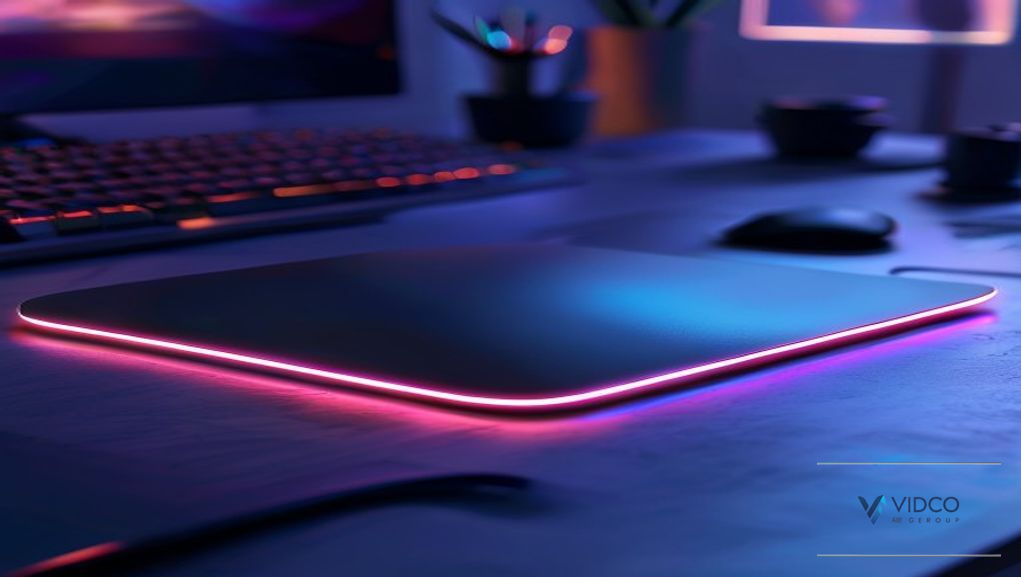
HyperX Pulsefire Mat RGB XL

The HyperX Pulsefire Mat RGB XL is the lighting pick in this guide, and it suits Nioh 2 players who want their desk mat to match the rest of an RGB setup. Two customizable RGB lighting zones run around the edge of the mat, controlled through HyperX NGENUITY software, and up to three lighting profiles can be saved to onboard memory and swapped with a built-in touch sensor. Under the lighting sits a densely woven cloth surface that gives a smooth, precise glide for camera control, and the anti-slip rubber base keeps the mat steady during fast fights. At 900 by 420 mm it holds the keyboard and mouse together on one surface, and the 4 mm thickness adds a little cushion for long sessions. The mat needs a USB connection for its lighting, and the attached braided cable adds one more wire to the desk.
Specs
- Surface: Densely woven cloth
- Size: XL, 900 by 420 mm
- Thickness: 4 mm
- Base: Anti-slip rubber
- Lighting: 2 RGB zones, customizable with HyperX NGENUITY software
- Onboard memory: Up to 3 profiles, touch sensor switching
- Model: HMPM1R-A-XL
- Tier: Premium
How to choose
Start with size, because Nioh 2 rewards wide camera sweeps and a small pad runs out of room during a boss fight. A desk mat of 900 mm or wider holds the keyboard and mouse together, while a standard large pad suits a smaller desk. Next, pick a surface character: control cloth brakes the mouse for deliberate camera work, which suits lock-on combat and small corrections, while a smoother hybrid cloth glides faster for players who flick the camera often. Thickness matters during long sessions, since a 4 mm pad cushions the wrist better than a 2 mm pad, and a non-slip rubber base keeps the mat still when a fight gets frantic. Stitched edges last longer than raw edges, and a spill-resistant coating is worth having if drinks sit near the desk. RGB lighting changes nothing about tracking, so treat it as a style choice, and measure the desk before buying any mat wider than 900 mm.
Who should skip
Controller players should skip this roundup entirely, since the mouse never moves during a run and the pad would sit unused. The same goes for keyboard-only players, who navigate menus and combat without a mouse at all. Players who already own a large cloth pad in good condition gain little from swapping to another cloth pad, because the differences between these five are size, thickness, and glide character. Players who prefer a hard surface should skip cloth pads as a category: a hard pad gives a faster, slicker glide, and none of the five pads here will satisfy that preference. Players with a small desk should also pass on the desk mats here and look for a standard large pad instead, since a 900 mm mat that hangs over the edge curls and slides.
FAQ
Do I need a mousepad to play Nioh 2 on PC?
No, but it helps mouse and keyboard players. The mouse steers the camera through every fight, and a large pad gives low-sensitivity players room for wide sweeps without lifting the mouse. Controller players do not need one, since the mouse never moves during play.
Is a control pad or a speed pad better for Nioh 2?
A control cloth pad suits most players, because Nioh 2 combat is built on lock-on movement, small corrections, and deliberate dodges rather than constant flick aiming. A control surface brakes the mouse cleanly, so the camera stops where it should. Players who flick the camera often may prefer the faster glide of the hybrid Corsair MM500 v2.
What size mousepad works best for Nioh 2?
A desk mat of 900 mm or wider works best, because it holds the keyboard and the mouse on one surface and gives the mouse room for full camera sweeps during boss fights. A standard large pad of around 450 by 400 mm is enough for a small desk or a high-sensitivity mouse, but it leaves less room for wide turns.
Will a thick mousepad help during long boss fights?
Yes, a thicker pad cushions the wrist through hours of attempts, and the 4 mm pads in this guide are more comfortable over a long session than a thin 2 mm pad. Thickness does not change tracking, so it is a comfort choice rather than a performance one, and players who rest their wrist heavily on the desk will notice the difference most.
Final verdict
The SteelSeries QcK XXL Thick Cloth is the best mousepad for Nioh 2 for most mouse and keyboard players, because its 900 by 400 mm surface, controlled glide, and 4 mm cushioning cover everything the game asks of a pad. Players who want the thickest, most comfortable version of that surface should buy the QcK Heavy XXL White, while the Corsair MM500 v2 is the pick for players who want spill protection and stitched edges. The ASUS ROG Sheath suits wide desks that can hold the largest mat here, and the HyperX Pulsefire Mat RGB XL is the pick for players who want lighting built into a desk mat.
Product and ASIN Reference
| Product | ASIN |
|---|---|
| SteelSeries QcK Gaming Mouse Pad – XXL Thick Cloth | B00WAA2704 |
| SteelSeries QcK Heavy XXL White | B0GSF3GBC6 |
| Corsair MM500 v2 Hybrid Cloth Extended | B0D62LCDKH |
| ASUS ROG Sheath | B01G5ATZAE |
| HyperX Pulsefire Mat RGB XL | B09DFBG9C1 |