A mesh front only helps when the air it admits has somewhere useful to go. A long graphics card that dumps heat into a cramped chamber will still run hot behind the most open panel, and a tall cooler gains little when it nearly touches the side panel. The real decision is matching the case to the parts: graphics card length, cooler height, fan positions, and whether the mesh is fine enough to catch dust without choking the intake. Get those answers right and a mesh case keeps temperatures down with slower, quieter fans.
This guide is for first-time builders, owners moving a long graphics card or a big cooler into a new home, and anyone rebuilding for lower noise. Every case below was chosen from the name and specifications on its Amazon product page. See our broader case comparison at https://gamingpcguru.com/best-pc-case-reviewed-compared/ before you settle on a shortlist.
Quick Picks
As an Amazon Associate we earn from qualifying purchases
| Product | Best for | Key spec from title |
|---|---|---|
| NZXT H7 Flow 2024 | A hot graphics card that needs air from below | 3 x 120 mm front fans, 410 mm GPU clearance |
| Montech AIR 903 MAX | A large E-ATX build with four big fans included | 4 x 140 mm fans, mesh front, 4090-class GPU support |
| Fractal Design Meshify 2 | A flexible layout with room for many drives | Hinged mesh front, 420 mm top radiator support |
| Lian Li Lancool 207 | A compact ATX build with mesh on three sides | 4 fans included, mesh front, top and bottom |
| be quiet! Pure Base 500DX | A quiet room with a mesh front that still breathes | 3 x 140 mm fans, 190 mm cooler clearance |
How to Choose
Mesh Density, Filters and Dust
Fine mesh catches more dust but trims airflow a little, while coarse mesh breathes freely and lets fine dust straight through to the fans and heatsinks. The balance that works in most homes is a fine mesh front paired with a removable filter you can reach, so cleaning takes a minute rather than a full teardown. Check whether the front filter slides out from the top or the side, whether the top and bottom have filters too, and whether the listing names the filter material. Judge the whole enclosure, not just the front.
Clearances: GPU Length, Cooler Height and Radiators
Measure the graphics card, cooler and radiator before ordering, because the three numbers interact. A 410 mm graphics card fits only when no front radiator eats into the same space, and a 360 mm front radiator can shorten the usable GPU length by the thickness of the radiator plus its fans. Cooler height is a separate limit: a 185 mm tower needs a case rated above that figure, and the motherboard tray and side panel decide whether the number on the listing holds in practice. Radiator thickness matters too, since a thick radiator plus 25 mm fans can collide with tall memory.
Fans Included and Where the Air Goes
Count the fans in the box, their size and position: three 120 mm front fans and four 140 mm fans move very different amounts of air at the same noise level. Front intake cools the graphics card and the drives, bottom intake feeds the graphics card directly, and a rear exhaust pulls hot air out before it lingers around the cooler. A case with no bottom mounts can still cool well when the front fans are large and the exhaust path is clear, but a case with only one included fan leaves you buying the rest.
Cable Space, Drive Bays and Front I/O
A tidy build is an airflow decision, not just a cosmetic one, because cables across the intake block the air the mesh admitted. Look for at least 25 mm of space behind the motherboard tray, a shroud that hides the power supply, and tie points along the cable channels. Drive bays matter too: a cage that holds many 3.5-inch drives can sit directly in the intake path, so check whether it moves or comes out entirely. On the front, confirm the USB-C port matches a header your motherboard has, and check that the power button and audio jack sit within easy reach.
The 5 Best Options
NZXT H7 Flow 2024

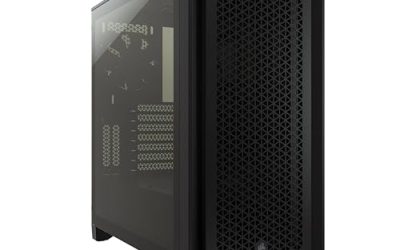
The H7 Flow suits a builder whose graphics card runs hot and deserves its own air supply. Three front fans come in the box, mesh panels cover the intake path, and three more 120 mm fans can mount underneath to blow cool air straight into the graphics card, all inside a narrow footprint. The 410 mm graphics card clearance covers long cards, the 185 mm cooler clearance takes tall air towers, and the 420 mm front mount leaves room for a liquid cooler later. Cable channels with hooks keep the intake path clear, and the top panel carries easy-to-reach USB ports.
Specs
- Mid-tower case with high-performance mesh panels for intake and exhaust
- Motherboard support: E-ATX up to 277 mm, ATX, Micro-ATX, Mini-ITX
- Graphics card clearance up to 410 mm (16.1 in)
- CPU cooler clearance up to 185 mm (7.3 in)
- Three F120Q 120 mm front fans included
- Front radiator up to 420 mm, top radiator up to 360 mm
- Front I/O: 2 x USB 3.2 Type-A, 1 x USB 3.2 Type-C, 1 x headset jack
- Dimensions: 544 x 244 x 468 mm (21.4 x 9.6 x 18.4 in)
- 2-year warranty, model CM-H72FW-01
Best for: gaming builds where the graphics card needs cool air from below as well as from the front.
Watch out for: back-connect motherboards are not supported, and power supplies are limited to 200 mm in length, so confirm both before ordering.
Montech AIR 903 MAX

The AIR 903 MAX suits a builder who wants a large E-ATX case that arrives ready to breathe, with no extra fans to buy on day one. Four 140 mm fans ship in the box, three with ARGB lighting and one plain, so the front intake is covered on arrival. The mesh front panel feeds those fans directly, the tempered glass side shows the build, and the listing names support for 4090-class graphics cards. E-ATX support and a wide interior leave room for a long card and a thick cooler without crowding the intake.
Specs
- E-ATX mid-tower case with a mesh front panel
- Three 140 mm ARGB PWM fans and one 140 mm PWM fan pre-installed
- Tempered glass side panel
- USB Type-C port on the front panel
- Supports 4090-class graphics cards
- Dimensions: 478 x 230 x 493 mm
- Model AIR903MAXB
Best for: large E-ATX builds with a long graphics card that need strong airflow out of the box.
Watch out for: the 140 mm fans are large, so confirm your motherboard has enough fan headers or a hub to run all four, and measure your desk depth against the 493 mm case depth.
Fractal Design Meshify 2
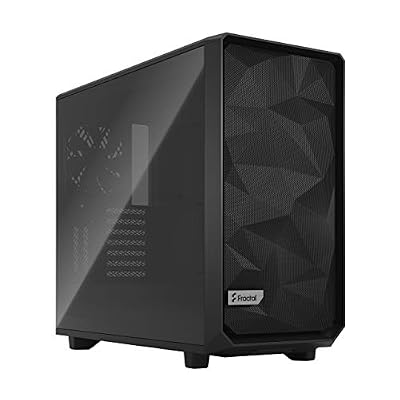
The Meshify 2 suits a builder who wants the case to adapt to the build rather than the other way round. Its interior opens on three sides, the layout shifts between storage-heavy and airflow-first setups, and the hinged mesh front swings open with a removable nylon filter behind it. Radiator support reaches 420 mm on top and 360 mm in front, so a large liquid cooler fits without giving up the intake, and the drive capacity covers builders who keep hard drives alongside fast storage. The angular mesh front gives the case its look while the filter keeps dust off the components.
Specs
- Mid-tower case with an iconic angular mesh front for filtered airflow
- Motherboard support up to E-ATX at 285 mm wide
- Hinged mesh front with a removable nylon filter
- Radiators up to 360 mm in front, 420 mm on top, 280 mm at the base
- Holds up to 11 HDDs with 4 SSD mounts, 9 brackets included
- Model FD-C-MES2A-03, weight 10.5 kg
Best for: flexible builds that mix a large cooler or radiator with many drives.
Watch out for: the same model name covers a tempered glass version and a steel panel version, so confirm which side panel the listing you order actually ships with.
Lian Li Lancool 207
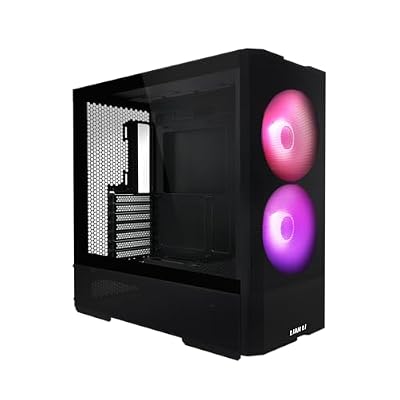
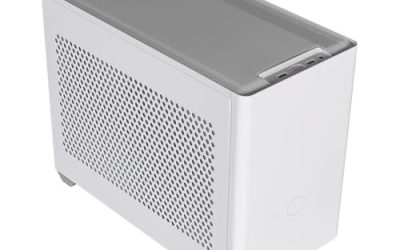
The Lancool 207 suits a builder who is short on desk space but refuses to give up airflow. Mesh covers the front, the top and the bottom, so air reaches the components from three directions even though the case is compact for an ATX build. Four fans ship in the box, two 140 mm ARGB fans and two 120 mm PWM fans, which means the intake and exhaust are covered without an extra purchase. The tempered glass side panel keeps the build visible, and the compact footprint fits desks and shelves where a full-size tower would crowd the room.
Specs
- Compact ATX case with airflow-optimized mesh panels
- Mesh panels on the front, top and bottom
- Two 140 mm ARGB fans and two 120 mm PWM fans pre-installed
- USB Type-C port
- Tempered glass side panel
- Model LAN207RX
Best for: compact ATX builds on a small desk that still need mesh airflow from several sides.
Watch out for: the compact depth leaves less slack than a full tower, so measure your graphics card and cooler against the listing dimensions and confirm power supply length limits before ordering.
be quiet! Pure Base 500DX

The Pure Base 500DX suits a builder who wants a quiet room first and strong airflow second, without choosing between them. Three Pure Wings 2 fans at 140 mm ship in the box, one each at the front, top and rear, and their size moves air at low speeds. The front and top covers use perforated mesh so the intake stays open, while ARGB lighting runs along the front and inside the case. Cooler clearance reaches 190 mm for tall air towers, the USB Type-C port uses the Gen 2 connection, and the three-year manufacturer warranty outlasts most rivals in this group.
Specs
- Mid-tower ATX case optimized for high cooling performance
- Three Pure Wings 2 140 mm fans pre-installed
- High airflow intake front panel and top cover with perforated mesh
- ARGB lighting at the front and inside the case
- USB 3.1 Type-C Gen 2 port
- CPU cooler clearance up to 190 mm in height
- Room for up to five SSDs in total
- 3-year manufacturer warranty, model BGW37
- Dimensions: 450 x 232 x 463 mm
Best for: quiet gaming and work builds where low fan noise matters as much as temperatures.
Watch out for: the front panel lighting needs a compatible ARGB header or controller on your motherboard, so confirm the connection your board offers before ordering.
Which One Fits Your Situation
Your Graphics Card Runs Hot
Pick the NZXT H7 Flow 2024 when the graphics card is the hottest part in the build. Its three bottom fan mounts blow cool air directly into the card, and the 410 mm clearance takes long cards without forcing a radiator into the same space. The Montech AIR 903 MAX is the alternative for E-ATX boards, since its four 140 mm fans move more air from the front alone.
You Plan a Big Air Cooler or a Thick Radiator
Pick the Fractal Design Meshify 2 when the cooler or the radiator is the deciding part. Its 420 mm top mount and 360 mm front mount cover the largest liquid coolers, and the dual-layout interior lets you shift drive cages out of the airflow path. The NZXT H7 Flow is the backup, with a 420 mm front radiator mount and 185 mm of cooler clearance.
Desk Space Is Tight
Pick the Lian Li Lancool 207 when the desk or shelf leaves little room for a tower. Its compact ATX footprint fits where full-size cases crowd the space, yet mesh on the front, top and bottom keeps air moving and four included fans mean no extra purchase. Measure the graphics card and cooler against the listing first, because the compact depth is the trade-off for the smaller footprint.
You Want a Quiet Room
Pick the be quiet! Pure Base 500DX when fan noise bothers you as much as heat does. Its three 140 mm fans move air at lower speeds than smaller fans, and the 190 mm cooler clearance takes a tall, quiet air tower. Keep the dust filters clean, since a clogged filter forces the fans to spin faster and gives back the noise you bought the case to avoid.
Common Mistakes
- Buying a mesh case for its looks without measuring the graphics card, cooler and radiator against the listing clearances first.
- Filling every fan mount with intake fans and leaving no exhaust, so hot air lingers inside instead of leaving through the rear.
- Skipping filter cleaning for months, then blaming the case when temperatures climb and the fans grow louder.
- Assuming all mesh blocks dust equally, when a coarse front panel can pass fine dust onto heatsinks and fan blades.
- Forgetting to check whether the motherboard has a USB-C header and enough fan headers for the case.
Frequently Asked Questions
Do mesh cases let in more dust than solid cases?
Yes, an open mesh front admits more dust than a sealed panel, because the same openings that let air through also let dust through. The difference is manageable: a fine mesh front with a removable filter catches most of it, and a quick clean every few weeks keeps buildup off the fans.
Is a mesh front louder than a solid front?
A mesh front can pass more fan noise into the room, but the fans usually run slower because the intake is less restricted. Large 140 mm fans help further, since they move the same air at lower speeds. If silence is the priority, the be quiet! Pure Base 500DX pairs mesh intake with large, slow fans.
How many fans does a mesh case need?
Three fans cover most builds: two or three in front for intake and one at the rear for exhaust. A hot graphics card benefits from a bottom intake as well, and a top exhaust helps with a large cooler. All five cases in this guide ship with at least three fans, so a standard build needs no extra fans.
Can a mesh case fit a 360 mm radiator?
It depends on the case, so check the listing. The NZXT H7 Flow takes up to 420 mm in front and 360 mm on top, while the Fractal Design Meshify 2 takes up to 360 mm in front and 420 mm on top. A front radiator shortens the space left for the graphics card, so measure first.