As an Amazon Associate we earn from qualifying purchases.
Choosing a liquid cooled PC case starts with radiator fit, not with glass panels or lighting. A case that lists support for a 360mm radiator on paper can still block a thick radiator, tall memory modules, or a long graphics card once fans are installed. The options below focus on chassis with documented radiator mounts, clear motherboard support, and enough interior space for an all-in-one cooler or a custom loop. All dimensions and clearances mentioned here are manufacturer specifications from product listings, not independent measurements, so confirm the exact revision and included accessories on the listing before ordering.
If you are planning a complete liquid cooled build rather than only a chassis swap, our liquid cooled gaming PC guide walks through how case choice interacts with cooler size, pump placement, and tubing runs.
What to check before you choose
Radiator size and position. Most builders use a 240mm, 280mm, or 360mm all-in-one cooler. Top mounting usually gives the shortest tube runs, while front or side mounting can help with graphics card length. Check whether the stated radiator size includes fan thickness and whether the mount sits close to the motherboard tray, where heatsinks and memory slots can reduce usable clearance.
Motherboard form factor. ATX is the common baseline. E-ATX boards need extra width, and back-connect boards need cutouts in the motherboard tray. A case can accept a larger board and still leave little room for side radiators, so read the motherboard and radiator limits together rather than as separate claims.
Graphics card and power supply clearance. Front radiators reduce graphics card length. Power supply length also matters in dual-chamber layouts, where the supply sits behind the motherboard tray next to cable bundles and storage mounts. Compare the manufacturer clearance figures with your card length, including its power connector, and with your power supply length including modular cables.
Fan mounts and included fans. Included fans change how much extra hardware you need, but fan count alone does not prove airflow. Look for perforated panels near intake positions and removable dust filters that can be cleaned without dismantling the loop.
Front panel connectors and warranty. Confirm USB and audio connectors match your motherboard headers. Warranty terms vary by brand and region, so check the listing for the exact model.
Lian Li O11 Dynamic EVO

ASIN: B09QMLS87T
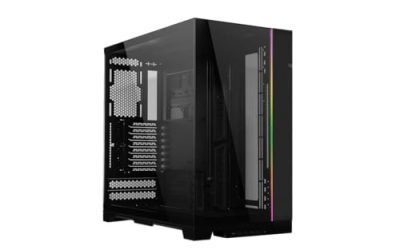
The O11 Dynamic EVO is a mid-tower case built around a dual-chamber layout, which suits builders who want radiators visible through tempered glass while keeping the power supply and cables in a separate rear section. The Amazon US listing identifies this white version with model number O11DEW and E-ATX support in the series description. That extra board width helps with larger motherboards, but side radiator placement still needs care because the radiator and fans share space with the graphics card.
This chassis makes the most sense for a custom loop or a large all-in-one cooler where presentation matters. Plan tube routing before filling the loop, since the glass front and side panels leave little room to hide long runs. Also confirm which fan brackets and accessories ship with the exact listing you choose, because versions in this family differ in color, included fans, and trim.
Choose this case if you want a showcase layout with E-ATX room. Look elsewhere if you prefer a compact desk footprint or a solid front panel.
NZXT H9 Flow (2025)

ASIN: B0DQPRVD4C
The NZXT H9 Flow (2025), model CM-H92FW-01 in white, is a dual-chamber ATX mid-tower with manufacturer-stated support for radiators up to 420mm on the top and front-right panels. The listing also states support for up to nine 140mm fans plus one 120mm rear fan, and includes three 140mm fans and one 120mm fan. Back-connect readiness is listed as well, which matters if your motherboard moves its connectors to the rear.
A 420mm mount gives more surface area than a typical 360mm setup, which can help a custom loop or a large all-in-one cooler, but only if your cooler actually uses that size. Measure radiator length including end tanks, not only the fan span, and check top clearance against memory height. The wraparound glass design also means cable discipline matters, since the rear chamber hides the power supply but the main chamber stays on display.
Choose this case if you want 420mm radiator support and back-connect board compatibility in a dual-chamber design. Confirm fan and hub details on the exact color and version, since the H9 family includes several variants.
Phanteks NV7

ASIN: B0BYQXVG4M
The Phanteks NV7 is a full-tower E-ATX case with manufacturer-stated support for up to three 360mm radiators, plus a rear mount for a smaller radiator. The listing describes twelve 120mm fan positions, integrated addressable lighting, and graphics card clearance of 450mm. CPU cooler height is listed at 185mm and power supply length at 255mm. Those figures point to a chassis designed for ambitious liquid cooling rather than a simple single-cooler build.
Full-tower size is the trade-off. The NV7 needs substantial desk or floor space, and its glass-heavy design asks for careful cable routing to look finished. It also rewards planning: decide radiator positions, pump and reservoir placement, and drain access before installing hardware, because moving a filled loop inside a large case is still awkward.
Choose this case if you want room for multiple radiators and a long graphics card. Skip it if you only need one 240mm or 360mm all-in-one cooler and value a smaller footprint.
Corsair 4000D Airflow

ASIN: B08C7BGV3D
The Corsair 4000D Airflow is a tempered glass mid-tower ATX case, model CC-9011200-WW, with two included 120mm fans and a cable management system described in the listing. It is the most conventional option here: a single-chamber layout aimed at builders who want a straightforward all-in-one installation without dual-chamber complexity.
That simplicity is also its limit. Builders planning multiple radiators or an E-ATX board should compare its interior space against the larger chassis above. For a single all-in-one cooler in an ATX gaming build, the layout is easier to work in and keep tidy.
Choose this case if you want a compact ATX build with one liquid cooler. Confirm radiator thickness and memory clearance for your exact cooler before ordering.
How to decide
Start with your cooler. If you already own a 360mm all-in-one unit, any of these cases can work provided the mount position clears your memory and graphics card. If you plan a custom loop, prioritize radiator count, pump space, and drain access, which favors the NV7 and the dual-chamber designs. If you use a back-connect motherboard, the H9 Flow (2025) states that support directly. If desk space is limited, the 4000D Airflow keeps the build simpler.
Then check motherboard width, graphics card length with a front radiator installed, power supply length with cables attached, and front panel headers. Finally, confirm the exact model number and included accessories on the Amazon US listing for the ASIN you select, because variants in the same series can differ. Manufacturer specifications are a starting point, not a guarantee, so measure your own components and leave margin for tubing bends.