The TI-99/4A was the first home computer built around a 16-bit processor, yet it spent its life as a cartridge machine with a famously slow BASIC and a small, fiercely loyal following. Original hardware now means aging power supplies, a membrane-adjacent keyboard on early units and a bulky Peripheral Expansion Box, so emulation is how most people meet Parsec, Tunnels of Doom and TI Invaders today.
As an Amazon Associate, we earn from qualifying purchases.
Three routes cover nearly everyone: Classic99 for an install-and-play Windows setup with the system software legally included, MAME for the deepest hardware emulation including the expansion box and the Geneve 9640, and js99er for a quick session in a browser tab. This roundup explains what each one needs, what each one emulates well, and where each one stops.
This article contains affiliate links, and we may earn a commission when you buy through them at no extra cost to you.
Quick Answer
Classic99 is the best TI-99/4A emulator for most PC users: it is free, Windows-based, and ships with the TI console ROMs under license, so it boots straight to the master title screen. Choose MAME for full Peripheral Expansion Box hardware and the Geneve, and js99er for a no-install browser session.
The Machine in Brief
Texas Instruments launched the TI-99/4 in 1979 and the revised TI-99/4A in 1981. Its TMS9900 processor was a genuine 16-bit CPU running at 3 MHz, but TI routed almost all memory access through the video chip’s 8-bit path, so the machine’s 16 KB of RAM sits behind the TMS9918A video display processor and only a small scratchpad touches the full-width bus. That single design decision explains the 99/4A’s character: strong graphics and sound for its year, puzzling speed in everyday code.
Software arrived mainly as Solid State Software cartridges, TI’s name for its Command Modules. The console’s GROM chips hold a GPL interpreter rather than a conventional monitor ROM, TI BASIC is built in, and the Extended BASIC cartridge became the machine’s real programming standard. The optional Speech Synthesizer added remarkably clear LPC speech, which is why Parsec talks. Serious owners added the Peripheral Expansion Box with a floppy controller and a 32 KB memory expansion, and much of the later software library quietly assumes both are present.
The ROM Question, Settled Per Emulator
Most emulators make you supply the console’s system ROMs from hardware you own. The TI-99 scene is unusual because its main emulator solved that problem decades ago. According to the Classic99 documentation and the TI community wiki Ninerpedia, author Tursi obtained permission from Texas Instruments to distribute the copyrighted console ROMs, and Classic99 ships with built-in ROMs under that license, covering the 99/4, the 99/4A and the later v2.2 99/4A, plus a selection of built-in cartridge software. That licence covers the emulator’s own bundle only: game cartridges and disk software still come from your own collection.
MAME takes the standard route. Its TI drivers expect ROM sets dumped from your own machine, and nothing TI-related is bundled. js99er runs entirely in the browser; its documentation describes loading your own cartridge and disk files, and this article treats it the same way: bring your own software.
Classic99: The Friendly Windows Standard
Classic99, written by Tursi (Mike Brent), is the emulator most TI-99 owners reach for first. It is a Windows program focused on the standard console with the 32 KB memory expansion, and because the licensed console ROMs are built in, installation ends at the familiar blue master title screen with no file hunting. Cartridges load from the menu system, including large bank-switched carts, and a number of well-known titles are built into the menus themselves.
Beyond games, Classic99 is the scene’s development workhorse: it includes a debugger with memory heatmaps, can record AVI video, and reads and writes Windows folders as TI disk storage, which makes moving BASIC programs painless. It also emulates the Speech Synthesizer, so Parsec and the Terminal Emulator II cartridge speak as they should. Its limits are deliberate ones: exotic expansion-box hardware is only partly covered, and the focus stays on the common console configuration most software was written for.
MAME: The Full-Hardware Route
MAME’s ti99_4a driver serves readers who want the whole system rather than the console alone. MAME also emulates the original TI-99/4, the rare TI-99/8 and the Geneve 9640, the third-party successor machine that ran the 99’s software with far more memory and speed. Its Peripheral Expansion Box support covers the cards period software expects, including the floppy disk controller, the 32 KB memory expansion and serial cards, and cartridges are handled in MAME’s packaged RPK format as well as raw images.
The cost is setup effort. You supply the system ROMs from your own hardware, configure the expansion cards your software needs, and drive everything through MAME’s general interface rather than a TI-specific front end. In return you get the reference route for odd hardware combinations, preservation work and anything Classic99’s fixed configuration leaves out.
The Browser Option: js99er
js99er, by Rasmus Moustgaard, emulates the TI-99/4A in JavaScript at js99er.net, with nothing to install. Ninerpedia credits it with emulating a number of peripherals and near-complete support for the F18A video upgrade, and it offers a disk manager that can save images to browser storage. It suits a Chromebook, a borrowed laptop or a five-minute nostalgia check; for a permanent library, a desktop emulator remains the better home.
Media Handling: Cartridges, Disks and Tape
Cartridges are the easy layer: dumps of your own Command Modules load in every route here, as single files in Classic99 and js99er and as RPK packages or raw images in MAME. Disk software needs the period setup behind it. Most disk programs expect the 32 KB expansion and a floppy controller, which Classic99 provides in its standard configuration and MAME provides once you add the cards. Classic99 reads .dsk images in the common sector-dump and track-dump formats and can also treat a Windows folder as a disk of individual TI files; MAME uses its own image handling for the same job.
Cassette software survives as WAV recordings of the original tapes, and the emulators that accept tape images play them back at period speed, loading screens and all. Keep one folder per format, named after the original media, and the library stays manageable.
Five Products for a TI-99 Desk
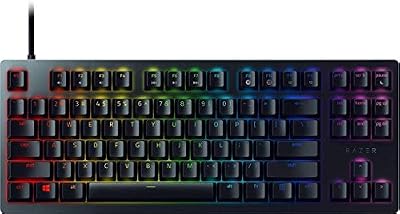
Keychron K3 Version 2 Wireless Mechanical Keyboard
The TI-99 is a computer first, so a good keyboard matters more here than in any console roundup. The K3 is a compact low-profile board that leaves room on a retro desk.
- Layout: 75 percent, 84 keys
- Switches: Gateron low-profile mechanical, Brown
- Connection: Bluetooth 5.1 or USB-C wired
- Compatibility: Windows and macOS keycaps included
- Battery capacity: not stated
Logitech K400 Plus Wireless Touch Keyboard
For a living-room emulation PC, the K400 Plus combines keyboard and touchpad in one lap-friendly unit, handy for Classic99’s menus and disk dialogs.
- Model: 920-007119
- Connection: 2.4 GHz USB receiver
- Touchpad: built in, with media keys
- Wireless range: 10 m, as stated by Logitech
- Battery life: up to 18 months, as stated by Logitech
8BitDo Pro 2 Bluetooth Controller
Cartridge games such as Parsec were written for the TI’s wired joysticks. The Pro 2 maps cleanly onto emulator joystick input and adds modern sticks and triggers.
- Sticks: Hall Effect sensors
- Back buttons: 2, remappable
- Connection: Bluetooth or USB-C wired
- Battery: rechargeable, up to 20 hours of play as stated by 8BitDo
- Profiles: 3, switchable on the controller
Logitech B100 Wired Mouse
A plain wired mouse suits the point-and-click side of this setup: file managers, disk utilities and emulator configuration windows.
- Model: 910-001439
- Sensor: optical, 800 DPI
- Connection: USB, wired
- Design: ambidextrous, 3 buttons
- Cable length: not stated
Samsung T7 Portable SSD 1TB
TI software itself is tiny, but a full emulation library with disk images, manuals and scans grows quickly. The T7 keeps it portable between machines.
- Model: MU-PC1T0T/AM
- Capacity: 1 TB
- Interface: USB 3.2 Gen 2, USB-C
- Read speed: up to 1,050 MB/s, as stated by Samsung
- Encryption: AES 256-bit hardware encryption
How to Choose
Start with Classic99 unless you already know you need something it leaves out. Its licensed ROM bundle removes the step that stops most newcomers, its fixed 32 KB configuration matches what most software expects, and its folder-as-disk system makes BASIC programming genuinely pleasant. Move to MAME when your interests reach the expansion box’s rarer cards, the TI-99/8 or the Geneve, or for verifying behaviour against the widest hardware model available. Keep js99er as the zero-install option for travel machines and quick checks. On any route, keep your cartridge and disk dumps organised by format from day one.
Who Should Skip
Skip this cluster entirely if you never owned or used a TI-99 and simply want retro games: the library is small beside the Commodore 64 or ZX Spectrum catalogues, and much of its charm is the machine itself. Skip MAME as a first step if command-line configuration puts you off; Classic99 reaches the same games with far less friction. And skip the browser route for long BASIC sessions, since a closed tab takes your unsaved program with it.
FAQ
Is Classic99 really legal to download with ROMs included?
Yes, for the console ROMs in its bundle. Classic99’s documentation and Ninerpedia both describe the arrangement the same way: the author obtained permission from Texas Instruments to distribute the copyrighted console ROMs, and they are built in under that license. The permission covers those system ROMs, not commercial game cartridges or disk software, which you still supply from your own collection.
Can these emulators run Extended BASIC and disk games?
Yes, with the right configuration. Extended BASIC is a cartridge, and it loads like any other module. Disk games need the period hardware behind them: a floppy controller and the 32 KB memory expansion. Classic99’s standard setup already matches that expectation, while MAME asks you to add the expansion-box cards yourself before the software will see a disk drive.
Does the Speech Synthesizer work in emulation?
It does. Classic99 emulates the Speech Synthesizer, so titles with LPC speech, including Parsec and the Terminal Emulator II’s text-to-speech features, talk as they did on hardware. MAME also models the speech hardware as part of its TI system support. No extra files from you are needed for the synthesizer itself.
What is the Geneve 9640, and which emulator runs it?
The Geneve 9640 was a third-party successor built around the same processor family, sold as an expansion-box card with its own keyboard, offering far more memory and a faster clock while still running TI-99 software. Of the three routes in this roundup, MAME is the one that emulates it, alongside the TI-99/4, TI-99/4A and TI-99/8.
Final Verdict
For almost everyone, the answer is Classic99: licensed ROMs, a configuration that matches the software, and disk handling built for people who still write TI BASIC. MAME earns its place as the deep-hardware route, covering the expansion box, the TI-99/8 and the Geneve once you supply your own ROMs. js99er rounds out the set as the browser option for machines you cannot install software on. Pick by the hardware you want to recreate, not by feature lists.