

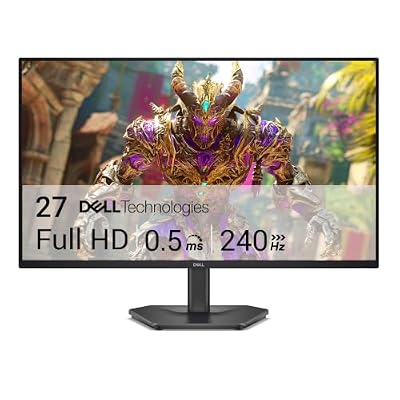
- Top Pick: Dell 27 240Hz Gaming Monitor – SE2726HG – 27-inch FHD (1920×1080) Display, in-Plane Switching (IPS) Technology, AMD FreeSync Premium, TÜV 3-Star, 2X HDMI, DisplayPort 1.4, Tilt
- Best Value: Acer 27in FHD 1920×1080 IPS 120Hz Gaming Monitor | Office KB272 G0bi
- Premium: Samsung 27" Odyssey G5 (G51F) Series QHD (1440P) Gaming Monitor
What “Best Looking” Actually Means on a 27″ Monitor
“Best looking” is doing a lot of work in that title, so let’s pin it down. On a 27 inch screen, image quality comes down to four things: panel type, resolution, color volume, and how well the backlight is controlled. Refresh rate matters for motion but has nothing to do with how good a static image looks. A 360Hz panel with washed-out colors will look worse in a photo editor or a cutscene than a 165Hz panel with a proper VA or OLED panel underneath it.
At 27 inches, 1440p (2560×1440) is the sweet spot for pixel density. You get about 109 pixels per inch, which is sharp enough that you won’t see individual pixels at normal desk distance. 4K at 27 inches pushes that to 163 PPI, which looks noticeably crisper for text and detail work, but it demands a much stronger GPU to drive at high frame rates in games. 1080p on a 27 inch panel looks soft by comparison and isn’t a good choice if “best looking” is the goal.
As an Amazon Associate we earn from qualifying purchases at no extra cost to you.


Panel Types: The Real Driver of Picture Quality
This is the part people skip and shouldn’t. Three panel technologies dominate 27 inch monitors right now, and they look genuinely different in person.
IPS is the default for a reason. Color accuracy is consistently good out of the box, viewing angles are wide, and most gaming IPS panels now hit 165Hz or higher. The weakness is contrast: IPS blacks look more like dark gray under room lighting, and you’ll see “IPS glow” at the corners in dark scenes, a faint silvery haze that’s most visible in dark games and movies.
VA panels trade some color consistency for much deeper blacks, often 3000:1 to 6000:1 static contrast versus IPS at roughly 1000:1. Dark, atmospheric games look substantially better on a good VA panel. The trade-off is slower pixel response, which can cause smearing in fast motion, often called “black smearing,” where dark objects leave a trailing shadow. Higher-refresh VA panels have improved this a lot but it hasn’t fully disappeared.
OLED is the current high-water mark for image quality on a monitor. Per-pixel lighting means true black and essentially infinite contrast, color is vivid and accurate, and response times are near-instant with no smearing. The catches are real: burn-in and permanent image retention risk with static content like taskbars or HUDs, lower peak brightness in SDR than you’d expect, and prices that are still noticeably higher than LCD alternatives. If you leave a browser toolbar on screen for hours a day, that’s a legitimate risk, not a hypothetical one.
Panel Type Comparison
| Panel Type | Contrast | Color | Motion | Risk | Typical Price Tier |
|---|---|---|---|---|---|
| IPS | Good (~1000:1) | Excellent, consistent | Good, minimal smear | IPS glow in dark rooms | Budget to mid |
| VA | Very good (3000:1+) | Good | Fair, can smear in dark scenes | Smearing in fast dark content | Budget to mid |
| OLED | Excellent (true black) | Excellent, very vivid | Excellent, near-instant | Burn-in with static content | Premium |
Where Refresh Rate Fits In
Refresh rate affects how smooth motion looks, not how good a still frame looks. For most people, 144Hz to 165Hz is the point of diminishing returns, smooth enough for competitive games and noticeably better than 60Hz, without the GPU demands of 240Hz or 360Hz. If you’re buying primarily for visual quality rather than competitive shooters, don’t pay a premium to go from 165Hz to 240Hz. Put that money into panel quality or resolution instead. If you do want both high refresh and strong image quality, that’s where the better 27 inch IPS and OLED options come in, and it’s worth browsing a current list of 27 inch 1440p 165Hz monitors to see where prices land this month, since they shift often.
HDR: Mostly Marketing on LCD Monitors
Plenty of 27 inch monitors advertise HDR support, but most entry and mid-range IPS and VA panels only meet the lowest HDR400 certification, which doesn’t require local dimming and often looks worse than SDR because the panel tries to boost brightness without the contrast to back it up. If HDR picture quality actually matters to you, look for VA panels with a real local dimming zone count or go OLED, which does HDR properly because of per-pixel lighting. Don’t buy based on an “HDR Ready” sticker alone.
What to Actually Buy
If you want the best all-around look for the money, a 27 inch 1440p IPS panel with 144-165Hz is the safe, well-rounded choice, and it’s genuinely fine for the vast majority of people, not a compromise pick. If you spend a lot of time in dark or atmospheric games and can tolerate occasional smearing, a VA panel gets you better contrast for similar money. If budget allows and you don’t leave static UI elements on screen for hours, a 27 inch QD-OLED gaming monitor is the biggest visible upgrade available right now, bigger than any jump in refresh rate. For productivity-leaning buyers who still want sharpness, a 27 inch 4K 144Hz monitor delivers the crispest text and detail, provided your GPU can push 4K frame rates in the games you care about.
The honest failure mode to watch for either way: don’t buy on refresh rate number alone. A 240Hz panel with mediocre color and weak contrast will look worse sitting on your desk than a 144Hz panel with good calibration and real contrast, every single day you use it.














