Choosing a laptop for Pro Tools is really a decision about headroom. The machine has to hold a low buffer size while you track through plug-ins, keep dozens of tracks and virtual instruments responsive in a large session, and do all of that quietly enough to sit in the same room as a microphone. A fast single core matters more than a long core count, memory fills up faster than most buyers expect, and a small internal drive turns into a daily annoyance once sample libraries arrive.
This shortlist serves two groups: engineers who record and mix in one room and need a near-silent machine, and producers who work in Windows with big template sessions and heavy virtual instruments. Every pick below is taken from the product names and specifications printed on its Amazon page, and each one was confirmed in a second independent record before it earned a place here.
Quick Picks
As an Amazon Associate we earn from qualifying purchases
| Product | Best for | Key spec from title |
|---|---|---|
| Apple MacBook Pro 14-inch with M4 Pro | Tracking and mixing in the same room as the microphones | M4 Pro chip with 12-core CPU, 24GB unified memory |
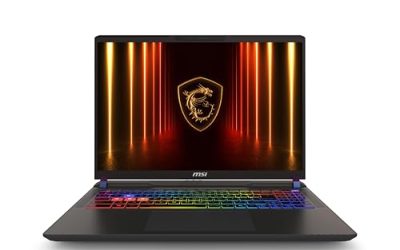
| MSI Prestige 16 AI Evo (B1MG-020US) | Windows sessions built on large virtual instrument libraries | Intel Core Ultra 7-155H, 32GB memory, 2TB SSD |
How to Choose
Single-Core Speed for Low-Latency Tracking
Pro Tools leans hard on one core at a time when you record through plug-ins at a small buffer size, so the chip’s single-core pace decides whether a vocal chain with a compressor, an EQ and a de-esser stays glitch-free at 64 samples. A modern high-clock processor such as the M4 Pro or the Core Ultra 7-155H gives that work room to breathe. Total core count still helps during offline bounces and big mixdowns, but if two machines look similar on paper, pick the one with the stronger single-core performance for tracking work. Judge the chip by its generation and boost behaviour rather than its badge alone, because a newer mid-range processor often tracks more cleanly than an older flagship.
Memory Headroom for Large Sessions
Sixteen gigabytes disappears quickly once a session loads a sampled piano, a string library and a few drum instruments at once. Twenty-four gigabytes is a workable floor for songwriting and mid-size mixes, while 32GB is the safer target for orchestral templates, film cues and sessions that stay open alongside a browser, a notation app and a video window. Memory on both machines in this guide is fixed at purchase, so buy for the largest session you realistically expect to open in the next few years, not the one you are mixing today. If a listing offers the same model with a larger memory configuration, that step up usually outlasts every other option on the page.
Cooling Noise in the Recording Room
A laptop that is silent during playback can still ruin a quiet take when its fans spin up halfway through a vocal pass. Machines built for sustained creative loads, with larger bodies and heat pipes sized for long renders, tend to stay calmer than thin gaming designs tuned for short bursts. Think about where the laptop will sit: under the desk behind a baffle is forgiving, on the desk beside a condenser microphone is not. If you mostly track in the same room you mix in, treat quiet cooling as a headline feature, not a footnote. A stand that lifts the vents clear of the desk surface helps more than most buyers expect.
Ports for Interfaces, Drives and Docks
Your interface, control surface, iLok-style dongles, external session drives and a second display all compete for connections. Count the ports on the listing before you buy, and check what each USB-C socket actually carries, because data speeds differ between ports on many models. An SD card reader, like the one on the MSI below, earns its keep for field recordings. If you would rather shop business-class Windows machines with docking in mind, our guide to the best Dell Latitude and pro laptops covers that route in detail. Before ordering, list everything you plug in on a normal day and compare it line by line with the listing.
The 2 Best Options
Apple MacBook Pro 14-inch with M4 Pro Chip

This is the pick for engineers who record and mix in the same room. The M4 Pro chip pairs a 12-core CPU with strong single-core pace, which is exactly what low-buffer tracking through plug-ins asks for, and the 24GB of unified memory holds a serious mix session with sampled instruments loaded. The 14.2-inch Liquid Retina XDR screen keeps large sessions readable without an external monitor, and the compact body travels well between a home studio and outside sessions. If your plug-in collection and interface drivers are settled on macOS, this is the calmer, simpler machine to build around.
Specs
- Apple M4 Pro chip with 12-core CPU and 16-core GPU
- 14.2-inch Liquid Retina XDR display
- 24GB unified memory
- 512GB SSD storage
- Model MX2H3LL/A
- Finish: Space Black
Best for: engineers who track vocals and acoustic instruments in the room where they mix, and who want the quietest machine in this guide.
Watch out for: the 512GB internal drive fills quickly once sample libraries land, and the memory cannot be changed later, so check your library sizes and session habits before ordering.
MSI Prestige 16 AI Evo Laptop (B1MG-020US)

The Prestige 16 AI Evo is the Windows option here, built around an Intel Core Ultra 7-155H and a generous 32GB of memory with a 2TB NVMe SSD, which suits producers whose sessions lean on large virtual instrument libraries that need room both in RAM and on disk. The 16-inch UHD+ OLED display gives the edit window real width for long track counts, and the built-in SD card reader and HDMI port cover field recorders and a second screen without a pocket full of adapters. It runs Windows 11 Pro, which fits studio networks and remote access setups well.
Specs
- Intel Core Ultra 7-155H processor
- 16-inch UHD+ OLED display
- 32GB DDR5 memory
- 2TB NVMe SSD
- HDMI port and SD card reader
- Windows 11 Pro
- Model B1MG-020US, Stellar Gray
Best for: Windows-based producers running large template sessions and sampled instruments who want memory and storage headroom built in from day one.
Watch out for: confirm that your interface and control surface have current Windows drivers, and check the port layout against your existing dock and displays before ordering.
Which One Fits Your Situation
You Record and Mix in One Room
Pick the MacBook Pro 14. A single-room setup punishes fan noise more than it rewards raw multi-core muscle, and this machine pairs a calm cooling profile with the single-core pace that low-latency tracking needs. Keep the internal drive lean by parking big sample libraries on an external SSD, and the 24GB of memory will carry full band sessions, podcast production and most mix work without complaint. Set it behind the monitor, not beside it, and quiet passages stay clean.
You Work in Windows With Large Templates
Pick the MSI Prestige 16 AI Evo. The 32GB of memory and 2TB SSD are the headline numbers for template work: orchestral palettes, layered drum libraries and long track counts all draw on both at once. The larger 16-inch screen also helps when a session runs past a hundred tracks and every lane of the edit window matters. It is the straightforward choice if your plug-ins, interface and habits already live in Windows.
You Travel Between Studios
Either machine works, but they travel differently. The MacBook Pro 14 is the smaller bag-friendly option and suits engineers who plug into house interfaces and need a dependable tracking machine on arrival. The MSI gives you a bigger screen and far more internal storage, which matters when a client session has to live on the laptop itself for a week. Match the choice to whether you value portability or self-contained capacity more.
You Are Moving From a Desktop Rig
Treat the laptop as a replacement, not a companion, and buy headroom accordingly. Desktop owners are used to adding memory and drives later; neither machine here allows that after purchase. If your desktop sessions already push past 20GB of memory, the MSI’s 32GB is the safer landing spot. If your desktop work is mostly tracking and editing with modest instrument loads, the MacBook Pro’s 24GB and faster-feeling single core will feel like an upgrade.
Common Mistakes
- Buying 16GB of memory for sessions that load sampled pianos, strings and drums at the same time.
- Ignoring fan noise, then discovering the laptop sits two feet from the vocal microphone.
- Filling the internal SSD with sample libraries until the system drive has no working room left.
- Assuming every USB-C port on a laptop carries the same data speed for interfaces and docks.
- Choosing a machine for its graphics card when Pro Tools work barely touches the GPU.
Frequently Asked Questions
How Much Memory Does Pro Tools Actually Need?
For recording and editing audio tracks, 16GB can work, but it leaves little room once virtual instruments enter the session. A sampled piano or drum library can claim several gigabytes on its own. Twenty-four gigabytes is a sensible floor for most home studios, and 32GB is the comfortable target for large templates, orchestral work and sessions that stay open all day. When in doubt, take the larger memory configuration.
Should I Choose Mac or Windows for Pro Tools?
Both platforms run the same Pro Tools software, so the deciding factors are your interface drivers, your plug-in licences and the machines you already own. macOS suits engineers who want a quiet, self-contained tracking setup. Windows offers wider hardware choice and easier docking in office-style studios. Pick the platform your existing licences and interface support best, then choose the strongest machine on that side.
Does the Graphics Card Matter for Pro Tools?
Very little. Pro Tools is an audio application, and its demands sit with the processor, memory and storage rather than the GPU. A discrete graphics card helps if you also edit video, score to picture with heavy video tracks, or run visual plug-ins, but it should never be the reason you pick one laptop over another for audio work. Spend the attention on single-core speed instead.
Can I Run Sessions From an External Drive?
Yes, and many engineers do exactly that to keep the internal drive lean. Use a fast external SSD, keep the session folder and its audio files together, and back the drive up like any other studio media. The internal drive still matters, because the operating system, Pro Tools itself and your sample libraries all compete for its space and speed during a working day.