Budget graphic design is mostly a display problem. A fast processor cannot fix a panel that shows brand colors inaccurately, and a large SSD cannot compensate for memory that fills up when a layered file, a vector document, and a browser are open together. The laptops below are positioned as budget-friendly options on Amazon US, but they are not equal. Three document full sRGB coverage, and one documents only 45% NTSC coverage despite generous memory and storage. Read the color specification first, then judge the rest.

As an Amazon Associate we earn from qualifying purchases.
If you are weighing higher-end machines, our broader guide to the best laptops for graphic design covers that wider field; this article stays on value picks.
How to Choose on a Budget
Display color comes first
Look for a documented color claim in the listing itself. A statement of 100% sRGB coverage gives you a defined target for screen-based design. By contrast, 45% NTSC is a warning sign: it describes a narrower range, and colors that look right on that screen may shift on a client display or in print. Brightness and resolution matter too, but only after coverage is documented. If a listing gives no gamut figure, treat color accuracy as unverified.
CPU and GPU
Illustrator, Photoshop, InDesign, Figma, and Affinity tools lean heavily on the CPU, so a modern processor matters for responsiveness. A dedicated NVIDIA GPU helps with GPU-accelerated effects, filters, and some 3D and video work, and listings that name the exact GPU, such as RTX 3050 Ti, RTX 4050, or RTX 5060, are easier to compare. Integrated graphics, such as AMD Radeon 860M, can handle lighter 2D work, but the margin for large files is smaller.
RAM and SSD
Sixteen gigabytes of RAM is a sensible floor for design multitasking. Thirty-two gigabytes gives more headroom for large layered files, although it does not rescue a weak display. For storage, 512GB is workable if you archive finished projects externally, while 1TB or more reduces that housekeeping.
Ports, warranty, and upgradeability
Designers plug in tablets, external drives, card readers, and second monitors, so HDMI, USB-C with DisplayPort support where documented, USB-A, and a card reader all reduce dongle dependence. Warranty wording matters too: some listings are custom-configured by a seller, who may cover upgraded parts separately from the manufacturer. Read that split before buying. Count upgradeability only when documented, for example two memory slots and a stated maximum. Memory described as LPDDR or onboard should be treated as fixed.
Comparison Table
| Laptop | Display as documented | CPU / GPU | RAM / SSD | Notable documented point |
|---|---|---|---|---|
| Acer Swift X SFX14-42G-R607 | 14-inch Full HD, 100% sRGB | AMD Ryzen 7 5825U / NVIDIA RTX 3050 Ti | 16GB LPDDR4X / 512GB SSD | Creator model with a defined sRGB claim |
| Acer Nitro V 16 ANV16-72-70F4 | 16-inch WUXGA IPS, 180Hz, 100% sRGB, 400 nits | Intel Core 7 240H / NVIDIA RTX 5060 | 16GB DDR5 / 512GB Gen 4 SSD | Two DDR5 slots, maximum 32GB as listed |
| Lenovo LOQ-E 15.6 | 15.6-inch FHD, 144Hz, 100% sRGB, 300 nits | AMD Ryzen 7 7735HS / NVIDIA RTX 4050 | 16GB DDR5 / 512GB SSD | Gaming chassis adapted to design work |
| Lenovo IdeaPad Slim 5 16 | 16-inch WUXGA touch IPS, 300 nits, 45% NTSC | AMD Ryzen AI 7 350 / AMD Radeon 860M | 32GB DDR5 / 1TB NVMe SSD | Big memory and storage, narrow color coverage |
The Picks
1. Acer Swift X SFX14-42G-R607
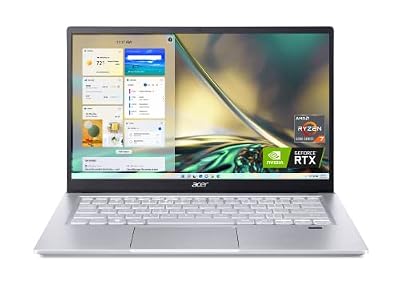
This Acer is explicitly sold as a Creator Laptop, and its listing gives the detail budget designers need most: a 14-inch Full HD display with 100% sRGB coverage. That documented claim makes it easier to trust for web and social design than a panel with no gamut figure. The processor is an AMD Ryzen 7 5825U paired with an NVIDIA GeForce RTX 3050 Ti Laptop GPU, a combination aimed at creators rather than pure office use. Memory is 16GB LPDDR4X and storage is a 512GB SSD, with Wi-Fi 6 and a backlit keyboard also named in the listing title.
The trade-offs follow from the format. LPDDR4X here is onboard memory, so plan on using the installed 16GB for the life of the machine. The 512GB drive will fill quickly with asset libraries, so external storage helps. Confirm port and warranty specifics on the listing, since Acer sells several Swift X variants under similar names. For a compact machine with a documented color target and a dedicated GPU, this is the most purpose-built pick in this group.
2. Acer Nitro V 16 ANV16-72-70F4
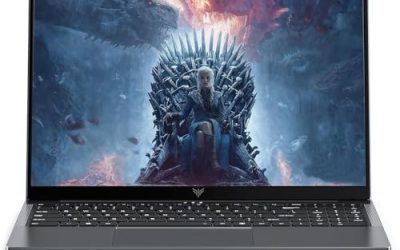
The Nitro V 16 is a gaming laptop, but its listing documents exactly what a designer should look for: a 16-inch WUXGA 1920 x 1200 IPS display with 100% sRGB color, 400 nits brightness, and a 180Hz refresh rate. The taller 16:10 canvas leaves more room for toolbars and palettes than a standard widescreen panel. Inside, the listing names an Intel Core 7 processor 240H, an NVIDIA GeForce RTX 5060 Laptop GPU, 16GB of DDR5 memory, and a 512GB PCIe Gen 4 SSD, running Windows 11 Home with Wi-Fi 6 and a backlit keyboard.
Upgradeability is unusually clear here. The listing states two DDR5 slots with a maximum of 32GB, and it also names a microSD card reader, useful for moving photos into a layout. You can double the RAM later, but not beyond the stated maximum. As a gaming chassis it is larger than the Swift X, so portability is the compromise for the bigger display and stronger GPU.
3. Lenovo LOQ-E 15.6

Lenovo’s LOQ-E listing documents a 15.6-inch FHD display with a 144Hz refresh rate, 300 nits brightness, and 100% sRGB coverage — the figure that earns a gaming model a place here. The configuration named in the listing uses an AMD Ryzen 7 7735HS processor, 16GB of DDR5 memory, a 512GB SSD, and an NVIDIA GeForce RTX 4050 GPU with 6GB of graphics memory in the related listing details. Video output through DisplayPort and HDMI is also listed, which matters if you plan to add an external monitor later.
Think of this as the pragmatic middle path: a documented sRGB panel and a dedicated GPU without stepping up to a creator line. Verify the exact seller configuration, port layout, and warranty terms before ordering, because LOQ models are sold in many closely named variants. If your work is mainly 2D design with some GPU-accelerated effects, this combination covers the essentials.
4. Lenovo IdeaPad Slim 5 16
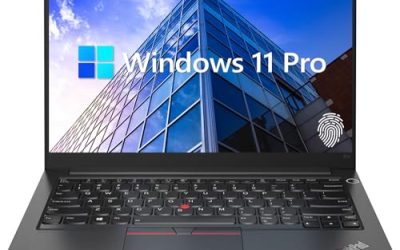
This IdeaPad is a cautionary comparison, not a color-first recommendation. Its listing is generous elsewhere: a 16-inch WUXGA 1920 x 1200 touchscreen, an AMD Ryzen AI 7 350 processor, AMD Radeon 860M graphics, 32GB of DDR5 memory, and a 1TB NVMe SSD with Windows 11 Pro. Connectivity is well documented too, including HDMI 2.1, two USB-C ports with Power Delivery and DisplayPort support, USB-A ports, Wi-Fi 7, and a backlit keyboard.
The problem is the panel specification in the same listing: 300 nits and 45% NTSC coverage. For layout drafts that will be proofed elsewhere, that may be acceptable. For choosing brand colors or approving final artwork on this screen, it is a real limitation that extra RAM cannot fix. The listing also notes these systems are custom-configured and the package may have been opened for upgrades, so check who covers the changed parts. Buy this only if you have a better external monitor for color decisions.
Which One Fits Your Work?
Choose the Swift X for portability and a creator-focused specification, if you can live with fixed memory. Choose the Nitro V 16 for the largest documented sRGB canvas here, a stronger GPU, and a stated path to 32GB. Choose the LOQ-E for a documented sRGB panel and an RTX 4050 in a gaming chassis. Choose the IdeaPad Slim 5 only with an external display you trust for color.
In every case, verify the exact listing: confirm the gamut wording matches the configuration in the cart, check whether memory is soldered or slotted, and read the warranty split if a seller customized the machine.
FAQ
How much RAM do graphic designers need on a budget laptop?
Sixteen gigabytes is a workable floor for Photoshop, Illustrator, and browser-based tools used together. Thirty-two gigabytes helps with large layered files, but not at the expense of display color coverage.
Is 100% sRGB enough for graphic design?
For web, social, and screen-first design, a documented 100% sRGB panel is a clear, usable target. Print or wide-gamut work benefits from broader coverage and careful proofing, so check whether a listing documents more than sRGB before assuming it does.
Can a gaming laptop work for graphic design?
Yes, when the listing documents suitable color coverage, enough memory, and a capable GPU. Several gaming models here state 100% sRGB coverage. A gaming badge alone proves nothing, so judge the panel, ports, and warranty wording.
Should I buy a laptop with only 45% NTSC coverage for design?
Only with a workaround, such as a trusted external monitor for color decisions. The IdeaPad Slim 5 documents 45% NTSC alongside strong memory and storage, making it useful for drafts but risky as the sole screen for final color approval.
Are soldered-memory laptops a bad buy?
Not necessarily, but the decision is permanent. Memory described as LPDDR or onboard means you should buy the capacity you need now. Listings that state slots and a maximum, such as the Nitro V 16, document a genuine upgrade path.
Conclusion
The best budget laptops for graphic designers are not simply the cheapest machines with a dedicated GPU. They are the ones whose listings document color coverage you can work from, memory and storage that match your files, ports for your tools, and clear warranty and upgrade terms. On those criteria, the Acer Swift X and Nitro V 16 make the strongest color-first cases here, the Lenovo LOQ-E offers a documented sRGB alternative, and the IdeaPad Slim 5 shows why a generous specification elsewhere still needs a careful look at the panel.