

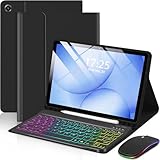
- Top Pick: EAMPANG Case with Keyboard Mouse for Samsung Galaxy Tab A11 Plus/A9 Plus | 2025/2023 11 inch 7 Color Rainbow Backlight Detachable USB-C Keypad Magnetic Case with Pen Slot for Tablet A11+ A9+ 5G Black
- Best Value: SPARIN Bluetooth Keyboard for Galaxy Tab A11+/A9+/S12+/S11/S10 FE/S10+… | Wireless Keyboard for Other Android Tablet, Samsung Models/Windows/PC/Phone, Lightweight, Ultra-Slim
- Premium Choice: MERSATM for Samsung Galaxy Tab A11 Plus/A9 Plus Case with Keyboard | 3-Speed Mouse, 11-inch case , Detachable Magnetic Keyboard, S Pen Holder, Black
The single most important fact about a Galaxy tablet keyboard is that it is rarely universal. A keyboard cover built for the 11-inch Tab A11+ will not fit a 10.9-inch Tab S10 FE, and a pogo-pin Samsung folio made for the Ultra series will not attach to a smaller model. So the first decision is not which brand looks best but which exact tablet sits on your desk, followed by whether you want a full cover with a trackpad, a plain stand-alone Bluetooth board, or Samsung’s own accessory.
This guide compares nine keyboards for Samsung Galaxy tablets in 2026, covering official Samsung keyboards, third-party keyboard cases with S Pen holders, and a universal Bluetooth board. Details come strictly from each listing title, so model compatibility is the key point to verify before buying. It is written for students taking notes, remote workers who want a laptop-style setup, and parents choosing a protective case-and-keyboard combination for a younger user.
Quick Picks
As an Amazon Associate we earn from qualifying purchases at no extra cost to you.


| Product | Best for | Key spec from the title |
|---|---|---|
| EAMPANG Keyboard Case | Lively backlit look with a mouse | Tab A11 Plus/A9 Plus, 7-color backlight, USB-C keypad |
| SPARIN Bluetooth Keyboard | Switching between several devices | Works with Galaxy Tab A11+/A9+/S12+/S11/S10 FE/S10+ |
| MERSATM Keyboard Case | A mouse-friendly 11-inch setup | 3-speed mouse, magnetic keyboard, S Pen holder |
| Samsung Tab S12+ Pro Keyboard | Official fit for the S12+ | Grey Samsung keyboard for Tab S12+ |
| APHBZGE Pink Keyboard Case | Colorful protection with auto wake | Bluetooth keyboard, S Pen holder, auto wake/sleep |
| Dexnor Keyboard Case | Trackpad and backlit typing | Multi-touch trackpad, backlit, stylus holder |
| FINTIE Keyboard Case | Mid-size 10.9-inch tablets | Fits Tab S10 Lite/S10 FE/S9 FE 5G, 3 angles |
| Samsung Tab S10+ Book Cover Keyboard | An official laptop-like experience | AI Key, wireless keyboard sharing |
| Samsung Pro Keyboard (S11/S12 Ultra) | Ultra-size tablets | For Galaxy Tab S11 Ultra and S12 Ultra |
How to Choose
Compatibility comes before every other feature
Count the model name character by character. “A11+/A9+” cases fit one 11-inch body, “S10 FE/S9 FE” cases fit a 10.9-inch body, and the Samsung S10+, S12+, and Ultra keyboards are each tied to a specific size. A mismatch of even a few millimeters leaves camera cutouts and magnets misaligned. If you own an older tablet not named in the title, assume it does not fit unless the seller says so.
Case-style keyboard or stand-alone board
A keyboard case gives protection, a stand, and often a pen slot in one package, which suits commuting. A stand-alone Bluetooth keyboard such as the SPARIN pairs with several device types, so it can serve a tablet, phone, and laptop. The trade-off is that you must prop up the tablet separately. Cases tend to be thicker and heavier, while a thin Bluetooth board adds almost no bulk.
Trackpad, mouse, and backlight features
Typing alone is fine for emails, but spreadsheets and editing benefit from a trackpad or a mouse function. The Dexnor lists a multi-touch trackpad, while the EAMPANG and MERSATM list mouse functions. Backlighting matters if you type in dim rooms, and color-changing backlights are a style choice rather than a necessity. Budget cases may have a spongier key feel and fewer shortcuts than Samsung’s own keyboards.
Connection method, power, and pen storage
Bluetooth keyboards need pairing and a charge, while USB-C keypads draw power through the tablet’s port. Samsung’s official folios use their own connection design, so verify what the listing says. If you take handwritten notes, look for an S Pen holder so the stylus does not wander off. Auto wake and sleep, listed on the pink APHBZGE case, saves battery by pairing the cover with the screen state.
The 9 Best Options
EAMPANG Keyboard Case with Mouse
A busy, feature-packed case for the 11-inch Tab A11 Plus and A9 Plus. The title lists a keyboard and mouse combination, a 7-color rainbow backlight, a detachable USB-C keypad, a magnetic case, and a pen slot.
- Backlighting and a mouse function make it versatile for typing and light editing.
- A detachable keypad lets you use the case alone when typing is not needed.
- Trade-off: the rainbow backlight is more playful than professional, and it fits only the named models.
Skip it if you own a different Galaxy tablet or prefer a subtle design. Offices and classrooms where a rainbow glow would draw attention are a poor match.
SPARIN Bluetooth Keyboard
The flexible stand-alone choice. The title lists compatibility with Galaxy Tab A11+, A9+, S12+, S11, S10 FE, and S10+, plus other Android tablets, Windows PCs, and phones, in a lightweight, ultra-slim body.
- Broad compatibility lets one keyboard serve several devices.
- The ultra-slim, lightweight design adds little to a bag.
- Trade-off: it does not protect the tablet or hold it upright.
Skip it if you want a combined cover and stand. Buyers who type at a desk with a separate tablet stand will get the most from it.
MERSATM Keyboard Case
A keyboard case for the 11-inch Tab A11 Plus and A9 Plus with a pointing option. The title lists a 3-speed mouse, a detachable magnetic keyboard, an S Pen holder, and a black finish.
- The mouse function with three speeds suits spreadsheets and browsing.
- The S Pen holder keeps a stylus close.
- Trade-off: the title does not mention backlighting or a trackpad.
Skip it if you need backlit keys for dim rooms or a trackpad for precise cursor work. Check the product page for what the keyboard portion offers.
Samsung Galaxy Tab S12+ Pro Keyboard (Grey)
The official option for the S12+ owner. The title describes it as a grey Samsung keyboard designed to connect to your Galaxy tablet.
- A first-party design aims for a precise fit with the tablet.
- A neutral grey finish suits a professional setup.
- Trade-off: the title offers few specifics on layout, trackpad, or backlight.
Skip it if you own a different tablet or want a mouse function included. Because the title says so little, confirm the layout details before ordering.
APHBZGE Pink Keyboard Case
A colorful protective case for the Tab A11+ and A9+. The title lists an 11-inch fit, a pink finish, an S Pen holder, a detachable Bluetooth keyboard, and auto wake/sleep.
- Auto wake and sleep matches the cover to the screen state.
- The detachable Bluetooth keyboard lets you use the case without keys.
- Trade-off: the title does not list a trackpad or backlighting.
Skip it if you want a trackpad or a neutral color. Anyone who wants a case that blends into a business setting should look at the black options instead.
Dexnor Keyboard Case
An ultra-light folio with a trackpad for the 11-inch Tab A11+ and A9+. The title lists a magnetic folio, multi-touch trackpad, backlit keys, stylus holder, and black color.
- A multi-touch trackpad enables laptop-style navigation.
- Backlit keys help when working in low light.
- Trade-off: it only fits the named 11-inch models.
Skip it if your tablet is a different size. The A-series naming is easy to confuse with the S-series, so double-check the exact model before ordering.
FINTIE Keyboard Case
The pick for 10.9-inch tablets. The title names the Tab S10 Lite, S10 FE, and S9 FE 5G, with three adjustable angles, a detachable Bluetooth keyboard, dual protection, and an S Pen holder.
- Three adjustable angles suit both typing and viewing.
- Dual protection and a pen holder suit work, study, and travel.
- Trade-off: the title does not mention a trackpad or backlight.
Skip it if you own an A-series or Ultra tablet. The 10.9-inch body size is specific, and neighboring models will not line up with the case.
Samsung Galaxy Tab S10+ Book Cover Keyboard
Samsung’s laptop-style folio for the S10+. The title lists an AI Key, a detachable platform, a PC-like experience, adjustable viewing angles, wireless keyboard sharing, and a US version in black.
- The listing highlights a dedicated AI Key and wireless keyboard sharing, which point to a feature set beyond a plain typing cover.
- Adjustable viewing angles help with desk and lap use.
- Trade-off: it is tied to the S10+ and offers no mouse function in the title.
Skip it if you own a different Galaxy tablet. Users who want a mouse function or a colorful finish will find more of both among the third-party cases.
Samsung Pro Keyboard for Tab S11 Ultra and S12 Ultra
The official gray keyboard for Ultra-class tablets. The title names the S11 Ultra and S12 Ultra and marks it as an international model.
- It is built for the two largest named Galaxy tablets.
- A first-party design aims for a fitted look.
- Trade-off: the international model label means the key layout may differ from US expectations.
Skip it if you want a US layout or a smaller tablet. Buyers outside the Ultra class have other keyboards in this list that fit their sizes.
Which One Fits Your Situation
If you own a Tab A11+ or A9+
Choose between the Dexnor for its trackpad and backlight, the MERSATM for a mouse function, the EAMPANG for a colorful backlit option, and the APHBZGE for a pink finish with auto wake and sleep. All four target the same 11-inch body, so the choice comes down to features and style.
If you own a 10.9-inch Tab S10 FE or S9 FE
The FINTIE keyboard case is the tailored fit, with three angles and a pen holder for note-taking. It also lists dual protection, which suits a tablet that goes to class every day.
If you own an S12+, S10+, or Ultra
The matching Samsung keyboards are the straightforward route: the Tab S12+ Pro Keyboard, the S10+ Book Cover Keyboard, or the Pro Keyboard for S11 Ultra and S12 Ultra.
If you juggle many devices
The SPARIN Bluetooth keyboard works across tablets, phones, and PCs, making it a sensible travel companion for someone who swaps devices during the day and wants only one keyboard in the bag.
Common Mistakes
- Buying a keyboard case for a similar-sounding model, such as an A9 instead of an A9+.
- Assuming a pink or rainbow case works with every Galaxy tablet.
- Skipping the pen holder, then losing an S Pen in a backpack.
- Ignoring the international model label on a keyboard when a US layout is expected.
- Expecting a trackpad from a case that only lists a plain keyboard.
Frequently Asked Questions
Will a Tab A9+ case fit a Tab S9 FE?
Not necessarily. The A9+ and S9 FE are different sizes, and the listings name specific models. Use only the case that names your tablet.
Is a Bluetooth keyboard better than a keyboard case?
A stand-alone board suits multi-device users and light packing. A keyboard case adds a stand and protection, which suits a tablet that travels daily.
Do I need a trackpad?
For emails and notes, no. For spreadsheets and editing, a trackpad or mouse function makes navigation faster.
Is Samsung’s official keyboard worth choosing?
It offers the closest fit to the matching tablet and may carry features like the AI Key. Third-party cases offer extras such as trackpads and color choices.










