

- Top Pick: Ultra-Slim Bluetooth Keyboard Portable Mini Wireless Keyboard Rechargeable for Apple iPad iPhone Samsung Tablet Phone Smartphone iPadOS iOS Android (10 inch Black)
- Best Value: TECKNET Wireless Foldable Bluetooth Keyboard, Rechargeable Portable Keyboards for Travel with Number Pad, Full-Size Connect Up to 3 Devices for iPad Tablet Smartphone Laptop PC Windows iOS Android
- Premium Choice: acer AKB910 Wired USB Keyboard – Compact Design, Full-Size Keys, Chrome OS Compatible, Black
Acer sells tablets that run very different software: Android slates, Windows two-in-ones such as the Switch line, and Chrome OS tablets. That matters because a keyboard that works well with one system can be awkward with another, and mismatched shortcuts waste time. Before you choose, decide how your Acer tablet connects, whether through Bluetooth, a USB port, or a proprietary dock, and how often you plan to type for more than a few lines. A keyboard that solves the connection problem but feels cramped will end up in a drawer.
This 2026 guide covers nine keyboards, from a genuine replacement part for the Acer Switch 3 to universal Bluetooth models and a keyboard case. It helps students who write essays on a tablet, travelers who want a foldable board in a bag, and anyone who wants the tablet to double as a small laptop. Because titles seldom mention Acer directly and compatibility varies by model, the guide leans on the systems each keyboard says it supports, and flags where a listing is silent. A tablet that merely ships with a keyboard was left out, since it is a tablet rather than a keyboard.
Quick Picks
As an Amazon Associate we earn from qualifying purchases at no extra cost to you.


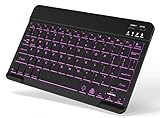


| Product | Best for | Key spec from the title |
|---|---|---|
| Ultra-Slim Bluetooth Keyboard (10 inch) | Light bag carry | Rechargeable, iPadOS, iOS, Android |
| TECKNET Foldable Bluetooth Keyboard | Travel typing with numbers | Number pad, up to 3 devices |
| acer AKB910 Wired USB Keyboard | Chrome OS and USB tablets | Full-size keys, Chrome OS compatible |
| Genuine Keyboard for Acer Switch 3 SW312-31 | Replacing a worn original | Part number NK.I1213.07Y |
| Backlit Wireless Bluetooth Keyboard | Dim rooms | Backlit, rechargeable, Android tablets |
| OMOTON Bluetooth Tablet Keyboard | Desk or couch use | Backlit, foldable stand, Windows |
| MoKo Universal Keyboard Case | All-in-one protection | Fits 9 to 11 inch tablets |
| Rii Bluetooth Keyboard | Small multi-device use | USB-C rechargeable, backlit |
| Arteck Universal Backlit Keyboard | Full-size desktop feel | 7 backlight colors, Windows and Android |
How to Choose
Match the connection to your tablet
Bluetooth is the safest universal option because nearly every Acer tablet has it. Wired USB keyboards, such as the Acer AKB910, require a USB port or adapter and add cables, but they never need charging. Proprietary parts like the Switch 3 keyboard only suit that exact model, and they do not help you if you later switch tablets. A good rule is to buy the most universal keyboard that still names your system.
Check the system compatibility line
Look for Android and Windows in the title if your tablet runs either; Chrome OS tablets are best served by keyboards that mention that system or by plain USB. Titles that list only iPadOS and iOS often still connect over standard Bluetooth, but shortcut keys may not line up, so lean toward keyboards that name your system.
Size, layout, and number pad
A full-size layout feels like a desktop keyboard but will not fit a small bag. Compact boards around 10 inches carry easily yet squeeze punctuation keys. If you work with spreadsheets, a number pad matters more than backlighting. Check also that the board has dedicated arrow keys, because tiny arrow clusters slow editing.
Battery, backlight, and where corners get cut
Rechargeable models trade battery life for lighting, so keep the backlight off when you can. Budget boards often have shallow keys and weak hinges, and keyboard cases can feel top-heavy on the lap. If you type for hours, key spacing and key travel count more than extras such as color-changing lights.
The 9 Best Options
Ultra-Slim Bluetooth Keyboard (10 inch)
A portable mini keyboard that is rechargeable and designed for tablets and phones. The title names iPadOS, iOS, and Android, which means it should pair with an Android-based Acer tablet through Bluetooth, though Windows is not mentioned anywhere in the listing.
- Slim and light enough for a travel bag
- Rechargeable, so there are no spare batteries to carry
- Trade-off: no Windows mention, so Switch-style tablets are a gamble
Skip it if your Acer runs Windows or you need a number pad. It is best for short emails, quick notes, and replying to chat while the tablet rests on a stand.
TECKNET Foldable Bluetooth Keyboard
A foldable, full-size board with a number pad that connects up to three devices. The title lists iPad, tablet, smartphone, laptop, PC, Windows, iOS, and Android, so it covers a wide range of Acer models and your other gadgets too.
- Full-size layout with a number pad
- Pairs with up to three devices for easy switching
- Trade-off: foldable hinges add bulk when the board is closed
Skip it if you want the thinnest possible board. It suits people who work across a tablet, phone, and laptop in one sitting.
acer AKB910 Wired USB Keyboard
The only branded Acer keyboard in the list, and the only wired one. It has a compact design with full-size keys and is listed as Chrome OS compatible, which fits Chrome OS tablets or any Acer device with a USB port.
- No charging and no pairing steps
- Full-size keys in a compact body
- Trade-off: it needs a USB port and a cable on your desk
Skip it if your tablet lacks a USB port or you want a wireless setup. It suits desk use, classroom devices, and shared tablets that should keep working without pairing steps or battery checks.
Genuine Keyboard for Acer Switch 3 SW312-31
A replacement part for the Acer Switch 3 SW312-31 tablet, listed with part number NK.I1213.07Y. It is the right route when the original keyboard is damaged or missing and you want a fit made for that exact tablet.
- Built for one specific Acer tablet
- Genuine part with a stated part number
- Trade-off: useless on any other model
Skip it unless you own the SW312-31. Verify the part number against your tablet before ordering, because near-matches are common in this product family. Replacement boards also tend to be the best match for travel, since they keep the tablet’s original thin profile.
Backlit Wireless Bluetooth Keyboard
A small rechargeable keyboard with backlit keys for iPad, Samsung tablets, and phones. The title names Android and Galaxy Tab devices, so it should pair with Android-based Acer tablets over Bluetooth, even though Acer is not mentioned.
- Backlighting helps in dim rooms and on night flights
- Small and portable with rechargeable power
- Trade-off: the title does not mention Windows
Skip it if you write long documents or run a Windows Acer tablet. It suits evening browsing, chat, and short messages, particularly when you want lit keys without carrying a full-size board.
OMOTON Bluetooth Tablet Keyboard
An ultra-slim wireless keyboard with backlighting, oversize keycaps, and a foldable stand for travel and office use. The title names Android, iOS, and Windows, which covers both major Acer tablet systems in a single package.
- Oversize keycaps make typing more comfortable
- Android and Windows compatibility are both named
- Trade-off: the fold-out stand adds a little bulk
Skip it if you prefer a keyboard case with a built-in cover. It suits couch and desk typing, and works well for students moving between rooms.
MoKo Universal Keyboard Case
A keyboard case that fits 9 to 11 inch tablets and lists many sizes, including 10.1 and 10.4 inch. It has a detachable Bluetooth keyboard and a pen holder, so it protects the screen between typing sessions.
- Detachable keyboard doubles as a protective case
- Pen holder suits stylus users who sketch and type in the same session
- Trade-off: universal cases may not fit every tablet snugly
Skip it if your tablet is smaller than 9 inches or has an unusual shape. Compare your tablet dimensions against the listed sizes before ordering. It suits commuters who want one product to guard the screen and give them real keys on a train or in a lecture hall.
Rii Bluetooth Keyboard
A wireless mini keyboard with backlighting and USB-C charging. The title mentions smartphones, tablets, Mac, PC, HTPC, VR, robots, and smart TVs, so it is plainly a multi-device board that can double as a living-room remote typist.
- USB-C rechargeable, a common cable you probably own already
- Works across many device types
- Trade-off: the mini layout squeezes keys together
Skip it if you touch-type on full-size keys or write long reports. It suits quick commands, searches, and media control, and is a fine companion if you also want to type on a TV box or a phone from the couch.
Arteck Universal Backlit Keyboard
A full-size wireless keyboard with seven backlight colors and adjustable brightness. The title lists Windows, iOS, iPadOS, Android, desktops, laptops, Surface, and tablets, which fits Acer tablets of either system without guesswork.
- Full-size keys give a desktop feel
- Adjustable seven-color backlighting
- Trade-off: the large size limits portability
Skip it if you carry your tablet around all day. It suits home offices and students who dock a tablet at a desk, where the larger body and adjustable lighting make long writing sessions easier. Its listing is also the broadest, naming desktops, laptops, and Surface alongside tablets.
Which One Fits Your Situation
You own a Switch 3 and the keyboard is damaged
Buy the genuine Keyboard for Acer Switch 3 SW312-31 to restore the original fit. A universal Bluetooth board is a fallback if the part is hard to find, but it will not attach the same way.
You write on the go
The TECKNET Foldable Bluetooth Keyboard gives you a number pad and multi-device pairing, so one board serves tablet, phone, and laptop. If weight matters more, the OMOTON is the slimmer alternative.
You want protection and typing in one product
The MoKo Universal Keyboard Case covers 9 to 11 inch tablets, with a detachable keyboard and a pen holder. Measure your tablet first so the universal fit is truly snug.
You use a Chromebook-style Acer
The acer AKB910 Wired USB Keyboard lists Chrome OS compatibility and needs no battery, which makes it a fuss-free choice for a desk. It only works if your tablet or dock has a USB port.
Common Mistakes
- Choosing a keyboard that lists iPad only and assuming it fits Windows shortcuts.
- Ignoring the part number on a Switch 3 replacement.
- Buying a universal case without checking tablet dimensions.
- Forgetting that wired models need a USB port.
- Leaving backlights on and draining the battery.
Related guides
- Battery Operated Smoke And Carbon Monoxide Detectors
- Combination Smoke And Carbon Monoxide Detectors
- Aio Liquid Coolers For High Performance Gaming
Frequently Asked Questions
Will a Bluetooth keyboard work with any Acer tablet?
Most do through standard pairing, but check that the title mentions your tablet’s system, whether Android, Windows, or Chrome OS. Shortcut keys may differ from what you expect, so allow a few minutes to learn the layout.
Do I need a keyboard case or a separate keyboard?
A case protects the tablet and travels as one piece. A separate keyboard gives you more flexibility in positioning and often a better typing feel, but you must carry two items.
Is a number pad worth it?
Yes for spreadsheets and data entry, where typing digits on the top row is slow. It adds width, so skip it if you prioritize portability.
Are wired keyboards still useful?
Yes, because they need no charging and avoid pairing issues entirely. They only work if your tablet has a USB port or an adapter, and the cable can be awkward on a lap.










