

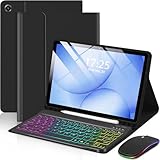
- Top Pick: Harvopu for iPad A16 11th/10th Generation Case with Keyboard, Folio Cover | Multi-Touch Trackpad, 7 Colors Backlit, Detachable Keyboard for iPad A16 11 inch/10th Gen with Pencil Holder, Navy Blue
- Best Value: EAMPANG Case with Keyboard Mouse for Samsung Galaxy Tab A11 Plus/A9 Plus | 2025/2023 11 inch 7 Color Rainbow Backlight Detachable USB-C Keypad Magnetic Case with Pen Slot for Tablet A11+ A9+ 5G Black
- Premium Choice: MoKo Universal QWERTY Keyboard Case Fit 9-11 Inch Tablets,Black | for 9/9.7/10.1/10.2/10.4/10.5/10.9/11 inch Alexa Pixel Samsung Tablets, Detachable Bluetooth Keyboard & Pen Holder
A keyboard case solves one problem: you want to type for more than a few sentences on a tablet without carrying a separate laptop. The catch is that tablet cases are cut to a specific body. A case sized for an 11-inch iPad will not close around a Samsung Galaxy Tab, and a case for the 10th generation iPad will not line up with a different chassis. Before comparing backlights or trackpads, the first decision is which tablet sits inside the case, because that choice removes most of the shelf.
This guide is for students taking notes, remote workers who answer email from a couch, and parents setting up a tablet for homework. The eight cases below split cleanly into three groups: iPad cases for the 10th generation and 11-inch models, cases for the 11-inch Galaxy Tab A9 Plus and A11 Plus, and one universal option that claims to fit a wide range of 9 to 11 inch tablets. Everything here is judged from the specifications in the listings, since the details that matter most are printed right in the product titles. Shoppers heading into 2026 will notice that trackpads and pen holders are now close to standard, so the real differences come down to fit, connection type, and how the keyboard attaches.
Quick Picks
As an Amazon Associate we earn from qualifying purchases at no extra cost to you.



| Product | Best for | Key spec from the title |
|---|---|---|
| Harvopu iPad Case | iPad owners who want a trackpad | Multi-touch trackpad, 7-color backlight, pencil holder |
| EAMPANG Galaxy Tab Case | Galaxy Tab users who like a pen slot | Detachable USB-C keypad, 7-color rainbow backlight, pen slot |
| MoKo Universal Keyboard Case | Owners of less common tablets | Fits 9 to 11 inch tablets, detachable Bluetooth keyboard |
| MERSATM Galaxy Tab Case | Galaxy Tab users who want a mouse | 3-speed mouse, detachable magnetic keyboard, S Pen holder |
| AHYWTAN Galaxy Tab Case | Galaxy Tab buyers who want auto wake | Detachable Bluetooth keyboard, auto wake and sleep |
| Logitech Combo Touch | 10th generation iPad owners | Full-size backlit keyboard, large precision trackpad, Smart Connector |
| Hamile iPad Case | iPad users who want a wireless folio | Wireless backlit detachable keyboard, pencil holder |
| Wenlaty iPad Case | iPad users who want a rotating case | Keyboard and mouse hybrid, rotating detachable case |
How to Choose
Match the exact tablet model first
Read the model line in the listing, not just the screen size. The Galaxy Tab cases here name the A9 Plus and A11 Plus at 11 inches; the iPad cases name the 10th generation with its 10.9 inch screen, and several also name the 11th generation. Camera cutouts, button positions, and charging ports differ between models, so a case for a nearby size can leave a speaker blocked or a port unreachable. A universal case is the exception, but it trades a precise fit for flexibility, and the tablet usually sits in a clamp or tray rather than a molded shell.
Decide how the keyboard connects
Three connection styles show up in this group. Bluetooth keyboards pair like any wireless keyboard and need their own charge, so look for a USB-C charging port and expect to top it up every so often. A USB-C keypad draws what it needs through a cable or contact. Logitech lists Smart Connector technology, which links the keyboard through contact points on the iPad rather than through pairing. For daily use, a contact-based connection removes one more thing to charge, while Bluetooth gives more freedom to move the keyboard away from the tablet.
Check the input extras you will really use
A trackpad matters most on iPad cases, because iPadOS is built around cursor support, so a multi-touch trackpad is worth looking for. On Android, a mouse mode or a 3-speed pointer is a stand-in for the same job. A backlight with seven color choices is a nice touch for dim rooms, but plain white backlighting is easier on the eyes, so choose any model that lets you switch the lighting off. A pen or pencil holder only helps if you use a stylus; if you do, confirm the holder fits your stylus type.
Look at where budget cases cut corners
Entry-level cases usually save on key travel, hinge stiffness, and the stability of the kickstand. Low-end folios also tend to have a thin magnetic cover that slides when the case sits on your lap. If you type long documents, favor a full-size keyboard layout over a compact one, and look for a case that holds the tablet at a single reliable angle. Ignore colorful finishes and long accessory lists; the connection type, fit, and layout matter far more than the seven color names in the title.
The 8 Best Options
Harvopu iPad Case with Keyboard
Harvopu builds this folio for the 11th and 10th generation iPad, including the 10.9 inch size, and it comes in navy blue. The listing highlights a multi-touch trackpad, seven backlight colors, a detachable keyboard, and a pencil holder, which covers most of what a student asks of a case.
- Strength: the multi-touch trackpad suits iPadOS cursor control.
- Strength: the detachable keyboard lets you use the iPad alone for reading.
- Trade-off: the title does not mention a Smart Connector link, so expect a wireless pairing step.
Skip it if you own a Galaxy Tab or an older iPad that is not named in the generation list.
EAMPANG Case with Keyboard and Mouse for Galaxy Tab
EAMPANG targets the 11-inch Galaxy Tab A11 Plus and A9 Plus, including the 5G model. The listing calls out a detachable USB-C keypad, a rainbow backlight with seven colors, a magnetic case, and a pen slot, with the mouse included in the name.
- Strength: a pen slot keeps the stylus with the tablet.
- Strength: the magnetic case holds the tablet firmly when it is attached.
- Trade-off: it fits only the two named Galaxy models, so it is a poor choice if you plan to upgrade to a different tablet line.
Skip it if you want an iPad case or a keyboard that works across several tablet brands.
MoKo Universal QWERTY Keyboard Case
MoKo is the flexible choice here. The title says it fits tablets from 9 to 11 inches, listing sizes from 9 up to 11 inch and naming Samsung and Pixel tablets, in black. It adds a detachable Bluetooth keyboard and a pen holder.
- Strength: the wide size range suits owners of tablets that rarely get dedicated cases.
- Strength: a standard QWERTY layout and a Bluetooth link work with many operating systems.
- Trade-off: a universal holder will not match a model-specific case for cutouts and button access.
Skip it if your tablet has a dedicated case option with a trackpad and you want a tight fit.
MERSATM Case with Keyboard for Galaxy Tab
MERSATM is another 11-inch case for the Galaxy Tab A11 Plus and A9 Plus. The listing names a 3-speed mouse, a detachable magnetic keyboard, and an S Pen holder, and the finish is black.
- Strength: the 3-speed mouse gives you some control over pointer speed on a touchscreen tablet.
- Strength: the magnetic keyboard comes off when you want just the tablet.
- Trade-off: the title lists no backlight, so typing in a dark room may be harder.
Skip it if you want a backlit keyboard or if your tablet is not one of the two named Galaxy models.
AHYWTAN Keyboard Case for Galaxy Tab A9+ and A11+
This case, branded AHYWTAN in the listing data, is aimed at the 11-inch Galaxy Tab A9 Plus and A11 Plus and comes in purple. It lists an S Pen holder, a detachable Bluetooth keyboard, and auto wake and sleep, so the tablet reacts when you open or close the cover.
- Strength: auto wake and sleep saves a button press every session.
- Strength: the S Pen holder keeps the stylus within reach.
- Trade-off: it is a Bluetooth keyboard, so it needs its own charge and an initial pairing.
Skip it if you want a trackpad, since the title does not mention one.
Logitech Combo Touch for iPad 10th Generation
Logitech designs this for the 10th generation iPad in Oxford Gray. The title lists a large precision trackpad, a full-size backlit keyboard, Smart Connector technology, and A16 compatibility.
- Strength: Smart Connector technology links the keyboard to the iPad without a separate pairing.
- Strength: a full-size keyboard and large trackpad suit long documents.
- Trade-off: it is built around one iPad generation, so it is less flexible if you switch models.
Skip it if your tablet is an Android model or if you want a pencil holder, which the title does not list.
Hamile iPad Case with Wireless Keyboard
Hamile’s folio covers the 11th and 10th generation iPad at 11 inches and 10.9 inches. The listing mentions a wireless, backlit, detachable keyboard cover and a pencil holder, and this version is purple.
- Strength: the detachable folio lets the iPad work as a standalone tablet.
- Strength: backlighting and a pencil holder cover late-night writing and sketching.
- Trade-off: the wireless link means pairing and charging a keyboard separately.
Skip it if you prefer a trackpad-first layout, since the title does not name one. It also makes less sense for anyone who needs a mouse-style pointer, because the listing describes only the keyboard cover and pencil holder.
Wenlaty iPad Case with Keyboard and Mouse Hybrid
Wenlaty offers a hybrid with a keyboard and mouse, plus a rotating, detachable case that fits the 11th and 10th generation iPad and the 10.9 inch size. It also lists a seven-color backlight, a magnetic cover, and a pencil holder, in light pink.
- Strength: the rotating design lets you reposition the iPad for sketching, viewing, or typing.
- Strength: a magnetic cover and pencil holder round out the folio.
- Trade-off: a rotating mechanism adds moving parts and, usually, thickness.
Skip it if you want the slimmest possible case or an Android-compatible one.
Which One Fits Your Situation
You take notes in lectures on an iPad
The Harvopu pairs a trackpad with a pencil holder, which matches a mix of typing and handwriting. If you want the contact-based connection and a larger precision trackpad, the Logitech Combo Touch is the closer fit for the 10th generation iPad.
You own a Galaxy Tab A9 Plus or A11 Plus
Choose between EAMPANG, MERSATM, and AHYWTAN. EAMPANG leads for backlighting and a USB-C keypad, MERSATM for its 3-speed mouse, and AHYWTAN for auto wake and sleep.
Your tablet is an older or uncommon model
The MoKo Universal case is the one that lists a 9 to 11 inch range, so it is the starting point when no dedicated case exists. Check the listed sizes against your exact tablet before ordering.
You want to sketch and type on the same iPad
The Wenlaty’s rotating, detachable case suits switching between modes, while the Hamile is a simpler folio with a wireless keyboard and pencil holder for a lighter setup.
Common Mistakes
- Buying by screen size alone and ignoring the model line, which leads to blocked ports and cameras.
- Assuming a Bluetooth keyboard never needs charging, then finding it dead before a deadline.
- Choosing seven backlight colors over a keyboard layout with full-size keys.
- Expecting an iPad case to work with an Android tablet because the dimensions look alike.
- Forgetting that a detached keyboard and a folio can slide on a lap, then buying a stand-only design for commuting.
Related guides
- Battery Operated Smoke And Carbon Monoxide Detectors
- Combination Smoke And Carbon Monoxide Detectors
- Aio Liquid Coolers For High Performance Gaming
Frequently Asked Questions
Does a keyboard case fit more than one tablet generation?
Only when the title names each generation. The iPad cases here list the 11th and 10th generation, and the Galaxy cases list the A9 Plus and A11 Plus. Anything not named is a gamble.
Do I need a trackpad on an Android tablet?
Not strictly, because the touchscreen handles most pointing. A trackpad or mouse feature helps when you edit spreadsheets or long documents, where precise cursor placement matters.
Is a detachable keyboard better than a fixed one?
Detachable keyboards let you read, draw, or watch video with the tablet alone. A fixed design is often sturdier on a lap but turns the tablet into a small laptop shape.
Are backlit keyboards worth it?
If you type in dim rooms, evening classes, or on planes, yes. Look for a model that lets you turn the lighting off or choose a single color, because that saves battery on a wireless keyboard.










