At this level, the real decision is not which card looks fastest on a specification sheet. It is whether you want smooth 1080p play with room to spare, or whether you want to push into 1440p and accept lower settings in demanding games. Video memory matters here more than it did a few years ago, because modern games can fill 8 GB quickly, while 12 GB and 16 GB cards give you more headroom for textures and future releases. Power draw matters too, since a card that needs more watts may also need a stronger supply and an extra connector.
This guide is for first-time builders, for players upgrading an older card, and for anyone putting together a balanced mid-range system without overspending on one part. Each option below was chosen from its Amazon product page, using the model name and listed specifications shown there, so you can compare the cards on the same basis and pick one that fits your monitor, case, and power supply.
Quick Picks
As an Amazon Associate we earn from qualifying purchases.
| Product | Best for | Key spec from title |
|---|---|---|
| MSI GeForce RTX 4060 Ventus 2X Black 8G OC | Smooth 1080p gaming in a compact case | 8GB GDDR6X, PCI Express Gen 4, 128-bit |
| XFX Speedster SWFT210 Radeon RX 7600 | Straightforward 1080p gaming with dual fans | 8GB GDDR6, HDMI, 3x DisplayPort |
| Intel Arc B580 Limited Edition | 1440p gaming with more video memory | 12GB GDDR6 graphics card |
| GIGABYTE Radeon RX 7600 XT Gaming OC 16G | High-resolution textures and heavier workloads | 16GB GDDR6, 128-bit, 3X WINDFORCE Fans |
How to Choose
Match the Card to Your Resolution
Start with your monitor, because it sets the target every other choice follows. A 1080p display is the natural home for an 8 GB card in this group, where high settings are realistic in most games and frame rates stay comfortable. A 1440p display raises the demand on both the graphics chip and the video memory, so the 12 GB and 16 GB options in this guide make more sense there. Check the resolution you actually play at, not the resolution your monitor can theoretically reach. If you plan to move to a sharper display within a year, choose the extra memory now rather than buying twice.
Look Closely at Video Memory
Video memory, or VRAM, holds textures, shadows, and other scene data while a game runs. When it fills up, a game may stutter or drop texture quality even if the graphics chip itself is capable. At 1080p, 8 GB remains workable for many titles, especially with sensible settings. At 1440p, or with high-resolution texture packs, 12 GB gives you useful breathing room, and 16 GB gives you the most headroom in this group. Do not judge a card by memory size alone, though. The chip, the memory speed, and the cooling design all shape the result, so treat VRAM as one check among several.
Check Power and Connectors Before You Buy
Every card in this guide needs power from your supply, and the requirement is not the same for each model. Open your case and look at the wattage label on your power supply, then check how many spare PCIe power connectors you have and whether they are six-pin or eight-pin. A compact dual-fan card may need only one eight-pin connector, while a larger triple-fan model may need more headroom. Leave spare capacity for your processor, drives, and fans, and do not assume an old supply will cope just because the plugs fit. If your supply is close to its limit, pick the more efficient card.
Measure Cooling and Case Clearance
Length, thickness, and fan count decide whether a card fits and how loudly it runs. Measure the clear space from the rear bracket to the nearest obstruction in your case, such as a drive cage or front fans, and compare it with the card length. A dual-fan card around 200 to 240 mm suits many compact and mid-tower cases, while a triple-fan card is longer and may need a roomier chassis. Check thickness too, because a card that takes more than two slots can block the slot below it. Good airflow around the card keeps temperatures lower and lets the fans spin more slowly.
The 4 Best Options
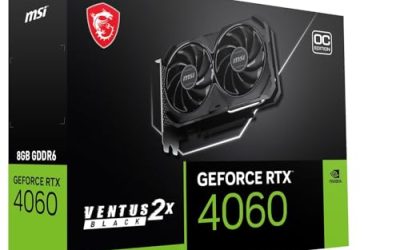
MSI GeForce RTX 4060 Ventus 2X Black 8G OC

This compact dual-fan card suits players who want smooth 1080p gaming without a large, heavy card in a small case. Its Ada Lovelace design brings DLSS 3 support, which can help in games that support it, and its two-fan layout keeps the footprint short enough for many mid-tower and compact builds. The 8 GB of memory is best aimed at 1080p, where it handles high settings in most titles, and the card also works well for everyday creative tasks and video playback alongside gaming.
Specs
- Graphics coprocessor: NVIDIA GeForce RTX 4060
- Memory: 8 GB GDDR6X, 128-bit interface
- Interface: PCI Express Gen 4
- Outputs: 3x DisplayPort 1.4a, HDMI 2.1a
- Memory clock speed: 2505 MHz
- Fans: 2
- Maximum display resolution: 7680×4320
- Features: DLSS 3, Ada Lovelace architecture
Best for: 1080p gaming in a compact or mid-tower case where a short dual-fan card is wanted.
Watch out for: 8 GB of memory can fill up at 1440p with high texture settings, so check your resolution plans first.
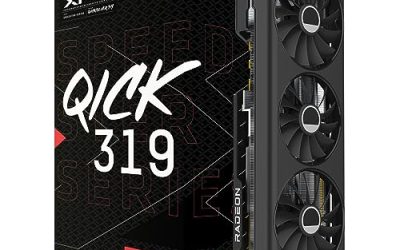
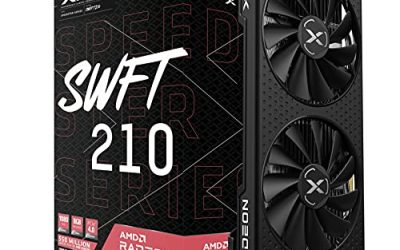
XFX Speedster SWFT210 Radeon RX 7600
This dual-fan Radeon card is a straightforward choice for 1080p gaming, built around AMD RDNA 3 architecture and 8 GB of GDDR6 memory. Its compact two-slot design fits a wide range of cases, and its three DisplayPort outputs plus HDMI give you flexible monitor options for a single display or a second screen. It is a sensible pick for a first build or for replacing an older card, where you want a modern feature set and reliable everyday gaming without a large triple-fan cooler taking up extra space.
Specs
- Graphics coprocessor: AMD Radeon RX 7600
- Memory: 8 GB GDDR6, 128-bit interface
- Architecture: AMD RDNA 3
- Boost clock: up to 2655 MHz
- Outputs: 1x HDMI, 3x DisplayPort
- Model number: RX-76PSWFTFY
- Cooling: XFX SWFT dual-fan design
- Maximum display resolution: 7680×4320
Best for: Straightforward 1080p gaming in a standard mid-tower build with room for a dual-fan card.
Watch out for: Like other 8 GB cards here, it has less headroom for 1440p textures, so keep settings realistic at higher resolutions.
Intel Arc B580 Limited Edition
This Intel card stands out in this group because it pairs a modern design with 12 GB of GDDR6 memory, which gives it more room for textures at 1440p than the 8 GB cards. It supports XeSS upscaling and ray tracing, plus XMX AI engines for AI-accelerated work, so it covers both gaming and lighter creative tasks. The Limited Edition design uses a dual-fan cooler, and its higher memory capacity makes it the most forward-looking pick here for players who want to keep a card for several years.
Specs
- Graphics coprocessor: Intel Arc B580 Limited Edition
- Memory: 12 GB GDDR6
- Memory speed: 2670 MHz
- Maximum display resolution: 7680×4320
- Features: Intel XeSS, ray tracing, XMX AI engines
- Model number: INT-31P06HB0BA
- Brand: Intel
Best for: 1440p gaming where extra video memory and modern upscaling support matter most.
Watch out for: Check driver support for your favourite older games before buying, since Intel Arc is a newer platform than its rivals here.
GIGABYTE Radeon RX 7600 XT Gaming OC 16G
This triple-fan Gigabyte card offers the largest memory capacity in this guide, with 16 GB of GDDR6, which suits players who run high-resolution textures or heavier creative workloads alongside gaming. Its WINDFORCE cooling system uses three fans, and the card includes a protection metal backplate and RGB Fusion lighting. With two HDMI 2.1a outputs and two DisplayPort 2.1 outputs, it also gives you plenty of display options, making it a strong choice for a roomy mid-tower build.
Specs
- Graphics coprocessor: AMD Radeon RX 7600 XT
- Memory: 16 GB GDDR6, 128-bit interface
- GPU clock speed: 2539 MHz
- Interface: PCI Express 4.0
- Cooling: WINDFORCE system, 3 fans
- Outputs: HDMI 2.1a x2, DisplayPort 2.1 x2
- Features: RGB Fusion, protection metal backplate
- Model: GV-R76XTGAMING OC-16GD
Best for: 1440p gaming and texture-heavy workloads where the largest memory capacity in this guide is useful.
Watch out for: The triple-fan design is longer than the dual-fan cards here, so measure your case clearance carefully.
Which One Fits Your Situation
You Play at 1080p in a Small Case
Choose the MSI GeForce RTX 4060 Ventus 2X Black 8G OC. Its short dual-fan design fits compact cases that would struggle with a long triple-fan card, and its 8 GB of memory is well matched to 1080p. DLSS 3 support adds flexibility in supported games, and the card stays a practical, balanced pick for a small build where space and airflow are limited.
You Want a Simple First Graphics Card
Choose the XFX Speedster SWFT210 Radeon RX 7600. It is a straightforward dual-fan card with a clear 1080p focus, three DisplayPort outputs, and a two-slot design that fits most standard cases. There is nothing unusual to set up, and its RDNA 3 design covers modern gaming features without asking you to learn a new platform or manage a large cooler.
You Play at 1440p and Want More Memory
Choose the Intel Arc B580 Limited Edition. Its 12 GB of GDDR6 gives you more texture headroom than the 8 GB cards, which matters most as resolution rises. XeSS upscaling and ray tracing support round out a modern feature set, making it the best fit here for players stepping up to 1440p and planning to keep the card for a while.
You Run Texture-Heavy Games or Creative Work
Choose the GIGABYTE Radeon RX 7600 XT Gaming OC 16G. Its 16 GB of memory is the largest in this guide, giving you the most room for detailed textures and heavier workloads. The triple-fan WINDFORCE cooler suits a roomy case with good airflow, and the four display outputs make it easy to run a multi-monitor setup.
Common Mistakes
- Buying for a monitor you do not own yet, instead of the resolution you actually play at today.
- Choosing 8 GB for heavy 1440p texture settings, then wondering why textures drop in quality.
- Forgetting to check power supply wattage and spare PCIe connectors before ordering.
- Measuring only card length and ignoring thickness, which can block the slot below it.
- Skipping driver updates after installation, which can leave performance and compatibility fixes unused.
Frequently Asked Questions
Is 8 GB of VRAM enough for gaming in 2026?
Yes, for 1080p gaming it remains enough in most titles when settings are chosen sensibly. Problems appear mainly at 1440p with high-resolution textures, where 8 GB can fill up and force lower texture quality. If you play at 1440p or plan to keep the card for several years, the 12 GB and 16 GB options in this guide give you more headroom.
Can these cards handle 1440p gaming?
Yes, with the right expectations. The 12 GB Intel Arc B580 and the 16 GB Gigabyte RX 7600 XT are the better fits for 1440p, thanks to their larger memory. The 8 GB cards can still play at 1440p, but you may need to lower texture and shadow settings in demanding games to keep frame rates smooth and avoid stutter.
What power supply do I need for these graphics cards?
Check the wattage label on your supply and the PCIe connectors you have free, then compare them with the card you want. A modern mid-range supply with a spare eight-pin connector covers most cards in this guide, but older or low-wattage units may struggle. Leave headroom for your processor, drives, and fans rather than running a supply at its limit.
Do I need to measure my case before buying a graphics card?
Yes, always measure before ordering. Check the clear length from the rear bracket to the nearest obstruction, and check thickness and slot clearance as well. Dual-fan cards fit more cases, while triple-fan cards need extra length and airflow. A few minutes with a tape measure can save you a return and a rebuild.