Shopping for a graphics card in this tier comes down to one awkward choice: buy a new entry-level card with a full warranty and a sealed box, or buy a used card that was once a step faster and hope its previous life was gentle. A new card gives you support if something fails in the first months. A used card can deliver more frames in the same games, yet it arrives with no warranty, unknown wear on its fans, and no simple way to know how it was treated before the sale.


This guide is for first-time builders, owners of older office PCs who want to play modern games at 1080p, and anyone replacing a card that has started to struggle. Every product below was chosen from its Amazon product page, using the name and specifications shown there, so you can compare the models on the same terms and then decide whether the new or the used route fits your situation better.
Quick Picks
As an Amazon Associate we earn from qualifying purchases.
| Product | Best for | Key spec from title |
|---|---|---|
| XFX Speedster SWFT 210 Radeon RX 6600 CORE | Smooth 1080p gaming in a modest build | 8GB GDDR6 memory, HDMI and 3 DisplayPort outputs |
| ASUS Dual GeForce RTX 3050 6GB OC Edition | A quiet new card with DLSS and ray tracing support | 6GB GDDR6 memory, dual Axial-tech fans, 2-slot design |
| ASRock Intel Arc A580 Challenger 8GB OC | A newer architecture with wide memory bandwidth | 8GB 256-bit GDDR6 memory, GPU clock 2000 MHz |
| MSI GeForce RTX 3050 Ventus 2X XS 8G OC | A compact card for smaller cases | 8GB GDDR6 memory, boost clock 1807 MHz, 128-bit interface |
How to Choose
New or used: weigh warranty against extra speed
A new card ships with a manufacturer warranty, a retail box, and a clear route to a replacement if it arrives faulty or fails early. That safety net matters most if this is your only PC or if you cannot afford a second purchase. A used card trades that safety net for more performance in the same tier, because a card that once sat a step higher can now change hands for the same amount. Before you accept that trade, ask what happens if the card dies a month later. If the answer is that you would be stuck without a working PC, the new card is the sensible pick.
Memory size and memory bus: the 8GB floor
At 1080p, 8GB of video memory is the sensible floor for this tier, and three of the four cards in this guide meet it. The exception is the ASUS Dual RTX 3050 here, which is the 6GB version: it still plays modern games at 1080p, but it leaves less headroom for high-resolution textures in newer titles, so keep texture settings moderate. Memory size alone does not decide speed, though, because the width of the memory bus decides how quickly the graphics chip can read and write that memory. The Arc A580 pairs its 8GB with a 256-bit bus, which gives it generous bandwidth for high-resolution textures. The RX 6600 and the MSI RTX 3050 use a 128-bit bus, which is normal for this class and still fine for 1080p, but it is one reason a card with the same memory size can behave differently.
Power connectors and your power supply
A graphics card is only a good buy if your power supply can feed it safely, so check the connectors before you order. The RX 6600 and the MSI RTX 3050 in this guide use a single 8-pin connector, which most modern power supplies already have spare. The ASUS Dual RTX 3050 6GB is the low-power exception in this group, so confirm on its listing whether your unit needs an 8-pin lead or draws its power from the slot alone. The Arc A580 is the exception at the other end: it needs two 8-pin connectors, so an older or very basic power supply may not have the second lead, and an adapter is not a substitute for a proper supply. Open your case, count the spare PCIe leads, and read the label on the side of the supply before you choose.
Used-card risks: mining, wear, and how to check a card
Used cards carry three risks that new cards do not: no warranty, worn fans, and a past life you cannot see. Some used cards spent long periods running demanding workloads around the clock, including cryptocurrency mining, which keeps a card hot and its fans spinning for months at a time. That does not guarantee failure, but it does mean you should inspect carefully. Ask the seller for clear photos of the fan blades, the backplate, and the output ports. When the card arrives, look for dust packed into the heatsink and listen for grinding or rattling fans.
The 4 Best Options
XFX Speedster SWFT 210 Radeon RX 6600 CORE
The RX 6600 is the straightforward pick for smooth 1080p gaming without fuss, and this XFX version keeps the design simple with a dual-fan cooler and a compact two-slot layout that fits most mid-tower cases. Its 8GB of GDDR6 memory handles modern titles at 1080p with high settings, and the card is a natural upgrade for an older system that still has a capable processor but a graphics card that has fallen behind. As a new card it also brings the warranty and the peace of mind that the used route cannot offer, which makes it the easiest recommendation in this guide for a first build.
Specs
- Graphics processor: AMD Radeon RX 6600
- Memory: 8GB GDDR6
- Architecture: AMD RDNA 2
- Interface: PCIe 4.0
- Outputs: HDMI and 3x DisplayPort
Best for: First-time builders who want a new card with a warranty for smooth 1080p gaming.
Watch out for: Confirm your case has room for a dual-fan, two-slot card and that your power supply has a spare 8-pin PCIe lead.
ASUS Dual GeForce RTX 3050 6GB OC Edition
The ASUS Dual RTX 3050 is the card to pick when you want NVIDIA features in a new card: DLSS upscaling for smoother frame rates in supported games, ray tracing support, and the broad driver and software support that comes with the GeForce range. Its dual Axial-tech fans and two-slot design keep it quiet and compatible with a wide range of cases, including smaller builds. It is not the fastest card in this guide in raw raster performance, and its 6GB of memory leaves less room for high texture settings than the 8GB cards here, but its feature set and its new-card warranty make it a calm, low-risk choice for someone who values stability over squeezing out every last frame.
Specs
- Graphics processor: NVIDIA GeForce RTX 3050
- Memory: 6GB GDDR6
- Cooling: Two Axial-tech fans with 0dB technology
- Design: 2-slot design for broad compatibility
- Interface: PCIe 4.0
- Outputs: HDMI 2.1 and DisplayPort 1.4a
Best for: Gamers who want DLSS, ray tracing support, and a quiet new card in a standard or compact case.
Watch out for: 6GB of memory limits texture settings in newer titles, so keep them moderate; check that your monitor cable matches the card outputs, and remember that ray tracing at 1080p will still ask a lot of a card in this class.
ASRock Intel Arc A580 Challenger 8GB OC
The Arc A580 stands out in this group because its 8GB of memory runs on a wide 256-bit bus, giving it more memory bandwidth than the other cards here. Its dual-fan design with a metal backplate and 0dB silent cooling keeps it quiet when the load is light, and support for XeSS upscaling and DirectX 12 Ultimate keeps it current for newer titles. Intel Arc cards depend more on up-to-date drivers than the other brands here, so this is the pick for a buyer who is comfortable keeping drivers current and wants the most memory bandwidth available in this tier.
Specs
- Graphics processor: Intel Arc A580
- Memory: 8GB 256-bit GDDR6
- GPU clock: 2000 MHz
- Memory clock: 16 Gbps
- Outputs: 3x DisplayPort 2.0 and 1x HDMI 2.0b
- Power connectors: 2x 8-pin
- Cooling: Dual fan design with 0dB silent cooling
Best for: Buyers who want wide memory bandwidth and a modern feature set and are happy to keep drivers up to date.
Watch out for: You need two spare 8-pin PCIe leads, and older games may behave less predictably than on the more established architectures in this guide.
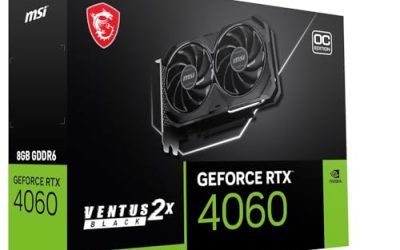
MSI GeForce RTX 3050 Ventus 2X XS 8G OC
The MSI Ventus 2X XS is the compact member of this group, built for cases where a full-length card would be a tight squeeze. Its short dual-fan design still carries 8GB of GDDR6 memory and a boost clock of 1807 MHz, so it delivers the same class of 1080p performance as the other RTX 3050 here while fitting into smaller builds. It also shares the NVIDIA feature set, including DLSS support in compatible games, which helps it hold smooth frame rates at 1080p. If your case is small, this is the version of the RTX 3050 most likely to fit without a fight.
Specs
- Graphics processor: NVIDIA GeForce RTX 3050
- Memory: 8GB GDDR6
- Boost clock: 1807 MHz
- Memory interface: 128-bit
- Outputs: DisplayPort x 1, HDMI 2.1 x 1, DL-DVI-D x 1
- Cooling: Torx twin fans
- Interface: PCIe 4
Best for: Small cases and prebuilt PC upgrades where a short dual-fan card is the only practical fit.
Watch out for: It has only one DisplayPort output, so check your monitor connections before you buy, especially if you run two displays.
Which One Fits Your Situation
You are building your first gaming PC
Pick the XFX RX 6600 or the ASUS Dual RTX 3050, both bought new. Either one gives you a warranty, a sealed box, and a card you know has never been pushed hard by a previous owner. The RX 6600 is the pick for the smoothest 1080p frame rates, while the ASUS card suits DLSS fans. Both use a single 8-pin connector, so they suit a standard first-build power supply.
You are upgrading an older PC on a tight plan
Start by opening the case and checking two things: how long a card will fit, and how many spare power leads you have. If space is tight, the compact MSI Ventus 2X XS is the natural fit, and its single 8-pin connector suits most older supplies. If space is fine and you have two spare leads, the Arc A580 offers the widest memory bus of the group. Measure first.
You are tempted by a used card for more speed
A used card can make sense if you accept the risk with a fallback ready. Ask for photos of the fans and ports, ask about the original box and receipt, and buy from a seller with a clear return policy. When it arrives, run a demanding game and watch for crashes or fan noise. If you cannot afford a replacement, buy new instead.
You play older games and want a quiet system
Any of the four cards here will handle older and less demanding games comfortably, so choose on noise and fit rather than raw speed. The Arc A580 has 0dB silent cooling at light loads, and the ASUS Dual is built around quiet Axial-tech fans, so either one suits a PC that sits on a desk near you. Keep the fans clean and airflow clear.
Common Mistakes
- Buying a used card with no return policy and no photos of the fans, ports, and backplate, then discovering wear or damage only after it is installed.
- Choosing a card that needs two 8-pin power leads when the power supply has only one spare lead, leaving the build unfinished.
- Picking a card by memory size alone and ignoring the memory bus width, which affects how quickly the card can use that memory.
- Forgetting to measure case clearance and buying a card that is too long or too thick for the case it has to fit into.
- Turning on ray tracing and maximum settings at once in a demanding game, then blaming the card when a card in this class was never meant for that combination.
Frequently Asked Questions
Is it better to buy a new or a used graphics card in this tier?
It depends on what you can afford to lose. A new card comes with a warranty and a clear path to a replacement if it fails early. A used card can be faster, but it has no warranty and an unknown history. Buy new if a failure would leave you without a PC.
How can I tell if a used card was used for mining?
You cannot tell for certain from a listing, so look for warning signs instead. Ask the seller how the card was used and for close photos of the fans, the heatsink, and the ports. Heavy dust or a seller who avoids questions is a reason to walk away.
Is 8GB of video memory enough for 1080p gaming?
Yes, 8GB is enough for 1080p gaming in this tier, and three of the four cards in this guide have it. The exception is the ASUS Dual RTX 3050 here, which is the 6GB version: it still handles 1080p at modest settings, but it gives you less headroom for high-resolution textures. The memory bus width matters as much as the total size. The Arc A580 pairs its 8GB with a 256-bit bus, while the RX 6600 and the MSI RTX 3050 use a 128-bit bus.
Do I need a new power supply for one of these cards?
Usually not, but check before you order. The RX 6600 and the MSI RTX 3050 here need a single 8-pin PCIe lead, which most supplies already provide. The ASUS Dual RTX 3050 6GB is the low-power exception, so confirm its connector on the listing before you buy. The Arc A580 needs two 8-pin leads, so it may force a supply check. Open the case and count the spare leads first.