If you own a Windows tablet, the choice between Windows 8.1 and Windows 10 is not about which system looks newer. It is about which one still runs the apps you need, stays safe to use online, and feels smooth on hardware that was built years ago. Windows 8.1 was designed with touch first, while Windows 10 tried to serve tablets and desktops at the same time, and that difference shapes everything from the Start screen to the way updates arrive.
This guide is for owners of older Windows tablets, buyers weighing a used tablet, and anyone deciding whether an upgrade is worth the effort. It compares the two systems on app support, touch controls, speed on modest hardware, and security coverage, using the features and support dates Microsoft published for each version. As an Amazon Associate we earn from qualifying purchases
How to Choose
App Support and the Store
The biggest practical gap between the two systems is software. Windows 10 supports a much wider range of current apps, browsers, and services, because developers kept building for it long after Windows 8.1 faded from their plans. Modern browsers, video apps, and office tools still receive updates on Windows 10, while many of the same apps stopped updating on Windows 8.1 years ago. If your tablet exists to run one or two specific programs, check whether those programs still support Windows 8.1 before you decide anything else. A system that cannot run your essential app is the wrong choice no matter how familiar it feels. Also remember that the Windows Store on 8.1 no longer gains new apps, so the catalogue you have today is the catalogue you will keep. Newer browsers also handle modern web pages better, with faster loading and fewer broken layouts.
Touch, Tablet Mode and Pen
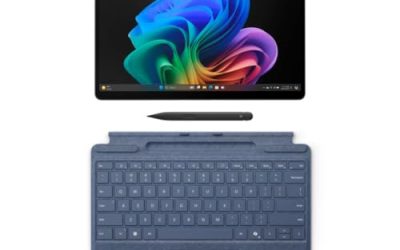
Windows 8.1 was built around touch from the start, with a full-screen Start screen, large tiles, and swipe gestures that suited fingers on a small screen. Windows 10 kept the touch ideas but made them optional: Tablet mode enlarges targets and hides the desktop, while desktop mode returns when you attach a keyboard. That flexibility helps tablets that double as laptops, yet the touch experience on Windows 10 can feel less direct than on 8.1, with more small buttons and menus designed for a mouse. Pen support is stronger on Windows 10, with better handwriting recognition and more note-taking apps, so artists and note-takers usually prefer the newer system. Try both modes on the same device if you can, because the feel of daily navigation matters more than any feature list. Windows 10 also supports more pen apps for note-taking and sketching.
Speed on Older Tablet Hardware
Older tablets often carry modest processors and limited memory, and the two systems behave differently under those limits. Windows 8.1 is lighter, so it can feel quicker on a tablet with two gigabytes of memory or an early Atom chip, with shorter boot times and less background activity. Windows 10 asks for more memory and storage, and its background updates can slow a small tablet at the worst moment, yet it manages modern web pages and multitasking better once it is running. Storage is the hidden constraint: Windows 10 needs more free space for updates, and a 32-gigabyte tablet can run out of room during a feature update. If your tablet is short on storage or memory, weigh the lighter footprint of 8.1 against the better long-term behaviour of 10. Windows 10 also starts more slowly on a small tablet, since its background services take longer to settle after boot.
Security Updates and Support Dates
Support dates settle the argument for most owners. Microsoft ended support for Windows 8.1 in January 2023, which means no new security fixes arrive for it, and using it online carries growing risk over time. Windows 10 remained supported until October 2025, giving it a longer safe window, though that window has now closed too. Neither system receives fresh security patches today, so a tablet on either version should be treated with care on the open internet, with a current browser and cautious habits. If you must keep an old tablet running, limit it to trusted sites and local files, and avoid banking or sensitive accounts on it. For a tablet that will handle everyday browsing, the lack of ongoing patches is the strongest reason to move to a supported system instead. A current browser and cautious habits help, but they cannot replace the fixes that stopped arriving years ago.
Which One Fits Your Situation
You own an older Windows 8.1 tablet
Stay on Windows 8.1 only if the tablet does one offline job well, such as reading, playing local media, or running a single old program that needs 8.1. Keep it off sensitive accounts, use a current browser where possible, and treat it as a single-purpose device rather than a daily computer. The familiar touch screen and light footprint are genuine strengths, but they do not outweigh the missing security fixes for everyday online use. The light footprint is a genuine strength for a single-purpose device.
You are buying a used Windows tablet
Choose a tablet that already runs Windows 10, or one with enough memory and storage to run it comfortably. A used Windows 10 tablet gives you wider app support, better pen handling, and a more recent security baseline than any 8.1 machine. Check the storage size before you buy, because a 32-gigabyte model leaves little room for updates, and confirm the battery still holds a charge through a normal session. A used Windows 10 tablet also gives you a more recent security baseline than any 8.1 machine.
You need one app that only runs on one version
Let the app decide. If the program you depend on was built for Windows 8.1 and never moved forward, keep the system it needs and run it offline where possible. If the app you need only supports Windows 10, upgrade the tablet or replace it. Never buy a tablet first and discover the app problem later: confirm compatibility with the exact program name and version before spending anything. The program, not the system, should make the decision.
You use the tablet mainly for reading and video
Either system can serve a reader or a viewer, so pick by comfort. Windows 8.1 gives a simple full-screen reading view and light weight, while Windows 10 brings newer video apps and better casting options. If your streaming apps still update on Windows 10 and have stopped on 8.1, that alone tips the choice. For a bedside or kitchen screen, the system that still opens your apps is the right one.
Common Mistakes
- Assuming Windows 8.1 is still patched: support ended in January 2023, so no new security fixes arrive for it.
- Upgrading a 32-gigabyte tablet to Windows 10 without checking free space first, then stalling halfway through the update.
- Buying a used tablet for one specific app without confirming that app still supports the installed Windows version.
- Judging the two systems only by the Start screen, while ignoring app support, browser updates, and security coverage.
- Treating a tablet that runs Windows 10 as safe forever: its support window ended in October 2025, so it also needs cautious habits online.
Frequently Asked Questions
Can I still use a Windows 8.1 tablet in 2026?
Yes, for offline tasks such as reading, local media, and older programs, a Windows 8.1 tablet still works. The risk is online use, because Microsoft stopped issuing security fixes in January 2023. Stick to trusted sites, keep a current browser if one is available, and avoid banking or sensitive accounts on the device.
Is Windows 10 faster than Windows 8.1 on an old tablet?
Not always. Windows 8.1 is lighter and can feel quicker on tablets with limited memory, while Windows 10 handles modern web pages and multitasking better once running. The practical answer depends on memory and storage: with four gigabytes of memory and room for updates, Windows 10 usually feels smoother overall.
Should I upgrade a Windows 8.1 tablet to Windows 10?
Upgrade if the tablet has enough storage and memory, and if the apps you need require Windows 10. Check that the hardware meets the requirements and back up your files first. If the tablet is short on storage or runs one old program that needs 8.1, leaving it alone is often the safer choice.
Do Windows 10 tablets still get security updates?
Windows 10 support ended in October 2025, so it no longer receives new security fixes either. A Windows 10 tablet is still a better daily choice than one on 8.1, thanks to wider app support and a more recent baseline, but it should be used with the same care online as any unsupported system.