

- Top Pick: ASUS ROG Strix G16 (2025) Gaming Laptop, 16” FHD+ 16:10 165Hz/3ms, NVIDIA® GeForce RTX™ 5060, Intel® Core™ i7 Processor 14650HX, 16GB DDR5, 1TB Gen 4 SSD, Wi-Fi 7, Windows 11 Home, G615JMR-AS74
- Best Value: Skytech Gaming Azure 3 Gaming PC, Ryzen 7 7800X3D, RTX 5060 Ti 16GB
- Premium Choice: Skytech Gaming Azure 3 Gaming PC, AMD Ryzen 7 5700 3.7GHz, NVIDIA RTX 5060, 1TB NVMe SSD, 32GB DDR4 RAM 3200, 650W Gold PSU, Wi-Fi, Win 11, Desktop
CAD is one of the most demanding things you can ask a desktop to do, and it leans on your hardware in ways pure gaming does not. Rotating a large assembly, rebuilding a parametric model, or running a quick simulation rewards strong single-thread speed for the modeling itself, plenty of CPU cores for rebuilds and background tasks, a capable GPU to keep complex viewports smooth, and enough RAM to hold big files without swapping. A modern gaming PC, with its fast CPU and powerful graphics card, makes an excellent CAD workstation when you pick the right configuration. This guide rounds up the best gaming PCs for CAD in 2026 across a range of budgets and capabilities.
- Best Gaming PCs for CAD at a Glance
- 1. ZOTAC MEK Gaming PC Desktop, NVIDIA GeForce RTX 5080 16GB GDDR7, AMD Ryzen 7 980
- 2. iBUYPOWER Element Gaming PC Desktop Computer AMD Ryzen 9 7900X CPU, NVIDIA GeFor
- 3. STORMCRAFT Skyhawk PRO Gaming PC – Ryzen 7 7800X3D up to 5.0GHz | RTX 5070 Ti 16
- 4. Skytech Gaming O11 Vision Gaming PC, AMD Ryzen 7 7700X 4.5GHz, NVIDIA RTX 5070 1
- 5. Skytech Gaming Archangel 5 Gaming PC, AMD Ryzen 7 7700X 4.5GHz, NVIDIA RTX 5070
- 6. Skytech Gaming Azure 3 Desktop PC, Ryzen 7 7700X 4.5 GHz (5.4GHz), NVIDIA RTX 50
- How to Choose a Gaming PC for CAD
- Frequently Asked Questions
- Related Guides
- Related Articles
Our picks were chosen on what genuinely drives CAD performance: CPU strength for both modeling and rebuilds, a graphics card that holds up under detailed assemblies, generous memory, and fast storage to load and save heavy projects quickly. We have ordered the list to lead with the most capable assembly crunchers and step down to strong value builds, with prices from around $1,800 to around $3,150. Whether you run light part modeling, mid-size assemblies, or heavier datasets, there is a configuration here to match. Below you will find an at-a-glance comparison of all six, then a closer look at each build and a buyer’s guide covering the CPU, GPU, RAM and storage that actually matter for CAD.
As an Amazon Associate we earn from qualifying purchases at no extra cost to you.

Check Price on Amazon →




🛒 Best Price Today on Amazon
Prime members get fast, free shipping on everything above, plus member-only deals. New members get a 30-day free trial — cancel anytime.
Best Gaming PCs for CAD at a Glance
| PC | Best For | Standout Spec | Approx Price |
|---|---|---|---|
| ZOTAC MEK (Ryzen 7 + RTX 5080) | Large assemblies, top viewport speed | RTX 5080 16GB, Ryzen 7 | around $3,149 |
| iBUYPOWER Element (Ryzen 9 7900X) | Heavy multi-core rebuilds | Ryzen 9 7900X, 12-core CPU | around $2,300 |
| STORMCRAFT Skyhawk PRO (7800X3D) | Fast modeling + simulation | Ryzen 7 7800X3D, RTX 5070 Ti | around $2,250 |
| Skytech O11 Vision (7700X) | Mid-size assembly value | Ryzen 7 7700X, RTX 5070 Ti | around $2,000 |
| Skytech Archangel 5 (7700X) | Balanced CAD all-rounder | Ryzen 7 7700X, RTX 5070 | around $1,900 |
| Skytech Azure 3 (7700X) | Entry CAD workstation | Ryzen 7 7700X, RTX 50-series | around $1,800 |
1. ZOTAC MEK Gaming PC Desktop, NVIDIA GeForce RTX 5080 16GB GDDR7, AMD Ryzen 7 980

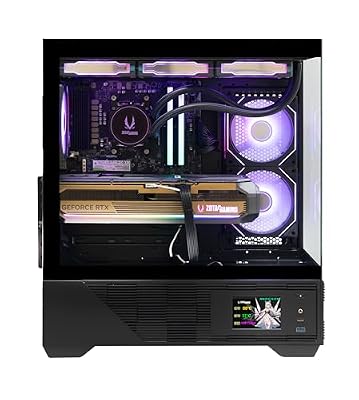
ZOTAC MEK Gaming PC Desktop, Ryzen 7 9800X3D, NVIDIA GeForce RTX 5080 16GB | 32GB DDR5, 2TB NVMe SSD, 850W 80+ Gold PSU, WiFi 6E, Windows 11 Pro, GDDR7, up to 5.2GHz






As an Amazon Associate we earn from qualifying purchases. Product prices and availability are accurate as of the date/time indicated.
The ZOTAC MEK leads this list because it brings the most viewport-crunching power to CAD. It pairs an AMD Ryzen 7 processor with NVIDIA’s flagship-class GeForce RTX 5080 carrying 16GB of fast GDDR7 memory, a combination built to keep large, detailed assemblies fluid as you orbit, pan and zoom. At around $3,149 it is the premium option here, and for CAD users who routinely wrestle with heavy models, the extra graphics headroom is exactly what justifies the spend.
For CAD specifically, the RTX 5080’s large 16GB framebuffer is the headline: complex assemblies, dense meshes and shaded views consume graphics memory quickly, and running out is what makes a viewport stutter. This build gives you generous room to work, the Ryzen 7 CPU handles modeling and rebuilds responsively, and the whole system is engineered to stay smooth under sustained load. If your day involves the largest assemblies on this list and you want the most graphics performance for them, the MEK is the clear starting point.
Pros: Flagship RTX 5080 16GB for the smoothest large-assembly viewports, capable Ryzen 7 CPU.
Cons: Highest price here; verify exact CPU and RAM in the listing for your workload.
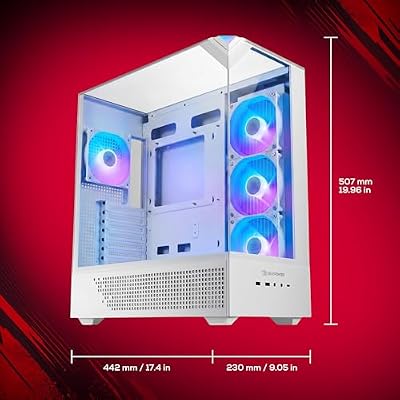
2. iBUYPOWER Element Gaming PC Desktop Computer AMD Ryzen 9 7900X CPU, NVIDIA GeFor

iBUYPOWER Element Gaming PC Desktop Computer AMD Ryzen 9 7900X CPU, NVIDIA GeForce RTX 5070 12GB GPU, 32GB DDR5 RAM, 1TB NVMe SSD, Windows 11 Home, Gamer Keyboard and Mouse - EWA9N5702






As an Amazon Associate we earn from qualifying purchases. Product prices and availability are accurate as of the date/time indicated.
The iBUYPOWER Element is the multi-core specialist of this list, built around AMD’s Ryzen 9 7900X — a 12-core processor that excels at the heavily threaded side of CAD. Assembly rebuilds, mesh operations, photorealistic rendering and background simulations all scale with cores, and the 7900X has plenty to spare. Paired with a capable NVIDIA GeForce GPU and sold for around $2,300, it is a strong choice for CAD users whose bottleneck is processing rather than the viewport.
This is the build to pick if your CAD work involves frequent rebuilds of large parametric models, rendering, or running other applications alongside your modeler. The Ryzen 9’s twelve cores chew through threaded tasks while leaving headroom for multitasking, and the strong single-thread performance keeps the interactive modeling itself snappy. For engineers and designers who value raw CPU muscle and a balanced GPU at a sensible price, the Element is an excellent, well-rounded CAD workstation.
Pros: 12-core Ryzen 9 7900X excels at rebuilds and rendering, balanced GPU, strong value.
Cons: Confirm the exact GPU model in the listing; viewport ceiling depends on it.
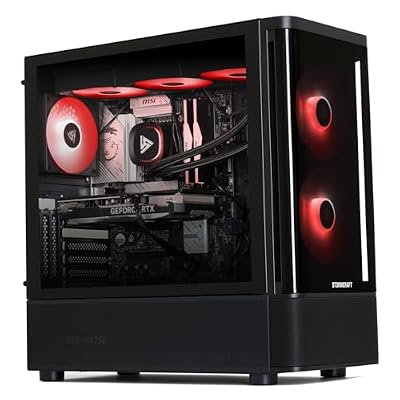
3. STORMCRAFT Skyhawk PRO Gaming PC – Ryzen 7 7800X3D up to 5.0GHz | RTX 5070 Ti 16

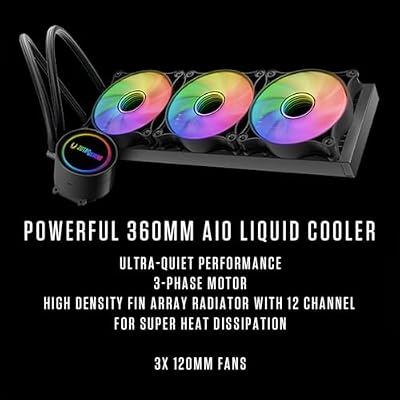
STORMCRAFT Skyhawk PRO Gaming PC RTX 5070 Ti R7 7800X3D 32GB DDR5 1TB SSD | Best AMD Ryzen 7 CPU 5.0GHz,5070Ti 16GB GDDR7,RGB 6000MHz RAM,B850 Motherboard,360mm AIO,850W Gold PSU,Prebuilt Computer




As an Amazon Associate we earn from qualifying purchases. Product prices and availability are accurate as of the date/time indicated.
The STORMCRAFT Skyhawk PRO is the responsiveness pick, built on AMD’s Ryzen 7 7800X3D — a processor whose large 3D V-Cache and high clocks make it superb at the latency-sensitive, single-thread work that dominates interactive CAD modeling. It is paired with an RTX 5070 Ti carrying 16GB of memory, giving plenty of graphics room for detailed assemblies. At around $2,250 it is a compelling blend of fast modeling and solid viewport performance.
For CAD, the 7800X3D’s strength is how quickly it responds to each operation — creating features, editing sketches and navigating models feels immediate, which is where you spend most of your time. The 16GB RTX 5070 Ti keeps shaded and detailed views smooth and has the framebuffer for mid-to-large assemblies, and the build is well suited to light simulation too. If your priority is a fast, fluid modeling experience backed by a capable graphics card, the Skyhawk PRO is a standout.
Pros: Ryzen 7 7800X3D feels exceptionally responsive for modeling, RTX 5070 Ti 16GB for assemblies.
Cons: 8-core CPU trails the 7900X for the heaviest threaded rebuilds and rendering.
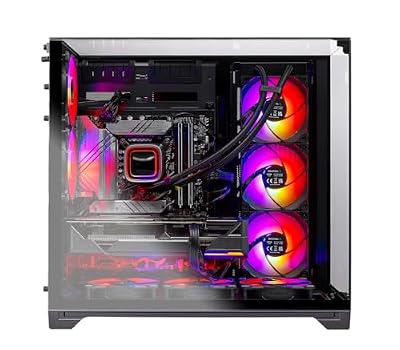
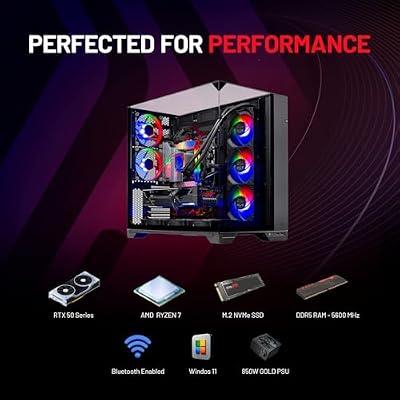
4. Skytech Gaming O11 Vision Gaming PC, AMD Ryzen 7 7700X 4.5GHz, NVIDIA RTX 5070 1
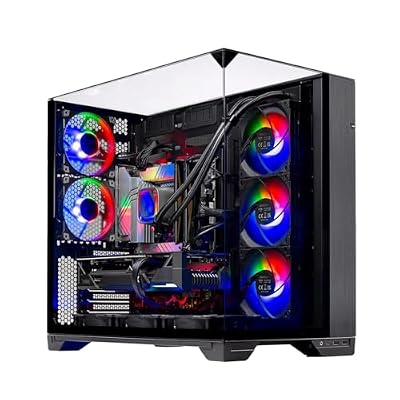
Skytech Gaming O11 Vision Gaming PC, AMD Ryzen 7 7700X 4.5GHz, NVIDIA RTX 5070 12GB, X670 Board, 1TB Gen4 NVMe SSD, 32GB DDR5 RAM 5600, 850W Gold ATX 3 PSU, 360 ARGB AIO, Wi-Fi, Win 11, Desktop







As an Amazon Associate we earn from qualifying purchases. Product prices and availability are accurate as of the date/time indicated.
The Skytech O11 Vision is the mid-size assembly value pick. It combines AMD’s Ryzen 7 7700X — an 8-core CPU with strong clocks well suited to modeling — with a 16GB RTX 5070 Ti class graphics card, housed in Lian Li’s striking O11 case for excellent airflow. At around $2,000 it delivers genuinely capable CAD hardware at a price that undercuts the premium builds while keeping the graphics memory CAD users want.
This is the build to choose for designers handling mid-size assemblies who want strong, reliable performance without paying flagship money. The 7700X keeps interactive modeling responsive, the 16GB graphics framebuffer is generous enough for detailed shaded views and moderately heavy assemblies, and the airflow-focused O11 chassis helps the system stay cool and steady through long sessions. For a balanced, value-driven CAD workstation with room to grow, the O11 Vision is a smart pick.
Pros: Strong 8-core 7700X, 16GB-class graphics for mid-size assemblies, excellent airflow, great value.
Cons: Confirm RAM capacity for your largest files; 8 cores suit modeling over heavy rendering.
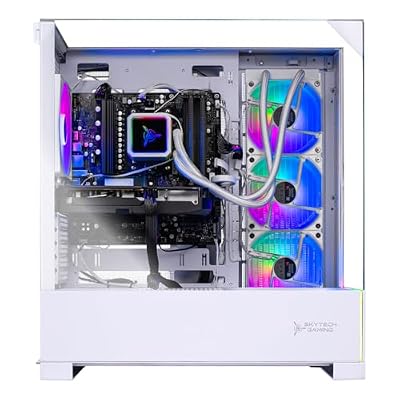
5. Skytech Gaming Archangel 5 Gaming PC, AMD Ryzen 7 7700X 4.5GHz, NVIDIA RTX 5070

Skytech Gaming Archangel 5 Gaming PC, AMD Ryzen 7 7700X 4.5GHz, NVIDIA RTX 5070 12GB, 1TB Gen4 NVMe SSD, 32GB DDR5 RAM 6000, 750W Gold PSU, 360 ARGB AIO, Wi-Fi, Win 11, Desktop


As an Amazon Associate we earn from qualifying purchases. Product prices and availability are accurate as of the date/time indicated.
The Skytech Archangel 5 is the balanced all-rounder of this list. It pairs the capable Ryzen 7 7700X with an RTX 5070 graphics card, delivering a well-judged mix of modeling responsiveness and viewport capability for everyday CAD. At around $1,900 it sits in the value sweet spot for a designer who needs a dependable workstation for part and mid-size assembly work without overspending on the very top tier.
This is the build for CAD users whose projects are real but not extreme — detailed parts, moderate assemblies, and the occasional render. The 7700X’s strong single-thread performance keeps the modeling experience smooth, the RTX 5070 handles shaded and detailed views comfortably for typical workloads, and the overall package is tuned for steady, reliable operation. For a designer who wants solid CAD performance at a sensible price and a trusted system builder, the Archangel 5 is an easy recommendation.
Pros: Capable 7700X plus RTX 5070, well-balanced for part and mid-size assembly CAD, sensible price.
Cons: GPU framebuffer is smaller than the 16GB picks for the heaviest assemblies.
6. Skytech Gaming Azure 3 Desktop PC, Ryzen 7 7700X 4.5 GHz (5.4GHz), NVIDIA RTX 50

Skytech Gaming PC Azure 3, Ryzen 7, RTX 5070 Ti, 32GB RAM, 1TB SSD | Windows 11, AMD 7800X3D, NVIDIA 5070 Ti, Gen4 NVMe SSD, DDR5 5600, 850W GOLD ATX 3 PSU, 360 ARGB AIO , Wi-Fi 5


As an Amazon Associate we earn from qualifying purchases. Product prices and availability are accurate as of the date/time indicated.
Rounding out the list is the Skytech Azure 3, the entry CAD workstation pick and the most affordable build here at around $1,800. It is built on the same strong Ryzen 7 7700X — boosting up to 5.4GHz — paired with an RTX 50-series graphics card, giving you a capable, modern foundation for CAD at the lowest cost on this list. For designers starting out or working with lighter models, it covers the essentials well.
This is the build to choose when you want a genuinely competent CAD machine on the tightest budget here. The 7700X’s high boost clocks keep part modeling and smaller assemblies feeling quick, the modern RTX graphics handle standard shaded viewports, and the platform leaves room to add memory or storage as your projects grow. It will not match the 16GB GPUs for the largest assemblies, but as an affordable entry point into capable CAD hardware, the Azure 3 is a sound, well-priced choice.
Pros: Affordable entry point, high-clocking 7700X, modern RTX graphics, room to upgrade.
Cons: Entry GPU here; best for part modeling and lighter assemblies than the top picks.
How to Choose a Gaming PC for CAD
Choosing a PC for CAD starts with the CPU, because most modeling work is single-thread sensitive. Creating features, editing sketches and navigating a model respond to how fast a single core can work, so high clock speeds matter — which is why a chip like the Ryzen 7 7800X3D feels so immediate. At the same time, rebuilds of large assemblies, rendering and simulation scale across cores, so a high-core CPU like the Ryzen 9 7900X pays off if those tasks are part of your day. Decide which side of CAD dominates your work and weight the CPU choice accordingly.
The graphics card matters more for CAD than many people expect, and the key figure is the framebuffer. Complex assemblies, dense meshes and shaded views consume graphics memory, and when a GPU runs out the viewport stutters. That is why the 16GB cards on this list — the RTX 5080 in the ZOTAC MEK and the RTX 5070 Ti in the STORMCRAFT and O11 Vision — are so well suited to larger assemblies, while the smaller-framebuffer cards remain excellent for part and mid-size work. Match the GPU’s memory to the size of the models you actually open.
RAM is the third pillar, and CAD is hungry for it. Large assemblies and reference files have to be held in memory, and once you run out the system swaps to disk and everything slows down. For comfortable mid-size assembly work, plenty of RAM is essential, and heavy datasets benefit from even more — so check the memory each build ships with and confirm it suits your largest projects, since RAM is also one of the easiest things to add later if you need headroom.
Finally, do not overlook storage, and match the whole build to your workload and budget. A fast NVMe SSD loads and saves heavy CAD files far quicker than a hard drive and keeps the system responsive, so favour solid-state primary storage. Then weigh it all together: if you run the biggest assemblies, prioritise the GPU framebuffer and CPU cores like the MEK and Element; if modeling speed is everything, lean toward the 7800X3D Skyhawk; and if value matters most, the Skytech 7700X builds deliver capable CAD performance for less. Pick the configuration on this list that fits how you design.
Frequently Asked Questions
What specs matter most in a PC for CAD?
A balance of four things: a CPU with strong single-thread speed for interactive modeling and enough cores for rebuilds, a graphics card with a generous framebuffer for complex assemblies, plenty of RAM to hold large files, and a fast NVMe SSD. CAD leans on all four, so the best build is the one balanced to your specific workload rather than one with a single standout number.
Is a gaming GPU good enough for CAD, or do I need a workstation card?
For most mainstream CAD work, the powerful gaming GPUs in these builds are more than capable, and their large framebuffers — like the 16GB on the RTX 5080 and 5070 Ti picks — handle detailed assemblies well. Dedicated workstation cards add certified drivers that matter for some professional applications, but the gaming cards here offer excellent performance and value for the majority of users.
How much RAM do I need for CAD assemblies?
It depends on the size of your models. Part and small-assembly work is comfortable with a moderate amount, but mid-size and large assemblies, plus reference files held open at once, want considerably more so the system does not swap to disk. Check each build’s memory against your largest projects, and remember RAM is one of the simplest components to add later if you need more headroom.
Which of these PCs is best for the largest assemblies?
The ZOTAC MEK, with its flagship RTX 5080 and 16GB of fast graphics memory, is built for the heaviest assemblies on this list, keeping dense, shaded views fluid. The iBUYPOWER Element’s 12-core Ryzen 9 7900X is the companion choice when frequent rebuilds and rendering are your bottleneck. For mid-size assemblies, the 16GB RTX 5070 Ti builds offer most of the benefit for less.
Related Guides
- Best Gaming PCs
- Best Gaming PCs for Photo Editing
- Best Monitors for Content Creation
- Best RAM for Your Build
- Best NVMe SSDs
- Best GPUs for Your Build
Affiliate Disclosure: As an Amazon Associate, we earn from qualifying purchases. If you click a link and make a purchase, we may earn a small commission at no extra cost to you. Prices and availability are accurate as of publication and may change.










