

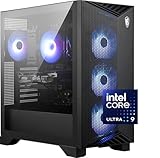
- Top Pick: msi Aegis R2 AI Gaming Desktop: Intel Core Ultra 9 285, Geforce RTX 5070Ti, 32GB DDR5, 2TB M.2 NVMe SSD, Air Cooling, USB Type C, VR-Ready, Window 11 Home: C2NVR9-1452US
- Best Value: STORMCRAFT Phantom RTX 5080 Gaming PC Ryzen 7 9800X3D 32GB DDR5 2TB SSD
- Premium Choice: ZOTAC MEK Gaming PC Desktop, Ryzen 7 9800X3D, NVIDIA GeForce RTX 5080 16GB
Running AI locally has gone mainstream, and the single component that decides what you can do is the GPU — specifically its VRAM and CUDA support. Whether you are generating images with diffusion models, running a local large language model, or experimenting with inference, the size of the model you can load is gated by how much video memory your card has, and NVIDIA’s CUDA ecosystem is what almost all of these tools target. That makes a gaming PC with a high-VRAM GeForce card a surprisingly capable AI machine. This guide rounds up the best gaming PCs for AI in 2026, ranked first and foremost by GPU VRAM and CUDA capability, with the system RAM to keep them fed.
- Best Gaming PCs for AI at a Glance
- 1. ZOTAC MEK Gaming PC, NVIDIA GeForce RTX 5090 32GB GDDR7, AMD Ryzen 7 9700
- 2. ASUS ROG G700 AI Gaming PC, Intel Core Ultra 9 285K (AI Boost NPU), NVIDIA RTX
- 3. ZOTAC MEK Gaming PC, NVIDIA GeForce RTX 5080 16GB GDDR7, AMD Ryzen 7 9800
- 4. STORMCRAFT Phantom AI Gaming Desktop, Intel Core Ultra 7 270K Plus, RTX
- 5. Skytech Gaming O11 Vision, AMD Ryzen 7 7700X, NVIDIA RTX 5070 12GB
- 6. AI-Optimized Gaming PC Desktop, GeForce RTX 5070 12GB GDDR7, AMD Ryzen 7
- How to Choose a Gaming PC for AI (Honestly)
- Frequently Asked Questions
- Related Guides
- Related Articles
Let us be honest up front: these are gaming desktops, not dedicated AI servers with multi-GPU NVLink and 80GB data-center cards. But for an enormous range of real AI work — local LLMs, Stable Diffusion and other image generation, fine-tuning small models, and everyday inference — a single high-VRAM GeForce GPU is exactly the right tool, and a gaming desktop delivers it affordably. Our picks lead with VRAM and CUDA cores, backed by ample system RAM, with prices from around $1,879 to around $4,999. Below is an at-a-glance comparison of all six, then a closer look at each and an honest buyer’s guide for AI intent.
As an Amazon Associate we earn from qualifying purchases at no extra cost to you.


🛒 Best Price Today on Amazon
Prime members get fast, free shipping on everything above, plus member-only deals. New members get a 30-day free trial — cancel anytime.
Best Gaming PCs for AI at a Glance
| Gaming PC | Best For | Standout Spec | Approx Price |
|---|---|---|---|
| ZOTAC MEK (RTX 5090 32GB / Ryzen 7 9700) | Largest local models | RTX 5090 32GB GDDR7 | around $4,999 |
| ASUS ROG G700 AI (Ultra 9 285K / RTX) | AI-branded with NPU | Core Ultra 9 285K AI Boost NPU | around $3,449 |
| ZOTAC MEK (RTX 5080 16GB / Ryzen 7 9800) | Strong mid-VRAM AI box | RTX 5080 16GB GDDR7 | around $3,148 |
| STORMCRAFT Phantom AI (Ultra 7 270K / RTX) | AI-tuned desktop | Intel Core Ultra 7 270K Plus | around $2,999 |
| Skytech O11 Vision (7700X / RTX 5070) | Value entry AI | RTX 5070 12GB, Ryzen 7 7700X | around $1,999 |
| AI-Optimized Gaming PC (RTX 5070 12GB / Ryzen 7) | Budget AI starter | RTX 5070 12GB GDDR7 | around $1,879 |
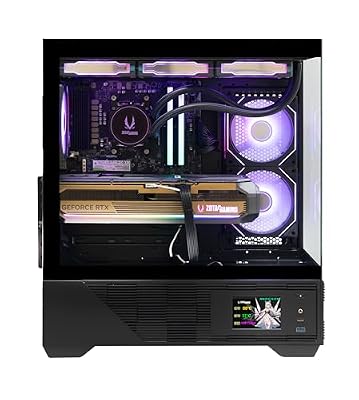
1. ZOTAC MEK Gaming PC, NVIDIA GeForce RTX 5090 32GB GDDR7, AMD Ryzen 7 9700

ZOTAC MEK Gaming PC Desktop, Ryzen 7 9800X3D, NVIDIA GeForce RTX 5080 16GB | 32GB DDR5, 2TB NVMe SSD, 850W 80+ Gold PSU, WiFi 6E, Windows 11 Pro, GDDR7, up to 5.2GHz






As an Amazon Associate we earn from qualifying purchases. Product prices and availability are accurate as of the date/time indicated.
The ZOTAC MEK with an RTX 5090 leads our AI list for one decisive reason: 32GB of GDDR7 VRAM. For local AI, VRAM is the gatekeeper — it sets how large a model you can load and how much context or how high a resolution you can work at — and 32GB on a single consumer card is about as much as you can get without stepping into data-center territory. Add the RTX 5090’s enormous CUDA core count and a capable Ryzen 7 to feed it, and at around $4,999 this is the most AI-capable machine here.
This is the build for the user running the largest local models a single GPU can hold — bigger quantized LLMs, high-resolution image and video generation, and meaningful fine-tuning experiments. The 32GB of VRAM lets models fit that would simply not load on smaller cards, the massive CUDA throughput accelerates inference and generation, and you will want generous system RAM to stage data. It is still a gaming desktop, not a server, but for serious single-GPU AI work the RTX 5090’s VRAM is in a class of its own here.
Pros: 32GB GDDR7 VRAM for the largest local models, huge CUDA throughput, top single-GPU AI capability.
Cons: Most expensive here; single-GPU gaming desktop, not a multi-GPU AI server.
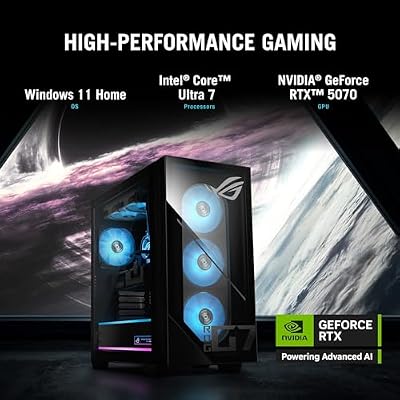
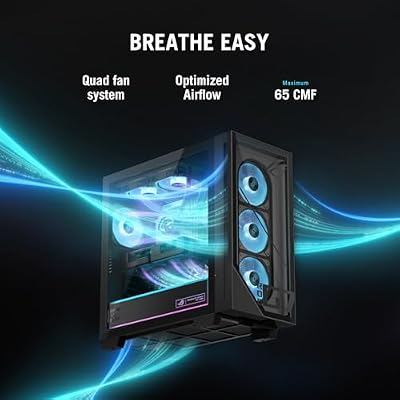
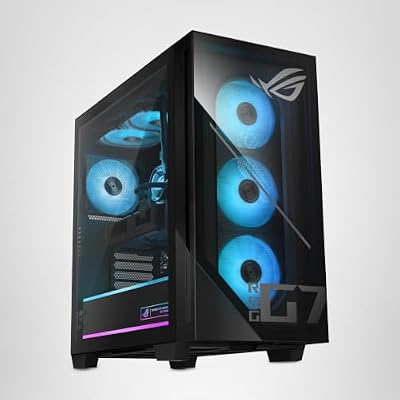
2. ASUS ROG G700 AI Gaming PC, Intel Core Ultra 9 285K (AI Boost NPU), NVIDIA RTX

ASUS ROG G700 (2025) Gaming Desktop PC, Intel® Core™ Ultra 7 265F Processor, NVIDIA® GeForce RTX™ 5070, 1TB M.2 NVMe™ PCIe® 4 SSD, 16GB DDR5 RAM, Windows 11 Home, G700TF-DS774




As an Amazon Associate we earn from qualifying purchases. Product prices and availability are accurate as of the date/time indicated.
The ASUS ROG G700 AI pairs an NVIDIA RTX GPU with Intel’s Core Ultra 9 285K, which adds a dedicated AI Boost NPU on top of its CPU cores. That NPU accelerates certain on-device AI features and lighter inference efficiently, complementing the CUDA GPU that does the heavy lifting for model work. At around $3,449, in ASUS’s premium ROG build, it is a thoughtfully AI-oriented machine.
This is the build for the user who wants a balance of CUDA GPU power for demanding model work and an efficient NPU for lighter, always-on AI tasks. The high-end Core Ultra 9 285K is a strong CPU for data preparation and general compute, the NPU handles efficient on-device acceleration, and the RTX GPU drives CUDA-based inference and generation. Confirm the exact GPU VRAM for your model sizes, but as a polished, AI-aware desktop from a major brand, the ROG G700 AI is a compelling pick.
Pros: Core Ultra 9 285K with AI Boost NPU, strong CPU, CUDA RTX GPU, polished ROG build.
Cons: Verify GPU VRAM for larger models; NPU complements rather than replaces the GPU.
3. ZOTAC MEK Gaming PC, NVIDIA GeForce RTX 5080 16GB GDDR7, AMD Ryzen 7 9800
ZOTAC MEK Gaming PC Desktop, Ryzen 7 9800X3D, NVIDIA GeForce RTX 5080 16GB | 32GB DDR5, 2TB NVMe SSD, 850W 80+ Gold PSU, WiFi 6E, Windows 11 Pro, GDDR7, up to 5.2GHz
As an Amazon Associate we earn from qualifying purchases. Product prices and availability are accurate as of the date/time indicated.
The ZOTAC MEK with an RTX 5080 is the strong mid-VRAM AI box. Its 16GB of fast GDDR7 VRAM is a comfortable amount for a wide range of local AI: many quantized LLMs, Stable Diffusion and other image models, and everyday inference all fit and run well within 16GB. Backed by a capable Ryzen 7 9800-series CPU and plenty of CUDA cores, at around $3,148 it is a powerful AI machine for less than the 5090 pick.
This is the build for the user who wants serious CUDA performance and a generous-but-not-extreme VRAM budget. The 16GB of VRAM comfortably handles the models most enthusiasts actually run, the RTX 5080’s CUDA throughput keeps generation and inference brisk, and the strong CPU feeds the GPU well. You cannot load the very largest models that the 32GB 5090 can, but for the mainstream of local AI work this is an excellent, more affordable choice — a gaming desktop that doubles capably as an AI rig.
Pros: 16GB GDDR7 VRAM covers most local models, strong CUDA throughput, capable CPU, good value.
Cons: 16GB caps the very largest models; still a single-GPU gaming desktop.
4. STORMCRAFT Phantom AI Gaming Desktop, Intel Core Ultra 7 270K Plus, RTX

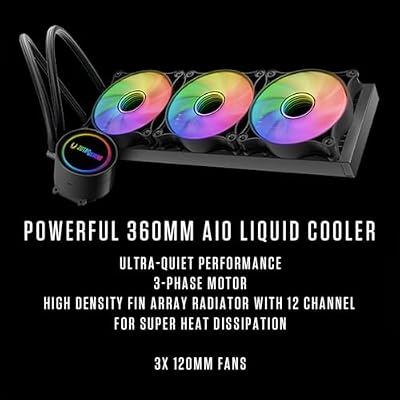
STORMCRAFT Phantom Gaming Desktop Ultra7 265F RTX 5070 Ti 32GB DDR5 1TB SSD | Intel Core Ultra 7 5.3GHz,16GB GDDR7 VGA,4800MHz RGB DRAM,B860 MB,360mm AIO,850W Gold, ARGB Case Gaming & Content Creation




As an Amazon Associate we earn from qualifying purchases. Product prices and availability are accurate as of the date/time indicated.
The STORMCRAFT Phantom AI is an AI-tuned desktop built around Intel’s Core Ultra 7 270K Plus and an NVIDIA RTX GPU. The Core Ultra platform brings efficient on-device AI acceleration alongside solid CPU performance, and the RTX card supplies the CUDA support that local AI tools rely on. At around $2,999 it is positioned squarely as an AI-aware machine.
This is the build for the user who wants a coherent, AI-oriented desktop at a more accessible price than the flagship ZOTAC and ASUS picks. The Core Ultra 7 270K Plus handles data preparation and general compute capably with efficient AI acceleration, while the RTX GPU drives CUDA-based inference and generation. As always, confirm the exact GPU and its VRAM against the model sizes you plan to run, since VRAM is the real ceiling for AI. As a mid-priced AI-tuned gaming desktop, the Phantom AI is a sensible option.
Pros: AI-tuned Core Ultra 7 270K Plus, efficient on-device acceleration, CUDA RTX GPU, mid price.
Cons: Check GPU VRAM for your models; AI capability ultimately hinges on the card.
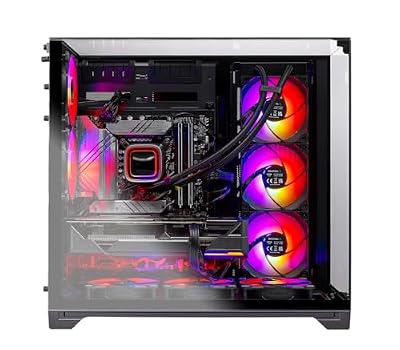
5. Skytech Gaming O11 Vision, AMD Ryzen 7 7700X, NVIDIA RTX 5070 12GB
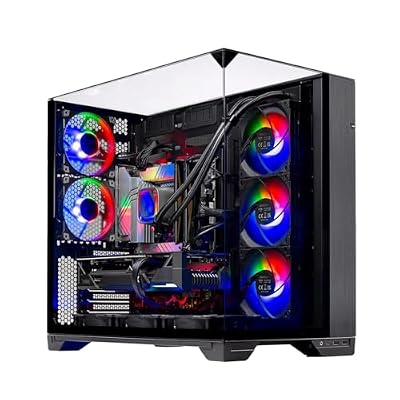
Skytech Gaming O11 Vision Gaming PC, AMD Ryzen 7 7700X 4.5GHz, NVIDIA RTX 5070 12GB, X670 Board, 1TB Gen4 NVMe SSD, 32GB DDR5 RAM 5600, 850W Gold ATX 3 PSU, 360 ARGB AIO, Wi-Fi, Win 11, Desktop




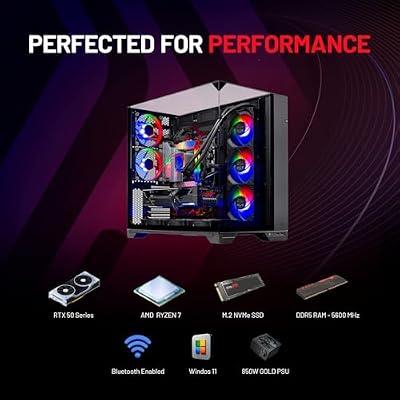



As an Amazon Associate we earn from qualifying purchases. Product prices and availability are accurate as of the date/time indicated.
The Skytech O11 Vision with an RTX 5070 is the value entry-AI pick. Its 12GB of VRAM and full CUDA support are enough to get genuinely started with local AI: running smaller and mid-size quantized LLMs, generating images with diffusion models at sensible resolutions, and learning the tools. Paired with the capable eight-core Ryzen 7 7700X, at around $1,999 it is an affordable way into AI on a gaming desktop.
This is the build for the user dipping into local AI without a flagship budget. The 12GB of VRAM handles many popular models and image generation well — you will simply choose more modest model sizes than the 16GB or 32GB cards allow — and CUDA support means the whole software ecosystem just works. The 7700X feeds the GPU and handles data prep, and the O11 chassis looks great. Be clear-eyed that 12GB sets a lower ceiling, but as an entry AI machine that also games superbly, it is a strong value pick.
Pros: 12GB VRAM and full CUDA to start local AI, capable 7700X CPU, attractive value.
Cons: 12GB caps model sizes; choose more modest models than higher-VRAM picks.
6. AI-Optimized Gaming PC Desktop, GeForce RTX 5070 12GB GDDR7, AMD Ryzen 7

HOENGAGER AI-Optimized Gaming PC Desktop Computer GeForce RTX 5070 12GB GDDR7, AMD Ryzen 7 7800X3D 4.2 GHz, 1TB PCIe SSD, 32GB DDR5 RAM, 650W PSU, Windows 11, White



As an Amazon Associate we earn from qualifying purchases. Product prices and availability are accurate as of the date/time indicated.
Rounding out the AI list is this AI-Optimized Gaming PC built around an RTX 5070 with 12GB of GDDR7 VRAM and a Ryzen 7 CPU — the budget AI starter. At around $1,879 it is the most affordable machine here, packaging the same 12GB-VRAM, CUDA-capable RTX 5070 that gets you running local models and image generation, in a value-focused build.
This is the build for the user who wants the lowest-cost real entry into local AI. The RTX 5070’s 12GB of VRAM and CUDA support are enough to run smaller and mid-size models, generate images, and learn the workflows, and the Ryzen 7 CPU handles data preparation and general use. It carries the same honest caveat as every pick here — it is a gaming desktop, and 12GB limits how large your models can be — but for getting hands-on with AI affordably while keeping a great gaming PC, it is the value standout that closes the list.
Pros: Lowest price here, RTX 5070 12GB GDDR7 with CUDA, Ryzen 7 CPU, real entry into local AI.
Cons: 12GB VRAM and single-GPU design limit large models; a starter rather than a powerhouse.
How to Choose a Gaming PC for AI (Honestly)
For AI work, VRAM is the single most important specification — far more so than for gaming. The amount of video memory on your GPU sets a hard ceiling on how large a model you can load, how much context a language model can hold, and how high a resolution you can generate at. That is why this list is ordered by VRAM: the RTX 5090’s 32GB lets you run the largest local models, 16GB on the RTX 5080 covers most enthusiast workloads, and 12GB on the RTX 5070 builds gets you started with more modest model sizes. Decide what you want to run, then buy the VRAM to fit it.
CUDA is the second pillar, and it is the reason these all use NVIDIA GeForce cards. The overwhelming majority of AI frameworks and tools — for local LLMs, image generation and fine-tuning — are built first for NVIDIA’s CUDA platform, so a GeForce card means the software ecosystem simply works with minimal fuss. More CUDA cores and faster GDDR7 memory, as on the higher cards here, translate to quicker inference and generation. For local AI in 2026, CUDA support is effectively a requirement, and every pick here provides it.
System RAM matters too, even though the GPU does the heavy lifting. You need enough system memory to stage datasets, preprocess inputs, run the application layer and avoid bottlenecking the GPU — and some workflows offload parts of a model to system RAM when VRAM is tight, making generous memory genuinely useful. Pair a high-VRAM card with ample RAM and a capable CPU like the Ryzen 7 or Core Ultra chips here for data preparation, and the whole pipeline stays fed and responsive.
Finally, be honest about what these machines are. They are gaming desktops with powerful single GPUs — outstanding for local LLMs, Stable Diffusion, inference and small-scale fine-tuning, but not multi-GPU, NVLink-equipped data-center servers for training large models from scratch. For the vast majority of individual AI work that distinction does not matter, and you get tremendous capability for the money plus a superb gaming PC. Set your budget, lead with VRAM and CUDA, back it with RAM, and pick the AI machine here that matches the models you actually intend to run.
Frequently Asked Questions
Can a gaming PC really run AI models locally?
Yes, very capably. Local LLMs, Stable Diffusion and other image generation, inference and small-scale fine-tuning all run well on a gaming PC with a high-VRAM NVIDIA GeForce card and CUDA support. Be honest about the limits, though: these are single-GPU gaming desktops, not multi-GPU data-center servers, so they suit individual AI work rather than training huge models from scratch.
How much VRAM do I need for AI?
VRAM is the key ceiling, so match it to your models. Around 12GB, as on the RTX 5070 builds, gets you started with smaller and mid-size models and image generation; 16GB on the RTX 5080 comfortably covers most enthusiast workloads; and the RTX 5090’s 32GB lets you load the largest local models a single consumer card can hold. Decide what you want to run first, then buy the VRAM to fit it.
Why do all these AI picks use NVIDIA GPUs?
Because of CUDA. The overwhelming majority of AI frameworks and tools are built first for NVIDIA’s CUDA platform, so a GeForce card means the local-AI software ecosystem works with minimal hassle. Faster GDDR7 memory and higher CUDA core counts on the stronger cards here also speed up inference and generation. For local AI in 2026, CUDA support is effectively a requirement.
Are these the same as dedicated AI workstations?
No, and it is worth being clear. These are gaming desktops with one powerful GPU — excellent for running and generating with models locally — not multi-GPU, NVLink, data-center rigs built for large-scale training. For individual users doing inference, image generation and modest fine-tuning, that is exactly the right tool at a far lower cost, with a brilliant gaming PC included.
Related Guides
- Best Gaming PCs
- Best GPUs for Your Build
- Best RAM for Your Build
- Best NVMe SSDs
- Best Monitors for Content Creation
- Best Gaming Monitors
Affiliate Disclosure: As an Amazon Associate, we earn from qualifying purchases. If you click a link and make a purchase, we may earn a small commission at no extra cost to you. Prices and availability are accurate as of publication and may change.










