

3D rendering is one of the most demanding things you can ask a PC to do, and it rewards a very specific kind of hardware. Modern GPU renderers — Blender Cycles, OctaneRender, Redshift and others — run on NVIDIA’s CUDA cores, so the two numbers that dominate render performance are how many CUDA cores the GPU has and how much VRAM it carries to hold large scenes, textures, and geometry. CPU cores still matter for simulation, scene assembly, and CPU-based rendering, but for 3D work the GPU leads. This guide rounds up the best gaming PCs for 3D rendering in 2026, ordered by rendering muscle.
- Best Gaming PCs for 3D Rendering at a Glance
- 1. ZOTAC MEK Gaming PC, NVIDIA RTX 5090 32GB GDDR7, AMD Ryzen 7 9800
- 2. ZOTAC MEK Gaming PC, NVIDIA RTX 5090 32GB GDDR7, AMD Ryzen 7 9700
- 3. ZOTAC MEK Gaming PC, NVIDIA RTX 5080 16GB GDDR7, AMD Ryzen 7 9800
- 4. Skytech Gaming O11 Vision, AMD Ryzen 7 7800X3D, NVIDIA RTX 5070
- 5. STORMCRAFT Skyhawk PRO, Ryzen 7 7800X3D, RTX 5070 Ti 16GB
- 6. Skytech Gaming Shadow, AMD Ryzen 7 7800X3D, NVIDIA RTX 5060 Ti
- How to Choose a Gaming PC for 3D Rendering
- Frequently Asked Questions
- Related Guides
- Related Articles
Our picks were chosen on what genuinely shortens render times and handles heavy scenes: GPU class and CUDA core count, VRAM capacity for large projects, CPU strength for simulation and CPU rendering, and value. We have included a spread from around $1,949 up to around $5,299, because the right render rig depends on the scale of your scenes and your budget — from a flagship RTX 5090 workstation with 32GB of VRAM down to a capable RTX 5060 Ti starter. Below you will find an at-a-glance comparison, then a closer look at each build and a buyer’s guide covering the components that decide how fast your frames finish.
As an Amazon Associate we earn from qualifying purchases at no extra cost to you.






🛒 Best Price Today on Amazon
Prime members get fast, free shipping on everything above, plus member-only deals. New members get a 30-day free trial — cancel anytime.
Best Gaming PCs for 3D Rendering at a Glance
| Desktop | Best For | Standout Spec | Approx Price |
|---|---|---|---|
| ZOTAC MEK (RTX 5090 32GB, Ryzen 7 9800) | Flagship GPU rendering | RTX 5090, 32GB GDDR7 VRAM | around $5,299 |
| ZOTAC MEK (RTX 5090 32GB, Ryzen 7 9700) | Max VRAM, value flagship | RTX 5090, 32GB VRAM | around $4,999 |
| ZOTAC MEK (RTX 5080 16GB, Ryzen 7 9800) | High-end render workstation | RTX 5080, 16GB GDDR7 | around $3,149 |
| Skytech O11 Vision (RTX 5070, 7800X3D) | Balanced render + game | RTX 5070, X3D CPU, O11 case | around $2,499 |
| STORMCRAFT Skyhawk PRO (RTX 5070 Ti) | Strong VRAM value | RTX 5070 Ti 16GB, 7800X3D | around $2,249 |
| Skytech Shadow (RTX 5060 Ti, 7800X3D) | Entry 3D render rig | RTX 5060 Ti, affordable start | around $1,949 |
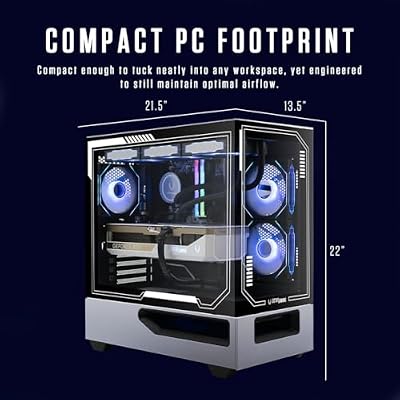
1. ZOTAC MEK Gaming PC, NVIDIA RTX 5090 32GB GDDR7, AMD Ryzen 7 9800
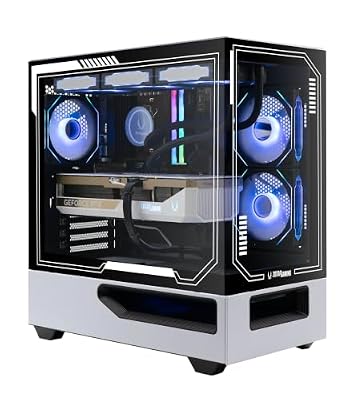
ZOTAC MEK Gaming PC Desktop, NVIDIA GeForce RTX 5090 32GB GDDR7, AMD Ryzen 7 9800X3D Up to 5.2GHz, 32GB DDR5, 2TB NVMe M.2 SSD, 1200W 80+ Gold PSU, WiFi 6E, Windows 11 Pro, White




As an Amazon Associate we earn from qualifying purchases. Product prices and availability are accurate as of the date/time indicated.
The ZOTAC MEK with an RTX 5090 leads this list because it brings the most rendering hardware money can sensibly buy in a gaming prebuilt. The RTX 5090 carries the highest CUDA core count in the current GeForce line and a generous 32GB of fast GDDR7 VRAM — the combination that GPU renderers crave, since CUDA cores drive render speed and VRAM determines how large and complex a scene you can load without spilling to system memory. Paired with a Ryzen 7 9800-class CPU, it is a flagship render machine at around $5,299.
This is the pick for the serious 3D artist whose scenes are big, whose deadlines are real, and who needs the fastest GPU render times available in a prebuilt. The RTX 5090’s CUDA cores chew through Cycles, Octane, and Redshift work, the 32GB VRAM holds heavy geometry and high-resolution textures that would choke smaller cards, and the modern Ryzen 7 handles simulation and scene assembly. If rendering throughput is your top priority, the RTX 5090 MEK is the unequivocal standout.
Pros: Top-tier RTX 5090 CUDA cores and a huge 32GB GDDR7 VRAM buffer for the heaviest scenes.
Cons: Highest price here by a wide margin; serious power and cooling needs.
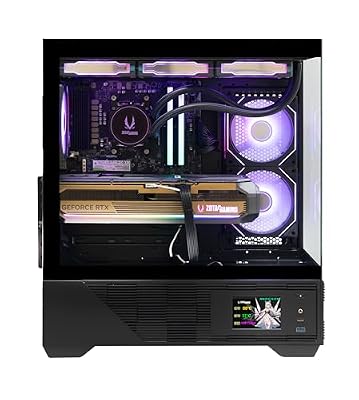
2. ZOTAC MEK Gaming PC, NVIDIA RTX 5090 32GB GDDR7, AMD Ryzen 7 9700

ZOTAC MEK Gaming PC Desktop, Ryzen 7 9800X3D, NVIDIA GeForce RTX 5080 16GB | 32GB DDR5, 2TB NVMe SSD, 850W 80+ Gold PSU, WiFi 6E, Windows 11 Pro, GDDR7, up to 5.2GHz




As an Amazon Associate we earn from qualifying purchases. Product prices and availability are accurate as of the date/time indicated.
The second ZOTAC MEK keeps the same rendering star — the RTX 5090 with 32GB of GDDR7 VRAM — but pairs it with a Ryzen 7 9700-class CPU, trimming the price to around $4,999. For 3D rendering, where the GPU does the heavy lifting, you keep the flagship’s full CUDA core count and the all-important 32GB VRAM buffer while spending less, making this the value route to top-tier GPU rendering.
This is the pick for the artist who wants maximum GPU render performance and the largest VRAM buffer, but whose CPU-side work — simulation, CPU rendering, scene assembly — is lighter, so a slightly less powerful processor is an easy trade. The RTX 5090 renders just as fast here as in the pricier MEK, the 32GB VRAM still loads massive scenes, and the savings can fund storage or peripherals. For flagship rendering at a more sensible price, this MEK is the smart choice.
Pros: Same RTX 5090 and 32GB VRAM render power for less, ideal when CPU work is lighter.
Cons: Still very expensive; CPU trails the higher 9800-class build.
3. ZOTAC MEK Gaming PC, NVIDIA RTX 5080 16GB GDDR7, AMD Ryzen 7 9800
ZOTAC MEK Gaming PC Desktop, Ryzen 7 9800X3D, NVIDIA GeForce RTX 5080 16GB | 32GB DDR5, 2TB NVMe SSD, 850W 80+ Gold PSU, WiFi 6E, Windows 11 Pro, GDDR7, up to 5.2GHz
As an Amazon Associate we earn from qualifying purchases. Product prices and availability are accurate as of the date/time indicated.
The ZOTAC MEK with an RTX 5080 is the high-end render workstation that stops short of flagship pricing. The RTX 5080 still offers a high CUDA core count and 16GB of fast GDDR7 VRAM — ample for the majority of professional and serious-hobbyist scenes — paired with a strong Ryzen 7 9800-class CPU. At around $3,149 it is a powerful render machine at a meaningfully lower cost than the RTX 5090 builds.
This is the pick for the 3D artist who wants near-flagship GPU rendering without paying for the very top card, and whose scenes fit comfortably in 16GB of VRAM. The RTX 5080’s CUDA cores deliver fast Cycles and Octane render times, the 16GB buffer handles most professional projects, and the capable Ryzen 7 supports simulation and assembly. For a high-end render workstation that balances serious performance against price, the RTX 5080 MEK is an excellent middle ground.
Pros: High RTX 5080 CUDA performance, 16GB GDDR7 for most pro scenes, strong Ryzen 7 CPU.
Cons: 16GB VRAM is less future-proof than 32GB for very large scenes.
4. Skytech Gaming O11 Vision, AMD Ryzen 7 7800X3D, NVIDIA RTX 5070

Skytech Gaming O11 Vision Gaming PC, AMD Ryzen 7 7800X3D 4.2GHz, NVIDIA RTX 5070 Ti 16GB VRAM, 1TB Gen4 NVMe SSD, 32GB DDR5 RAM 6000, 850W Gold ATX 3 PSU, 360 ARGB AIO, WI-FI 5, Windows 11, Desktop


As an Amazon Associate we earn from qualifying purchases. Product prices and availability are accurate as of the date/time indicated.
The Skytech O11 Vision is the balanced render-and-game pick, built around an RTX 5070 and AMD’s Ryzen 7 7800X3D in the showcase O11 case. The RTX 5070 brings a solid CUDA core count for capable GPU rendering, while the 7800X3D’s large 3D V-Cache makes it a gaming standout — worth noting honestly that the X3D’s cache benefits games more than raw rendering, where core count and clocks matter more. At around $2,499 it suits a creator who renders and games in equal measure.
This is the pick for the 3D hobbyist or indie creator who renders moderate scenes and also wants a top-tier gaming PC. The RTX 5070 handles GPU rendering for many projects competently, the 7800X3D delivers exceptional gaming performance for downtime, and the O11 case keeps everything cool and looking sharp. If your rendering is serious-but-not-massive and gaming is a genuine priority, the O11 Vision strikes a thoughtful balance.
Pros: Capable RTX 5070 CUDA rendering plus a standout 7800X3D gaming CPU, showcase case.
Cons: RTX 5070’s VRAM and the X3D cache favor gaming over heavy rendering.
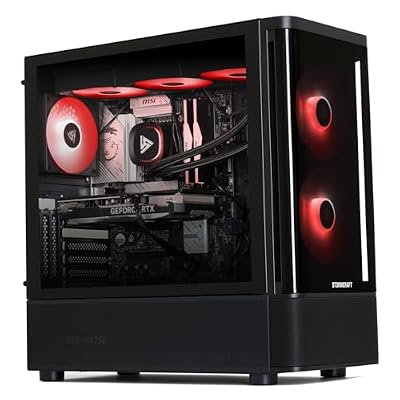
5. STORMCRAFT Skyhawk PRO, Ryzen 7 7800X3D, RTX 5070 Ti 16GB

STORMCRAFT Skyhawk PRO Gaming PC RTX 5070 Ti R7 7800X3D 32GB DDR5 1TB SSD | Best AMD Ryzen 7 CPU 5.0GHz,5070Ti 16GB GDDR7,RGB 6000MHz RAM,B850 Motherboard,360mm AIO,850W Gold PSU,Prebuilt Computer




As an Amazon Associate we earn from qualifying purchases. Product prices and availability are accurate as of the date/time indicated.
The STORMCRAFT Skyhawk PRO is the strong VRAM value pick, stepping up to an RTX 5070 Ti with 16GB of VRAM alongside the Ryzen 7 7800X3D. That extra VRAM matters for rendering: 16GB lets you load larger scenes and higher-resolution textures than a standard RTX 5070, and the 5070 Ti’s additional CUDA cores speed up GPU renders. At around $2,249 it offers a notable rendering upgrade for the money.
This is the pick for the 3D creator who wants more VRAM headroom and render speed than an RTX 5070 build, without stepping up to the pricier MEK workstations. The RTX 5070 Ti’s 16GB buffer handles bigger projects, its CUDA cores shorten render times, and the 7800X3D keeps gaming excellent on the side. For serious-hobbyist rendering with real VRAM headroom at a sensible price, the Skyhawk PRO is a strong-value standout.
Pros: RTX 5070 Ti with 16GB VRAM for larger scenes, more CUDA cores, strong value.
Cons: X3D CPU favors gaming; not a flagship-tier render machine.
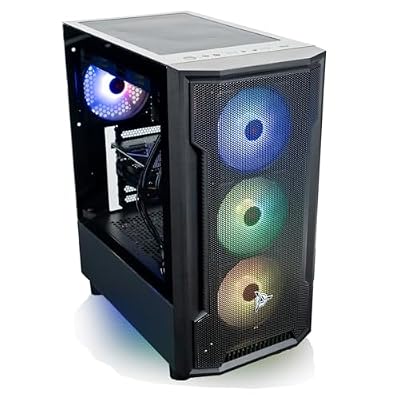
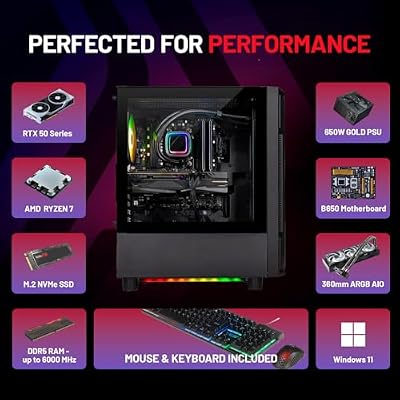
6. Skytech Gaming Shadow, AMD Ryzen 7 7800X3D, NVIDIA RTX 5060 Ti

Skytech Gaming Shadow Gaming PC, AMD Ryzen 7 7800X3D 4.2GHz, NVIDIA RTX 5060 Ti 16GB VRAM, 1TB Gen4 NVMe SSD, 16GB DDR5 RAM 6000, 650W Gold PSU, 360 ARGB AIO, Wi-Fi 5, Windows 11, Desktop




As an Amazon Associate we earn from qualifying purchases. Product prices and availability are accurate as of the date/time indicated.
Rounding out the list is the Skytech Shadow, the entry-level 3D render pick. It pairs an RTX 5060 Ti with the Ryzen 7 7800X3D, giving newer 3D artists a genuine starting point: the RTX 5060 Ti includes a usable CUDA core count for GPU rendering and is commonly available with a healthy VRAM allotment for smaller scenes. At around $1,949 it is the most affordable way onto this list.
This is the pick for the 3D beginner, the student, or the hobbyist rendering smaller scenes on a budget. The RTX 5060 Ti’s CUDA cores let you learn and work in Blender Cycles and similar renderers, the 7800X3D makes it a superb gaming machine for downtime, and the price keeps the barrier low. It will not match the MEK workstations on heavy scenes, but as an honest, affordable entry into GPU rendering that also games brilliantly, the Shadow fits the bill.
Pros: Affordable entry, RTX 5060 Ti with usable CUDA cores for smaller scenes, great gaming CPU.
Cons: Lower CUDA count and VRAM limit large, complex render projects.
How to Choose a Gaming PC for 3D Rendering
For 3D rendering, the GPU is the heart of the machine, because modern renderers like Blender Cycles, Octane, and Redshift run on NVIDIA’s CUDA cores. The more CUDA cores a card has, the faster it completes GPU renders, which is why the RTX 5090 in the ZOTAC MEK builds leads this list and the RTX 5060 Ti sits at the entry. Prioritise GPU class above almost everything else if your renderer is GPU-based — it is the single biggest lever on your render times.
VRAM is the GPU’s other critical spec, and for 3D it is just as important as raw speed. Your entire scene — geometry, textures, and data — must fit in the card’s VRAM, or the renderer slows dramatically or fails. The 32GB of GDDR7 on the RTX 5090 MEK builds lets you load very large, complex scenes; 16GB on the RTX 5080 and 5070 Ti suits most professional and serious-hobbyist projects; and smaller buffers limit you to lighter scenes. Match VRAM to the scale of the work you actually do, and err on the side of more if your projects are growing.
The CPU still matters, but its role in 3D is more specific than in general creation. CPU cores drive simulations (physics, fluids, cloth), scene assembly, and CPU-based rendering, so a strong multi-core processor helps those tasks. It is worth being honest about one detail: AMD’s X3D chips like the 7800X3D, found in several builds here, are gaming superstars thanks to their large cache, but that cache benefits games more than rendering — for pure CPU render throughput, core count and clocks matter more than 3D V-Cache. Weigh how much CPU-side work your pipeline involves.
Finally, match the whole machine to the scale of your scenes and your budget. A flagship RTX 5090 workstation like the ZOTAC MEK is the tool for big professional scenes and the fastest render times; an RTX 5080 or 5070 Ti build covers most serious work for less; and an RTX 5070 or 5060 Ti system suits smaller scenes and doubles as an excellent gaming PC. Decide whether your bottleneck is CUDA throughput, VRAM capacity, or CPU simulation, set your budget, and pick the build on this list that targets your priority. The best render PC is the one that finishes your frames while you sleep.
Frequently Asked Questions
What is more important for 3D rendering, the GPU or the CPU?
For modern GPU renderers like Blender Cycles, Octane, and Redshift, the GPU is far more important — render speed scales with the GPU’s CUDA core count, which is why the RTX 5090 MEK builds lead this list. The CPU still handles simulation, scene assembly, and CPU-based rendering, so it matters for those tasks, but for most 3D pipelines the GPU is the priority.
How much VRAM do I need for 3D rendering?
As much as your scenes demand. Your entire scene — geometry and textures — must fit in VRAM, or the renderer slows or fails. The 32GB on the RTX 5090 MEK builds handles very large, complex scenes; 16GB on the RTX 5080 and 5070 Ti suits most professional and serious-hobbyist work; and smaller buffers limit you to lighter projects. If your scenes are growing, choose more VRAM.
Is a Ryzen 7 7800X3D a good CPU for rendering?
It is a phenomenal gaming CPU, but be clear-eyed about rendering. The 7800X3D’s large 3D V-Cache mainly accelerates games; for pure CPU render throughput, core count and clock speed matter more than cache. In builds like the O11 Vision, Skyhawk PRO, and Shadow it pairs a great gaming experience with GPU-driven rendering — ideal if you game seriously and render on the GPU rather than the CPU.
Do I need an RTX 5090, or is an RTX 5080 enough for 3D work?
It depends on scene scale. The RTX 5090 MEK builds offer the most CUDA cores and a 32GB VRAM buffer for the heaviest professional scenes and fastest render times. The RTX 5080 MEK, with high CUDA performance and 16GB of VRAM, is enough for the majority of professional and serious-hobbyist projects at a much lower price. Step up to the 5090 only if your scenes are genuinely massive or your deadlines demand the fastest renders.
Related Guides
- Best Gaming PCs
- Best Gaming PCs for Content Creation
- Best GPUs for Your Build
- Best Monitors for Content Creation
- Best NVMe SSDs
- Best CPU Coolers
Affiliate Disclosure: As an Amazon Associate, we earn from qualifying purchases. If you click a link and make a purchase, we may earn a small commission at no extra cost to you. Prices and availability are accurate as of publication and may change.










