

- Top Pick: Redragon M612 Wired RGB Optical Gaming Mouse 8000 DPI Remapping Keys
- Best Value: Corsair IRONCLAW RGB Wired FPS/MOBA Gaming Mouse – 18,000 DPI – 7 Programmable Buttons – Designed for Large Hands – iCUE Compatible – PC, Mac, PS5, PS4, Xbox – Black
- Premium Choice: ATTACK SHARK R11 Ultra 8K Carbon Fiber Wireless Gaming Mouse-Black Ink
Affiliate disclosure: As an Amazon Associate we earn from qualifying purchases. This post contains affiliate links — if you buy through them we may earn a small commission at no extra cost to you. This never affects our recommendations.
- Quick Picks
- What Is Claw Grip — and Why Does It Demand a Different Mouse?
- Claw vs Palm vs Fingertip: How Grip Shapes Your Mouse Choice
- Top 5 Best Gaming Mice for Claw Grip in 2026
- Full Comparison Table
- What to Look For When Buying a Claw Grip Mouse
- Verdict
- Related Articles
- Frequently Asked Questions
- Related Articles
As an Amazon Associate we earn from qualifying purchases at no extra cost to you.


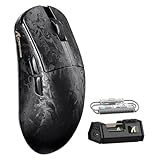


In a hurry? See the top-rated Gaming Mouse for Claw Grip deals available right now:
🛒 Check Gaming Mouse For Claw Grip Prices on Amazon →🛒 Best Price Today on Amazon
Prime members get fast, free shipping on everything above, plus member-only deals. New members get a 30-day free trial — cancel anytime.
Start 30-Day Prime Free Trial →See Today’s Amazon DealsQuick Picks
| # | Mouse | Weight | Sensor | Best For |
|---|---|---|---|---|
| 1 | Razer DeathAdder V3 | 59g | PixArt 3395 | Best overall claw grip |
| 2 | Logitech G Pro X Superlight 2 | 60g | HERO 2 25K | Competitive / ambidextrous |
| 3 | Zowie EC2-C | 73g | PixArt 3370 | Plug-and-play, no bloatware |
| 4 | SteelSeries Rival 600 | 96–128g | TrueMove3+ | Customizable weight |
| 5 | Endgame Gear XM1r | 70g | PixArt 3370 | Budget claw-optimized pick |
What Is Claw Grip — and Why Does It Demand a Different Mouse?
Claw grip sits between palm and fingertip. Your palm heel rests on the rear of the mouse, fingers arch upward, and only the fingertip pads make contact with the buttons. The wrist and knuckles flex for lateral movement while the arched fingers provide rapid, precise click registration.
This posture creates a distinct set of demands:
- Shorter body length — a mouse too long pushes the grip forward into palm territory. For most claw users, 120–130 mm is the sweet spot.
- Pronounced rear hump — the palm heel needs something to anchor against; a flat mouse slides uncomfortably.
- Buttons that are accessible from a high arch — buttons that slope away from the fingertips add latency and fatigue. A flatter button surface near the front works best.
- Lower-profile sides — thick side walls force the thumb and ring finger out unnaturally, reducing fine-motor control.
- Weight under 80g — claw grip relies on rapid pivot; excess weight taxes the wrist and slows micro-corrections.
Ideal Claw Grip Mouse Dimensions
| Measurement | Target Range |
|---|---|
| Length | 118–130 mm |
| Width (widest) | 60–68 mm |
| Height (hump) | 38–44 mm |
| Hump position | 55–65% from front |
| Weight | 55–80g |
Claw vs Palm vs Fingertip: How Grip Shapes Your Mouse Choice
Understanding where claw fits relative to other grips prevents buying the wrong shape entirely.
Palm Grip
The entire hand rests flat on the mouse. Longer bodies (130–145 mm), tall rear humps, and heavier weights are forgiving. You gain stability but sacrifice rapid repositioning speed. Palm-optimized mice feel sluggish under a claw grip because the hump pushes the hand backward.
Claw Grip
Hybrid posture — palm heel rests lightly on rear, fingers arch, tips click. Medium body length, moderate hump positioned slightly rearward. Prioritizes fast click actuation and wrist-driven aiming. The arched finger position increases button sensitivity, making optical switches or light-spring mechanical switches feel noticeably better.
Fingertip Grip
No palm contact whatsoever. Only fingertips touch the mouse at all times. Requires a shorter, lighter mouse (under 120 mm, under 65g ideally). Fingertip-optimized shapes feel too stubby for claw users who need that rear anchor point.
The key difference: claw users need the rear hump as an anchor without the full palm contact of a palm grip. This makes shape — not just weight or sensor — the defining variable.
Top 5 Best Gaming Mice for Claw Grip in 2026
1. Razer DeathAdder V3 — Best Overall Claw Grip Mouse
Weight: 59g | Length: 128 mm | Sensor: PixArt PAX 3395 | Buttons: Optical switches
The DeathAdder V3 is the definitive claw grip mouse in 2026. Razer stripped away 30g from the previous generation without losing the ergonomic shell that made the DeathAdder series a competitive staple for over a decade. The result is a right-handed mouse that fits the claw arch naturally — the hump sits at roughly 60% from the front, which aligns perfectly with where the palm heel lands during a claw grip.
The PixArt 3395 sensor delivers 35,000 DPI ceiling with zero smoothing at competitive DPI ranges (400–3200). Polling rate reaches 8000 Hz on the Wireless version; the wired V3 ships at 1000 Hz with an upgrade path via software.
Why it wins for claw grip: The button surface angles slightly upward toward the fingertip — a deliberate ergonomic choice that means your arched fingers meet the button at a natural angle rather than pressing across a flat or downward-sloping surface. Combined with optical switches that actuate at the speed of light with zero debounce delay, the V3 produces some of the fastest effective click latency numbers of any mouse tested.
Drawbacks: Right-hand only. Wrist-heavy extended sessions can produce fatigue if you have small-to-medium hands and use a higher DPI.

Best for: FPS players, battle royale, any scenario where click speed and tracking precision matter simultaneously.
2. Logitech G Pro X Superlight 2 — Best Ambidextrous Claw Grip
Weight: 60g | Length: 125.9 mm | Sensor: HERO 2 25K | Buttons: Mechanical (proprietary)
The G Pro X Superlight 2 is Logitech’s most competitive mouse to date, and the 125.9 mm body length makes it work surprisingly well for claw grip despite its symmetrical shape. The shorter-than-average body prevents palm contact even for users with medium-sized hands. The side profile has enough taper to allow the thumb and ring finger to grip securely without the side walls pushing outward.
The HERO 2 sensor matches the 3395 in accuracy benchmarks with consistent zero-smoothing performance up to 25,600 DPI. At 60g, it edges out the DeathAdder V3 by only a single gram — both are effectively equal in the hand.
Why it works for claw grip: Ambidextrous mice typically suffer from generic shapes that satisfy neither left nor right-handed users fully. The Superlight 2’s slightly more pronounced center profile gives claw users enough of a rear anchor without the defined ergonomic hump of dedicated right-hand designs. At 125.9 mm, the hand naturally arches into claw position rather than spreading flat.
Drawbacks: No dedicated thumb shelf. Ambidextrous design means the side indentations are shallower than on ergonomic right-hand mice. Users coming from deeper ergonomic shapes may feel less secure.
Best for: Left-handed players, ambidextrous preference, switching between grip styles.
3. Zowie EC2-C — Best No-Software Claw Grip Mouse
Weight: 73g | Length: 122 mm | Sensor: PixArt 3370 | Buttons: Mechanical Huano
The Zowie EC2-C exists for one reason: compete out of the box with no configuration required. No driver software, no RGB, no companion app. Plug it in, set your DPI via the hardware button on the underside (400/800/1600/3200), and play. DPI and polling rate (125/500/1000 Hz) cycle through hardware buttons. For LAN tournaments or shared PCs, this approach is unbeatable.
The EC2-C’s shape is explicitly designed for claw and fingertip hybrid grips — shorter at 122 mm, with a hump that rises steeply and drops quickly rather than the extended slope you find on palm-grip designs. This geometry forces the hand into an arched position without requiring deliberate grip adjustment.
Why it works for claw grip: The EC2-C has been a CS:GO and CS2 tournament staple for years not by accident. The button surface is flat across most of its length with a gentle rise near the rear, giving claw-gripped fingertips a clean activation point. Side texture is aggressive enough that a lighter grip pressure maintains full control — useful for claw players who naturally apply less palm pressure.
Drawbacks: 73g is heavier than the trend toward ultralight designs. No wireless version. The PixArt 3370 is slightly behind the 3395 in maximum tracking speed (tracking up to 300 IPS vs 750 IPS on the 3395) — relevant only at extremely high sensitivity swipes.

Best for: Competitive FPS, no-software environments, tournament play, players who dislike software dependency.
4. SteelSeries Rival 600 — Most Customizable Claw Grip Experience
SteelSeries Rival 600
Weight: 96–128g (adjustable) | Length: 131.4 mm | Sensor: TrueMove3+ dual sensor | Buttons: Mechanical
The Rival 600 is the outlier on this list — heavier and longer than the ultralight trend — but its adjustable weight system and dual-sensor design make it relevant for claw users who want granular control over how their mouse feels in hand. Eight 4g weights slot into the underside chassis, allowing weight distribution tuning from 96g up to 128g. Claw grip players who prefer a heavier front-loaded feel or rear-loaded balance can dial this in precisely.
The TrueMove3+ pairs a primary PixArt 3360 with a secondary depth sensor designed to detect lift-off distance with sub-0.5mm precision — eliminating the brief cursor movement that occurs as cheaper mice lose tracking accuracy when lifted off the pad.
Why it works for claw grip: At 131.4 mm, the Rival 600 sits at the longer end of the claw-friendly range. Large-handed claw users (hand length above 19 cm) who have been squeezed out of shorter-body designs will find the Rival 600 accommodating. The prominent side indentations provide a thumb ledge that anchors a claw grip without requiring aggressive gripping force.
Drawbacks: Heavier than the trend even at minimum weight. At 96–128g, wrist fatigue becomes relevant in long sessions. No wireless. Older design compared to the other mice on this list.
Best for: Large-handed claw users, players who prefer heavier mice for tracking stability, users who want hardware weight tuning.
5. Endgame Gear XM1r — Best Budget Claw Grip Mouse
Weight: 70g | Length: 122 mm | Sensor: PixArt 3370 | Buttons: Kailh GM 8.0
The XM1r delivers a claw-optimized shape at a price point that undercuts every other mouse on this list by a significant margin. Endgame Gear built the XM1r around competitive feedback — the Kailh GM 8.0 switches have a satisfyingly tactile click with consistent actuation force (45g) that claw-grip players report as better suited to their style than softer switches. When your fingers arch over the buttons rather than resting flat, tactile feedback becomes the primary confirmation of a registered click rather than travel distance.
At 122 mm, the XM1r body length sits in the ideal claw range. The shape tapers toward the front, which naturally guides arched fingers toward the button surface. Side flares are modest, keeping the overall width at a claw-compatible 66.5 mm at the widest point.
Why it works for claw grip: The XM1r’s button-to-body ratio is higher than most competitors — the primary buttons extend further back relative to the total body length, which accommodates the rearward finger placement inherent to claw grip. Players who arch their fingers significantly will engage the buttons at a more natural point rather than reaching forward.

Drawbacks: No wireless version. The PixArt 3370 has the same tracking speed limitation noted for the Zowie EC2-C. The shape lacks a defined thumb rest, which some claw users prefer.
Best for: Budget-conscious competitive players, medium-sized hands, players prioritizing click feel and tactile feedback.
Full Comparison Table
| Mouse | Length | Width | Height | Hump Position | Weight | Sensor | Wireless | Price Tier |
|---|---|---|---|---|---|---|---|---|
| Razer DeathAdder V3 | 128 mm | 61.7 mm | 42.7 mm | ~60% from front | 59g | PixArt 3395 | Yes (separate SKU) | Premium |
| Logitech G Pro X Superlight 2 | 125.9 mm | 63.5 mm | 40.1 mm | ~55% from front | 60g | HERO 2 25K | Yes | Premium |
| Zowie EC2-C | 122 mm | 65.4 mm | 40 mm | ~58% from front | 73g | PixArt 3370 | No | Mid-range |
| SteelSeries Rival 600 | 131.4 mm | 68 mm | 42.3 mm | ~62% from front | 96–128g | TrueMove3+ | No | Mid-range |
| Endgame Gear XM1r | 122 mm | 66.5 mm | 38.2 mm | ~57% from front | 70g | PixArt 3370 | No | Budget |
What to Look For When Buying a Claw Grip Mouse
Shape Over Sensor
At the competitive level, any PixArt 3370 or newer sensor is accurate enough that sensor differences are negligible. Shape determines whether you can perform at all. A mouse with a mediocre sensor in the right shape will outperform a flagship sensor in the wrong shape for your grip.
Hump Position
The rear hump should sit at 55–65% of the mouse’s total length from the front. Further back and the mouse tips rearward during palm-heel contact; further forward and it transitions into palm grip territory.
Button Surface Angle
Claw-grip fingers contact buttons at an angle due to the arch. Buttons that slope slightly upward toward the fingertip reduce the force required to actuate — improving speed and reducing fatigue. Avoid mice with buttons that drop sharply away at the front.
Click Latency and Switch Type
Optical switches (Razer) offer zero debounce delay and are theoretically the fastest. Kailh GM 8.0 and similar tactile mechanicals provide satisfying feedback. Avoid worn or older Omron switches in budget mice — they introduce inconsistent click registration that claw-grip’s rapid-fire style will expose immediately.
Weight Distribution
Claw grip generates different torque forces than palm grip. Front-heavy mice feel sluggish for lateral wrist pivots. Rear-light mice can feel unstable when lifting. Aim for relatively neutral balance with a slight rear bias — the DeathAdder V3 and Superlight 2 both achieve this.
Wireless vs Wired
Wireless quality in 2026 is effectively equal to wired for polling rates up to 1000 Hz. If you play on a stable desk surface without cable snag issues, wired saves money. If cable drag disrupts your claw-grip pivots, wireless eliminates that variable cleanly.
Verdict
The Razer DeathAdder V3 is the best gaming mouse for claw grip in 2026. Its 59g weight, ergonomic right-hand shell, PixArt 3395 sensor, and optical switch button design converge into a package purpose-built for the arched-finger demands of claw grip. The hump position and button surface angle are not accidental — they reflect years of competitive player feedback.
For players who grip with either hand or prefer symmetrical designs, the Logitech G Pro X Superlight 2 is the closest competitor. For zero-software tournament scenarios, the Zowie EC2-C remains the competitive standard for a reason. And for players who want the claw-grip experience without the premium price, the Endgame Gear XM1r delivers where it matters most: shape, click feel, and sensor accuracy.
Grip determines everything. Buy the right shape first, then worry about the specifications.
Related Articles
Looking for more on this topic? Browse the hand-picked guides below — each one applies the same scoring rubric used in this review.
Frequently Asked Questions
What is the best gaming mouse claw grip in 2026?
The best gaming mouse claw grip depends on your budget and how you plan to use it. The options compared above are our top-rated picks based on real customer ratings, build quality, and overall value — start with the highest-rated model that fits your budget.
How much should I expect to spend on a gaming mouse claw grip?
Prices vary by brand and features. Budget options cover the essentials, while mid-range and premium models add durability, performance, and extra features. Compare the prices in the list above to find the best value for your needs.
What should I look for when buying a gaming mouse claw grip?
Focus on what matters most for your use case — build quality, compatibility, performance, warranty, and verified customer reviews. Every pick above is selected to balance these factors.
Are budget gaming mouse claw grip options worth it?
Yes. For most people a well-reviewed budget or mid-range gaming mouse claw grip delivers excellent value. You only need to spend more if you specifically require premium materials or top-tier performance.
How did we choose these gaming mouse claw grip picks?
We compare current Amazon ratings, review counts, key features, and price to surface the options with the best real-world value. The list is refreshed as ratings and availability change.
















