

- Top Pick: Samsung 32" Odyssey (G55C) Series QHD 1000R Curved Gaming Monitor,
- Best Value: Sceptre New 22-Inch Gaming Monitor, FHD 1080p, Up to 144Hz, HDMI, DisplayPort, Built-in Speakers, Machine Black (E225W-FW144 Series, 2026)
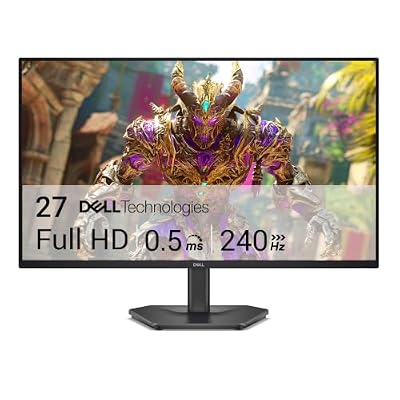
- Premium Choice: Dell 27 240Hz Gaming Monitor – SE2726HG – 27-inch FHD (1920×1080) Display, in-Plane Switching (IPS) Technology, AMD FreeSync Premium, TÜV 3-Star, 2X HDMI, DisplayPort 1.4, Tilt
Built-in speakers on a gaming monitor are one of those features that sound like a nice bonus until you actually use them. The honest truth: most monitor speakers are mediocre, some are genuinely unusable, and a $30 desk speaker or any decent headset will outperform almost all of them. So the real question isn’t “which monitor has the best speakers” — it’s “which monitor has speakers good enough that you don’t need to buy anything else for casual use, Discord calls, or background video while you game.”
That reframing matters because it changes what you should actually pay attention to when shopping.
As an Amazon Associate we earn from qualifying purchases at no extra cost to you.




Why monitor speakers are usually bad
Monitors are thin. Speaker drivers need volume behind them to produce bass, and a panel that’s 30-50mm deep has nowhere to put that. Most built-in speakers are 2W-5W per channel, fire downward or backward out of the stand, and roll off hard below 150Hz. That’s why dialogue and UI sounds come through fine but explosions and music sound flat and boxy. Even monitors marketed with “stereo speakers” from brands like Samsung, LG, and ASUS usually fall into this range unless the monitor is from a higher-tier gaming line that explicitly advertises wattage.
The monitors worth looking at for this feature tend to fall into two camps: ultrawide and high-end gaming panels that pack in 2x5W speakers as a genuine selling point, and budget-to-midrange 1080p/1440p monitors that include speakers mostly so you don’t need an external DAC or amp for basic use.
What actually matters when the speakers matter
If you want the built-in speakers to actually get used instead of ignored, look for three things:
- Wattage per channel. 2x3W is background-noise-only territory. 2x5W or higher starts to feel like a real desktop speaker replacement. Some ultrawide gaming monitors go further with built-in subwoofers or 2.1 setups.
- Downward-firing vs forward-firing. Downward-firing speakers bounce sound off your desk, which works okay on a wood desk and poorly on a glass or cluttered one. Forward-firing speakers project directly at you and are noticeably clearer for dialogue and footsteps.
- DTS or similar certification. Not a guarantee of quality, but it usually means the manufacturer tuned the EQ instead of just bolting on generic drivers.
None of this will replace a 2.1 desktop speaker set or an open-back headset for competitive FPS play, where you need precise positional audio. But for single-player games, YouTube in the background, or Discord with friends, a monitor with decent built-in speakers means one less cable and one less thing on your desk.
Does panel type or refresh rate affect speaker quality?
No, these are unrelated hardware decisions, but they do affect which monitors you’ll find speakers on. VA panels dominate the budget curved and ultrawide space, and that’s where manufacturers tend to add bigger speaker modules because the chassis is wider and deeper. IPS panels, especially high-refresh 1440p and 4K competitive monitors, trend toward thinner designs with minimal or no speakers at all, because the target buyer is assumed to be using a headset anyway. TN panels, mostly on 1080p 144Hz-240Hz budget monitors, almost always have the weakest speakers since the whole product is built around shaving cost.
So if built-in audio is a real priority, you’re more likely to find it on a 1440p ultrawide VA panel at 144Hz than on a thin-bezel 240Hz esports monitor. That’s a trade-off worth knowing before you shop by refresh rate alone.
Rough comparison by category
| Monitor type | Typical speaker spec | Usable for | Refresh rate range |
|---|---|---|---|
| Budget 1080p TN/IPS | 2x2W, downward-firing | System sounds, notifications only | 144Hz-180Hz |
| Midrange 1440p IPS | 2×3-4W, mixed firing direction | Casual video, light gaming | 144Hz-165Hz |
| Ultrawide VA/IPS | 2x5W+, often forward-firing | Movies, music, co-op gaming | 100Hz-165Hz |
| Premium OLED/QD gaming | Varies widely, some omit speakers entirely | Depends heavily on model | 165Hz-240Hz |
The pattern holds across most brands: the more a monitor is optimized purely for competitive refresh rate and response time, the more likely speakers were an afterthought or left out. The more a monitor leans into “all-in-one entertainment,” the more likely you get real audio hardware.
What to actually buy
If you’re buying primarily for gaming performance and only want built-in speakers as a convenience for the rare moment you’re not wearing a headset, don’t overthink it — almost any 1440p 144Hz gaming monitor will have speakers adequate for YouTube and Discord. Don’t pay a premium chasing “better” built-in audio at this tier; it’s not there to be found.
If audio quality from the monitor itself genuinely matters to you — say, you game in a shared room and don’t want a separate speaker setup — look specifically at ultrawide gaming monitors with built-in speakers, since that’s where the wattage and driver size actually go up. Check the spec sheet for watts per channel before buying, not just the word “speakers” in the marketing copy.
And if you’ve already decided speakers matter enough to be a deciding factor, it’s worth comparing that against just buying a cheap desktop computer speaker set instead. A $25-$40 pair of 2.0 or 2.1 speakers will outperform every built-in monitor speaker on this list, take up minimal desk space, and let you buy the monitor purely on panel quality and refresh rate — which is what actually determines how good your games look and feel.















