An RPG monitor is not an esports monitor with the brightness turned down. Long sessions in dark dungeons, torch-lit towns and night-time open worlds reward contrast, black depth, colour coverage and screen real estate far more than they reward a 360 Hz refresh rate. A panel that renders a cave as flat grey fog ruins the atmosphere no matter how fast it is, while a high-contrast panel with real HDR makes the same scene look the way the art team intended. This guide ranks five monitors for exactly that job, comparing size, panel type, resolution, refresh rate, ports and VRR support, with immersion as the deciding factor.
The priorities, in order, are: contrast and black levels for dark scenes, HDR capability that goes beyond a badge on the box, colour gamut coverage for rich fantasy and sci-fi palettes, and enough size or width to fill your field of view. Refresh rates of 144 Hz to 165 Hz are plenty for the genre, and every pick here includes variable refresh rate support so frame pacing stays smooth when a demanding area drags performance down. Readers comparing the wider market can also work through our full gaming monitor roundup, reviewed and compared before narrowing down to the RPG-specific strengths below.
As an Amazon Associate we earn from qualifying purchases.
Alienware AW3423DWF — Best Ultrawide Immersion

The AW3423DWF is the immersion pick in its purest form. Its 34-inch QD-OLED panel wraps a 3440 x 1440 image around an 1800R curve, so a game world extends into your peripheral vision instead of ending at a bezel. Because each pixel emits its own light, blacks in night scenes and dungeons are true black rather than dark grey, and Dell rates the panel for 99.3 percent DCI-P3 coverage with VESA DisplayHDR True Black 400 certification. Peak brightness is rated at up to 1,000 nits in small HDR highlights, which is where torch flames, spell effects and sunsets get their punch.
At 165 Hz over DisplayPort with AMD FreeSync Premium Pro, motion stays smooth in exploration and combat alike, and the 0.1 ms grey-to-grey response time Dell quotes means no visible smearing behind moving characters. Connectivity is one DisplayPort 1.4 and two HDMI 2.0 ports, so console players should note the HDMI refresh ceiling of 100 Hz at this resolution. This is the pick for PC players who play story-driven and open-world RPGs at a desk and want the world to surround them.
Specs
- Size and panel: 34.18-inch QD-OLED, 1800R curved
- Resolution: 3440 x 1440 (21:9)
- Refresh rate: 165 Hz (DisplayPort), 100 Hz (HDMI)
- HDR and colour: DisplayHDR True Black 400, 99.3% DCI-P3, up to 1,000-nit peak highlights
- VRR: AMD FreeSync Premium Pro
- Ports: 1x DisplayPort 1.4, 2x HDMI 2.0, USB hub
LG UltraGear 32GS95UE-B — Best 4K OLED for Dark Scenes

The 32GS95UE-B pairs a 31.5-inch 4K WOLED panel with per-pixel light control, so it delivers the same true-black advantage as the Alienware at a sharper 3840 x 2160 resolution and in a conventional 16:9 shape that suits PC and console players equally. LG certifies it to DisplayHDR True Black 400 and rates colour coverage at 98.5 percent of DCI-P3, which keeps saturated spell effects and skin tones accurate instead of neon. Two HDMI 2.1 ports mean a PS5 or Xbox Series X can run at 4K and 120 Hz with VRR, and AMD FreeSync Premium Pro plus NVIDIA G-Sync compatibility cover PC graphics cards from both camps.
Its headline extra is Dual Mode: 240 Hz at 4K for RPG sessions, or a switch to 1080p at 480 Hz for the occasional competitive detour. RPG players will live in the 4K mode, where the 0.03 ms grey-to-grey response LG quotes keeps camera pans clean. This is the pick for players who want one premium 16:9 screen for cinematic RPGs on both PC and console.
Specs
- Size and panel: 31.5-inch WOLED (OLED), flat
- Resolution: 3840 x 2160 (4K UHD)
- Refresh rate: 240 Hz at 4K, 480 Hz at 1080p (Dual Mode)
- HDR and colour: DisplayHDR True Black 400, 98.5% DCI-P3
- VRR: AMD FreeSync Premium Pro, NVIDIA G-Sync Compatible
- Ports: 2x HDMI 2.1, 1x DisplayPort 1.4, USB hub
Samsung Odyssey Neo G7 32-Inch — Best Mini LED HDR Impact

Not everyone wants OLED, and the Neo G7 is the strongest argument for the alternative. Its 32-inch VA panel uses a Quantum Mini LED backlight with 1,196 local dimming zones, so bright HDR highlights and dark backgrounds coexist in the same frame with far less of the grey haze a basic edge-lit panel produces. Samsung markets the HDR performance under its Quantum HDR 2000 label and rates the panel at 95 percent DCI-P3 coverage. The aggressive 1000R curve pulls the edges of the 4K image closer, which suits single-player games played close to the screen.
Refresh rate is 165 Hz with a quoted 1 ms response, and VRR support covers both AMD FreeSync Premium Pro and G-Sync compatibility. Two HDMI 2.1 ports and one DisplayPort 1.4 handle PC and current consoles at full specification. Bright-room players benefit most here: a Mini LED backlight sustains high full-screen brightness in a way OLED panels do not, so daytime sessions in a lit room keep their HDR contrast. This is the pick for players who want maximum HDR punch and no OLED burn-in considerations on static RPG interfaces.
Specs
- Size and panel: 32-inch VA with Quantum Mini LED backlight, 1000R curved
- Resolution: 3840 x 2160 (4K UHD)
- Refresh rate: 165 Hz
- HDR and colour: Quantum HDR 2000, 1,196 local dimming zones, 95% DCI-P3
- VRR: AMD FreeSync Premium Pro, G-Sync Compatible
- Ports: 2x HDMI 2.1, 1x DisplayPort 1.4, USB hub
Gigabyte M32U — Best 4K IPS All-Rounder

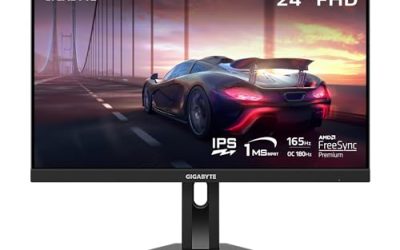
The M32U is the practical 4K option. Its 32-inch Super Speed IPS panel cannot match OLED or Mini LED black levels — IPS contrast is the known trade-off — but it answers with 144 Hz at 3840 x 2160, 90 percent DCI-P3 coverage, and a flat screen that doubles comfortably for work and general use between gaming sessions. DisplayHDR 400 certification is modest, so treat HDR here as a bonus rather than the main event; the strength of this monitor is sharp, colour-accurate 4K gaming with no burn-in concerns and no curve.
Connectivity is a genuine highlight: two HDMI 2.1 ports for consoles at 4K 120 Hz, DisplayPort 1.4 for PC, and a USB-C input with a built-in KVM switch for players who share the desk with a laptop. AMD FreeSync Premium Pro handles VRR on the PC side. This is the pick for players who want one 4K screen for RPGs, everyday desktop use and console play, and who play in normally lit rooms where IPS contrast limits are least visible.
Specs
- Size and panel: 32-inch SS IPS, flat
- Resolution: 3840 x 2160 (4K UHD)
- Refresh rate: 144 Hz
- HDR and colour: DisplayHDR 400, 90% DCI-P3
- VRR: AMD FreeSync Premium Pro
- Ports: 2x HDMI 2.1, 1x DisplayPort 1.4, USB-C with KVM, USB hub
Dell S3422DWG — Best Value Ultrawide for Story Games

The S3422DWG brings the ultrawide experience to a far more accessible tier. Its 34-inch VA panel delivers 3440 x 1440 resolution on an 1800R curve, and VA technology gives it a maker-rated 3000:1 contrast ratio — roughly triple a typical IPS panel — which is exactly the specification that keeps night scenes and shadowed interiors looking deep rather than washed out. Colour coverage is rated at 90 percent of DCI-P3, and the panel carries a DisplayHDR 400 certification, so HDR is present but entry-level; set expectations accordingly and let the contrast do the work.
Refresh rate is 144 Hz over DisplayPort and 100 Hz over HDMI, with AMD FreeSync Premium Pro for tear-free VRR gaming, and Dell quotes 1 ms MPRT and 2 ms grey-to-grey response. Ports are two HDMI 2.0 and one DisplayPort 1.4. Console players should remember that consoles do not output a 21:9 image, so this is a PC-first pick. For PC players building an RPG setup around atmosphere rather than flagship specifications, it covers the two things that matter most — width and contrast.
Specs
- Size and panel: 34-inch VA, 1800R curved
- Resolution: 3440 x 1440 (21:9)
- Refresh rate: 144 Hz (DisplayPort), 100 Hz (HDMI)
- HDR and colour: DisplayHDR 400, 90% DCI-P3, 3000:1 contrast ratio
- VRR: AMD FreeSync Premium Pro
- Ports: 1x DisplayPort 1.4, 2x HDMI 2.0, USB hub
How to Choose a Gaming Monitor for RPG Play
Start with contrast, not speed. OLED panels switch pixels off completely, Mini LED VA panels dim their backlight in zones, and standard IPS panels do neither — that ordering is also the ordering of black quality in a dark game scene. Second, read HDR claims carefully: DisplayHDR True Black 400 on an OLED and a high-zone-count Mini LED are meaningful HDR implementations, while a plain DisplayHDR 400 badge on an edge-lit IPS panel is not, and the sections above label each pick honestly on this point.
Third, match resolution to your graphics card. Driving 4K at high settings in a modern RPG is demanding work; players on mid-range cards will often get a better experience from a 3440 x 1440 ultrawide, which asks noticeably less of the GPU while adding width. Fourth, check the ports against your machines: HDMI 2.1 is required for 4K at 120 Hz from a current console, while PC players should confirm DisplayPort is available for the panel’s maximum refresh rate. Finally, keep VRR enabled on whatever you buy — RPG frame rates swing between quiet towns and heavy combat, and FreeSync or G-Sync support is what keeps those swings from turning into tearing and stutter.