As an Amazon Associate we earn from qualifying purchases.


A gaming laptop for competitive FPS is judged by a different standard than a laptop bought for story games. In Valorant, Counter-Strike 2, Apex Legends or Rainbow Six Siege, the frame rate has to stay high and stable in busy fights, the display has to present those frames with little delay and smearing, and the cooling has to hold up through long ranked sessions. A fast GPU badge alone tells you very little, because the same graphics chip can be configured at very different power limits in different chassis.
This guide compares five laptops that meet the core requirement — a 240Hz display paired with a strong CPU and GPU — and explains what to check before you buy: the GPU power limit, the panel, the memory and storage fitted to the exact listing, the upgrade path for that specific model, the ports, and the warranty position.
What Actually Matters for Competitive FPS
GPU power limit (TGP). Laptop GPUs are sold at several power ceilings. A higher-wattage implementation generally sustains higher clock speeds than a low-wattage one in a thin chassis, so two laptops with the same GPU name are not automatically equal. Always check the wattage published for the exact model.
CPU performance. Esports titles are often CPU-limited once settings are lowered for visibility and frame rate. A high-end HX-class Intel processor or a strong AMD Ryzen AI chip keeps minimum frame rates up in crowded rounds.
Display refresh rate and response. A 240Hz panel is the practical floor for serious competitive play, and response time matters as much as the headline rate. Fast IPS and OLED panels reduce ghosting on strafing targets. A MUX switch or Advanced Optimus, which lets the discrete GPU drive the display directly, removes a latency bottleneck on designs that route frames through the integrated GPU.
Memory and storage as listed. Dual-channel memory helps frame-rate consistency, and 32GB is the comfortable specification for playing, recording and voice chat together. A second M.2 slot or socketed RAM decides whether the machine can grow or is fixed at its factory specification.
Ports and networking. Wired Ethernet removes Wi-Fi jitter entirely, so an RJ45 port is a real advantage at a desk or LAN. HDMI or DisplayPort over USB-C matters for an external monitor, and if you plan to play mainly on a separate screen, compare options against our guide to the best gaming monitor for competitive play before deciding how much budget belongs in the laptop panel.
Warranty and seller. Confirm whether the listing is a standard manufacturer configuration or a reseller-upgraded unit, since the warranty route can differ from a factory-sealed model.
The Five Picks
1. ASUS ROG Strix SCAR 16 (2025) — The Full-Power Flagship
The SCAR line is ASUS’s no-compromise esports range, and the 2025 SCAR 16 in this G635LW-XS97 configuration pairs an Intel Core Ultra 9 275HX with a GeForce RTX 5080 Laptop GPU and a 16-inch 2.5K ROG Nebula HDR Mini LED panel at 240Hz with a 3ms response time. The chassis is built around sustained power and cooling rather than thinness, so this is the pick for players who want the strongest frame-rate headroom at native 2560 x 1600 and will play plugged in at a desk. This listing’s factory specification is 32GB of DDR5 and a 2TB PCIe Gen 4 SSD, with Wi-Fi 7 and Windows 11 Pro.
Upgrade path: socketed DDR5 SO-DIMM memory can be replaced or expanded after purchase, and two M.2 slots cover SSD upgrades, making this one of the easiest flagships to keep current.
Specs
- CPU: Intel Core Ultra 9 275HX
- GPU: NVIDIA GeForce RTX 5080 Laptop GPU
- Display: 16-inch 2.5K (2560 x 1600) 240Hz, 3ms, ROG Nebula HDR Mini LED
- RAM: 32GB DDR5, socketed SO-DIMM, upgradeable
- Storage: 2TB PCIe Gen 4 SSD, two M.2 slots
2. Lenovo Legion Pro 7i — Proven HX Performance
This Legion Pro 7i configuration combines an Intel Core i9-13900HX with a GeForce RTX 4080 Laptop GPU, 32GB of DDR5 memory and a 2TB SSD behind a 16-inch WQHD IPS display at 240Hz. Lenovo publishes this generation of the Legion Pro 7i with the RTX 4080 running at up to 175W, the maximum power class for that chip — exactly what a competitive player should look for, because the GPU name and the wattage behind it agree. Per-key RGB, Wi-Fi 6E and rear-facing ports that keep cables off the mouse area suit a permanent desk setup.
Upgrade path: this generation has two SO-DIMM slots, so memory is user-upgradeable, and two M.2 slots for storage expansion. That openness makes it a strong long-term platform even though the processor is a generation behind the newest flagship above.
Specs
- CPU: Intel Core i9-13900HX
- GPU: NVIDIA GeForce RTX 4080 Laptop GPU, up to 175W
- Display: 16-inch WQHD (2560 x 1600) IPS 240Hz
- RAM: 32GB DDR5, two SO-DIMM slots, upgradeable
- Storage: 2TB SSD, two M.2 slots
3. Razer Blade 16 (2025) — The Portable OLED Option
The 2025 Blade 16 in this configuration pairs an AMD Ryzen AI 9 HX 370 with a GeForce RTX 5090 Laptop GPU, 32GB of DDR5 and a 2TB SSD, driving a 16-inch QHD+ OLED display at 240Hz. OLED’s near-instant pixel response is a genuine competitive asset, and the thin aluminium chassis is far easier to carry to a LAN than the bigger machines here. The trade-off is physics — a slim chassis cannot sustain the same GPU power as a thick flagship, so the Blade prioritises portability and response over sustained wattage.
Upgrade path: the DDR5 memory is socketed and user-replaceable rather than soldered, and the M.2 SSD can be swapped for a larger drive. Confirm the exact slot configuration on Razer’s specification before planning a specific upgrade.
Specs
- CPU: AMD Ryzen AI 9 HX 370
- GPU: NVIDIA GeForce RTX 5090 Laptop GPU
- Display: 16-inch QHD+ (2560 x 1600) OLED 240Hz
- RAM: 32GB DDR5, socketed, upgradeable
- Storage: 2TB SSD, M.2, upgradeable
4. MSI Raider GE68Hx — High Power Without the Flagship GPU

The Raider GE68Hx, in MSI’s own 13VG-047US configuration, is the value-minded route to a full-power chassis: an Intel Core i9-13950HX, a GeForce RTX 4070 Laptop GPU, 32GB of DDR5 and a 2TB NVMe SSD, with a 16-inch QHD+ display at 240Hz. For esports titles at competitive settings, an RTX 4070 in a high-power Raider chassis with Cooler Boost 5 cooling is more than sufficient to feed a 240Hz panel, and the HX processor keeps minimum frame rates healthy. Thunderbolt 4 and USB-C cover docks and external displays.
Upgrade path: the GE68Hx provides two SO-DIMM slots for memory and two M.2 slots for storage, so both can grow over the machine’s life. Because this is a named MSI factory configuration, the warranty position is the standard manufacturer one — still verify the seller on the listing page.
Specs
- CPU: Intel Core i9-13950HX
- GPU: NVIDIA GeForce RTX 4070 Laptop GPU
- Display: 16-inch QHD+ (2560 x 1600) 240Hz
- RAM: 32GB DDR5, two SO-DIMM slots, upgradeable
- Storage: 2TB NVMe SSD, two M.2 slots
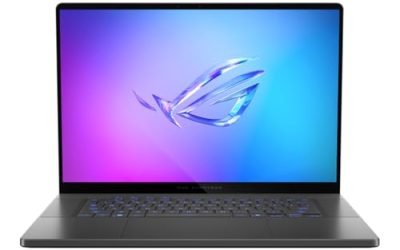
5. ASUS ROG Zephyrus G16 — Lightweight, With One Big Caveat

The Zephyrus G16 is the travel pick: an Intel Core Ultra 9 185H and a GeForce RTX 4070 Laptop GPU in a slim 16-inch chassis with a 240Hz OLED display, listed here with 16GB of memory and a 2TB PCIe 4.0 SSD. The OLED panel’s response is ideal for fast shooters, and the machine is light enough to live in a backpack. Its GPU runs in a lower power class than the SCAR or Raider — the honest cost of the thin design — and at competitive settings it still drives high frame rates.
The caveat is memory: the G16’s LPDDR5X RAM is soldered and cannot be upgraded, so this listing’s 16GB is what you keep for the life of the laptop. The SSD, by contrast, sits in an M.2 slot and can be replaced. Buy it only if the factory memory is enough, and check the listing carefully, because this configuration is sold with bundled accessories by resellers, which makes confirming the warranty route especially important.
Specs
- CPU: Intel Core Ultra 9 185H
- GPU: NVIDIA GeForce RTX 4070 Laptop GPU
- Display: 16-inch OLED WQXGA (2560 x 1600) 240Hz
- RAM: 16GB LPDDR5X, soldered, not upgradeable
- Storage: 2TB PCIe 4.0 SSD, M.2 slot, upgradeable
How to Choose Between Them
Start with where you play. A fixed desk setup favours the SCAR 16 or the Legion Pro 7i, where thick chassis and full GPU power are pointed at maximum, stable frame rates. Regular travel favours the Blade 16 or the Zephyrus G16, accepting lower sustained GPU power in exchange for a machine you will actually carry — but on the Zephyrus the soldered-memory decision is permanent, while the Blade keeps a socketed upgrade path.
Next, match the GPU to your titles. Esports games at competitive settings are far lighter than AAA releases, so the Raider GE68Hx is a rational buy if shooters are your whole library; step up to the Legion or SCAR if you also play demanding titles at native resolution. In every case, verify the GPU power limit, confirm the RAM and SSD fitted to the specific listing, and check ports and warranty before buying.