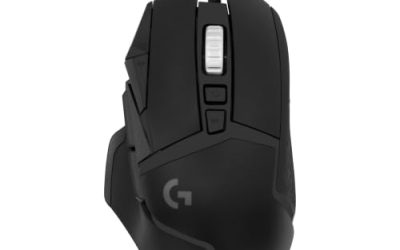
Choosing a wireless mouse for claw grip is a shape decision wearing a spec sheet costume. The sensors here are all fast enough and the radios stable at 1,000 Hz, so neither settles it. What decides comfort is where the hump sits and how narrow the waist is: claw players steer with curled fingers and brace the shell against the palm base, so a hump that arrives too early or a body that spreads the fingers too wide turns every micro-adjustment into work.


This guide is for competitive FPS players who run an aggressive claw, relaxed claw players who mix in palm contact during long sessions, and smaller-handed players who need a shorter shell. Every pick is a symmetrical wireless mouse under 61 g with listed dimensions to judge the shape by, and each suits a slightly different claw style. Products were chosen from names and specifications on their Amazon listings, including the grip styles the makers recommend.
Quick Picks
As an Amazon Associate we earn from qualifying purchases.
| Product | Best for | Key spec from title |
|---|---|---|
| Pulsar X2V2 | The classic claw shape with a supportive rear hump | PixArt PAW3395, 26,000 DPI, 53 g |
| Razer Viper V3 Pro | Aggressive claw and fingertip aim at 8K polling | Focus Pro 35K sensor, 8K dongle included, 54 g |
| Logitech G Pro X Superlight 2 | Relaxed claw on a safe shape with long battery life | HERO 2 sensor, 60 g, up to 95 hours |
| HyperX Pulsefire Haste 2 Wireless | Claw grip plus Bluetooth for a second machine | HyperX 26K sensor, 61 g, up to 100 hours |
How to Choose
Start With Hump Position, Not Hump Height Alone
Claw grip works when the back of the shell meets the palm base and gives your curled fingers something to pull against. A rear-set hump, like the one on the X2V2, supports an aggressive claw where only the fingertips and palm base touch. A lower, more centered hump, like the Superlight 2 carries, suits a relaxed claw that keeps more palm contact. Compare the listed height, around 38 to 40 mm on every pick here, with where that height peaks. Two mice with identical heights can feel completely different depending on that peak position.
Check Grip Width and Waist Shape Separately
Overall width is a shell measurement, but your fingers care about grip width, the distance they actually span at the waist. Claw players curl their fingers inward, so a narrower waist with sides that taper lets the thumb and ring finger pinch the mouse for lift-offs and fine corrections. The X2V2 measures 63 mm across with a wide-waist symmetrical body, while the Viper V3 Pro’s flatter sides spread the fingers slightly more. If your current mouse forces your fingers straight, a narrower waist will feel like a bigger upgrade than any sensor change.
Keep Weight Under Roughly 60 Grams, Then Forget About It
Below about 60 g, a wireless mouse stops resisting your fingers during the constant small lifts and resets that claw grip demands. Every pick here sits between 53 and 61 g, which is the practical sweet spot for most hands. Chasing the last few grams matters less than balance: a mouse that carries its weight evenly lets the fingers steer, while a rear-heavy shell drags against the palm brace. Once you are under that threshold, choose by shape and battery rather than by the scale.
Treat High Polling as a Battery Budget, Not a Free Upgrade
Standard 1,000 Hz wireless is already a 1 ms report rate, and every mouse here does it. Higher polling needs the right receiver: the Viper V3 Pro includes its HyperPolling dongle for up to 8,000 Hz in the box, while the X2V2 is 4K-ready only with a separate Pulsar dongle. Battery claims are quoted at 1,000 Hz, and running 8,000 Hz cuts runtime dramatically, so plan to charge far more often. Also keep the receiver close and clear of metal desk frames, because placement causes more stutter than the radio itself.
The 4 Best Options
Pulsar X2V2
The X2V2 is the reference claw shape in this guide, and Pulsar says so itself: the listing’s shape notes recommend it for claw and fingertip grips. The symmetrical shell measures 120.4 mm long and 38 mm tall, with a wide waist and a hump that supports the palm base without pushing the fingers flat. At 53 g it stays easy to lift and reset, the PixArt PAW3395 tracks up to 26,000 DPI with 650 IPS, optical switches rated at 90 million clicks remove double-click worries, and the Pulsar Blue encoder keeps the wheel steps distinct under curled fingers.
Specs
- Sensor: PixArt PAW3395, up to 26,000 DPI, 650 IPS, 50G acceleration
- Switches: optical, rated 90 million clicks
- Polling rate: 1,000 Hz, 4K-ready with a separate Pulsar dongle
- Weight: 53 g
- Dimensions: 120.4 x 63 x 38 mm
- Connection: 2.4 GHz wireless and wired USB-C
- Battery life: up to 70 hours per the listing
Best for: claw and fingertip players with medium hands who want the classic X2 shape and a supportive rear hump.
Watch out for: there are only five buttons and no top DPI switch, and 4K polling requires buying Pulsar’s dongle separately.
ASIN: B0CH9Z587R
Razer Viper V3 Pro
The Viper V3 Pro is the aggressive end of this list: a flat-sided, 54 g symmetrical shell that rewards players who steer almost entirely with their fingers. Razer’s Focus Pro 35K optical sensor, in its second generation, tracks up to 35,000 DPI at 750 IPS, and the included HyperPolling wireless dongle unlocks true 8,000 Hz polling without a second purchase. Gen-3 optical switches are rated for 90 million clicks, battery life reaches up to 95 hours at 1,000 Hz, and six programmable buttons cover the standard FPS layout with nothing extra to knock mid-flick.
Specs
- Sensor: Razer Focus Pro 35K Optical Gen-2, up to 35,000 DPI, 750 IPS, 70G
- Polling rate: up to 8,000 Hz wireless with the included HyperPolling dongle
- Switches: Razer Optical Gen-3, rated 90 million clicks
- Buttons: 6 programmable
- Weight: 54 g in black
- Battery life: up to 95 hours at 1,000 Hz
- Connection: HyperSpeed 2.4 GHz wireless and wired USB-C
Best for: aggressive claw and fingertip FPS players who want 8K polling with the dongle already in the box.
Watch out for: battery life falls steeply at 8,000 Hz, and the flat sides give relaxed claw and palm players very little to rest against.
ASIN: B0CW25XR5R
Logitech G Pro X Superlight 2
The Superlight 2 is the relaxed claw option, built on the rounded, taller shell that has been the safe competitive default for years. That extra fullness supports the palm during long sessions while still letting the fingers curl for claw corrections, which makes it the easiest recommendation for players who switch grips by game. The HERO 2 sensor reaches 32,000 DPI, LIGHTFORCE hybrid switches pair optical speed with a mechanical feel, polling goes up to 2,000 Hz, and the battery is rated for up to 95 hours, the joint-longest figure in this guide alongside the Viper.
Specs
- Sensor: HERO 2, up to 32,000 DPI
- Switches: LIGHTFORCE hybrid optical-mechanical
- Polling rate: up to 2,000 Hz wireless
- Weight: 60 g
- Battery life: up to 95 hours
- Connection: LIGHTSPEED 2.4 GHz wireless and wired USB-C charging
Best for: relaxed claw and palm-claw players who want the safest shape and the least charging.
Watch out for: the fuller, rounded shell feels bulky if you run a hard, fingertip-leaning claw, and there is no top-mounted DPI button for quick changes.
ASIN: B09NBWL8J5
HyperX Pulsefire Haste 2 Wireless

The Haste 2 Wireless brings claw-friendly numbers to a friendlier tier: 61 g, a symmetrical shell, and a sensor rated up to 26,000 DPI. Its hump sits mid-back, which suits a natural claw that keeps light palm contact, and the dual wireless design is the practical difference here. The 2.4 GHz connection handles gaming at 1,000 Hz while Bluetooth pairs with a laptop or second machine without moving the receiver, and battery life is listed at up to 100 hours, the longest claim in this guide. It is the one pick that can live on two desks at once.
Specs
- Sensor: HyperX 26K, up to 26,000 DPI
- Connection: 2.4 GHz wireless, Bluetooth, and wired USB-C
- Polling rate: 1,000 Hz
- Weight: 61 g
- Battery life: up to 100 hours per the listing
Best for: claw players who split time between a gaming PC and a laptop and want one mouse for both.
Watch out for: polling stops at 1,000 Hz with no high-polling dongle option, and the mid-back hump gives aggressive claw grips less rear support than the X2V2.
ASIN: B0BX52C4LN
Which One Fits Your Situation
You Play Aggressive Claw in Tactical Shooters
Pick the X2V2. Its rear hump gives your palm base a fixed anchor, the waist lets your fingers pinch and lift without slipping, and 53 g keeps repeated resets cheap over a long match. This is the shape most claw players picture, and the listing’s own grip recommendation agrees. The 90 million click optical switches are a welcome bonus for high-APM play.
You Want the Fastest Wireless Link for Ranked FPS
Pick the Viper V3 Pro. It is the only mouse here that ships with its high-polling dongle included, reaching 8,000 Hz out of the box, and its flat sides and 54 g shell suit a hard claw or fingertip style. Just accept the charging routine that 8K polling demands. No other pick pairs that polling rate with this little weight.
You Claw in FPS but Palm Everything Else
Pick the Superlight 2. The rounded shell supports both grips without punishing either, the 95-hour battery survives weeks of mixed use, and the shape is the most forgiving here for medium and larger hands. It is the lowest-risk buy if you are unsure which claw variant you really use, and the HERO 2 sensor keeps it fully competitive when ranked starts.
One Mouse Has to Cover Gaming and a Work Laptop
Pick the Haste 2 Wireless. Bluetooth pairing means the laptop needs no receiver and no cable swap, the 2.4 GHz link covers gaming at home, and the listed 100-hour battery stretches furthest between charges. Its mid-back hump keeps a natural claw comfortable through both jobs, and at 61 g it is only a gram heavier than the Superlight 2.
Common Mistakes
- Choosing by sensor specification while ignoring hump position, which is the part your hand actually judges.
- Assuming the lightest mouse is automatically the best claw mouse, then fighting a shell with no rear support.
- Leaving the wireless receiver buried behind the PC or under a metal desk frame and blaming the mouse for stutter.
- Running 8,000 Hz polling full-time, then treating the sharply shorter battery life as a defect.
- Comparing overall shell width instead of grip width when checking whether your fingers can curl around the waist.
Frequently Asked Questions
What shape makes a mouse good for claw grip?
Look for a hump that peaks toward the rear or center of the shell, a height around 38 to 40 mm, and a waist your fingers can pinch. That geometry lets the palm base brace the mouse while curled fingers steer. The X2V2 is the clearest example here, and its listing recommends it for claw and fingertip grips.
Is 8,000 Hz polling worth it for claw players?
Only if the rest of your setup supports it and you accept the trade-offs. The jump from 1,000 Hz is subtle, the dongle must be the high-polling model, and battery life drops sharply while it runs. The Viper V3 Pro includes that dongle; the X2V2 needs one bought separately, which should factor into the real cost.
Can palm grip players use these mice?
The Superlight 2, yes: its fuller rounded shell supports a palm or palm-claw hybrid comfortably. The Viper V3 Pro and X2V2 are harder work for full palm grips because their humps sit lower and further back, leaving the front of the palm unsupported. Hand size matters too, since all four shells here are medium or smaller.
How do I check whether my hand fits a 120 mm shell?
Measure from the tip of your middle finger to the crease at the base of your palm. Hands around 17 to 19.5 cm generally suit the roughly 120 mm shells in this guide for claw grip. Longer hands usually feel better on the fuller Superlight 2, while shorter hands get the cleanest curl on the X2V2.