Affiliate disclosure: As an Amazon Associate we earn from qualifying purchases. This post contains affiliate links — if you buy through them we may earn a small commission at no extra cost to you. This never affects our recommendations.
A gaming lap desk creates a stable platform for laptop gaming, controller setups, keyboard and mouse configurations, or tablet gaming from the couch, bed, or any non-desk surface. The best gaming lap desks include integrated mouse pad surfaces, USB hubs, adjustable heights, and sufficient surface area for full keyboard-and-mouse gameplay. Couch gaming has grown from casual casual browsing to serious gameplay territory — the right lap desk makes it genuinely viable.
As an Amazon Associate we earn from qualifying purchases at no extra cost to you.


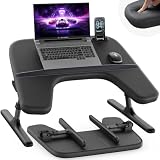


In a hurry? See the top-rated Gaming Lap Desk deals available right now:
🛒 Check Gaming Lap Desk Prices on Amazon →🛒 Best Price Today on Amazon
Prime members get fast, free shipping on everything above, plus member-only deals. New members get a 30-day free trial — cancel anytime.
Start 30-Day Prime Free Trial →See Today’s Amazon DealsBest Overall: LapGear Home Office Lap Desk — Balanced Feature Set
The LapGear Home Office Lap Desk provides a smooth surface large enough for a full-size keyboard plus mouse movement, a cushioned bottom that distributes weight across the lap without creating pressure points, and a built-in device ledge for phones or tablets. The mouse pad section is integrated rather than attached — no edge lifting or separation over time. Available in multiple sizes to match different laptop sizes (up to 17.3″). Best overall gaming lap desk for laptop gamers who want a stable, spacious platform.

Best Adjustable: Avantree Neetto Height Adjustable Lap Desk — Flexible Positioning
Adjustable leg height makes the Avantree Neetto versatile across different seating positions — higher for sitting upright, lower for reclined positions. The foldable legs adjust from 4 to 8 inches, accommodating seating variations and different user heights. USB cooling fans (for laptop temperature management) and a storage drawer for game accessories add practical value. Best adjustable gaming lap desk for users who game across multiple seating positions.
Best with Mouse Pad: HUANUO Lap Desk — Integrated Extended Mouse Surface
The HUANUO extends the right side of the platform with a dedicated mouse pad area that provides a smooth, low-friction surface for gaming mouse tracking — a significant upgrade over regular lap desks that force gaming mice onto the same surface as the keyboard. The wrist rest cutout reduces arm fatigue during extended sessions. Foldable support legs elevate the desk surface at an ergonomic angle. Best gaming lap desk for keyboard-and-mouse couch gaming.

Best with Storage: Ontel Lap Desk with Storage Drawer — Organized Couch Gaming
Ontel’s lap desk integrates a storage drawer beneath the main surface, creating a dedicated space for game controllers, charging cables, earbuds, and small accessories that typically scatter across couch cushions during gaming sessions. The main surface provides adequate keyboard-and-laptop space. USB ports on the side add peripheral connectivity. Best gaming lap desk for organization-focused couch gamers.
Couch Gaming Setup Guide
Wireless Peripherals for Couch Gaming
Couch gaming fundamentally favors wireless — cable management is impractical at couch distance from a PC. Wireless keyboard (Logitech K780, MX Keys), wireless mouse (G305, Logitech MX Anywhere), and Bluetooth or 2.4GHz headset complete the cable-free couch gaming experience. USB wireless adapters plug into the lap desk’s integrated hub or a nearby USB extension cable from the PC.

Display Options for Couch Gaming
Direct TV output (HDMI from PC to TV): best image quality, requires PC position near TV or long HDMI cable. Streaming via Steam Link or Moonlight (network game streaming from gaming PC): enables couch gaming without physical cable connection, latency acceptable on local network. Laptop couch gaming with lap desk: fully self-contained, no external display required.
The four picks above cover the main lap desk styles, yet the guide leaves several buying decisions unanswered. The sections below close those gaps: a side-by-side comparison of four further picks, a checklist for matching a board to a laptop and a lap, setup and care guidance, the cases where a lap desk is the wrong buy, the mistakes that waste money, and answers to the questions buyers ask most often before ordering.
How the New Picks Compare
The four new picks below fill the holes in the current lineup: a ventilated bamboo board for hot-running laptops, a light-equipped board for dark rooms, a natural wood board with strong heat handling, and a large cushioned board for 17-inch machines. Use this table to narrow the choice before reading the full notes on each model.
| Model | Surface | Fits laptops up to | Cushion | Standout feature |
|---|---|---|---|---|
| Couchmaster CYBOT Premium | Bamboo, ventilated | 17 in | Three-part, Kevlar front | Ventilated bamboo surface, side pockets |
| BIRDROCK HOME Deluxe | Engineered wood, 18.5 x 14 in | 15 in | Memory foam | Built-in USB reading light |
| ROSSIE HOME Premium Acacia | Acacia wood, 21.1 x 14.1 in | 15.6 in | Bead-filled pillow | Natural wood surface, strong heat handling |
| Sofia + Sam Multi Tasking | Walnut wood, 19.3 x 16.2 in | 17 in | Memory foam | Large surface, tablet slot, carry handles |
A ventilated bamboo board is the right call when the laptop runs hot and the sessions run long. A light-equipped board wins when most play happens in a dark room. A wide acacia board suits a 15.6-inch laptop and a living room where the board stays out in plain view. A large cushioned board suits a 17-inch laptop and a gamer who moves between couch and bed.
Sizing and Compatibility Checklist
Work through this checklist before ordering, since a lap desk that is too small or too heavy is hard to enjoy and awkward to return.
- Measure the laptop, then add room for the mouse. A full-size keyboard plus a mouse needs a board at least 24 inches wide, while a tenkeyless keyboard plus a mouse needs around 20 inches. For laptop-only play, match the board width to the laptop screen size, and leave a margin on each side so the machine never hangs over the edge.
- Check the laptop vents. Bottom air intakes need clear space beneath the machine, so a board with ventilation holes, a raised surface, or a built-in fan keeps air moving. A solid board with no airflow works best for laptops that vent from the sides or the rear.
- Check the lap fit. A wide, heavy board stays put on a wide lap but can feel bulky on a narrow frame, while a light board travels well yet may slide during intense play. Sit in the usual gaming seat and picture the board resting across the legs before choosing a size.
- Check the stopper. A raised front ledge or a spring-loaded stopper keeps the laptop from sliding forward when leaning in during a tense moment. Boards without a ledge rely on friction alone, which is a poor match for smooth plastic tops.
- Check the extras against real needs. A USB hub matters only when peripherals plug into the board, a drawer matters only when accessories need a home, and a tablet slot matters only when a second screen stays in view. Features that never get used add weight and bulk for no benefit.
- Check the total weight. A board around two pounds carries easily between rooms, while a board above five pounds stays in one place. Heavy boards feel stable, yet the legs tire faster under them during long sessions.
Setup and Care
A lap desk works best when the setup around it is deliberate. Place the board flat across the lap and center the laptop on it, then test stability with a few mouse movements before loading into a match. Keep the laptop vents clear of the cushion and the board edge, and leave a gap behind the machine so warm air has somewhere to go. Route cables along the side of the board rather than across the lap, and keep a wireless receiver close to the board so the signal stays strong.
Clean the surface with a damp cloth after sessions, and wipe up spills at once so wood tops never soak. Cushion covers that detach should go through a wash on a regular cycle, while fixed foam cushions need a wipe down and a full air dry before the board goes back into storage. Store the board flat or upright in a dry spot, away from direct sun, so the wood never warps and the foam never takes a set. Check folding legs and hinges once a month for looseness, and tighten any fitting that wobbles before it fails mid-game. A mouse pad area that has gone smooth or shiny should get a fresh pad on top rather than a new board.
Who Should Skip a Lap Desk
A lap desk is not the right buy for every gamer. Players who already own a proper desk with a full-size keyboard, a large mouse pad, and a monitor gain little from a lap board, since the desk already gives more space and better posture. Competitive players who need a wide, low-friction mouse area and a fixed seating position will also find a lap desk limiting, because the board moves with the legs and the mouse area stays small.
Owners of laptops larger than 18 inches should skip most lap desks entirely, since few boards fit those machines with room left for a mouse. Gamers with knee or leg trouble may find the weight of a loaded board uncomfortable over a long session, and a lightweight laptop stand on a side table is a kinder option. A lap desk is also a poor match for multi-monitor play or for a desktop tower that needs a wired connection to a display, since the board only carries what fits on top of it.
Common Mistakes to Avoid
The most common mistake is buying a board that is too small. A 17-inch laptop on a 17-inch board leaves no room for a mouse, and the hand ends up hanging off the edge. Measure first, then buy a board wider than the laptop by several inches.
A second mistake is ignoring vent placement. A laptop that draws air from the bottom will throttle on a solid board with no airflow, and the fix is a ventilated surface or a cooling pad, not a faster fan curve. A third mistake is placing a laptop directly on a soft cushion with no hard surface beneath it, which blocks the vents and traps heat against the legs.
Other mistakes are easy to avoid once named. Choosing a board with no front stopper invites the laptop to slide forward during intense play. Using a lap desk on a soft bed without a firm base makes the whole setup wobble. Forgetting cable management leaves wires draped across the lap where they snag. Expecting a lap desk to replace a desk for a full workday invites sore wrists and a stiff neck, since the board sits low and the screen stays below eye level. Finally, buying for looks alone is a poor trade: a handsome wood top with a thin cushion feels worse after an hour than a plain board with thick, dense foam.
Buyer Questions
Can a lap desk hold a 17.3-inch laptop with a cooling pad underneath?
Yes, when the board is wide enough. A cooling pad plus a 17.3-inch laptop needs a surface at least 22 inches wide, and the pad must sit flat so its fans face the laptop vents without obstruction. A board with a ventilated surface helps even more, since air can move through the board itself. Measure the cooling pad before ordering, and confirm the combined depth fits the board with room to spare.
Do lap desks work with a full-size keyboard and mouse?
They do when the board is wide enough. A full-size keyboard plus a mouse needs a board at least 24 inches wide, while a tenkeyless keyboard frees several inches and fits a narrower board. Wireless peripherals help most here, since cables from a wired keyboard and mouse have nowhere tidy to go on a lap board. A board with a dedicated mouse pad area gives the sensor a smooth, consistent surface.
Will a wooden lap desk make a laptop overheat?
Wood handles heat better than plastic, and bamboo and acacia are naturally porous, so they move heat away from the laptop base more effectively than a sealed plastic top. Ventilation holes add a direct path for air, and a raised surface leaves a gap beneath the machine. The risk comes from blocking the vents, not from the wood itself, so keep the intakes clear and give the board a few minutes to cool between sessions.
How do I clean a lap desk cushion?
Detachable covers should come off and go through a wash on a regular cycle, then air dry fully before going back on the board. Fixed foam cushions need a wipe with a damp cloth and a mild cleaner, followed by a full air dry in a ventilated room. Never fold a damp cushion into storage, since trapped moisture leads to odour and mildew in the folds. Wood tops need only a damp cloth and a quick dry.
More Picks Worth Considering
Couchmaster CYBOT Premium

The Couchmaster CYBOT Premium suits gamers who want cooling and comfort in one board. Its bamboo surface stays rigid under a heavy laptop, and the ventilated design lets air move beneath the machine during long sessions, which helps the laptop breathe when the fan ramps up. A three-part cushion with a Kevlar front adapts to the lap and keeps the board steady, while side pockets hold a phone, a charger, or a notepad within reach. The repositionable mouse pocket adds tracking space without forcing a separate pad onto the couch, and a tablet holder keeps a second screen in view. Fit is limited to laptops up to 17 inches, so owners of larger machines should look elsewhere. The board is also bulkier than a flat tray, and it offers no height or tilt adjustment, so gamers who want a raised angle should consider an adjustable model instead.
BIRDROCK HOME Deluxe Lap Desk

The BIRDROCK HOME Deluxe Lap Desk fits gamers who play in dim rooms. Its built-in USB reading light shines across the keyboard without lighting the whole room, a useful touch for late-night sessions when a partner sleeps nearby. The 18.5 by 14 inch engineered wood surface holds laptops up to 15 inches, and a thick memory foam cushion keeps the board comfortable on the lap for hours. A built-in mouse pad and a wrist rest give the mouse hand a smooth tracking area and a soft landing spot, while a slot at the top holds a phone or a small tablet. The light runs on four AA batteries, which are not included, and it offers a single brightness level with no dimmer. The 15-inch limit is the main drawback: a 17-inch laptop will overhang the edges, so owners of larger machines should pick a wider board.
ROSSIE HOME Premium Acacia Lap Desk

The ROSSIE HOME Premium Acacia Lap Desk suits gamers who want a natural wood surface with strong heat handling. The 21.1 by 14.1 inch acacia top is smooth and dense, so heat moves away from the laptop base during long sessions. Beneath the surface, a bead-filled pillow base molds to the lap for a custom fit, while a leatherette wrist pad doubles as a stopper that keeps the laptop from sliding forward. A phone slot keeps a handset in view, an elastic band underneath holds notes and pens, and a carry strap eases moves between rooms. The board fits laptops up to 15.6 inches, so owners of 17-inch machines need a wider model. The pillow base may also lose some loft after a year of heavy daily use, so daily gamers should check the cushion before buying.
Sofia + Sam Multi Tasking Lap Desk

The Sofia + Sam Multi Tasking Lap Desk suits gamers who want a large board with deep cushioning. Its 19.3 by 16.2 inch walnut surface fits laptops up to 17 inches, and a thick memory foam cushion plus a wrist rest keep wrists and legs comfortable for long sessions. A tablet slot holds a phone or small tablet upright, and handles ease carrying from couch to bed. The smooth top works for a mouse in casual play, though there is no dedicated mouse pad area, so competitive players should add a separate pad. There are no ventilation holes, so gamers with hot-running laptops should pair the board with a cooling pad or choose a ventilated model.
Frequently Asked Questions
Can I use a regular gaming mouse on a lap desk?
Yes, if the lap desk surface has a smooth, low-friction area for mouse tracking. Many lap desks have a fabric or smooth plastic surface adequate for casual gaming. For competitive precision gaming from a couch position, a lap desk with an integrated large mouse pad area provides the surface quality that gaming sensors require for accurate tracking.
Are gaming lap desks good for laptop cooling?
Lap desks improve laptop cooling compared to direct lap placement (which blocks the laptop’s bottom ventilation). Lap desks with built-in USB cooling fans actively improve airflow. Even without fans, the elevated platform creates air gap space beneath the laptop for passive cooling. Overheating during intensive gaming sessions is significantly reduced on a proper lap desk versus direct lap placement.
What size lap desk do I need for keyboard and mouse gaming?
Full-size keyboard + mouse requires a minimum 24-inch wide surface. TKL keyboard + mouse needs approximately 20 inches. Most dedicated gaming lap desks range from 20 to 26 inches wide. For laptop-only gaming, match lap desk width to laptop screen size (17.3″ laptop needs at least 18″ lap desk surface). Measure your keyboard width and add 8–10 inches for mouse movement space.
Related Articles
Looking for more on this topic? Browse the hand-picked guides below — each one applies the same scoring rubric used in this review.