

- Top Pick: Creative Sound Blaster Audigy Fx Pro Hi-Res PCIe Sound Card | Hi-Res, PCIe Sound Card, Hi-Res Audio, Surround Sound, Clean Audio, PC Upgrade
- Best Value: Creative Sound Blaster AE-X Hi-Res PCIe Sound Card for PC | Hi-Res, PCIe Sound Card, 32-bit/384kHz, Hi-Res Audio, PC Audio, Desktop App Support
- Premium Choice: Creative Sound Blaster Z SE Internal PCI-e Gaming Sound Card and DAC, 24-bit / 192 kHz, 116 dB SNR, ASIO, 600Ω Headphones Amp, Mic EQ, Discrete 5.1 / Virtual 7.1, Supports Dolby Digital Live, DTS …
An optical output on a sound card solves a specific problem. You have a receiver, soundbar, or digital-input speaker set that accepts a Toslink cable, and you want the PC to hand it clean digital audio instead of an analog signal that picks up case noise on the way. That is a narrower need than “better sound,” and it filters the sound card market quickly, because many popular cards route audio only through analog jacks. It also changes what you should ignore: headline noise figures and headphone amp claims matter less when the signal leaves the card as light through a fiber cable and the receiver does the final conversion.
This 2026 shortlist keeps only cards whose product titles actually mention optical or SPDIF digital output, which leaves six: three PCIe cards with DAC chips, one multichannel PCIe card, a USB adapter and a portable USB box. It is written for home theater PC owners, desktop gamers with a receiver, and anyone whose headset amp needs a separate digital feed. Details come from product titles alone, so confirm connector type and channel support on each listing before ordering. A common surprise is that some well-known cards never state an optical jack in the title at all, which is why they do not appear here.
Quick Picks
As an Amazon Associate we earn from qualifying purchases at no extra cost to you.


| Product | Best for | Key spec from the title |
|---|---|---|
| GLOTRENDS ST113 | Isolated digital feed | ES9018K2M DAC, isolated optical output |
| GLOTRENDS ST115 | All outputs live together | ES9038Q2M DAC, optical/coax and 3.5mm |
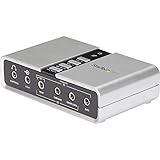
| StarTech ICUSBAUDIO7D | Laptops with a receiver | 7.1 USB, digital SPDIF, analog 3.5mm |
| LICAEVEY PCIe 5.1 | Surround-to-receiver builds | CM108AH controller, optical and coaxial output |
| Newfame Portable USB | Plug-and-play optical out | 5.1 channel SPDIF optical |
| LICAEVEY Dual DAC PCIe | Headphones plus digital out | Dual DACs, ES9018K2M, optical and coaxial |
How to Choose
Confirm the connector: optical, coaxial or both
Optical means a Toslink fiber cable; coaxial uses an RCA lead. Your receiver or soundbar decides which one you need, so look at its back panel first and count the free digital inputs, since some soundbars offer a single optical port shared with the television. A card listing both, such as the GLOTRENDS ST115 and the LICAEVEY models, covers either case. A title that says only “SPDIF,” like the StarTech adapter, leaves the connector type for you to verify.
Know what optical can carry
Standard optical links handle two-channel PCM comfortably, and they carry compressed surround formats such as Dolby Digital and DTS when the source encodes them. They do not carry uncompressed multichannel PCM, so a “7.1” label does not mean eight lossless channels over a single optical cable. For true multichannel with a receiver, HDMI or analog outputs are the alternatives. In practice, most buyers use optical for stereo music, movies with Dolby Digital tracks and a simple soundbar connection, and that is exactly where the cards below fit.
Internal card or USB adapter
PCIe cards need a free slot and a desktop, but they avoid an extra box and usually include DAC chips named in the title. USB adapters work on laptops and small PCs and plug in within seconds. If you plan to use the same optical connection with more than one computer, USB is the practical choice. Cable length is another factor, because a desktop under the desk and a receiver across the room may need a longer Toslink lead than the one in a typical bundle.
DAC chips, controllers and where budget cards cut corners
A named DAC such as the ES9018K2M or ES9038Q2M indicates a dedicated conversion chip, which matters for the analog headphone and line outputs. It does not change the digital optical signal, which bypasses the DAC. Budget cards often omit driver software, offer limited equalizer controls and use basic controller chips like the CM108AH, so treat the optical jack as the main reason to buy. Large decibel figures in a title describe the analog output stage, so they should not drive the decision when your speakers are connected digitally.
The 6 Best Options
GLOTRENDS ST113
The ST113 is a PCIe Hi-Fi card built around an ESS SABRE32 ES9018K2M DAC. The title highlights driver-free setup and an isolated optical output meant for clean, noise-free audio. It targets desktop listeners who want a dedicated digital feed and a proper DAC in the same slot for headphones or analog speakers whenever you want them. The listing reads like a pure audio card for people who care about a clean chain.
- Isolated optical output is the headline feature for a clean digital signal.
- Driver-free setup means little software to install.
- Trade-off: the title does not mention coaxial output or a headphone amp.
Skip it if you need coaxial output or several live outputs at once, or if you are on a laptop.
GLOTRENDS ST115
This PCIe Hi-Fi card steps up to an ES9038Q2M DAC and lists optical and coaxial outputs along with a 3.5mm jack, a dedicated headphone amp and a true line out. The title says all four outputs can be live at once.
- Optical, coaxial, headphone and line-out can work simultaneously.
- Dedicated headphone amp suits desk listening without a separate amp.
- Trade-off: it needs an internal slot, so it is a desktop-only option.
Skip it if you are happy with a single digital output and want something simpler, because the extra outputs only matter if you will actually connect several devices at once.
StarTech ICUSBAUDIO7D
A USB audio adapter listing up to 7.1 surround, digital SPDIF and analog 3.5mm output. It is the answer for laptop and mini PC owners who want a receiver connection without opening a case, and the same adapter can move to a second computer when needed.
- USB connection works with laptops and compact desktops.
- Digital SPDIF and analog outputs cover a receiver and a headset.
- Trade-off: the title does not say whether the SPDIF is optical or coaxial.
Skip it if you need an explicit optical label, or a DAC chip named in the listing. Because the title says only digital SPDIF, check the product images for a Toslink port before relying on it with a soundbar.
LICAEVEY PCIe 5.1
This PCIe card is described as a professional HiFi audio adapter with a 5.1 sound card configuration, optical fiber and coaxial digital outputs, a CM108AH main controller and a 127dB figure. The listing frames it for PC gaming and studio use, so it reads as a general-purpose digital out card rather than a headphone-first design.
- Both optical fiber and coaxial digital outputs are listed.
- 5.1 configuration suits a surround setup with a receiver.
- Trade-off: the title does not name a DAC chip.
Skip it if you want a named high-end DAC or a laptop-friendly design, since the title leaves the converter unnamed and the card needs a desktop slot.
Newfame Portable USB
The Newfame is a portable external USB sound card with a 5.1 channel SPDIF optical output for PC, laptop or desktop use. The title mentions gaming, music and streaming, and it is plug and play. It is the most direct answer to a laptop that has no digital output of its own.
- Optical output is stated outright.
- Portable design moves between computers.
- Trade-off: no DAC chip or headphone amp is mentioned in the title.
Skip it if you want a high-end headphone output from the same device, because the title focuses on the digital connection and says little about analog quality.
LICAEVEY Dual DAC PCIe
The second LICAEVEY lists a PCIe card with dual DACs, headphone drivers, the CM108AH master controller, an ES9018K2M DAC and optical plus coaxial digital outputs. It targets desktop owners who want both headphone and digital output paths from one slot, such as a desk that has headphones for gaming and a soundbar for movies.
- Dual DACs and headphone drivers serve headphone listening.
- Optical and coaxial outputs both appear in the title.
- Trade-off: sparse detail on channel count in the title.
Skip it if you need to confirm 5.1 or 7.1 support from the listing, since the title does not give a channel layout and surround buyers should verify it first.
Which One Fits Your Situation
You have a desktop and a soundbar with an optical input
The GLOTRENDS ST113 isolates the optical path and needs no drivers, so it suits a simple desktop-to-soundbar link. Plug in the Toslink cable, set the digital output as the default playback device, and the soundbar handles the rest.
You want headphones and digital out at once
The GLOTRENDS ST115 and the LICAEVEY Dual DAC both pair a digital output with headphone drivers. The ST115 spells out that all outputs run together, which helps if you want headphones on the desk while a receiver stays connected for speakers across the room.
You use a laptop with a receiver
The Newfame Portable USB states an optical output directly, while the StarTech adds analog output but leaves the digital connector type to confirm. If you carry a laptop between a desk and a living room, a USB box is easier to pack than any internal card.
You run a 5.1 home theater PC
The LICAEVEY PCIe 5.1 lists optical and coaxial outputs on a 5.1 card, a good match for a receiver that decodes surround formats. Set the PC to output a compressed surround stream and let the receiver decode it.
Common Mistakes
- Buying a card with only SPDIF in the title without checking whether it is optical or coaxial.
- Expecting eight lossless channels from a single optical cable, or expecting a 7.1 label to change what optical can carry.
- Assuming a named DAC improves the optical signal itself, when that signal skips the converter entirely.
- Choosing a PCIe card for a laptop or a case without a free slot, or without checking the bracket height for a slim case.
- Forgetting the Toslink cable and the matching input on the receiver, or leaving the cable’s protective caps on the ends.
Frequently Asked Questions
Is optical audio better than analog?
It avoids analog noise picked up inside the PC case, which helps when the receiver does the conversion, and the digital path is also immune to hum from the PC power supply. If your speakers use analog inputs, a good DAC and analog output can sound just as clean.
Does optical support surround sound?
It carries compressed surround such as Dolby Digital and DTS, plus two-channel PCM. Check that your source software can encode for it, and that the receiver is set to the matching digital input. Without that, you may hear only stereo even when the content has surround tracks.
Do I need drivers?
Some listings advertise driver-free setup, while others do not mention it. Driverless cards are quicker to start, but software panels add controls such as equalizers, sample rate selection and output routing. Decide whether you want that flexibility or a card that simply works.
Why are the major Creative cards missing?
This list includes only cards whose titles state an optical or SPDIF output. Cards whose titles skip that detail are better judged against their own listings.







