

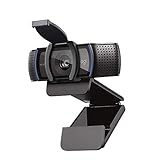
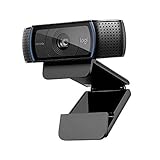
- Top Pick: Logitech C920x HD Pro PC Webcam with Microphone, Full HD 1080p/30fps Video | Stereo Audio, HD Light Correction, Works with Microsoft Teams, Google Meet, Zoom, Nintendo Switch, Mac/Tablet- Black
- Best Value: Logitech Brio 101 Full HD 1080p Webcam for PC, Built-in Mic, Black | Full HD 1080p resolution, auto-light balance, privacy shutter, USB plug-and-play setup for Zoom, Teams, Google Meet
- Premium Choice: Logitech C270 720p Webcam Plug-and-Play Wide Screen Video Calling – Black | Auto-Light Correct, Noise-Reducing Mic, Zoom, Microsoft, Teams, Skype, Nintendo Switch 2 New GameChat Mode, PC Mac compatible
Logitech’s webcam lineup is a maze of near-identical names. The C920 family alone comes in four spellings, the Brio line stretches from a basic 1080p unit to a 4K model, and the C270 still turns up in listings years after launch. If you have decided to buy Logitech, the real task is separating what actually differs: resolution, frame rate, privacy shutters, microphones, and a few features like autofocus and a wider field of view.
This guide covers ten Logitech models, sorted by how they fit real setups: a gaming desk streaming to a small audience, a home-office video call rig, a shared family PC, and a console used with a camera. It judges each from its listing alone. Dates and revisions change often, so treat the model names below as the anchor and verify current details before checking out. Through 2026, the dividing lines are 720p versus 1080p, 30fps versus 60fps, and whether you need a privacy shutter or 4K.
Quick Picks
As an Amazon Associate we earn from qualifying purchases at no extra cost to you.






| Product | Best for | Key spec from the title |
|---|---|---|
| Logitech C920x HD Pro | All-purpose 1080p streaming | 1080p/30fps, stereo audio, light correction |
| Logitech Brio 101 | Simple 1080p with privacy | 1080p, auto-light balance, privacy shutter |
| Logitech C270 | Light video calls | 720p, noise-reducing mic |
| Logitech C920e | Business and certified calling | 1080p, Zoom and Teams certified, TAA compliant |
| Logitech C920S | 1080p with a shutter | 1080p/30fps, privacy shutter, stereo audio |
| Logitech Brio 4K | Sharper video and autofocus | 4K, autofocus, 5x digital zoom |
| Logitech MX Brio | Streaming and collaboration | 4K, 1080p 60 FPS, Show Mode |
| Logitech C922x Pro | Streamers wanting 60fps | 1080p/30fps or 720p/60fps |
| Logitech Brio 105 | Business 1080p with shutter | 1080p, auto-light balance, USB-A |
| Logitech HD Pro C920 | Original 1080p design | 1080p, widescreen calling and recording |
How to Choose
Resolution and Frame Rate
For most calls and casual streams, 1080p at 30fps is sufficient. If you stream gameplay or want motion to look smoother, a model that offers 60fps, even at a lower resolution, helps with fast movement. A 720p camera is fine for small windows on a video call but looks soft when shown full-screen. Moving to 4K matters mostly if you plan to crop or zoom into the image after capture. Remember that most video-call apps compress what they receive, so the camera headline resolution is rarely what the other person sees.
Privacy Shutter and Microphones
A built-in shutter blocks the lens when you are not on a call, which gives peace of mind on shared or work machines. Microphone quality varies: some listings promise stereo audio, others use noise-reducing or dual noise-cancelling mics. If you already own a headset or a separate microphone, the webcam’s mic matters less, and you can focus on the camera. Placement matters as much as specs: mount the camera at eye level and keep a window or lamp in front of you rather than behind.
Light Handling and Focus
Auto-light balance or light correction raises the exposure in dim rooms, which suits windowless offices and evening streams. Autofocus keeps you sharp if you lean in and out of frame, while fixed-focus designs stay consistent for a fixed seating position. A wider field of view fits more of the room in frame but can stretch edges, and it also shows more of a cluttered desk, so consider your background.
Connection and Compatibility
Nearly all of these plug in by USB, and several list certifications for Zoom or Teams. Check that your computer has a free USB-A port or an adapter. If you use a console, look for listings that name it, since support varies by system. Ignore marketing about plug-and-play; instead, confirm the operating system match and whether you need extra software for advanced features.
The 10 Best Options
Logitech C920x HD Pro Webcam
The C920x is the classic all-rounder: Full HD 1080p at 30fps, stereo audio, HD light correction, and a built-in mic. It works with Teams, Meet, Zoom, and Nintendo Switch per the listing, and it suits someone who wants a safe, widely supported pick. Its long run in the lineup means plenty of mounts, stands, and software tweaks exist for it.
- Stereo audio and light correction cover both sound and dim rooms
- Broad platform support across PC, Mac, and tablet
- Trade-off: no privacy shutter is mentioned in the title
Skip it if you want a built-in shutter.
Logitech Brio 101 Full HD Webcam
The Brio 101 offers 1080p, a built-in mic, auto-light balance, a privacy shutter, and plug-and-play USB setup. It suits an office or student desk where a simple, shuttered camera is the goal. Compared with older 1080p designs, it focuses on easy setup over extras like stereo audio.
- Privacy shutter and auto-light balance in a modern design
- Plug-and-play setup for Zoom, Teams, and Google Meet
- Trade-off: it targets calls, not high-frame-rate streaming
Skip it if you stream fast gameplay.
Logitech C270 720p Webcam
The C270 is the entry-level model, with 720p video, auto-light correction, and a noise-reducing mic. The title also mentions a Switch 2 GameChat mode. It fits a shared PC or a light-use call setup, such as a bedroom desk where video chat with family happens a few times a week. Reading the title closely, its GameChat note makes it relevant to console players too.
- Plug-and-play simplicity for Zoom, Teams, and Skype
- Noise-reducing mic helps in a busy room
- Trade-off: 720p looks soft on larger windows
Skip it if you want sharp video for streaming.
Logitech C920e HD 1080p Webcam
The C920e adds business credentials: certification for Zoom and Teams, TAA compliance, and 1080p with a mic. It suits workplaces with procurement rules or buyers who want a certified conferencing camera. It reads like the same hardware family as the C920 line, with a business-facing label.
- Certified for Zoom and Teams per the title
- TAA compliance matters for government and regulated buyers
- Trade-off: the title lists no gaming-focused features
Skip it if you only need a casual home camera.
Logitech C920S HD Pro Webcam
The C920S combines Full HD at 30fps with clear stereo audio, light correction, and a privacy shutter. It works with Skype, Zoom, FaceTime, and Hangouts, and lists PC, Mac, laptop, tablet, and Xbox. It suits shared computers, such as a family desktop where a lens cover is a practical safeguard, and Xbox owners who want one camera across devices.
- Privacy shutter added to the proven C920 formula
- Wide device list including Xbox
- Trade-off: still capped at 30fps
Skip it if you want 60fps video.
Logitech Brio 4K Webcam
The Brio 4K is Ultra HD with autofocus, 5x digital zoom, dual noise-cancelling mics, light correction, and a wide field of view. It works with Windows, Mac, or ChromeOS and suits creators who want a sharper, flexible image. Autofocus and a wide field of view make it easier to frame a desk, a whiteboard, or two people on a couch.
- 4K resolution and autofocus provide framing flexibility
- Dual noise-cancelling mics reduce background sound
- Trade-off: 4K needs a capable USB connection and software
Skip it if 1080p is enough.
Logitech MX Brio Ultra HD 4K Webcam
The MX Brio pairs 4K with 1080p at 60 FPS and a Show Mode feature. It is built for streaming and collaboration and lists Teams, Zoom, Meet, and Switch 2 support in graphite. It suits someone who wants one camera for both a work-from-home meeting and a gaming stream, and is willing to buy at the top of the range.
- 60 FPS at 1080p suits fast motion in streams
- Show Mode is named in the title as a presentation-oriented feature
- Trade-off: it sits at the premium end of the group
Skip it if you only make occasional calls.
Logitech C922x HD Pro Webcam
The C922x offers Full HD 1080p at 30fps or 720p at 60fps, HD light correction, and compatibility with Teams, Meet, Zoom, and GameChat on Switch 2. It suits streamers who occasionally prefer smoother motion at lower resolution. The 60fps option can help when you move quickly on camera, for example when showing a hand cam or a controller.
- Selectable 60fps at 720p for smoother movement
- Light correction for dim setups
- Trade-off: 60fps is only at 720p
Skip it if you need 1080p at 60fps.
Logitech Brio 105 Business Webcam
The Brio 105 is a Full HD 1080p business camera with auto-light balance, a built-in mic, a privacy shutter, and a USB-A connection. It is aimed at office users who want a no-fuss camera for daily meetings. It overlaps with the Brio 101, so compare the two by their wording on audio and software before choosing.
- Shutter and auto-light balance in a business package
- USB-A connection works with common ports
- Trade-off: positioned for meetings, not streams
Skip it if you want gaming features.
Logitech HD Pro Webcam C920
The original C920 is a 1080p widescreen camera for calling and recording, with little detail in the title. It suits buyers who want the familiar design for a desktop or laptop. As the oldest listing in the group, it is the one where reading seller details matters most, since the title lists the fewest features.
- Widescreen 1080p for calls and recording
- Familiar C920 design
- Trade-off: the title offers few specifics on audio or light handling
Skip it if you want listed extras.
Which One Fits Your Situation
You Stream Games
Look at the C922x for 60fps at 720p or the MX Brio for 1080p at 60 FPS. If your stream layout shows the camera in a small corner box, even the C920x is plenty.
You Work From Home
The Brio 105 or C920e cover business needs, with the shutter on the Brio and certification on the C920e. Pick based on whether your employer cares about certification labels.
You Share a Family PC
Choose the C920S or Brio 101 for a built-in privacy shutter. Children and guests can use the PC without leaving a live lens pointed at the room.
You Want Sharp Video
The Brio 4K gives autofocus and 4K resolution. It is also the pick for anyone who wants to crop a wide shot into a tighter frame later.
Common Mistakes
- Choosing 4K when your call app shows video at 720p anyway.
- Ignoring the privacy shutter on a shared machine.
- Assuming all C920 variants are identical when they differ in shutter and certification.
- Skipping the USB port check on a desktop with limited ports.
- Relying on a webcam mic in a noisy room instead of a headset.
Frequently Asked Questions
Which Logitech webcam is best for streaming?
Models with 60fps options, like the C922x and MX Brio, are the usual choices.
Do I need 4K?
Most calls look fine at 1080p. 4K helps when you crop or zoom.
What is the difference between the C920 versions?
Differences include privacy shutters, certification labels, and listed features such as stereo audio. Read each title carefully, because two names that look alike can describe different hardware.
Will these work with a console?
Some list Xbox or Switch 2 support. Check your system before buying.







