A desk pad looks simple, but the real decision is which combination of size, thickness and surface you want under both your keyboard and mouse. A pad that is too short leaves your keyboard hanging off the edge, one that is too thick can lift your wrists higher than you like, and an RGB model adds a cable and a control box to a desk that may not need either. The listings below differ on exactly those points, so the measurements matter more than the branding.
This guide is for home players building or refreshing a desk setup, from low-sensitivity shooter players who sweep the mouse across wide arcs to streamers who want lighting at the edge of the desk. The picks were chosen from Amazon listing names and stated specifications: three plain cloth pads from SteelSeries, Logitech G and Corsair, and two RGB pads from BladeHawks and ARTSO.
Quick Picks
As an Amazon Associate we earn from qualifying purchases
| Product | Best for | Key spec from title |
|---|---|---|
| SteelSeries QcK XXL | Thin full-desk cloth coverage | 35.43 x 15.75 inches, 0.08 inch thick |
| Logitech G840 XL | A slim pad tuned for gaming sensors | 900 x 400 mm, 3 mm thick |
| Corsair MM350 PRO Extended XL | Spill protection with stitched edges | 930 x 400 mm, 4 mm thick |
| BladeHawks RGB Gaming Mouse Pad BX04 | Compact desks that still want lighting | 31.5 x 11.81 inches, RGB light modes |
| ARTSO RGB Gaming Mouse Pad | Full-width RGB with brightness control | 35.4 x 15.7 inches, 14 lighting modes |
How to Choose
Match the footprint to your desk and keyboard
Measure the desk before anything else, because the pads here span two clear size classes. The SteelSeries, Logitech, Corsair and ARTSO models are all close to 900 mm wide and 400 mm deep, which swallows a full-size keyboard and still leaves a wide mouse field beside it. The BladeHawks is smaller at 31.5 x 11.81 inches, which suits a compact desk or a tenkeyless keyboard but leaves less room for long mouse sweeps. Depth matters too: a 400 mm pad can push your monitor stand backwards, so check the space between the desk edge and your screen.
Pick a thickness and live with the wrist height
Thickness ranges from about 2 mm on the SteelSeries listing to 4 mm on the Corsair, and it changes how the desk feels under your palms. A thinner pad keeps the keyboard closer to the desk surface and is easier to roll up for storage or travel between setups. A thicker pad adds a softer layer under the wrists and the keyboard, which some players prefer during long sessions. The Logitech sits between the two at 3 mm. None of these listings promises a comfort outcome, so treat thickness as a preference you choose, not a problem a pad solves.
Decide whether you want RGB and its extra cable
Two of the five picks light up, and that choice has practical costs. The BladeHawks and ARTSO pads draw power over USB, so each needs a free port and adds a cable run plus a small control element at the pad edge. In return you get the listed lighting modes: 14 modes on the ARTSO with two brightness levels, and a mode count the BladeHawks listing states inconsistently, covered below. If your setup already has lighting you want to match, RGB makes sense. If your desk is a shared home workspace, a plain cloth pad keeps the surface quiet and cable-free.
Read the surface and base materials as a pair
Every pad here pairs a cloth top with a rubber base, but the listings describe the cloth differently. Corsair specifies a micro-weave cloth with a spill-proof coating and anti-fray stitched edges, which is the most detailed surface description in this group. SteelSeries describes a high thread count micro-woven cloth, and Logitech calls its surface performance-tuned for gaming sensors. The bases are all listed as non-slip or anti-skid rubber, which is what keeps a thin pad from bunching during fast mouse movement. Where a listing does not state stitched edges, as with the SteelSeries and Logitech, do not assume they are there.
The 5 Best Options
SteelSeries QcK XXL

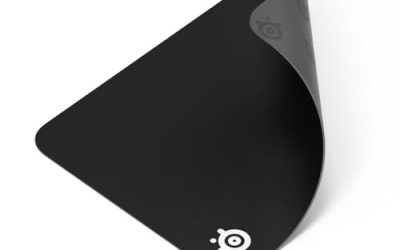
The QcK XXL is the straightforward pick for a player who wants one cloth surface under everything and nothing else on the desk. Its listing gives a 35.43 x 15.75 inch footprint, the joint widest class in this group, with the thinnest profile here at 0.08 inches, so a keyboard sits almost at desk height. The description points to a high thread count micro-woven cloth and a non-slip base, and there are no lights, cables or control boxes to manage. It suits minimalist home setups and players who already know they like the long-running QcK cloth feel.
Specs
- Dimensions: 35.43 x 15.75 x 0.08 inches as listed
- Surface: micro-woven cloth with a high thread count
- Base: non-slip rubber base
- Item weight: 1.14 pounds as listed
- Model number: 63429
- Color: black
Best for: players who want the thinnest full-width cloth pad with no extras.
Watch out for: a second SteelSeries listing for this same model number lists a different thickness and a lower weight, and neither listing states stitched edges, so confirm the measurements on the live page.
ASIN: B0D1T1HZCC
Logitech G840 XL

The G840 XL fits players who use Logitech G gear and want a pad the listing describes as performance-tuned for gaming sensors. At 900 x 400 mm it matches the SteelSeries for footprint, but it is thicker at 3 mm, which puts a little more material under the keyboard and wrists. The listing keeps the feature set plain: a cloth surface, a stable rubber base, and a low profile that the title puts at 0.12 inches. There is no lighting and no stitched-edge claim in the product information. It is a sensible middle option between the thinnest and thickest pads in this guide.
Specs
- Dimensions: 900 x 400 mm (35.43 x 15.75 inches)
- Thickness: 3 mm (0.12 inches) as listed
- Surface: cloth, described as performance-tuned
- Base: stable rubber base
- Model number: 943-000776
- Color: black
Best for: Logitech G users who want a mid-thickness pad sized for low-sensitivity play.
Watch out for: the Amazon product information lists an item weight of 100 grams, which conflicts with heavier weights published for this model elsewhere, so treat the weight figure as unreliable and judge the pad by its dimensions.
ASIN: B0BHMN52LY
Corsair MM350 PRO Extended XL
The MM350 PRO is the pick for a desk where drinks sit near the keyboard, because Corsair lists a spill-proof coating on its micro-weave cloth surface. It is also the largest pad here at 930 x 400 mm and the thickest at 4 mm, and it is the only cloth model in this group whose listing states anti-fray stitched edges, which address the fraying that plain cut edges can develop. The base is listed as anti-skid rubber. Players with a deep desk and a full-size keyboard get the most from the extra width, while smaller desks may find it takes over the whole worktop.
Specs
- Dimensions: 930 x 400 mm (36.6 x 15.7 inches)
- Thickness: 4 mm as listed
- Surface: micro-weave cloth with a spill-proof coating
- Edges: anti-fray stitched edges
- Base: anti-skid rubber
- Item weight: 650 grams as listed
- Model number: CH-9413770-WW
Best for: players who want the biggest, thickest cloth pad and spill protection near drinks.
Watch out for: some retailer pages describe this model as 6 mm thick, while the Amazon product information states 4 mm, so check the thickness on the live listing before ordering.
ASIN: B08JH8C5T5
BladeHawks RGB Gaming Mouse Pad BX04

The BladeHawks BX04 brings lighting to smaller desks that cannot fit the 900 mm class. Its listed footprint is 31.5 x 11.81 inches, enough for a compact keyboard and a moderate mouse area, and the RGB edge lighting is the reason to choose it over a plain pad of the same size. The listing describes a soft surface over an anti-slip rubber base, powered through a USB cable listed at close to 1.8 meters. It suits a bedroom or dorm setup where the desk is narrow and the lighting is part of the look the player wants from the whole station.
Specs
- Dimensions: 31.5 x 11.81 inches as listed
- Lighting: RGB edge lighting with multiple light modes
- Power: USB cable, listed at close to 1.8 meters
- Base: anti-slip rubber base
- Item weight: 1.5 pounds as listed
- Model: BX04
Best for: compact desks that still want an RGB edge around the pad.
Watch out for: the listing title advertises 14 light modes while the product description text says 10 modes, and the listed thickness figures vary between pages, so confirm both details on the live listing.
ASIN: B0CZRLSB57
ARTSO RGB Gaming Mouse Pad

The ARTSO pad is the full-size alternative for a player who wants lighting without giving up desk coverage. Its listing gives 35.4 x 15.7 inches, the same footprint class as the big cloth pads, at 0.12 inches thick. The product information lists 14 lighting modes with two brightness levels, which is the clearest lighting specification in this group, and the surface is described as water resistant. At 1.95 pounds it is also the heaviest pad here, which helps it sit flat. It fits a dedicated gaming desk where the pad stays in place and the lighting runs every session.
Specs
- Dimensions: 35.4 x 15.7 x 0.12 inches as listed
- Lighting: 14 lighting modes with 2 brightness levels
- Surface: soft cloth, described as water resistant
- Item weight: 1.95 pounds as listed
- Model number: ATS-RGB-04
- Design: Starry Mountains print
Best for: players who want a full-width RGB pad with a printed design and brightness control.
Watch out for: the printed design is fixed, so it will not match every setup theme, and like the BladeHawks it needs a USB port and adds a cable to the desk.
ASIN: B0CFTZ2XVV
Which One Fits Your Situation
You play shooters with a low sensitivity setting
You need width more than features, because long mouse sweeps run out of room on a standard pad. The SteelSeries QcK XXL and Logitech G840 XL both give you the 900 x 400 mm class of surface, so choose between them on thickness: the SteelSeries if you want the keyboard sitting almost at desk height, the Logitech if you prefer a 3 mm layer under your hands. The Corsair is slightly wider again if your desk can take it.
Your desk is small or shared with work
A full-width pad can crowd out notebooks, a work laptop or a second keyboard. The BladeHawks BX04 at 31.5 x 11.81 inches leaves desk space free while still covering a compact keyboard and mouse, and its RGB edge keeps a gaming feel in a room that doubles as an office. If you do not need lighting at all, measure first and consider whether any 900 mm pad fits before defaulting to the smaller size.
You want the setup to light up as one theme
Pick between the two RGB models on size and specification clarity. The ARTSO lists 14 modes and two brightness levels at the full 35.4 inch width, which makes it the easier one to plan around. The BladeHawks suits a narrower desk, but its listing disagrees with itself on the mode count, so check the live page if the exact modes matter to your theme. Both need a free USB port.
Drinks and long sessions share your desk
The Corsair MM350 PRO is the only pad here with a spill-proof coating in its listing, plus the thickest build at 4 mm and stitched edges that resist fraying. That combination suits a desk where a mug lives next to the keyboard and the pad stays down for months at a time. Its 930 mm width is the largest in the group, so confirm your desk depth before choosing it over the 900 mm models.
Common Mistakes
- Buying a 900 or 930 mm pad without measuring the desk, then finding the monitor stand or desk edge crowds the pad.
- Assuming every cloth pad has stitched edges, when only the Corsair listing in this group states them.
- Choosing an RGB pad without a free USB port nearby, leaving the lighting unpowered or the cable stretched across the desk.
- Comparing thickness figures across brands without checking the live listing, since some models show conflicting measurements between pages.
- Expecting a thicker pad to fix wrist discomfort on its own, when no listing here makes that claim.
Frequently Asked Questions
How big should a gaming desk pad be for a home setup?
For most home desks, the 900 x 400 mm class covers a full-size keyboard and leaves a wide mouse field, and three of the pads in this guide sit in that class. Measure your desk first: the pad should fit with room for your monitor stand behind it. Compact desks are better served by the 31.5 inch BladeHawks size.
Do RGB desk pads need special software or power?
The RGB pads listed here draw power over a USB cable, so they need a free USB port on the PC or a hub. The ARTSO listing states 14 lighting modes and two brightness levels, changed on the pad itself. The BladeHawks listing is inconsistent about its mode count, so check the live product page if that detail decides your purchase.
Are stitched edges worth looking for on a cloth pad?
Stitched edges are listed as anti-fray protection, and among these five pads only the Corsair MM350 PRO states them in its product information. If your current pad is fraying at the edges, that is a concrete reason to choose it. If fraying has never been an issue for you, the unstitched SteelSeries and Logitech pads remain reasonable picks.
Can a desk pad this size be washed or rolled up?
The listings here do not give detailed washing instructions, so follow the care notes on the live product page for the model you buy. Thin cloth pads such as the 0.08 inch SteelSeries roll up easily for storage or moving between setups. RGB pads have a lighting strip and control element, so they roll less neatly and need more care.