

- Top Pick: KTRIO Large Gaming Mouse Pad Desk Mat for Gamer, 31.5" x 11.8", Black, XL
- Best Value: SteelSeries QcK Gaming Mouse Pad – XXL Cloth – Peak Tracking and Stability – Esports Mousepad – Never-Slip – Full Desk Coverage
- Premium Choice: DIGSOM Gaming Mouse Pad, Black with White Topographic Line, 31.5×11.8in
Affiliate disclosure: As an Amazon Associate we earn from qualifying purchases. This post contains affiliate links — if you buy through them we may earn a small commission at no extra cost to you. This never affects our recommendations.
Gaming desk mats have become one of the most popular setup accessories in 2025, and for good reason. A full-desk mat unifies your keyboard, mouse, and accessories under one cohesive surface, eliminates the tracking inconsistency of crossing from pad to desk, and protects your desk from scratches and spills. The aesthetic benefit is real too — a clean desk mat transforms a cluttered-looking setup into something that’s camera-ready for streaming or content creation.
The market has exploded with options ranging from $13 budget mats to $80 premium RGB models. This guide cuts through the noise with five picks that represent the best value at different price points and use cases. We also include a buying guide covering the key specs — size, thickness, edge stitching, and surface texture — so you can choose with confidence.
In a hurry? See the top-rated Gaming Desk Mats deals available right now:
🛒 Check Gaming Desk Mats Prices on Amazon →🛒 Best Price Today on Amazon
Prime members get fast, free shipping on everything above, plus member-only deals. New members get a 30-day free trial — cancel anytime.
Start 30-Day Prime Free Trial →See Today’s Amazon DealsTop Picks at a Glance
| Desk Mat | Size | RGB | Best For |
|---|---|---|---|
| Large Extended Gaming Pad | 900×400mm | No | Best budget pick |
| Starry Night Cat Desk Mat | XXL | No | Unique design, gifting |
| L-SPOUTTO Geometric XXL | XXL | No | Geometric aesthetic setups |
| iCasso XXL Extended Pad | XXL | No | Premium non-RGB feel |
| Razer Goliathus Chroma 3XL | 1200×550mm | Yes | RGB premium setup |
As an Amazon Associate we earn from qualifying purchases at no extra cost to you.


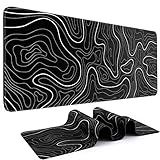



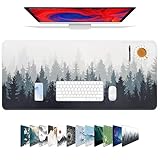
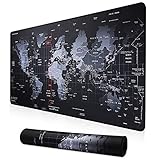
Large Extended Gaming Mouse Pad — Best Budget Desk Mat
At around $12, this extended cloth pad covers your keyboard and mouse in a single unified surface without demanding much from your wallet. Stitched edges prevent fraying after months of daily use, and the rubberized non-slip base keeps it firmly positioned even during aggressive gaming. The cloth surface provides consistent mouse tracking, making it functional as a gaming pad and not just a decorative mat. Available in multiple colorways with subtle gaming-themed patterns. For players who want extended desk coverage without any added cost, this is the default starting point.
- Pros: Ultra-affordable, stitched edges, non-slip base, functional tracking surface, extended coverage
- Cons: No RGB, basic aesthetics, thinner foam compared to premium options
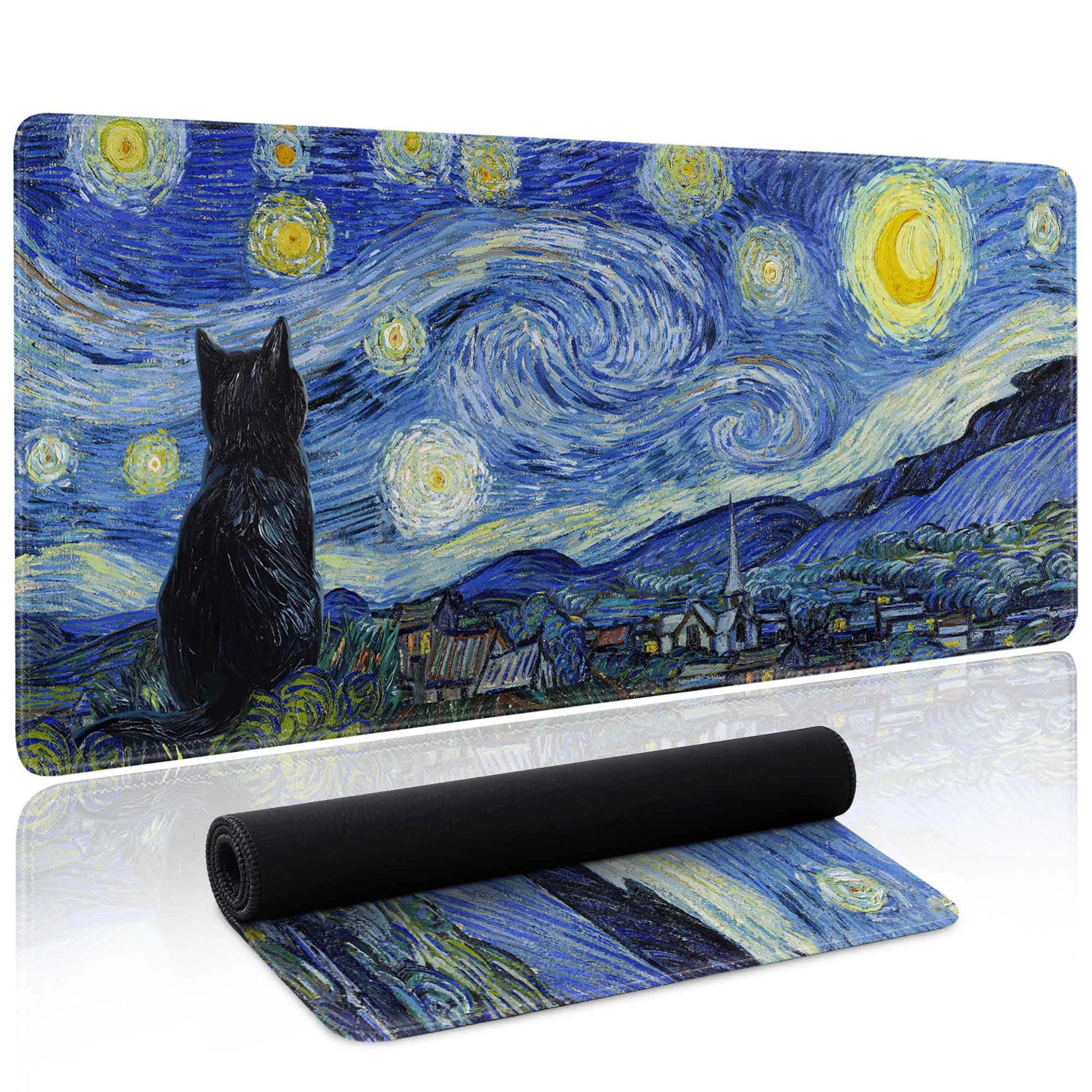
Starry Night Cat Desk Mat — Best Design-Forward Budget Mat
The Starry Night Cat Desk Mat at around $14 adds a splash of personality to your setup with an illustrated design that blends gaming culture with artistic flair. XXL sizing covers most gaming desks from edge to edge. The smooth cloth surface maintains consistent mouse tracking, and stitched edges hold up to daily use. It’s a popular gift option and a great choice for gamers who want their setup to reflect their personality rather than default to generic black mats. Comes in several design variants beyond the cat theme.
- Pros: Unique illustrated design, affordable, XXL size, stitched edges, great for gifting
- Cons: Design-specific — not everyone’s taste, no RGB, thinner construction than premium mats
L-SPOUTTO Geometric XXL Desk Mat — Best for Geometric Aesthetic Setups
The L-SPOUTTO Geometric XXL at around $15 targets setup builders who want a clean, modern geometric pattern rather than solid black. The subtle geometric lines add depth to desk photography and streaming backgrounds without being visually overwhelming. XXL dimensions cover full desk setups, and the smooth micro-cloth surface tracks well for both mouse gaming and general use. Construction quality is a step above the cheapest options, with a thicker base and tighter cloth weave. This mat photographs exceptionally well for setup showcases on Reddit or social media.
- Pros: Modern geometric aesthetic, photos well for setup showcases, smooth surface, XXL size
- Cons: No RGB, limited color options, geometric pattern not suited to all setup themes
iCasso XXL Extended Desk Pad — Best Mid-Budget Desk Mat
The iCasso XXL at around $16 is the premium non-RGB pick in the budget tier. It features a slightly thicker foam base for better wrist support during long sessions, a refined cloth surface with consistent texture, and double-stitched edges that resist fraying better than single-stitch competitors. The clean minimal design works with virtually any setup aesthetic. It’s $4 more than the cheapest options but delivers noticeably better build quality in the foam and stitching. For gamers who want longevity without spending $80 on RGB.
- Pros: Thicker foam base, double-stitched edges, refined surface texture, minimal design, great value
- Cons: No RGB, plain aesthetics, not meaningfully different from cheaper options in tracking performance
Razer Goliathus Chroma 3XL — Best Premium RGB Desk Mat
The Razer Goliathus Chroma 3XL is the definitive premium desk mat at around $79. Its 1200mm x 550mm footprint covers even the largest gaming desks, and 19-zone Chroma RGB runs around the full perimeter for a stunning lighting effect that syncs with the entire Razer Chroma ecosystem. The cloth surface is Razer’s optimized speed-control weave — smooth for fast movements, with enough texture for precise stopping. This is the setup centerpiece for streamers and content creators who want their desk to look as impressive on camera as it does in person.

- Pros: Massive 3XL coverage, perimeter Chroma RGB, premium cloth surface, ecosystem sync, flagship aesthetic
- Cons: around $79 is expensive for a desk mat, requires USB for RGB, may overwhelm smaller setups visually
Buying Guide
A desk mat purchase involves more decisions than most people expect. Here’s a breakdown of every key spec and how it affects your experience.
Size — The Most Important Spec: Desk mat sizing is typically categorized as Large (800–900mm wide), XL (900–1000mm), and XXL (1000mm+). Before purchasing, measure your desk from edge to edge and subtract a few centimeters on each side. You want the mat to cover your full keyboard and mouse area without hanging over edges. Standard gaming desks (120–140cm wide) accommodate XXL mats comfortably. L-shaped and ultra-wide desks may require two mats or specialized extra-wide options.
Surface Texture — Speed vs. Control: Desk mats use the same surface materials as mouse pads. Smooth, tightly woven cloth enables faster mouse glide. Rougher, loosely woven cloth provides more resistance and control. For general desktop use (web browsing, work, casual gaming), either works fine. For competitive FPS gaming where precise mouse tracking matters, choose a surface texture that matches your preferred mouse pad feel.
Thickness and Foam Base: Budget desk mats typically use 3mm foam bases. Mid-tier mats offer 4–5mm. The difference is wrist comfort during extended sessions. Thicker bases also hold their flat shape better over time — cheaper thin mats can develop bumps or creases after a few months. If you game or work at your desk for 4+ hours daily, the extra $5 for a thicker mat is worth it.
Edge Stitching: Non-stitched edges fray within weeks of daily use. Any desk mat you plan to keep for more than a month should have stitched edges. Most options above $12 include them. Double-stitching (like on the iCasso) is more durable than single-stitch but rarely necessary for home use — single-stitch on quality thread is perfectly adequate.
Non-Slip Base: A natural rubber base is essential. Synthetic rubber tends to harden and lose grip over time. Natural rubber maintains grip for years. If you have a glass desk, check specifically for mats rated for glass surfaces — standard rubber bases can slowly slide on very smooth glass.
RGB and Ecosystem Integration: RGB desk mats require a USB-A port for power. If you’re already using Razer Chroma, SteelSeries GG, or Corsair iCUE peripherals, an RGB mat from the same ecosystem syncs colors and effects automatically. If you have a mixed-brand setup, RGB integration is limited to the mat’s standalone software. Non-RGB mats obviously require no USB connection — simpler and one less cable to manage.
Desk Protection: Beyond gaming, desk mats protect your desk surface from scratches, keyboard dents, spill absorption, and general wear. For desks with wooden or veneer surfaces that scratch easily, a desk mat is as much a protective accessory as it is a gaming one.
What size desk mat do I need for a standard gaming desk?
Most standard gaming desks (120–140cm wide, 60–70cm deep) are best covered by an XXL mat measuring 900–1000mm x 400–450mm. This covers your keyboard and full mouse movement area while leaving a few centimeters of desk visible at the sides. Always measure your specific desk before ordering — desk dimensions vary widely. If your desk is 160cm+ wide (L-shaped or ultra-wide), you may need two mats placed end-to-end, or a specialized 3XL option like the Razer Goliathus Chroma 3XL at 1200mm wide.
Can I use a desk mat as my only mouse pad?
Yes, and this is the most common use case. Extended desk mats provide a consistent cloth surface across your entire desk, meaning your mouse tracks equally well anywhere on the mat. There’s no need for a separate smaller mouse pad if your desk mat is high quality. The main advantage of a separate mouse pad is the ability to swap surfaces independently — a hard mouse pad on a cloth desk mat, for instance — but for most gamers, the desk mat alone is sufficient.
How do I clean a gaming desk mat?
Hand wash with cold water and a small amount of mild dish soap. Gently scrub the cloth surface with your hands or a soft brush, rinse thoroughly, and lay flat to air dry. Never put a desk mat in a washing machine — the agitation can damage stitched edges and warp the rubber base. Never use a dryer — heat destroys the rubber base. A clean mat performs better and lasts longer; wash every 4–6 weeks during heavy use.
Are RGB desk mats worth the extra cost?
If aesthetics are important to you and you have a streaming setup or content creation space that’s frequently on camera, RGB desk mats are genuinely worth it — they add a professional, polished look that enhances stream production value. If you’re gaming primarily for performance with no emphasis on aesthetics, the tracking surface of an $80 RGB mat isn’t meaningfully better than a $13 budget option. Spend the money on your mouse or headset first; add RGB when you’ve addressed core performance gear.
Verdict
In 2025, the best desk mat for most setups is the Large Extended Gaming Pad at around $12 — it covers your full desk, tracks well, has stitched edges, and leaves money for gear that actually affects performance. Players who want design personality should consider the Starry Night Cat mat at around $14, while those who want the best possible premium experience should invest in the Razer Goliathus Chroma 3XL. Whatever you choose, a full desk mat is one of the best aesthetic upgrades you can make for under $20.
Frequently Asked Questions
What is a desk mat and do I need one?
A desk mat is a large pad covering your desk surface. It provides a consistent, smooth surface for your mouse, protects the desk, reduces noise, and ties a setup together visually.
What size desk mat should I get?
An 800x300mm mat suits most single-monitor setups, while 900mm and wider mats cover keyboard, mouse, and extra space. Measure your desk and intended mouse area before choosing.
Are cloth or hard desk mats better?
Cloth mats are comfortable, quiet, and offer controlled glide, while hard mats give a faster, slicker surface. Most gamers prefer cloth for balance, but it comes down to personal feel.
How do I clean a fabric desk mat?
Most cloth mats can be spot-cleaned with mild soap and water, or hand-washed and air-dried flat. Avoid machine drying, which can warp the rubber base.
Related Articles
Looking for more on this topic? Browse the hand-picked guides below — each one applies the same scoring rubric used in this review.











