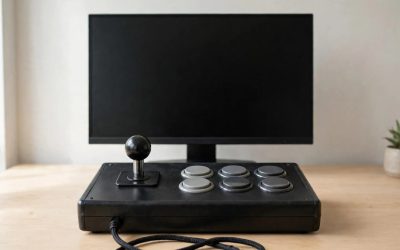
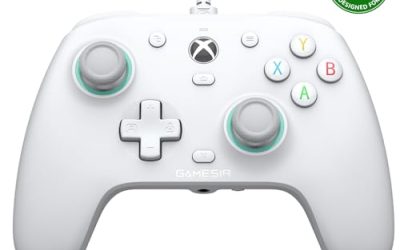
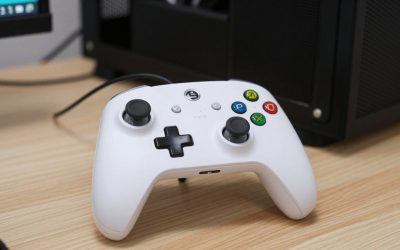
- Top Pick: EasySMX X15 Wireless PC & Steam Gaming Controller, Hall Effect, Black | Hall Effect Joysticks, No Drift, 2 Back Buttons, RGB, 1000mAh, 20H Playtime, PC/Steam/Switch/Android
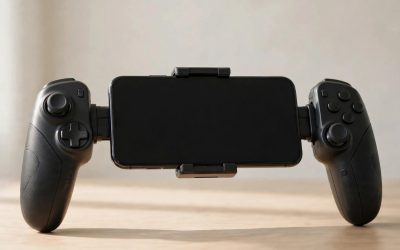
- Best Value: Razer Wolverine V3 Tournament Edition Wired Xbox Gaming Controller, Black | Licensed for Xbox Series X & S, Windows PC, 6 Remappable Buttons, Fast Triggers, USB-C Cable, Wired Tournament Mode
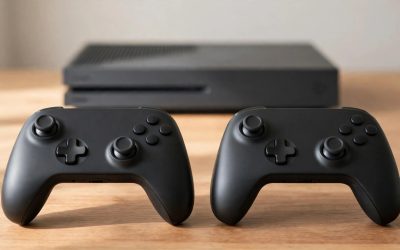
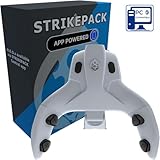
- Premium Choice: Collective Minds Strike Pack Horizon Vista for PS5 DualSense & PC | 4 Back Buttons | App-Controlled MOD Pack, Gamepacks & Macros | Wired USB Adapter for Lag-Free Gaming (No Controller)
The best gaming controller with back buttons for most PC and Xbox players is the Xbox Elite Series 2, for PlayStation 5 and PC players it is the DualSense Edge, and for anyone who wants paddles without a premium outlay the GameSir G7 Pro and the Gulikit KK3 Max are the strongest value picks. Rear buttons let your thumb stay on the right stick while your middle or ring fingers handle jump, crouch, reload or dodge, and the right pad depends on your platform, your polling needs on PC and how many extra inputs you actually bind.
As an Amazon Associate we earn from qualifying purchases at no extra cost to you.



Quick picks by platform and buyer type
- Best overall for Xbox and PC: Xbox Elite Series 2, with four removable paddles, adjustable-tension sticks and a charging case.
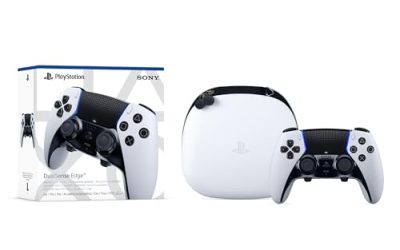
- Best for PS5 and PC: DualSense Edge, with two swappable back buttons, replaceable stick modules and full DualSense features.
- Best value paddle pad for PC: GameSir G7 Pro, a tri-mode controller with TMR sticks and high PC polling.
- Best magnetic paddles for the money: Gulikit KK3 Max.
- Best for competitive wired play: Razer Wolverine V3 Pro, built around 1,000 Hz wired polling and microswitch rear buttons.
- Best licensed PS5 pad with four paddles: Scuf Reflex Pro.
- Cheapest way to get rear buttons: GameSir G7 SE, a wired pad with two back buttons.
How we chose
This guide is based on research: manufacturer specification pages, long-term owner discussion, and the way current buyer guides group rear-button controllers. No product was physically used for this article, so there are no claims about personal impressions. We kept a controller only if it has real rear inputs (not just a clip-on accessory), is sold in 2026, works with a gaming PC, and fits one of three buyer needs: premium customization, value, or console-specific licensing. Where a specification could not be confirmed, we describe the feature by class (for example, “Hall-effect or TMR sticks”) rather than naming an exact part.
What to look for in a controller with back buttons
1. Number and type of rear inputs
Two rear buttons cover jump and crouch, which is enough for most shooters and action games. Four rear inputs let you add reload and melee, or weapon swap and ability, without leaving the right stick. More than four is rarely useful, because the extra buttons are hard to reach without shifting your grip. Paddles that sit in a straight line along the grip are easier to find blind than small buttons recessed into the shell.
2. Switch feel and accidental presses
Mouse-style microswitches give a crisp click and a short travel, which suits rapid taps. Soft membrane rear buttons feel quieter but can mushy-click under fast use. Large paddles are easy to hit but also easy to press by accident if you grip tightly. Look for a model where each paddle can be removed or reduced to a single narrow tab.
3. Connection and polling rate
Wired USB-C remains the lowest-latency option on PC. Many modern pads add a 2.4 GHz dongle that gets close to wired behavior, and Bluetooth is best kept for couch use or mobile. A polling rate of 1,000 Hz means the pad reports its input roughly every millisecond, compared with about eight milliseconds at the classic 125 Hz. That difference matters in fast shooters and rhythm-style games; it hardly matters in turn-based or story titles.
4. Stick technology
Hall-effect and TMR (tunnel magnetoresistance) sticks use magnets instead of a physical potentiometer track, which removes the wear that causes drift. Pads with either tech are a safer long-term bet than a stick with a plain potentiometer, especially if you play many hours a week.
5. Platform licensing and features
A PS5-licensed pad keeps haptics and adaptive triggers; a pad built for Xbox and PC may lose those but gains Windows compatibility out of the box. Check whether the controller you want exists in the version for your console. Many brands sell separate Xbox and PlayStation versions of the same name.
6. Software and profiles
You need a way to remap the rear buttons and save profiles. The best options do the remapping on the controller itself, so the profile follows the pad to any PC or console. Software-only mapping works on PC but stops working on a console.
Spec comparison table
| Controller | Platforms | Rear inputs | Connection | Sticks | Tier |
|---|---|---|---|---|---|
| Xbox Elite Series 2 | Xbox, PC, mobile | 4 removable paddles | Bluetooth, Xbox Wireless, USB-C | Adjustable tension, swappable tops | Premium |
| DualSense Edge | PS5, PC | 2 swappable back buttons | Bluetooth and USB-C | Replaceable stick modules | Premium |
| GameSir G7 Pro | PC, Xbox, mobile | Rear paddles | Tri-mode | TMR | Mid-range |
| Gulikit KK3 Max | PC, mobile, Switch-class | Magnetic paddles | Wireless and wired | Magnetic | Mid-range |
| Razer Wolverine V3 Pro | PC and console versions | Microswitch rear buttons | Wired and wireless | Hall-effect class | Premium |
| Scuf Reflex Pro | PS5, PC | 4 paddles | Wireless and wired | Replaceable | Premium |
| 8BitDo Ultimate 2 | PC, Android, console modes | 2 rear paddles | 2.4 GHz, Bluetooth, USB | Hall-effect class | Mid-range |
| GameSir G7 SE | Xbox, PC | 2 back buttons | Wired | Hall-effect | Entry-level |
| Nacon Revolution 5 Pro | PS5, PC | Back paddles | Wired and wireless | Replaceable modules | Premium |
The best controllers with back buttons
1. Xbox Elite Series 2
Spec line: Xbox and PC · four removable paddles · adjustable-tension sticks · shorter hair-trigger locks · up to 40 hours of battery · Bluetooth and USB-C.
Best for: Xbox and PC players who want the most proven paddle controller and who also use the pad for racing and platformers where tension and trigger travel matter.
Skip if: you play mostly on PlayStation, or you want a low-cost pad that you will not mind replacing.
Pros: paddles attach magnetically and can be removed or swapped between different shapes; sticks can be tuned for tension; the charging dock keeps the pad ready; profiles are stored on the controller.
Cons: rubber coating on the grips can wear with heavy use; premium tier; its sticks use a conventional design rather than magnetic sensing, so stick drift is a longer-term risk.
2. DualSense Edge
Spec line: PS5 and PC · two detachable back buttons · replaceable stick modules · trigger stops · function buttons for quick profile swap · Bluetooth and USB-C.
Best for: PS5 players who also play on a PC, because the back buttons are bound in the controller’s profiles and you keep haptics and adaptive triggers.
Skip if: battery life matters more than customization. The Edge generally drains faster than the standard DualSense, so plan to charge it between sessions.
Pros: official PlayStation support; replacing a worn stick module is a ten-minute job; back buttons come in dome and lever shapes; useful for shooters and action games.
Cons: two back buttons only, so you cannot bind four extra inputs; premium tier; the carrying case is bulky.
3. GameSir G7 Pro
Spec line: tri-mode connection · TMR sticks · up to 1,000 Hz polling on PC · rear paddles · Xbox-style layout.
Best for: PC gamers who want modern stick technology and a fast wireless link without the price of a flagship.
Skip if: you need licensed console features or deep Windows-free profile storage.
Pros: magnet-based sticks that avoid drift; fast reporting; good price-to-feature ratio.
Cons: shell feels lighter than a first-party pad; some features rely on companion software; confirm the exact version for your platform before buying.
4. Gulikit KK3 Max
Spec line: magnetic back paddles · wireless and wired modes · magnetic sensing sticks · remapping software.
Best for: buyers who want magnetically attached paddles at a mid-range level and who like to switch paddle shapes.
Skip if: you want guaranteed Xbox or PlayStation console licensing.
Pros: strong feature list for the tier; modular paddles; PC-friendly.
Cons: brand support is less mature than the big names; software can be rough in the first weeks of ownership.
5. Razer Wolverine V3 Pro
Spec line: 1,000 Hz wired polling · microswitch rear buttons · extra remappable bumpers and triggers · Hall-effect class sticks · PC with console versions.
Best for: competitive shooter players who want the lowest-latency wired setup and the crisp feel of mouse-style rear switches.
Skip if: you want a light pad for long sessions, or you are not willing to pay premium prices.
Pros: responsive switches; many remappable inputs; good for tournament-style play.
Cons: premium tier; some buyers find the rear buttons easy to hit by accident until they remap.
6. Scuf Reflex Pro
Spec line: PS5 and PC · four rear paddles · haptics and adaptive triggers · replaceable components · wired and wireless.
Best for: PS5 players who want four rear inputs rather than two and do not want to give up DualSense features.
Skip if: you play mostly on Xbox.
Pros: four paddles in a PS5-licensed design; custom looks available.
Cons: premium tier; heavier than a standard DualSense.
7. 8BitDo Ultimate 2
Spec line: 2.4 GHz dongle, Bluetooth and USB · two rear paddles · Hall-effect class sticks and triggers · PC-focused software.
Best for: PC players who want a stylish mid-range pad with a good D-pad and a simple wireless dongle.
Skip if: you need four rear inputs.
Pros: dock-friendly; good value; strong PC compatibility.
Cons: only two paddles; verify the connection mode that matches your console before purchase.
8. GameSir G7 SE
Spec line: wired USB · Xbox-licensed layout · Hall-effect sticks · two back buttons.
Best for: an entry-level, no-battery pad for a gaming PC or Xbox.
Skip if: you want wireless freedom.
Pros: no battery to worry about; drift-resistant sticks; very low cost.
Cons: wired only; plain build.
9. Nacon Revolution 5 Pro
Spec line: PS5 and PC · back paddles · replaceable stick modules · wired and wireless.
Best for: PS5 players who want an alternative to the DualSense Edge with paddles.
Skip if: you want mainstream retail support and wide accessory availability.
Pros: customizable; clicky paddles; swappable components.
Cons: premium tier; weaker accessory ecosystem than first-party pads.
Fit and decision matrix
| Your main games | Rear inputs you need | Best match | Avoid |
|---|---|---|---|
| Competitive shooters on PC | 2 to 4 | Razer Wolverine V3 Pro, GameSir G7 Pro | Bluetooth-only pads |
| Third-person action and Soulslike | 2 (dodge, item) | DualSense Edge, 8BitDo Ultimate 2 | Pads with oversized paddles |
| Racing and flight | 0 to 2 | Xbox Elite Series 2 for trigger locks | Pads without trigger control |
| PS5 first, PC second | 2 to 4 | DualSense Edge, Scuf Reflex Pro | Xbox-only pads |
| Budget wired play | 2 | GameSir G7 SE | Wireless-only |
Step-by-step: deciding how many rear buttons you need
- List the actions you currently take your right thumb off the stick to press. In a typical shooter that is jump, crouch, reload and melee.
- Rank them by how often you press them while aiming. Anything pressed during a fight goes to a rear input.
- Count the top actions. If the count is two, a two-button pad is enough. If it is three or four, choose a paddle pad.
- Pick the rear inputs that your fingers can reach without moving your grip. Middle fingers rest more naturally on paddles than ring fingers.
- Mirror the mapping across your games, so jump is always the same rear button. Muscle memory carries more value than perfect per-game tuning.
Setup tips for a gaming PC
- Use the wired connection or the 2.4 GHz dongle for competitive titles, and keep Bluetooth for couch use.
- Set the rear buttons to simple duplicates of face buttons first (A, B, X, Y) so every game sees them without special support.
- Use the pad’s on-board profiles when a game does not accept extra input labels.
- Check your USB port: plug dongles into a rear motherboard port rather than a hub, so they avoid power-saving issues.
- Keep firmware current, since manufacturers regularly fix rear-button and polling bugs.
Common mistakes to avoid
- Buying more paddles than you will use. Two well-placed buttons beat four you forget.
- Ignoring the platform version. A pad that works on PC may lack console features.
- Assuming drift resistance without checking sticks. Look for Hall-effect or TMR when you play many hours weekly.
- Skipping the return policy. Rear button placement is personal, so buy from a seller with an easy return window.
Frequently asked questions
Do controllers with back buttons give a real advantage?
Yes, in games where you need to aim and press another button at once. They let your right thumb stay on the stick, which can improve consistency, though they will not replace practice.
How many back buttons do I need?
Two is enough for most players. Choose four only if you regularly use reload and melee or ability buttons while aiming.
Are paddles or buttons better?
Paddles are easier to find and hold, while small buttons are less likely to be pressed by accident. Try to match the style to your grip.
Can I add back buttons to a standard controller?
Some attachments exist for specific PlayStation pads, but they add bulk and often cannot be used on a PC with full features. A built-in design is usually more reliable.
Do back buttons work on PC without drivers?
Most rear buttons are mapped inside the controller, so games see them as normal face buttons. Only advanced features need the maker’s software.
Will Hall-effect or TMR sticks stop drift forever?
They greatly reduce drift caused by wear, but they do not make a stick immune to damage or dirt. They are still a better long-term choice.
Is wireless good enough for competitive play?
A 2.4 GHz dongle is close to wired performance for most players. Bluetooth adds more delay and is better kept for casual use.
Which is better for PC, the Elite Series 2 or the DualSense Edge?
The Elite Series 2 is the simpler PC choice because Windows treats it as a native Xbox controller. The DualSense Edge works well over Bluetooth but needs extra setup in some games.
Final recommendation
If you want one controller that works on a gaming PC, an Xbox and a phone, buy the Xbox Elite Series 2. If your main console is a PS5, buy the DualSense Edge, or the Scuf Reflex Pro if you want four rear inputs. If you need a low-cost start, the GameSir G7 SE or the GameSir G7 Pro gets you the same benefit of keeping your thumb on the stick for a much lower outlay. Whatever you choose, map two or three actions first, keep them consistent across games, and add more only when you find yourself missing them.