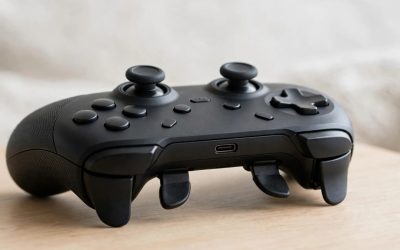
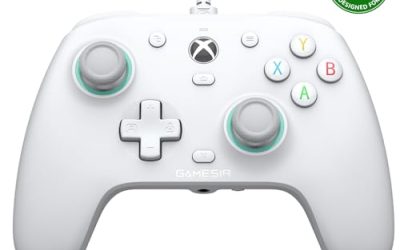
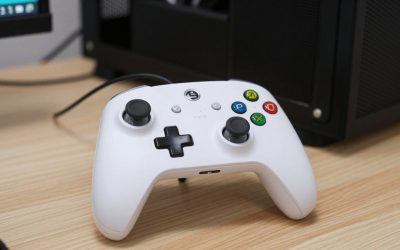
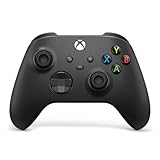
- Top Pick: XBOX Wireless Gaming Controller | Carbon Black | Textured triggers and bumpers, Hybrid D-pad, XBOX Wireless, Bluetooth, USB-C, Play across Console & PC & Cloud Devices
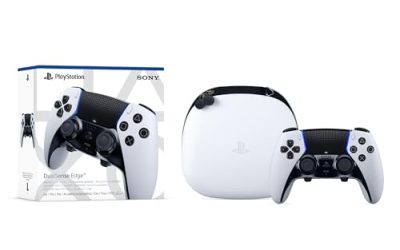
- Best Value: PlayStation DualSense™ Wireless Controller – Starlight Blue – For PS5, PC, MAC & Mobile
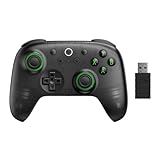
- Premium Choice: 8Bitdo Ultimate 2C Wireless Controller for Windows PC and Android, with 1000 Hz Polling Rate, Hall Effect Joysticks and Triggers, and Remappable L4/R4 Bumpers (Green)
The best game controllers in 2026 are the 8BitDo Ultimate 2 for most PC players, the Xbox Wireless Controller for the safest plug-and-play compatibility, the 8BitDo Ultimate 2C for a budget pick with drift-resistant sticks, and the Nintendo Switch 2 Pro Controller if you mainly play on a Switch 2. Choose by platform first, then by stick technology, trigger type, polling rate and back-button count, because a controller that does not match your platform wastes every other spec.
This guide is written for gamers who play on PC and want a controller that also works with a console, or who play mainly on a console and want to upgrade the stock pad. It explains what Hall effect and TMR sticks are, why drift matters, how wireless latency works, and which controllers suit which platform. It compares nine real controllers and says who should skip each one.
As an Amazon Associate we earn from qualifying purchases at no extra cost to you.


Quick picks
- Best for most PC players: 8BitDo Ultimate 2, with TMR sticks, Hall effect triggers, a 2.4 GHz dongle, 1,000 Hz polling and a charging dock. It does not support Xbox or PlayStation consoles.
- Best budget: 8BitDo Ultimate 2C, with Hall effect sticks and triggers, 1,000 Hz polling and two remappable back bumpers.
- Safest default for PC and Xbox: Xbox Wireless Controller, with native Windows support and Bluetooth.
- Best for PlayStation and PC haptics: Sony DualSense.
- Best for customization on PlayStation: DualSense Edge, with replaceable stick modules.
- Best for PC and Xbox with advanced sticks: GameSir G7 Pro, TMR sticks.
- Best for Switch 2: Nintendo Switch 2 Pro Controller.
- Best for back buttons and competitive play: Razer Wolverine V3 Pro.
- Best for adjustable stick tension: Flydigi Vader 5 Pro.
How we chose
This is a research-based comparison. We compared manufacturer specifications and several 2026 roundups of PC and console controllers, and we ranked products on seven criteria: platform support, stick technology, trigger technology, wireless options and polling rate, back buttons and remapping, battery behavior, and ergonomics. Prices vary by retailer and region, so we use tiers instead of amounts. Some sources disagree on pricing and on exact model positioning, and we could not verify every figure, so we flag anything unconfirmed.
Platform first: which controller works where
| Controller | PC | Xbox | PlayStation | Switch 2 |
|---|---|---|---|---|
| 8BitDo Ultimate 2 | Yes | No | No | See listing |
| 8BitDo Ultimate 2C | Yes | No | No | See listing |
| Xbox Wireless Controller | Yes | Yes | No | No |
| DualSense | Yes, USB or Bluetooth | No | Yes | No |
| DualSense Edge | Yes | No | Yes | No |
| GameSir G7 Pro | Yes | Yes | No | See listing |
| Switch 2 Pro Controller | Limited, see listing | No | No | Yes |
| Razer Wolverine V3 Pro | Yes | See listing | See listing | No |
| Flydigi Vader 5 Pro | Yes | See listing | See listing | See listing |
Platform entries marked “see listing” are ones we could not confirm from the sources we reviewed. Always check the current compatibility list for your console before you buy, because the same brand often sells separate versions for Xbox and PlayStation.
Stick technology: drift, Hall effect and TMR
Why sticks drift
Traditional sticks use potentiometers, which have a physical contact that wears down. When it wears, the stick reports movement you did not make. This is called stick drift, and it is the most common reason a controller feels worn out.
Hall effect sticks
Hall effect sticks measure position with magnets and sensors and have no rubbing contact, so they resist drift. They are common in mid-range and budget controllers in 2026.
TMR sticks
TMR, short for tunnel magnetoresistance, is a newer magnetic sensing method. Reviewers describe TMR sticks as more accurate and more power-efficient than Hall effect sticks. The 8BitDo Ultimate 2 and the GameSir G7 Pro are listed with TMR sticks.
Triggers
Hall effect triggers allow analog travel without wear and often let you switch to a short hair-trigger mode for shooters. Adaptive triggers on the DualSense apply resistance, but in most PC games they only work in a handful of titles.
Wireless, polling rate and latency
- 2.4 GHz dongle: the lowest-latency wireless option and the best for competitive PC play. The 8BitDo Ultimate 2 ships with one.
- Bluetooth: convenient and works with phones and handhelds, but has higher latency and occasional dropouts.
- Wired USB: the most reliable connection with no battery to charge.
- Polling rate: how often the controller reports to the PC. 1,000 Hz means a report every millisecond. Higher rates mainly help in fast games and on a dongle, and the gain is small for casual play.
Worked example: pick by your platform and play style
- Name your main platform. If it is PC only, any PC controller works. If it is PC plus Xbox, you are limited to Xbox-licensed pads such as the Xbox Wireless Controller and the GameSir G7 Pro. If it is PC plus PlayStation, the DualSense family is the natural pick. If it is Switch 2, buy the Switch 2 Pro Controller.
- Decide your latency need. Competitive shooter players on PC should favor a 2.4 GHz dongle or a wired connection.
- Decide your drift tolerance. If you keep a controller for years, choose Hall effect or TMR sticks.
- Count your back buttons. Players who want to jump without leaving the right stick need at least two back buttons.
- Check battery. The DualSense Edge battery life was measured at roughly five to six hours in one publication, so plan a charging routine or use wired mode.
For example, a PC-only player who uses shooters and racing games and wants years of use should look at the 8BitDo Ultimate 2: PC only, so no Xbox needed, dongle for low latency, and drift-resistant sticks. A player who splits time between a PC and an Xbox should buy a licensed Xbox pad and skip the 8BitDo.
The best game controllers
1. 8BitDo Ultimate 2
Spec line: TMR sticks · Hall effect triggers · 2.4 GHz dongle · 1,000 Hz polling · charging dock · no Xbox or PlayStation console support.
Best for: PC players who want long-lasting sticks, low-latency wireless and a dock for easy charging.
Skip if: You play on an Xbox or PlayStation console. This pad does not support them.
Pros:
- Drift-resistant sticks and triggers.
- Low-latency dongle and high polling rate.
- Charging dock keeps it ready.
Cons:
- No Xbox or PlayStation support.
- Third-party software for remapping rather than a console-style menu.
2. 8BitDo Ultimate 2C
Spec line: Hall effect sticks and triggers · 1,000 Hz polling · two remappable back bumpers · budget tier.
Best for: Players who want modern sticks on a tight budget.
Skip if: You want a charging dock or the best sticks. Sources describe the 2C as the budget pick.
Pros:
- Very low cost for the specs.
- Two back buttons.
Cons:
- Fewer premium features than the Ultimate 2.
- Confirm wireless type on the listing, because we could not verify it.
3. Xbox Wireless Controller
Spec line: native Windows support · plug-and-play Bluetooth · works on Xbox and PC · standard dual-stick layout.
Best for: Anyone who wants a pad that works in almost every PC game with no setup, and also plays on Xbox.
Skip if: You want drift-resistant sticks, back buttons or the lowest wireless latency. The standard pad has none of these.
Pros:
- Best compatibility across PC games.
- Comfortable and familiar.
Cons:
- Standard sticks can drift over time.
- No back buttons on the standard model.
4. Sony DualSense
Spec line: USB or Bluetooth on PC · adaptive triggers and haptics · works on PlayStation and PC.
Best for: PlayStation owners who also want to use the same pad on PC.
Skip if: You play mainly on PC and want the adaptive triggers, because only a handful of PC titles support them.
Pros:
- Excellent haptics on PlayStation.
- Works on PC.
Cons:
- Advanced features limited on PC.
- Standard sticks can drift.
5. Sony DualSense Edge
Spec line: replaceable stick modules · back buttons and profiles · premium tier · battery life measured at roughly five to six hours by one outlet.
Best for: PlayStation competitive players who want to swap worn sticks and remap controls.
Skip if: You need long wireless sessions or a modest budget. Battery life is short and the price tier is high.
Pros:
- Replaceable stick modules.
- Deep remapping.
Cons:
- Short battery life in one measurement.
- Premium price tier.
6. GameSir G7 Pro
Spec line: TMR sticks · works on PC and Xbox · price positioning varies by retailer · the wired G7 HE variant is Xbox-licensed with Hall effect sticks and triggers.
Best for: Players who split time between PC and Xbox and want modern sticks.
Skip if: You play on PlayStation.
Pros:
- Advanced stick technology.
- Works across PC and Xbox.
Cons:
- Retailers list different prices, so compare sellers.
- Check the current spec sheet for wireless details.
7. Nintendo Switch 2 Pro Controller
Spec line: official Switch 2 pad · comfortable full-size body · chosen as the top pick in one 2026 roundup.
Best for: Switch 2 owners who play docked and want a comfortable full-size pad.
Skip if: You play mainly on PC. Confirm PC compatibility on the current listing, because it is not a PC-first controller.
Pros:
- Official support and comfortable design.
Cons:
- Limited use outside the Switch ecosystem.
- We could not verify stick type.
8. Razer Wolverine V3 Pro
Spec line: extra back buttons · competitive layout · suggested for competitive play in one 2026 roundup.
Best for: Competitive players who want extra mappable buttons.
Skip if: You want a budget pad. Check the listing for platform support and exact button count, because we could not verify these.
Pros:
- Extra buttons for remapping.
Cons:
- Higher price tier.
- Platform support depends on the version.
9. Flydigi Vader 5 Pro
Spec line: Hall effect sticks with adjustable tension · extra buttons · aimed at enthusiasts.
Best for: Players who like to tune stick feel and want advanced customization.
Skip if: You want a simple plug-and-play pad. Setup and software add complexity.
Pros:
- Adjustable stick tension.
- Hall effect sticks resist drift.
Cons:
- Software-dependent features.
- Confirm platform support on the listing.
Match the controller to your use
| Use case | Choose | Why |
|---|---|---|
| PC only, long-term use | 8BitDo Ultimate 2 | TMR sticks, dongle, dock |
| PC on a budget | 8BitDo Ultimate 2C | Hall effect sticks at a low tier |
| PC and Xbox | Xbox Wireless Controller or GameSir G7 Pro | Licensed Xbox support |
| PC and PlayStation | DualSense or DualSense Edge | Native PlayStation support |
| Switch 2 | Switch 2 Pro Controller | Official, comfortable |
| Competitive FPS | Razer Wolverine V3 Pro or Flydigi Vader 5 Pro | Back buttons and tuning |
Tips for choosing and using a controller
- Check compatibility lists. Brands sell separate versions for different consoles. Confirm the exact version.
- Use a dongle for competitive play. It gives the lowest latency, and Bluetooth is fine for casual use.
- Set deadzones. Even with drift-resistant sticks, set a small deadzone in game settings to avoid unwanted movement.
- Keep firmware updated. Update through the manufacturer’s official app.
- Battery safety. Use the supplied cable or dock. Stop using a controller with a swollen or hot battery, and do not charge it unattended on bedding.
- Take breaks. Rest your hands regularly during long sessions. We make no medical claims.
Frequently asked questions
What is the best controller for PC gaming?
The 8BitDo Ultimate 2 is the best pick for most PC players, thanks to TMR sticks, Hall effect triggers and a 2.4 GHz dongle. The Xbox Wireless Controller is the safest compatibility choice.
Choose the Xbox pad if you also play on Xbox, because the 8BitDo does not support Xbox or PlayStation consoles.
What are Hall effect sticks?
Hall effect sticks use magnets and sensors instead of a rubbing contact, so they are much less likely to drift. They wear more slowly than traditional sticks.
They are now common on mid-range and budget controllers.
Are TMR sticks better than Hall effect?
Reviewers describe TMR sticks as more accurate and more power-efficient than Hall effect sticks. Both resist drift.
For most players the gap is small. Platform support and ergonomics matter more.
Can I use a PlayStation controller on PC?
Yes. The DualSense works on PC over USB or Bluetooth. Its adaptive triggers and haptics work only in a handful of PC games.
The pad still works as a standard controller in most titles.
Is a wireless controller too laggy for competitive games?
A 2.4 GHz dongle has low latency and is fine for competitive play. Bluetooth has higher latency and can drop out.
Wired USB is the most reliable if you want zero risk.
What is polling rate?
Polling rate is how often the controller reports its inputs. A 1,000 Hz rate means a report every millisecond.
Higher rates help most in fast games over a dongle or cable. For casual play the difference is hard to notice.
Do I need back buttons?
Back buttons let you press actions without taking your thumb off the right stick. They help in shooters and action games.
If you play slower games, you can skip them and save money.
Is the DualSense Edge worth it?
It is worth it only if you want replaceable stick modules and deep remapping on PlayStation. Battery life was measured at about five to six hours by one outlet.
For most players a standard DualSense or a third-party pad is better value.
Final recommendation
Buy the 8BitDo Ultimate 2 for a PC-only setup, the 8BitDo Ultimate 2C if you want modern sticks on a budget, and the Xbox Wireless Controller or GameSir G7 Pro if you also play on Xbox. Choose the DualSense family for PlayStation, the Switch 2 Pro Controller for Switch 2, and the Razer Wolverine V3 Pro or Flydigi Vader 5 Pro if you want extra buttons and tuning. Before you order, confirm platform compatibility and wireless type on the current listing, because several models have separate versions for different consoles.