

- Top Pick: OIVO PS5 Controller Charger with Fast Charging AC Adapter, PS5 Controller Charging Station Stand for PlayStation 5, Docking Station Replacement for PS 5 Accessories Kits
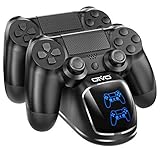
- Best Value: OIVO PS4 Controller Charger Dock Station, 1.8Hrs PS4 Controller Charging Dock, Charging Station Replacement for PlayStation 4 Cases & Storage Dualshock 4 Charger
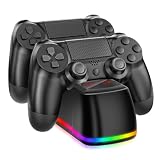
- Premium Choice: PS4 Controller Charger Dock Station, NBGame Charging Dock with LED,Replacement Charging Station for PlayStation 4 Charger & Storage
A dead gamepad halfway through a ranked match is the problem that sends people hunting for the best game controller chargers, and the right answer depends on what you play on. A dock that holds a DualShock 4 does nothing for a DualSense, and a cable that charges a PS4 pad will not fit an Xbox Series controller. The first decision is therefore the console family, and the second is whether you want a stand that tidies the desk or a long cord that lets you keep playing while it charges.
This 2026 guide splits ten listings into two groups: charging docks for PlayStation pads, and cables covering PS3, PS4, PS5, Xbox and Switch controllers. Each judgment comes strictly from the listed specs, so the sections below focus on port type, cable length and dock design to help you choose without guessing.
Quick Picks
As an Amazon Associate we earn from qualifying purchases at no extra cost to you.




| Product | Best for | Key spec from the title |
|---|---|---|
| OIVO PS5 charging station | PS5 desk setups | Fast-charging AC adapter included |
| OIVO PS4 charging dock | DualShock 4 owners | 1.8 hour charge claim |
| NBGame PS4 dock | Glanceable charge status | LED indicator |
| SCOVEE 10ft PS4 cable | Couch play on PS4 or Xbox One | Micro-USB, 10 ft |
| YAEYE PS4 dock | PS4 Slim and Pro pads | Fast-charging port |
| Tokluck PS5 dual dock | Two DualSense pads | Dual controller, on-off switch |
| SCOVEE 15ft USB-C cable | PS5, Xbox Series, Switch | USB-C, 15 ft |
| SCOVEE PS3 cable | DualShock 3 and PS Move | Mini USB, 10 ft |
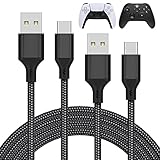
| MENEEA 2-pack USB-C cables | Multi-console households | Two 10 ft braided cords |
| CSYLX Xbox 360 cable | Xbox 360 wireless pads | Dedicated charging cord |
How to Choose
Begin with the connector your pad uses
The PS5 DualSense, Xbox Series controllers and the Switch family charge over USB-C. The PS4 DualShock 4 and Xbox One pads use Micro-USB. The PS3 DualShock 3 uses Mini USB, and Xbox 360 wireless pads need their own cable. Check this before looking at anything else, because a good dock for the wrong generation is useless.
Docks versus cables
A dock keeps pads parked and ready, which suits shared living rooms and anyone who plays every day. A cable lets you keep playing while charging and works with any outlet or console port. Choose a dock if you own a matching console and want tidiness; choose a cable if you play on PC, switch between systems, or need reach to the couch. Docks also protect the charging port from the wear of repeated plugging, since the pad simply drops into place each night.
Length, build and extra features
Cable lengths in this group run from 10 ft to 15 ft. Ten feet reaches most couches from a console, while 15 ft is better for a projector room or a long sectional. Braided nylon, listed on one model, resists kinking. On docks, an LED indicator, an on-off switch, or a bundled AC adapter are the practical extras; skip anything that only adds lighting effects. Also consider whether you keep a protective case or grips on the pad, since a snug dock slot may not accept a thick cover.
Where budget models cut corners
Budget chargers often use thin wiring, loose contacts and unregulated output. Look for a dock shaped to your exact pad, a power source suited to the console family, and a cable that clearly states its connector type. Ignore vague claims about instant charging; the listed charge time on one dock is the only duration stated in this group.
The 10 Best Options
OIVO PS5 Controller Charging Station
The OIVO PS5 listing bundles a fast-charging AC adapter with a stand built for PlayStation 5 controllers, framed as a docking station replacement and accessory kit item. It suits a desk or console shelf where a DualSense should sit upright and ready between sessions.
- Strength: the included adapter means no need to hunt for a compatible power block.
- Strength: stand-style design keeps a DualSense upright and off the desk surface.
- Trade-off: the title does not state whether it holds two controllers.
Skip it if you need to charge two pads at once or play on a platform other than PS5.
OIVO PS4 Controller Charging Dock
This OIVO dock targets DualShock 4 owners and advertises a 1.8 hour charge. It is positioned as a replacement station that also suits cases and storage setups, which makes it a natural companion for anyone who keeps PS4 gear in one spot.
- Strength: the stated charge time is clear and short.
- Strength: it is built specifically for the DualShock 4 shape.
- Trade-off: it will not fit a PS5 pad.
Skip it if you plan to move to PS5 soon and want one dock for both generations.
NBGame PS4 Charging Dock
The NBGame dock adds an LED indicator to a replacement PS4 station that also doubles as storage. The light lets you see at a glance whether a pad is charging or full, a small convenience when several people share one console.
- Strength: LED feedback removes the guesswork about charge status.
- Strength: storage-friendly design keeps pads off the floor and couch cushions.
- Trade-off: the title gives no charge time or controller count.
Skip it if you want documented charge speed before buying.
SCOVEE 10ft PS4 Controller Cable
SCOVEE lists a 10 ft Micro-USB cable compatible with the PS4 DualShock 4 and Xbox One controllers, plus Fire Stick use. It covers play-while-charging from a couch and suits a house that owns pads from both camps.
- Strength: one cord serves PS4 and Xbox One pads.
- Strength: 10 ft is long enough for most living-room layouts.
- Trade-off: Micro-USB is a dated connector, so it is no help for newer controllers.
Skip it if your pad is a DualSense or Xbox Series controller.
YAEYE PS4 Charging Dock
YAEYE advertises an upgraded fast-charging port in a stand for PS4, PS4 Slim and PS4 Pro controllers, finished in black. It is a straightforward pick for a PS4 owner who wants a dedicated parking spot for the pad.
- Strength: it explicitly names the Slim and Pro consoles.
- Strength: the stand format keeps the pad ready for the next session.
- Trade-off: the title gives no cable length, LED or charge-time details.
Skip it if you want visible charge status or a dual-pad dock.
Tokluck PS5 Dual Controller Charging Station
Tokluck is built for two PS5 controllers at once, with an LED indicator, an on-off switch and nine lighting effects listed in the title. It suits households where two players share a console and both pads need a home.
- Strength: two pads charge from a single dock, saving a socket and shelf space.
- Strength: LED indicator and on-off switch give basic control over the dock.
- Trade-off: the lighting effects add little practical value.
Skip it if you own only one DualSense or prefer a plain, understated look.
SCOVEE 15ft USB-C Controller Cable
This 15 ft USB-C cord covers PS5 DualSense, Xbox Series X and S, and Switch controllers, with data transfer listed. It gives the longest reach in the group and suits wide rooms where the console sits far from the seat.
- Strength: 15 ft stretches across a large room.
- Strength: one cord works for three console families.
- Trade-off: a long cable adds clutter and can become a trip hazard.
Skip it if your gamepad uses Micro-USB or if the seat is close to the console.
SCOVEE PS3 Controller Charging Cable
The SCOVEE PS3 listing is a 10 ft Mini USB cord for DualShock 3 and PS Move controllers, plus a few other Mini-B devices. That is a niche but real need for retro setups where an old pad has lost its original lead. The title also names PS Move, so motion-controller collectors get a matching option.
- Strength: it fits PS3-era controllers that modern cables cannot.
- Strength: 10 ft offers comfortable reach from the console.
- Trade-off: it only suits older hardware.
Skip it if you own nothing older than a PS4.
MENEEA 2-Pack USB-C Charging Cables
MENEEA sells two 10 ft braided nylon USB-C cables for PS5 and PS5 Pro, Xbox Series X and S, and Switch controllers. The title also mentions PS4 adapters, so verify fit on that console before counting on it. For a two-console household with a PS5 and a Switch, the pair is the easiest way to keep a cord at each play spot.
- Strength: two cables cover both the living room and the desk.
- Strength: braided nylon resists kinks and everyday wear.
- Trade-off: the PS4 wording in the title is ambiguous.
Skip it if you want a charging stand rather than a cord.
CSYLX Xbox 360 Wireless Controller Charging Cable
The CSYLX listing is a dedicated charging cord for Xbox 360 wireless controllers, in black. It is a single-purpose accessory for owners of the older console who need a replacement lead rather than a modern all-in-one. Because the listing keeps to a single job, it is easy to confirm that the plug type matches before you order.
- Strength: it targets a specific, hard-to-substitute connector.
- Strength: the simple listing makes compatibility easy to understand.
- Trade-off: no length or build details are given.
Skip it if your Xbox is a One or Series model.
Which One Fits Your Situation
Two players sharing a PS5
The Tokluck dual station charges both DualSense pads in one place, which beats juggling cords before every session. Add the OIVO PS5 stand if a second dock is needed in another room, or the SCOVEE 15ft cable for a night when both pads run low mid-game.
PS4 holdout who wants a tidy shelf
Pick the NBGame dock for its LED or the OIVO PS4 dock for its stated 1.8 hour charge. Either keeps the pad ready and off the cushions between games.
Couch player on a modern console
The SCOVEE 15ft USB-C cable or the MENEEA pair keeps you charged without leaving your seat, and the pair lets one cord stay at the desk for PC sessions.
Retro collector
Combine the SCOVEE PS3 cable with the CSYLX Xbox 360 cord to keep both older families alive without hunting for original leads.
Common Mistakes
- Buying a PS4 dock for a PS5 controller; the shapes and ports differ.
- Ignoring cable length and ending up tethered a few feet from the console.
- Choosing a dock for its lighting effects instead of its fit.
- Assuming every USB-C cord also moves data; the listing must say so.
- Leaving pads on a dock without checking that the contacts line up.
Related guides
- Combination Smoke And Carbon Monoxide Detectors
- Aio Liquid Coolers For High Performance Gaming
- Graphics Cards For Low Wattage Power Supplies
Frequently Asked Questions
Can one dock charge both PS4 and PS5 controllers?
Not from the listings here. The PS4 docks are built around DualShock 4 pads and the PS5 stations around DualSense pads, so owners of both consoles need one of each.
Is a cable or a dock better?
A dock is tidier and ready on demand, while a cable lets you play during charging and works with a PC. Many owners keep one of each so a dock handles daily top-ups and a cord covers long sessions.
Is a separate power adapter needed?
Only the OIVO PS5 listing names a fast-charging AC adapter. For the other docks and cables, check the product page for the power source they expect, since the titles do not spell it out.
Are older controller cables still useful?
Yes, if you still own PS3 or Xbox 360 hardware. Their connectors differ from modern ones, so only dedicated cables fit those pads.







