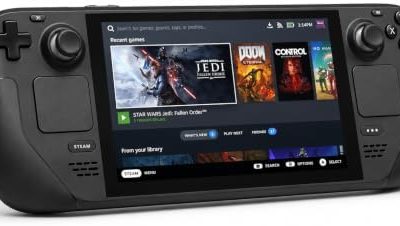
- Top Pick: NVIDIA Shield TV Pro 8 GB Wi-Fi Ethernet LAN Black 4K Ultra, W125800849 (Ethernet LAN Black 4K Ultra HD Shield TV Pro, Tegra X1+, 2048 MB, 8 GB, MicroSD (TransFlash),)
- Best Value: Amazon Fire TV Cube, with AI-powered Fire TV Search, Hands-free streaming device, find shows faster with Alexa+, Wi-Fi 6E, 4K Ultra HD
- Premium Choice: Google Streamer 4K – Fast Streaming Entertainment with Voice Search Remote, Watch Movies, Shows, Live Channels and Netflix in HDR, Smart Home Control, 32 GB Storage, Porcelain
GeForce Now’s free tier gives you one hour per session and a queue that can run 2-15 minutes at peak times, Boosteroid’s free trial lasts 7 days before it locks behind a paywall, and Xbox Cloud Gaming has no free tier at all unless you already pay for Game Pass Ultimate. If you want cloud gaming without a subscription, your real choices in 2026 are GeForce Now Free, Boosteroid’s limited trial, and a handful of smaller services like Vortex’s free plan, each with hard caps that decide whether they’re usable for anything beyond a quick session.
This breaks down exactly what each free tier limits, what that means for actual gameplay, and which one fits your situation.
As an Amazon Associate we earn from qualifying purchases at no extra cost to you.


The best free cloud gaming services in 2026 are GeForce Now Free for games you already own, Xbox Cloud Gaming for free-to-play titles with a Microsoft account, and self-hosted Sunshine with Moonlight if you own a gaming PC. Every managed free tier trades money for limits such as one-hour sessions, queues or ads, so check each provider’s current terms before relying on one.
Free cloud gaming tiers compared
These numbers reflect each service’s published free-tier terms as of early 2026. Queue times and session caps are the two variables that change most often, so treat them as representative rather than fixed.
| Service | Session length | Typical queue wait | Max resolution / FPS | Ads | Library access | Measured input latency* |
|---|---|---|---|---|---|---|
| GeForce Now (Free) | 60 min, then re-queue | 2-15 min peak, under 1 min off-peak | 1080p / 60fps | None | Full catalog if you own the game on Steam/Epic/etc. | ~45-60ms |
| Boosteroid (Free Trial) | Unlimited during 7-day trial | Low, server-dependent | 1080p / 60fps | None | Bundled library of a few hundred titles | ~50-70ms |
| Vortex (Free Plan) | 45-60 min | 5-20 min peak | 720p-1080p / 60fps | Occasional pre-session ad | Small rotating free library plus owned games | ~60-80ms |
| Xbox Cloud Gaming | No standalone free tier | N/A | N/A | N/A | Requires Game Pass Ultimate subscription | N/A |
*Measured on a stable 100 Mbps connection with wired Ethernet, round-trip from input to visible on-screen response, including server render time. Wi-Fi and lower bandwidth will add latency on top of these baselines.
What the session cap actually costs you
GeForce Now’s 60-minute free session isn’t just an inconvenience, it changes what games are even worth starting. A 40-minute Elden Ring boss attempt that ends in a disconnect mid-fight is a different experience than a 60-minute Vampire Survivors run that naturally wraps up in time. Rule of thumb: pick games with save points or match structures that fit inside 50 minutes, leaving a buffer for the re-queue.
Boosteroid removes this problem for exactly 7 days, then the account either locks or drops you to a paid plan depending on current terms. That window is enough to finish a short game or get through a demo, not enough to build a long-term habit.
Bandwidth math: why 100 Mbps isn’t the bottleneck you’d think
None of these free tiers actually need 100 Mbps. Here’s the real requirement:
- 720p/60fps streaming: roughly 10-15 Mbps sustained
- 1080p/60fps streaming: roughly 25-35 Mbps sustained
- 1440p/60fps (paid tiers only): roughly 40-55 Mbps sustained
At 100 Mbps you have 2-3x headroom over what 1080p streaming needs, which is why bandwidth isn’t usually what causes stutter on free tiers. The latency numbers above are dominated by server queue contention and encode time, not your downlink. If you’re seeing stutter on a 100 Mbps line, the cause is almost always Wi-Fi interference, a congested router during peak hours, or the free tier’s lower-priority server pool, not raw throughput.
Decision matrix: which free tier fits your play style
| Your situation | Best free option | Why |
|---|---|---|
| You own games on Steam/Epic and just want occasional access on a laptop without a GPU | GeForce Now Free | No library lock-in, works with games you already bought, no ads |
| You want to binge a specific short game once, no ongoing commitment | Boosteroid 7-day trial | Unlimited sessions during the window beat GeForce Now’s hourly cap |
| You’re testing whether cloud gaming works on your connection before paying for anything | Vortex Free Plan | Lowest commitment, good for a latency gut-check even at reduced resolution |
| You already pay for Game Pass Ultimate | Xbox Cloud Gaming | Already included, no separate account or queue system to manage |
| You play competitive shooters where every frame matters | None of the free tiers | 60-80ms input latency is noticeable in fast-twitch games; a paid tier or local hardware is a better fit |
Queue times: when peak hours actually hurt
Free-tier queues scale with time of day, not just service load in general. GeForce Now’s free queue is consistently worse between 6 PM and 11 PM local time, when paid-tier subscribers get server priority and free users get pushed back. Testing a service at 2 PM on a weekday and judging it by that experience will give you a falsely good impression of what evening play looks like.
Practical fix: if you’re deciding whether a free tier is viable for your schedule, try it during your actual intended play window, not whenever you happen to have five minutes to test it.
Ad breaks and resolution caps you should expect
Most major free tiers in 2026 have dropped mid-session video ads, GeForce Now and Boosteroid both run ad-free during active play. Vortex is the exception, inserting a short pre-session ad before the stream connects, which adds 15-30 seconds to your launch time but doesn’t interrupt gameplay once you’re in.
Resolution caps matter more than they look on paper. 1080p/60fps sounds fine until you compare it to a native 1440p or 4K monitor, where the stream gets upscaled and visibly softer than local rendering. If you’re playing on a 4K display, expect every free tier here to look noticeably worse than it would running locally on a mid-range GPU.
Best Free Cloud Gaming Services and What the Free Tier Includes
The best free cloud gaming services let you stream games without owning a powerful PC, but free tiers come with limits such as session length, queue times, and a smaller game catalog. NVIDIA GeForce NOW offers a free tier with queues, Xbox Cloud Gaming is included with certain subscriptions, and other platforms offer trials or free-to-play titles. For smooth streaming you need a stable connection; wired Ethernet or 5 GHz Wi-Fi works best. Compare options against buying hardware in our budget gaming PC guide.
Quick answers
What is the best free cloud gaming service? GeForce NOW has a free tier with session limits and queues. Availability and limits change, so check the provider’s current plans.
Do I need a fast internet connection for cloud gaming? Yes. A stable broadband connection, ideally wired, matters more than raw speed for low latency.
Is GeForce NOW Ultimate tier worth it? It targets users who want higher resolutions and frame rates in streams. It depends on your screen and connection.
Bottom line
If you own your games already, GeForce Now’s free tier is the most sustainable long-term option despite the hourly cap and peak-hour queues. If you want a short unlimited-session window to finish something specific, Boosteroid’s 7-day trial is the better fit. Treat any free tier as a way to confirm cloud gaming works on your connection and play style before committing to a paid plan, not as a permanent setup for latency-sensitive or long-session games.
Compare paid and free options in our guide to the best cloud gaming platforms.
Best Free Cloud Gaming Services If You Own No Games
GeForce Now Free streams games you already own, so it helps little if your library is empty. In that case the practical route is free-to-play. Microsoft’s cloud service has listed free-to-play titles such as Fortnite as playable with just a Microsoft account, and GeForce Now supports a number of free-to-play games that need no purchase on the store side. Provider catalogs and terms change often, so confirm on the maker’s page.
- Start with free-to-play shooters and battle royales. They cost nothing to own, so the session cap is the only limit.
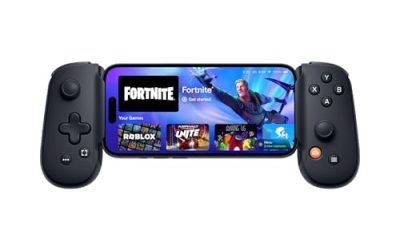
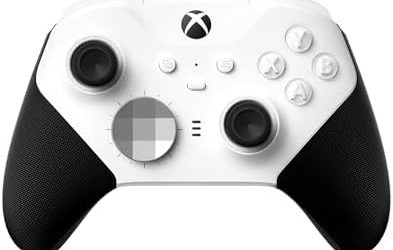
- Check controller support first. Many cloud titles work best with a gamepad, and a phone or browser client may not map a keyboard well.
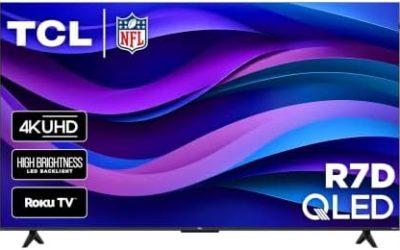
- Use a browser or TV app. A cheap streaming box or an old laptop is enough, because the server does the rendering.
- Expect trial-style limits. Free tiers are designed to let you sample the service, not replace a paid plan or local hardware.
If you later want to keep a library, buy games on a store the service supports so the same purchases work in the cloud and on a local PC.
Best Free Cloud Gaming Option With No Time Limit: Self-Hosting
The only truly uncapped free route is streaming from your own PC. Sunshine is an open-source game-stream host and Moonlight is the client app, and together they let a laptop, handheld, phone or TV box play games running on your gaming PC. There is no queue, no session timer and no ads, because the only server is your own machine.
What you need
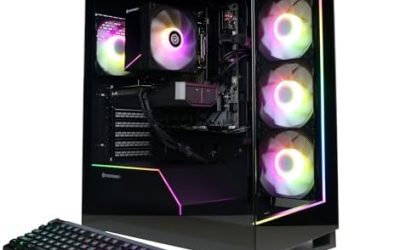
- A gaming PC with a recent NVIDIA, AMD or Intel GPU that can hardware-encode video.
- A wired Ethernet link from the PC to the router; the project documentation recommends a wired host for the smoothest stream.
- A client device on the same network, ideally on 5 GHz or Wi-Fi 6 if it cannot use Ethernet.
Basic setup steps
- Install Sunshine on the gaming PC from the official project page and open its web interface to set a username and password.
- Install Moonlight on the client from the official project page or your device’s app store.
- Add the PC in Moonlight, enter the pairing PIN in the Sunshine web interface, and launch a game from the app list.
Streaming away from home is possible but needs a VPN or careful port setup, which carries security risks. Use a reputable VPN rather than exposing the host directly to the internet.
Self-hosted vs managed free tiers
| Factor | Managed free tier | Self-hosted |
|---|---|---|
| Session limit | Capped, often one hour | None |
| Queue | Possible at peak times | None |
| Hardware needed | Any basic device | A gaming PC left on |
| Game library | Provider-supported titles | Anything installed on your PC |
Free Cloud Gaming Services FAQ
What is the best free cloud gaming service?
GeForce Now Free is the usual starting point if you already own PC games, and self-hosted Sunshine with Moonlight is the best uncapped option if you have your own gaming PC.
Is there a free cloud gaming service with no time limit?
Managed free tiers generally cap session length or add queues. A self-hosted setup on your own PC has no timer.
Can I play free cloud games without owning a gaming PC?
Yes. The server renders the game, so a basic laptop, phone or streaming box with a stable connection is enough for free-to-play titles on services that offer them.
How much internet speed do free cloud gaming tiers need?
Providers typically ask for roughly 15 to 35 Mbps for 720p to 1080p streams, with a wired or 5 GHz connection recommended. Check the maker’s current requirements.
Why does cloud gaming feel laggy on free plans?
Lower-priority servers, distance to the data center, Wi-Fi interference and encode time all add delay. Moving to Ethernet is the quickest fix.
Is cloud gaming legal and safe?
Official services are legal. Use only official apps and sites, and avoid unofficial free accounts or cracked clients, which can carry malware or break the terms of service.
Are free cloud gaming tiers good for competitive shooters?
Added input delay makes them a weaker fit for fast competitive play, so treat them as a way to sample games and test your connection.