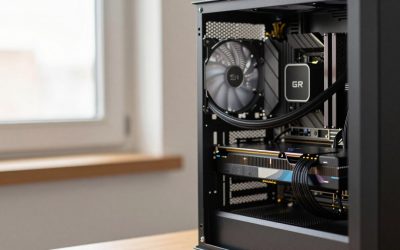
A prebuilt gaming PC is the better pick if you want a single warranty, fast delivery and no assembly, while a custom build (self-built or shop-built) is the better pick if you want to choose every part, avoid hidden compromises and keep upgrading later. In 2026 the gap has narrowed in some respects and widened in others, because memory and graphics card supply has been uneven. This guide compares both routes by what actually differs and gives a decision table at the end.
Side-by-Side Comparison
| Factor | Prebuilt | Custom (self-built or shop-built) |
|---|---|---|
| Time and effort | Ready to use; no assembly | Research and assembly (shop-built skips assembly) |
| Parts control | Limited; some part brands may be unnamed | Full choice of every component |
| Warranty | One support contact for the whole system | Separate warranties per part; shop builds include system warranty |
| Value per spend | Varies; good deals exist, so do corner cuts | Often better, but depends on part pricing and your time |
| Upgradeability | Can be limited by case, power supply and proprietary parts | Planned upgrades are straightforward |
| Software | May include pre-installed utilities | Clean install of your choice |
| Troubleshooting | Support handles it | You diagnose; forums help |
What Reviewers and Builders Say
Guides from a range of sites lean toward DIY or custom for the best value, while noting that prebuilts make sense for convenience and warranty. A custom builder such as VRLA Tech argues that prebuilt makers often cut costs on power supplies, cooling and memory, but that company sells custom systems, so read the claim with that in mind. Independent outlets generally advise checking the exact parts list: unnamed power supplies, single-stick memory and small SSDs are the things most often flagged.
Where Prebuilts Cut Corners
None of this applies to every prebuilt, but these are the places to look in a listing:
- Power supply: a listing that says only “650W PSU” without brand or rating is a red flag. Good listings name the model and efficiency rating.
- Memory: a single module (one stick) runs in single-channel mode, which can lower game performance. Look for two modules and the stated speed.
- Processor variant: a model name that resembles a premium chip but is a lower tier, such as a non-X3D Ryzen instead of an X3D one. Read the exact model.
- Storage: smaller or slower drives to hit a target, sometimes a QLC drive.
- Motherboard: basic boards with few M.2 slots or weak power delivery.
- Cooling and case airflow: small coolers or solid-front cases that run warm.
Where Custom Builds Can Go Wrong
- Part compatibility: socket, memory type, case clearance and power connectors.
- Time cost: research, assembly, BIOS setup and driver install add up.
- Split warranties: if something fails, you must work out which part.
- Price drift: part prices change, and a build assembled from many sellers can lose any savings if shipping is not combined.
- No support desk: you are the technician. Basic safety applies: power down and unplug before opening the case, and never open a power supply.
The Middle Route: Shop-Built Custom
Some builders assemble a PC from parts you choose and provide a system warranty. This sits between the two options: you keep control of the parts list but skip assembly, usually at a higher service cost than DIY. It suits people who want specific components without the work.
Prebuilt Sub-Types
| Type | Typical strengths | Typical caveats |
|---|---|---|
| Major OEM tower | Broad support, warranty, frequent promotions | Proprietary parts or limited upgrade room on some models |
| Boutique system builder | Quality components, cable management, custom options | Higher cost for the same parts |
| Value prebuilt (retail-brand) | Low entry cost and quick availability | Parts lists vary, quality inconsistent |
| Small form factor prebuilt | Compact, designed for the case | Limited upgrades and tighter cooling |
Decision Table
| Choose | If you |
|---|---|
| Prebuilt | want convenience, one warranty and immediate use; check the parts list first |
| Self-built | like the process, want choice and are happy to troubleshoot |
| Shop-built custom | want chosen parts, assembly and a system warranty |
| Prebuilt now, upgrade later | need a PC fast and plan to replace the graphics card or add storage |
| Self-built from a prebuilt chassis | want a head start but also plan to swap the power supply or memory |
The 2026 Market Factor
Outlets report a memory shortage affecting both DRAM and graphics card supply, and Nvidia is not expected to launch a new gaming generation this year. In practice, system builders buy components in volume, so a prebuilt can sometimes include a graphics card that is hard to find individually. On the other hand, volatile memory pricing means a prebuilt with poor memory specs may offer little value. Compare a prebuilt against the cost of its parts at current prices rather than assuming either route is cheaper.
A Practical Checklist
- List the processor, graphics card (with memory size), RAM (size, speed and number of sticks), storage, motherboard model and power supply model.
- Confirm the warranty length and who handles it.
- Check the case for airflow and for space to upgrade.
- See whether the system includes an operating system licence.
- Compare the listed parts with the same parts bought separately.
- Read independent reviews of the specific model, not just the brand.
Frequently Asked Questions
Is building a PC cheaper than buying a prebuilt?
Often, but not always. Prebuilt makers get bulk component pricing and occasionally run promotions that beat DIY, so compare the actual parts list.
Are prebuilt PCs reliable?
Many are, especially from established system builders. Reliability depends on the components, particularly the power supply and cooling, and on the support the maker provides.
Will a prebuilt void my warranty if I upgrade it?
Policies differ. Some makers allow standard upgrades such as storage and memory, while others require their approved parts or seals. Read the warranty terms before opening the case.
Is building a PC hard for a beginner?
Many first-time builders manage with a good guide and a compatibility checker. Handle parts carefully, unplug the system before working inside, and consult the motherboard manual for header locations.
Which is better for long-term upgrades?
A custom build with a quality power supply and standard parts is generally easier to upgrade. A prebuilt can be fine if it uses standard components and a case with room.