

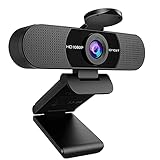
- Top Pick: NIVEOLI Webcam 1080P with Microphone & Privacy Cover for PC/Laptop, USB Computer Camera Plug & Play with Auto Light Correction for Video Calls, Live Streaming Gaming & Online Meetings
- Best Value: 1080P HD Webcam with Microphone, Noise Cancellation, Privacy Cover, Wide-Angle Lens, Auto Light Correction, Plug & Play USB Webcam for Laptop, Desktop, PC, Mac, Zoom, Skype, Streaming (Black)
- Premium Choice: EMEET C960 4K Webcam for PC, PDAF Auto Focus, Dual Omni Mics, 73° FOV | Auto Light Correction, USB-A, Plug&Play, Web cam 4K with Privacy Cover, Webcam 4K Works for Zoom/Teams/Google Meet, Laptop/PC
Look at the camera built into most laptops and you will usually find a narrow lens, a basic sensor, and a spot on the top bezel that frames your forehead at an awkward angle. That is the whole reason a plug-in webcam exists. An external USB camera sits on top of the lid or on a clip, aims where you choose, and often brings a better microphone along with it. For someone who sits through hours of video meetings, the swap is usually the quickest upgrade a laptop can get, and it takes seconds to install.
This guide is for people who want to leave the built-in camera behind without learning photography. Ten USB models are compared below, ranging from straightforward 1080p cameras with a privacy shutter to 2K and 4K options with focus systems and conference-grade microphones. Each is judged strictly from what the listing says, so you can compare field of view, resolution, autofocus, and microphone claims, then pick the right one for your calls, classes, or streams in 2026.
Quick Picks
As an Amazon Associate we earn from qualifying purchases at no extra cost to you.





| Product | Best for | Key spec from the title |
|---|---|---|
| NIVEOLI 1080P Webcam | Calls and light streaming | 1080P, microphone, privacy cover |
| 1080P HD Noise-Cancelling Webcam | Mac and PC meetings | Wide-angle lens, noise cancellation |
| EMEET C960 4K | Sharp image and focus | 4K, PDAF auto focus, 73-degree FOV |
| TRAUSI 1080P | Everyday video calls | Full HD, noise-canceling mic |
| EMEET C960 1080P | Wider framing | 90-degree FOV, 2 mics |
| Gohero Pro Series | Plug-in meeting camera | Full HD 1080P, wide-angle lens |
| Macally 1080P | Group shots | 120-degree wide angle, 30FPS |
| 1080P 30fps Webcam | Remote work and teaching | Auto light correction, 30fps |
| Anker PowerConf C200 | Audio-first meetings | 2K, 360-degree voice coverage |
| NexiGo N930AF | Autofocus on a 1080p budget | Autofocus, 1080p, USB |
How to Choose
Resolution and frame rate
For a video meeting, 1080p at 30 frames per second is the practical baseline; most conferencing apps compress video anyway. A 2K or 4K sensor adds detail for streaming, recording, or cropping into a wide shot. Be aware that higher resolutions may require a USB 3.0 port or a bit more bandwidth, and your meeting software may still cap the output below the camera’s maximum. If a title lists 30fps, treat that as the standard cadence for calls rather than a limitation. A listing that says nothing about frame rate probably runs at the same speed, but it is worth confirming on the product page.
Field of view and focus
Field of view controls how much of the room fits in the frame. A figure around 73 to 90 degrees frames one person at a desk; 120 degrees lets a second person lean into view but adds edge distortion. Autofocus matters when you hold up a product or a document. PDAF autofocus, named on one listing, refocuses quickly, while a fixed-focus lens is fine if you sit still at a set distance. If your desk setup changes often, a camera that names autofocus saves repeated manual adjustments.
Microphone and audio claims
Most of these cameras advertise a built-in mic, with noise cancellation or dual omnidirectional pickups. They work for casual calls, but a wide pickup also catches keyboard clatter. If sound is the priority, the Anker PowerConf C200 stands out, since its title emphasizes a conference microphone with 360-degree voice coverage and smart voice enhancement. Be wary of vague phrases like “powerful sound” on any listing; they signal marketing rather than a measured feature, and a headset still beats any built-in pickup.
Privacy, mounting, and compatibility
A physical privacy cover is worth having, and five of these listings name one. Look at the clip too: you need a mount that grips a thin laptop lid without tipping the screen. Check connectors; the EMEET C960 4K specifies USB-A, so a newer laptop with only USB-C ports needs an adapter. Compatibility lists such as Zoom, Teams, and Meet appear on many titles, which is a reasonable signal that no special software is required. Where budget models cut corners is in the lens quality and the stand. Also think about cable length: a short lead limits where you can place the camera if your laptop sits on a riser or a docking stand.
The 10 Best Options
NIVEOLI 1080P Webcam
A USB camera that offers 1080P resolution, a microphone, a privacy cover, plug and play setup, and auto light correction. The title mentions video calls, live streaming, gaming, and online meetings.
- Strength: privacy cover and auto light correction both appear in the title.
- Strength: plug and play means no driver hunt.
- Trade-off: no field of view or autofocus figure is given.
Skip it if you want to know the exact lens angle before buying, or if you need a camera that clearly lists a focus method.
1080P HD Noise-Cancelling Webcam
This unbranded camera lists a microphone with noise cancellation, a privacy cover, a wide-angle lens, and auto light correction. It names laptop, desktop, PC, Mac, Zoom, Skype, and streaming.
- Strength: wide-angle lens helps include more of the room.
- Strength: Mac is named in the compatibility list.
- Trade-off: no brand name appears in the title, so support details are unclear.
Skip it if you prefer a known manufacturer with a clear support page, since the listing carries no brand name.
EMEET C960 4K
This camera combines 4K resolution, PDAF autofocus, dual omni mics, and a 73-degree FOV. It connects over USB-A and includes a privacy cover and auto light correction.
- Strength: 4K sensor and PDAF focus for a detailed picture.
- Strength: a narrower 73-degree field keeps framing tight on one person.
- Trade-off: the USB-A connector needs an adapter on USB-C-only laptops.
Skip it if you need to fit several people into the frame.
TRAUSI 1080P
A Full HD camera with a noise-canceling microphone, auto light correction, a privacy cover, and a wide-angle lens. It targets laptop, desktop, PC, and Mac users on Zoom, Teams, and streams.
- Strength: the feature list covers the essentials for meetings.
- Strength: it carries a named brand rather than a generic label.
- Trade-off: no resolution beyond 1080p and no focus type are listed.
Skip it if you need autofocus or a higher resolution for recording and streaming projects.
EMEET C960 1080P
Despite the shared C960 name, this variant is a 1080P camera with two microphones and a 90-degree FOV. It is plug and play for calls, conferencing, and streaming.
- Strength: a 90-degree view fits a larger slice of the room.
- Strength: two mics are named for voice capture.
- Trade-off: confusingly similar name to the 4K model, so double-check the listing.
Skip it if you want 4K output or a narrower, tighter frame on yourself.
Gohero Pro Series
Gohero lists Full HD 1080P video, noise cancellation, a privacy cover, a wide-angle lens, and auto light correction. It is plug and play and supports Zoom and Skype.
- Strength: the privacy cover and wide lens come together in one unit.
- Strength: broad platform compatibility is spelled out.
- Trade-off: it reads nearly identical to several other generic 1080p cameras.
Skip it if you want a spec that stands apart from the pack, such as a named focus system or a specific viewing angle.
Macally 1080P
A USB camera with a microphone, a 120-degree wide angle, and 30FPS 1080p video. The title mentions desktop, streaming, meetings, and FaceTime.
- Strength: the widest field of view in this group, at 120 degrees.
- Strength: FaceTime is named alongside Zoom and Skype.
- Trade-off: very wide lenses can stretch the edges of the image.
Skip it if you only need to frame yourself at close range, since the wide view also shows more of your room.
1080P 30fps Webcam
This unbranded model offers a microphone, auto light correction, 30fps, plug and play USB, and a laptop or PC target. The listing points to remote work, online teaching, and video calls.
- Strength: auto light correction helps in changing room light.
- Strength: simple setup aimed at teachers and remote staff.
- Trade-off: no privacy cover or field of view is mentioned.
Skip it if a physical shutter is a requirement, or if you need a stated field of view.
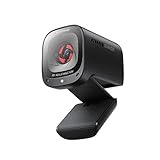
Anker PowerConf C200
A 2K camera with low-light correction and a conference microphone offering 360-degree voice coverage and smart voice enhancement. It is listed for PC, laptop, and Mac.
- Strength: 2K resolution above the 1080p baseline.
- Strength: audio features lead the title, which suits long meetings.
- Trade-off: a privacy cover is not named in the title.
Skip it if you only care about video quality and want a physical shutter you can close between calls.
NexiGo N930AF
The N930AF is a 1080p USB camera with autofocus and a microphone, listed for desktop and laptop. Zoom, Switch 2, Teams, and Webex are named for compatibility.
- Strength: autofocus keeps documents and products sharp.
- Strength: console and conferencing support is stated.
- Trade-off: the title does not list a field of view figure.
Skip it if you want a privacy cover named in the listing or a wider angle for group calls.
Which One Fits Your Situation
You present or record and want the sharpest image
Pick the EMEET C960 4K. The resolution, PDAF focus, and privacy cover give a crisp, controlled picture, and the narrow field keeps attention on you.
You attend long, audio-heavy meetings
The Anker PowerConf C200 centers its title on voice pickup, which helps if you lead calls or sit with a small group around one laptop. Pair it with a quiet room and a stable USB port.
You share the frame with someone else
Choose the Macally 1080P with its 120-degree view, or the EMEET C960 1080P at 90 degrees for less distortion.
You need a basic, safe camera for school or work
The TRAUSI 1080P offers a privacy cover, noise-canceling mic, and a named brand, covering the essentials without any complexity. If you prefer a built-in focus system, the NexiGo N930AF is the simple next step up.
Common Mistakes
- Assuming 4K helps in every call; meeting apps often compress video well below the camera’s maximum.
- Ignoring the USB connector type, then discovering a USB-C-only laptop needs an adapter.
- Picking an ultra-wide lens for a single-person desk, which adds distortion and background clutter.
- Counting on a built-in mic for broadcast-quality voice when a headset would serve better.
- Leaving the camera in direct backlight from a window, which overwhelms any light correction feature.
Related guides
- Combination Smoke And Carbon Monoxide Detectors
- Aio Liquid Coolers For High Performance Gaming
- Graphics Cards For Low Wattage Power Supplies
Frequently Asked Questions
Do I need drivers for these cameras?
Most listings say plug and play, meaning the laptop recognizes them as a standard USB video device. Optional software may add controls, but basic calls should work without installing anything.
Is 4K worth it for video calls?
Often it is not. Meeting apps compress video, so 1080p looks nearly the same. A 4K camera pays off if you record or stream, or if you crop in on part of the frame.
What field of view should I pick?
Around 73 to 90 degrees suits a solo user at a desk. Go toward 120 degrees only if you need to include another person or a whiteboard.
Are the microphones good enough?
For ordinary calls, yes. Dual or noise-canceling mics reduce background sounds, but they are no match for a headset or a dedicated desk microphone if audio quality is your priority.







