

- Top Pick: TP-Link AX1800 WiFi 6 Router (Archer AX21 V5)
- Best Value: NETGEAR WiFi 6 Router 4-Stream (R6700AX) – Router Only, AX1800 Wireless Speed (Up to 1.8 Gbps), Covers up to 1,500 sq. ft., 20 Devices – Free Expert Help, Dual-Band
- Premium Choice: NETGEAR Nighthawk Dual-Band WiFi 7 Router (RS90) – Router Only, BE3600 Wireless Speed (up to 3.6 Gbps) – Covers up to 2,000 sq. ft., 50 Devices – 2.5 Gig Internet Port – Free Expert Help
🛒 Best Price Today on Amazon
Prime members get fast, free shipping on everything above, plus member-only deals. New members get a 30-day free trial — cancel anytime.
- Top Desktop Routers Picks for 2026
- Best Desktop Routers at a Glance
- 1. Amazon eero 6 Mesh Wi-Fi Router (supports up to 900 Mbps)
- 2. TP-Link AX1800 Wi-Fi 6 Router (Archer AX21 V5)
- 3. TP-Link Deco X55 AX3000 Wi-Fi 6 Mesh System (up to 2500 sq ft)
- 4. TP-Link AC1200 Gigabit Wi-Fi Router (Archer A6)
- 5. TP-Link Smart Wi-Fi 6 Router (Archer AX10) — 4 Gigabit LAN Ports
- 6. Amazon eero 6+ Mesh Wi-Fi Router (supports up to a Gigabit)
- How to Choose the Right Desktop Router
- Related Guides
- Frequently Asked Questions
- Related Guides
- Related Articles
Top Desktop Routers Picks for 2026
Here are our current top desktop routers picks, compared on real Amazon owner reviews, price, and features. Live prices update below.
As an Amazon Associate we earn from qualifying purchases at no extra cost to you.


Top Rated
Ubiquiti Networks UDR7 UniFi Dream Router 7, Desktop 10G Gateway
View on Amazon.com
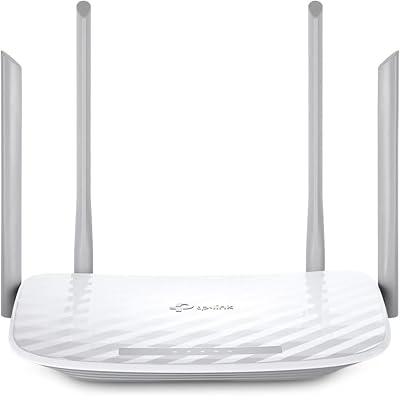

A desktop router is simply a router designed to sit out in the open on a desk, shelf or sideboard — the familiar horizontal box or compact standing unit — rather than a rack-mounted or wall-flush enterprise device. For the vast majority of homes that is exactly what you want: a self-contained unit you place near your modem and forget about. Worth being upfront, though: every router on this list is a desktop or shelf-friendly form factor, because consumer routers essentially all are. So our real job here is not to filter by form factor — they all qualify — but to help you pick the right coverage, Wi-Fi standard and price for your space.
Our picks were chosen on what actually decides how a desktop router performs in a home: rated coverage area and how it handles distance, the Wi-Fi standard (Wi-Fi 6 versus older Wi-Fi 5), single-unit versus mesh expandability, port count, and value. We have included a deliberate price spread, from around $40 to around $140, and a mix of single boxes and mesh systems. We describe each by capability and fit rather than inventing throughput numbers. Below you will find an at-a-glance comparison of all six, then a closer look at each unit and a buyer’s guide built around form factor, coverage and Wi-Fi standard — the things that genuinely matter when a router has to live on your desk.
Best Desktop Routers at a Glance
| Router | Best For | Standout Spec | Approx Price |
|---|---|---|---|
| Amazon eero 6 mesh | Simple whole-home mesh up to 900 Mbps | Mesh Wi-Fi 6, app setup, low-profile | around $90 |
| TP-Link Archer AX21 (AX1800) | Best-value Wi-Fi 6 single unit | Wi-Fi 6 AX1800, gigabit ports | around $52 |
| TP-Link Deco X55 (AX3000) | Larger homes, dead-zone fix | AX3000 mesh, up to 2500 sq ft | around $70 |
| TP-Link Archer A6 (AC1200) | Tightest budget, smaller spaces | AC1200 dual-band MU-MIMO | around $40 |
| TP-Link Archer AX10 (AX1500) | Entry Wi-Fi 6 with 4 LAN ports | Wi-Fi 6 AX1500, 4 gigabit LAN | around $60 |
| Amazon eero 6+ mesh | Gigabit plans + future headroom | Mesh Wi-Fi 6, gigabit support | around $140 |
1. Amazon eero 6 Mesh Wi-Fi Router (supports up to 900 Mbps)
13
Prime
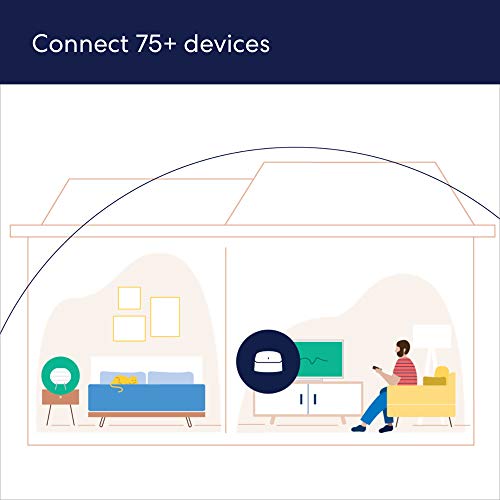
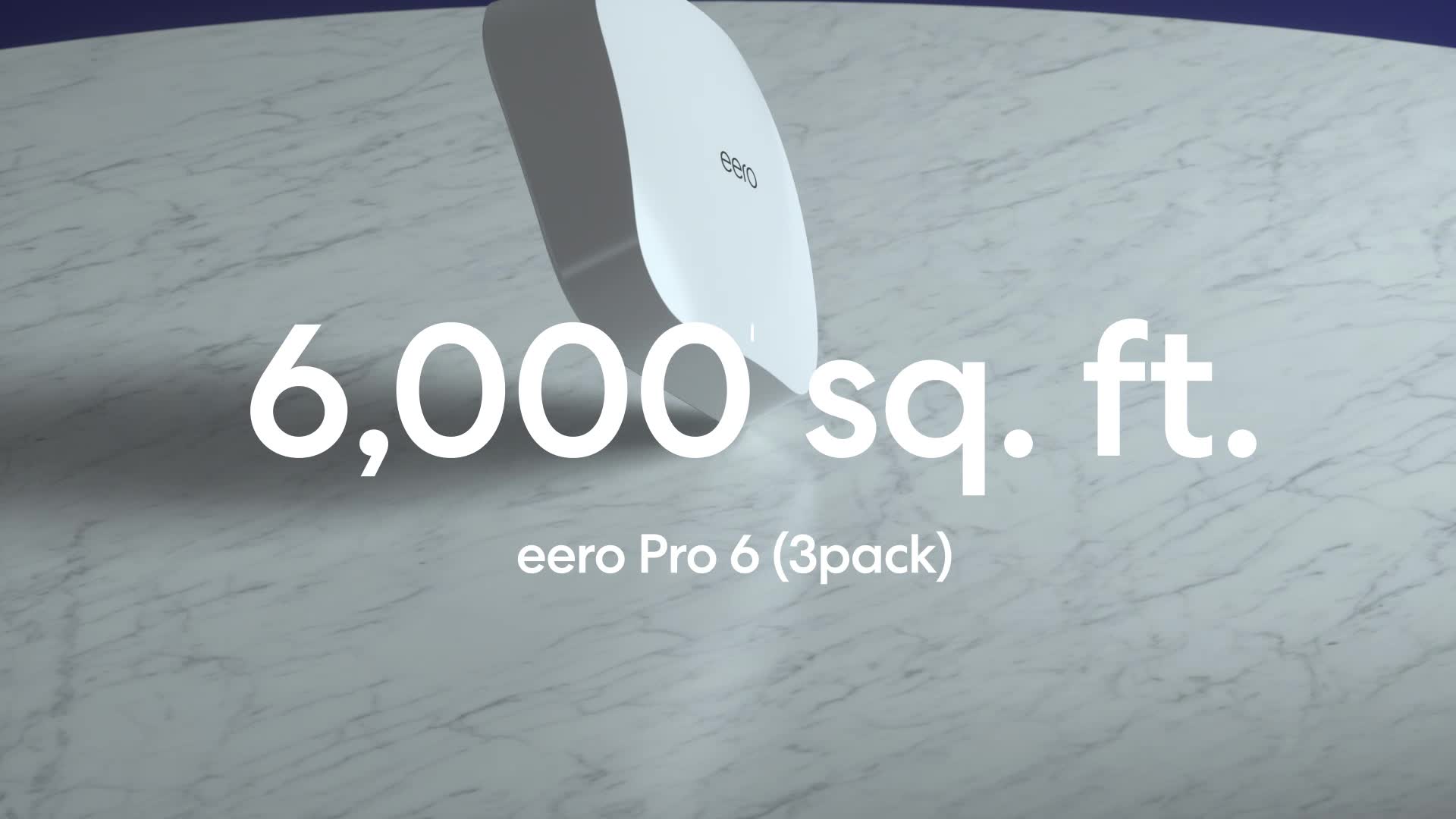
Amazon eero 6 mesh wifi router – Supports internet plans up to 900 Mbps, Coverage up to 1,500 sq. ft., Connect 75+ devices, 1-pack
In Stock





As an Amazon Associate we earn from qualifying purchases. Product prices and availability are accurate as of the date/time indicated.
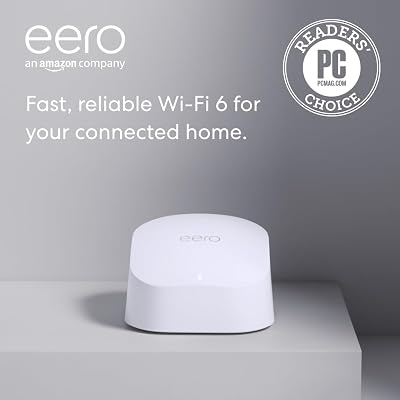
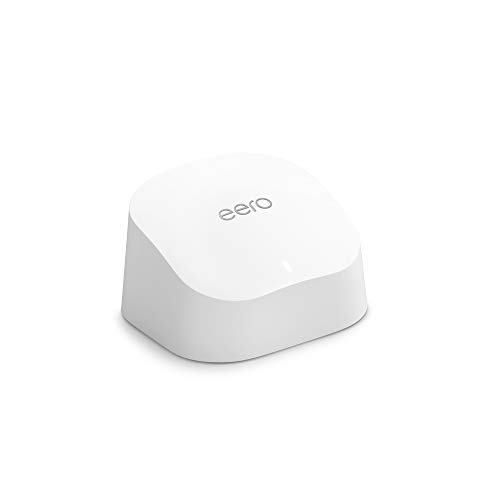
The Amazon eero 6 leads the list because it nails what most people actually want from a desktop router: a small, unobtrusive box you set up in minutes and never think about again. It is a Wi-Fi 6 mesh unit supporting internet plans up to 900 Mbps, with a low-profile design that sits neatly on a shelf or desk. At around $90 it pairs genuinely simple setup with the option to add more units later for a true whole-home mesh.
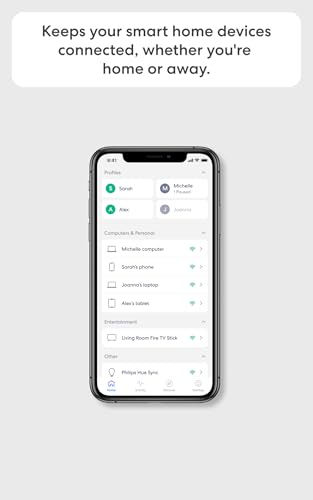
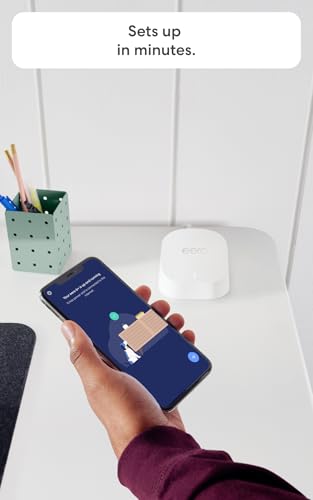
This is the pick for the household that prioritises ease and tidiness over knobs and dials. The eero app walks you through setup step by step, the compact unit looks at home in a living room rather than a server closet, and Wi-Fi 6 keeps it current for modern phones, laptops and smart-home gear. As a single unit it covers an apartment or small home comfortably, and when you outgrow it you simply drop another eero on a shelf elsewhere and the mesh extends itself. For plug-and-play whole-home Wi-Fi on a desk, it is the easy starting point.
Pros: Effortless app setup, tidy low-profile desktop design, Wi-Fi 6, expandable to whole-home mesh.
Cons: Caps around 900 Mbps; fewer manual controls than enthusiast routers.
2. TP-Link AX1800 Wi-Fi 6 Router (Archer AX21 V5)
The TP-Link Archer AX21 is the best-value single-box desktop router here, and for most homes it is all the router you need. It is a dual-band Wi-Fi 6 unit rated AX1800, with gigabit WAN and LAN ports and the standing/horizontal form factor that defines a classic desktop router. At around $52 it delivers modern Wi-Fi 6 features at a price that is hard to argue with.
This is the pick for the value-focused buyer who wants a proper standalone router rather than a mesh kit. Wi-Fi 6 brings better efficiency in busy households with lots of connected devices, the gigabit ports handle wired desktops and consoles, and TP-Link’s app makes setup approachable while still exposing real settings for those who want them. It sits flat or upright on a desk and covers a typical home or apartment well. For a no-nonsense, well-priced Wi-Fi 6 desktop router, the AX21 is the sensible default.
Pros: Excellent value, modern Wi-Fi 6, gigabit ports, easy app plus manual controls, classic desktop form.
Cons: Single unit only — large or multi-floor homes may want mesh instead.
3. TP-Link Deco X55 AX3000 Wi-Fi 6 Mesh System (up to 2500 sq ft)

29
Prime
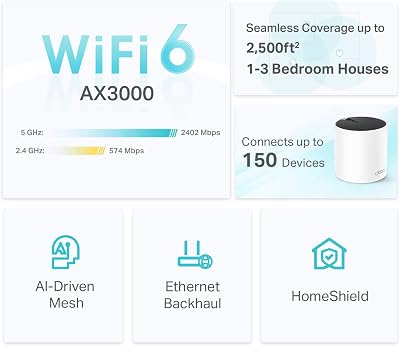
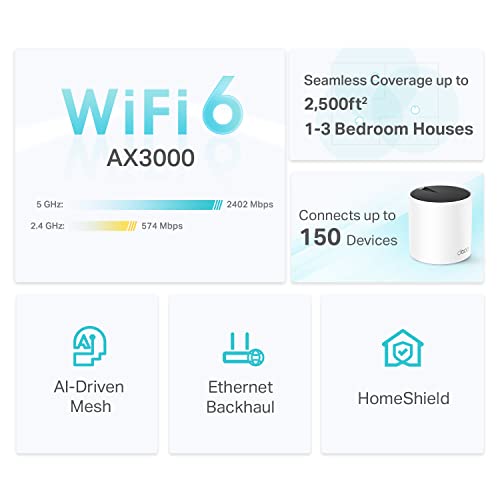
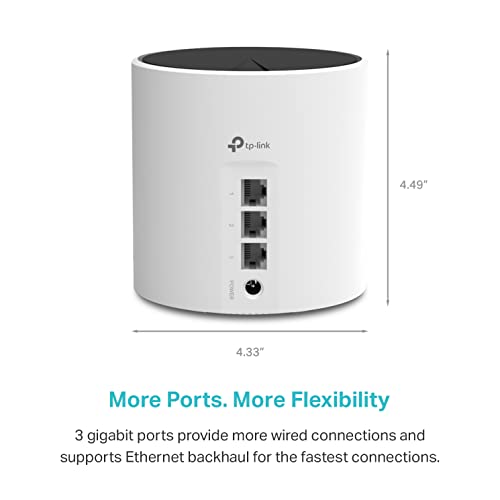
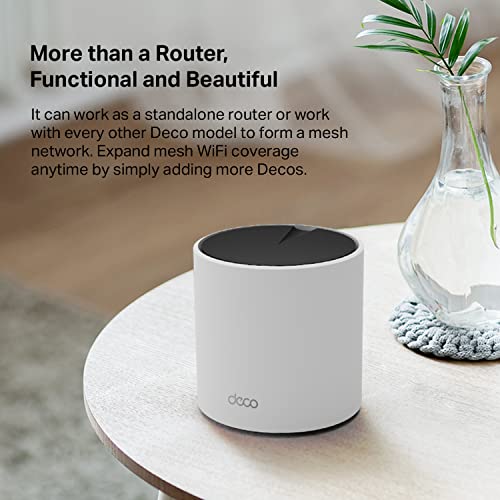
TP-Link Deco X55 AX3000 WiFi 6 Mesh System – Covers up to 2500 Sq.Ft., Replaces Wireless Router and Extender, 3 Gigabit Ports, Supports Ethernet Backhaul, Deco X55(1-Pack)
In Stock









As an Amazon Associate we earn from qualifying purchases. Product prices and availability are accurate as of the date/time indicated.
The TP-Link Deco X55 is the mesh pick for larger homes and stubborn dead zones. It is an AX3000 Wi-Fi 6 mesh system rated to cover up to 2500 square feet, using slim cylindrical units that stand on shelves around the house and blanket it in a single seamless network. At around $70 it is an affordable way to fix the coverage gaps a single box cannot reach.
This is the pick for a multi-room or multi-floor home where one router leaves rooms with weak or no signal. The mesh units hand your devices off seamlessly as you move around, so video calls and streaming do not drop, the AX3000 Wi-Fi 6 rating gives solid headroom for a busy household, and the standing Deco units are designed to look like decor rather than networking gear. If a single desktop router leaves dead zones, the Deco X55 is the natural step up without spending eero money.
Pros: Whole-home mesh coverage up to 2500 sq ft, seamless roaming, Wi-Fi 6, tidy standing units.
Cons: Two/three-piece kit needs more placement thought than one box.
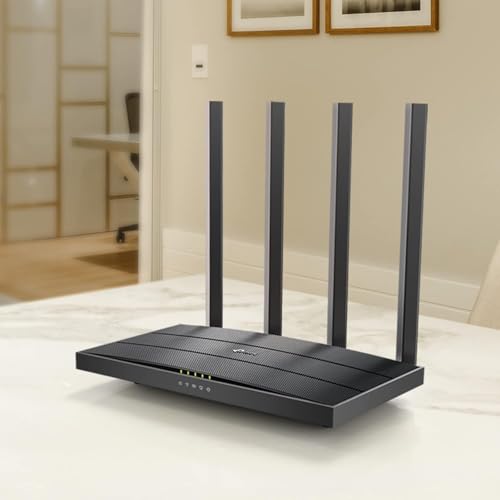
4. TP-Link AC1200 Gigabit Wi-Fi Router (Archer A6)

21
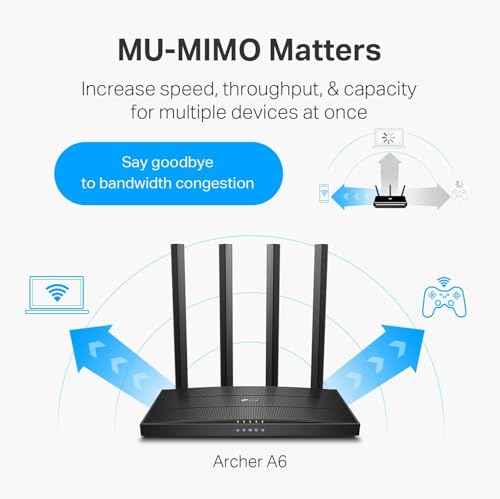
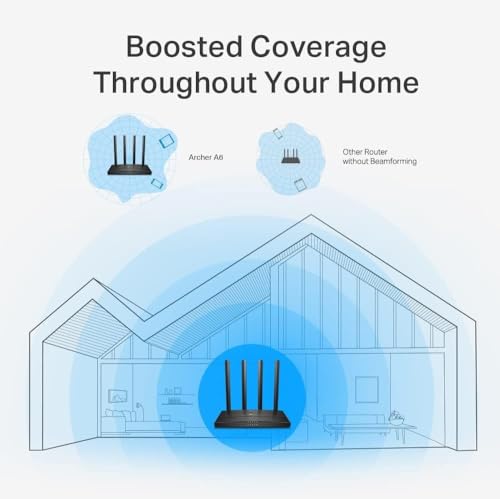
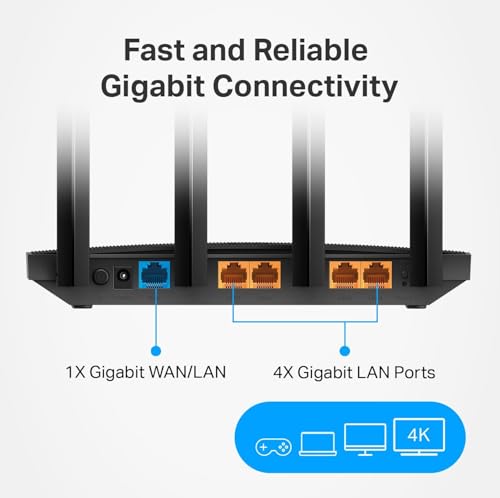
TP-Link AC1200 Gigabit WiFi Router (Archer A6) – Dual Band MU-MIMO Wireless Internet Router, 4 x Antennas, OneMesh and AP Mode, Long Range Coverage
In Stock



As an Amazon Associate we earn from qualifying purchases. Product prices and availability are accurate as of the date/time indicated.
The TP-Link Archer A6 is the tightest-budget desktop router on the list. It is a dual-band AC1200 (Wi-Fi 5) router with MU-MIMO and gigabit connectivity, in the standard low-profile box that sits flat on a desk or shelf. At around $40 it is the cheapest pick here and a dependable choice for smaller spaces or as a straightforward replacement for an aging ISP unit.
Be honest about what this is: it runs Wi-Fi 5 (AC) rather than Wi-Fi 6, so it is the value option rather than the future-proof one. That said, for an apartment, a smaller home, or a household with modest internet speeds and a handful of devices, AC1200 with MU-MIMO is perfectly capable. The gigabit ports still serve a wired PC well, setup is simple, and TP-Link’s reliability track record is strong. For the lowest-cost competent desktop router, the Archer A6 does the job without fuss.
Pros: Lowest price here, reliable AC1200 with MU-MIMO, gigabit ports, compact desktop box.
Cons: Wi-Fi 5 not Wi-Fi 6; best for smaller spaces and modest plans.
5. TP-Link Smart Wi-Fi 6 Router (Archer AX10) — 4 Gigabit LAN Ports

10
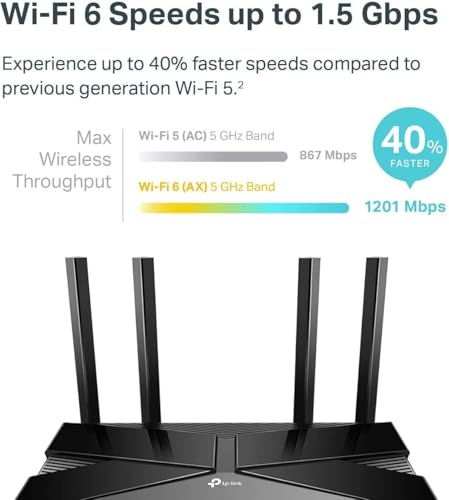
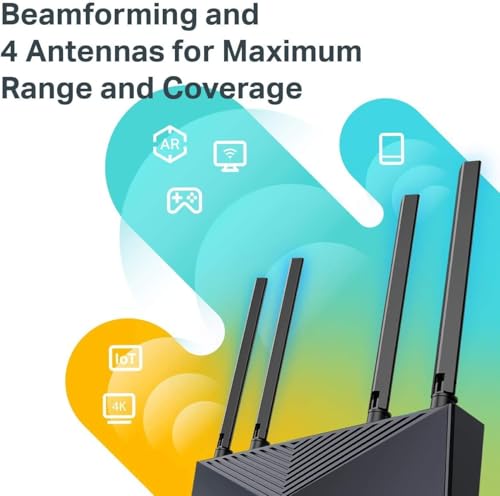
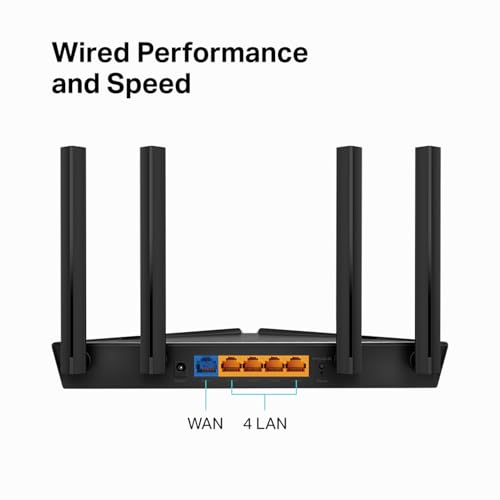
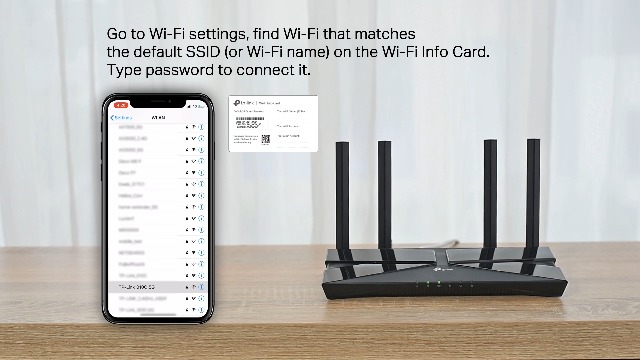
TP-Link Smart WiFi 6 Router (Archer AX10) – 4 Gigabit LAN Ports, Dual Band 802.11AX Router, Beamforming, OFDMA, MU-MIMO, Parental Controls, Dual-Core 900MHz Processor, Works with Alexa
In Stock



As an Amazon Associate we earn from qualifying purchases. Product prices and availability are accurate as of the date/time indicated.
The TP-Link Archer AX10 is the entry Wi-Fi 6 pick with wired connectivity in mind. It is a dual-band AX1500 Wi-Fi 6 router with four gigabit LAN ports plus a gigabit WAN, in the familiar desktop form factor. At around $60 it brings Wi-Fi 6 efficiency and a generous set of wired ports together for buyers who still plug a few things in.
This is the pick for the desk where wired devices matter — a gaming PC, a console, a NAS, a smart-home hub — and you want Wi-Fi 6 alongside. The four gigabit LAN ports mean you are not immediately reaching for a switch, the Wi-Fi 6 standard improves behaviour when many wireless devices are connected at once, and the router sits tidily on a desk or shelf. As an affordable Wi-Fi 6 single unit that does not skimp on wired ports, the AX10 is a well-judged middle option.
Pros: Wi-Fi 6 at a low price, four gigabit LAN ports for wired gear, compact desktop design.
Cons: AX1500 is entry-tier throughput; single unit, no mesh.
6. Amazon eero 6+ Mesh Wi-Fi Router (supports up to a Gigabit)

13
Prime
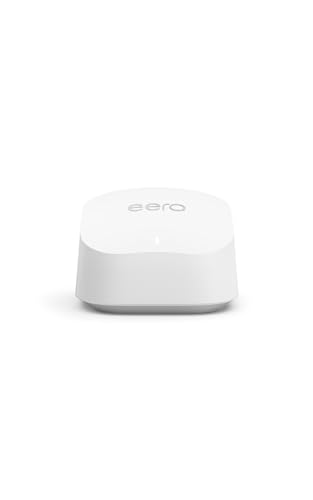
Amazon eero 6+ mesh wifi router – Supports internet plans up to a Gigabit, Coverage up to 1,500 sq. ft., Connect 75+ devices, 1-pack
In Stock




As an Amazon Associate we earn from qualifying purchases. Product prices and availability are accurate as of the date/time indicated.
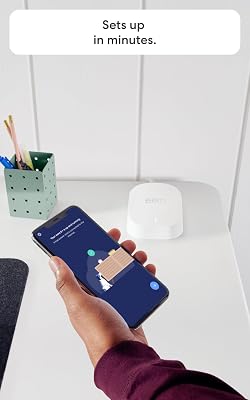
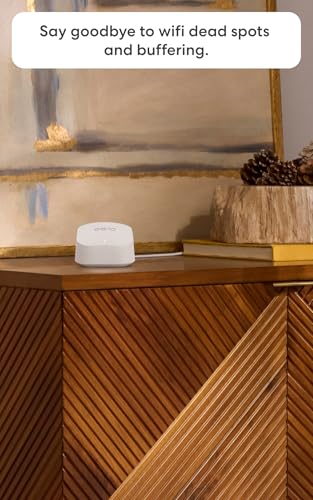
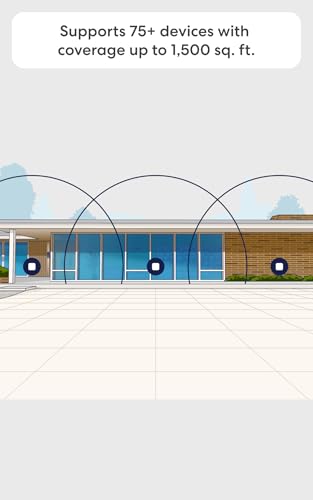
Rounding out the list is the Amazon eero 6+, the pick for gigabit plans and future headroom. It steps up from the standard eero 6 with support for internet plans up to a full gigabit, while keeping the same effortless app setup and clean, low-profile desktop design. At around $140 it is the premium option here, and the extra speed support is the reason.
This is the pick for the household on a gigabit (or near-gigabit) internet plan that wants the simplicity of eero without leaving speed on the table. The higher ceiling means you actually benefit from a fast connection, the Wi-Fi 6 mesh still expands by simply adding units on shelves around the home, and the tidy box looks at home in any room. If you pay for gigabit or expect to soon, and you value eero’s set-and-forget experience, the 6+ is the version worth stretching for.
Pros: Supports up to gigabit plans, effortless eero app setup, Wi-Fi 6 mesh, tidy desktop unit.
Cons: Highest price here; benefit is wasted on slower internet plans.
How to Choose the Right Desktop Router
Start by setting form factor aside, because it barely narrows the field: every router here, and almost every consumer router you will find, is a desktop or shelf-friendly unit rather than a rack-mount or wall-flush device. The eeros and Decos are deliberately styled to look like decor, while the Archer models are the classic horizontal-or-upright box. So the real decision is not ‘is it a desktop router’ — they all are — but how much coverage, which Wi-Fi standard, and single unit versus mesh.
Coverage is the decision that fixes the most real-world frustration. A single router like the Archer AX21 or AX10 covers an apartment or a typical small home well, but signal weakens through walls and across floors. If you have rooms that go dim or drop out, a mesh system — the Deco X55 rated to 2500 square feet, or an expandable eero — places multiple units around the home and hands devices between them seamlessly. Match the coverage approach to your floor plan, not just your square footage.
Wi-Fi standard is where you decide between value and future-proofing. Wi-Fi 6 (the eeros, Archer AX21, AX10 and Deco X55) handles crowded households of phones, laptops and smart-home devices more efficiently and keeps you current; Wi-Fi 5 (the AC1200 Archer A6) is cheaper and still fine for smaller spaces and modest plans. Then check your internet speed against the router’s ceiling — there is no point pairing a gigabit plan with a unit that caps well below it, which is exactly why the eero 6+ exists alongside the standard eero 6.
Finally, weigh ports, app experience and budget. If you plug in a gaming PC, console or NAS, favour a unit with several gigabit LAN ports like the Archer AX10; if you live entirely on Wi-Fi, a mesh kit’s tidy units may matter more. Decide how much control you want — eero leans fully app-managed and simple, TP-Link exposes more manual settings — and set a budget. The best desktop router is the one that covers your whole home, matches your internet speed, and disappears into the room once it is set up.
Frequently Asked Questions
What exactly counts as a ‘desktop router’?
A desktop router is one designed to sit out in the open — horizontally on a desk or shelf, or as a small standing unit — rather than mount in a server rack or sit flush against a wall like commercial gear. In practice almost all consumer routers, including every model in this guide, are desktop form factors. The eeros and Decos are even styled to look like decor, so for a home the question is really about coverage and features, not form factor.
Do I need Wi-Fi 6, or is Wi-Fi 5 enough?
Wi-Fi 6 (as on the eero units, Archer AX21, AX10 and Deco X55) handles busy households with many connected devices more efficiently and keeps you future-ready, so it is the better long-term buy. Wi-Fi 5, like the AC1200 Archer A6, is cheaper and still perfectly capable for smaller spaces, fewer devices, or modest internet plans. If you are buying for the next several years, lean Wi-Fi 6.
Should I get a single router or a mesh system?
Choose a single router like the Archer AX21 for an apartment or small home with no dead zones. Choose a mesh system like the TP-Link Deco X55 or an expandable eero if you have a larger or multi-floor home, thick walls, or rooms that lose signal. Mesh units sit on shelves around the house and hand your devices off seamlessly, eliminating the dead spots a single box cannot reach.
Will any of these match my gigabit internet plan?
Check the router’s rated speed against your plan. The Amazon eero 6+ explicitly supports plans up to a full gigabit, making it the pick if you pay for fast internet, while the standard eero 6 supports up to around 900 Mbps. Pairing a gigabit plan with a router that caps well below it wastes the speed you are paying for, so match the ceiling to your connection.
Related Guides
- Best Gaming Routers
- Best Mesh Wi-Fi Systems
- Best Wi-Fi 6 Routers
- Best Network Switches
- Best Powerline Adapters
- Best Budget Gaming Setup
Affiliate Disclosure: As an Amazon Associate, we earn from qualifying purchases. If you click a link and make a purchase, we may earn a small commission at no extra cost to you. Prices and availability are accurate as of publication and may change.










