

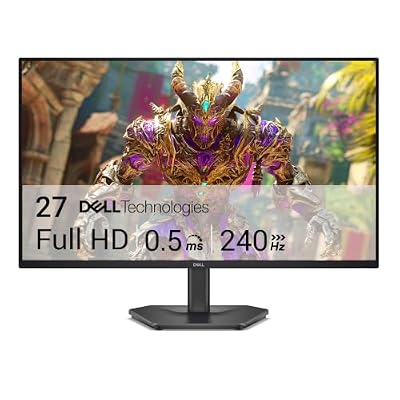
- Top Pick: Dell 27 240Hz Gaming Monitor – SE2726HG – 27-inch FHD (1920×1080) Display, in-Plane Switching (IPS) Technology, AMD FreeSync Premium, TÜV 3-Star, 2X HDMI, DisplayPort 1.4, Tilt
- Best Value: Acer 27in FHD 1920×1080 IPS 120Hz Gaming Monitor | Office KB272 G0bi
- Premium Choice: Samsung 27" Odyssey G5 (G51F) Series QHD (1440P) Gaming Monitor
A 27-inch monitor is the sweet spot for most desks: close enough to see detail, big enough that 1080p starts looking soft and 1440p starts looking right. “Budget” at this size used to mean a bad panel bolted to a decent refresh rate. That’s less true now. You can get a 27-inch 1440p IPS panel running at 165Hz for not much more than a 1080p 144Hz panel cost three years ago. The hard part is knowing which corners are actually being cut, because every spec sheet looks the same until you plug the thing in.
As an Amazon Associate we earn from qualifying purchases at no extra cost to you.


1440p is the right call, 1080p is still fine
At 27 inches, 1080p works out to about 82 pixels per inch. That’s noticeably soft, text has visible edges and fine UI elements blur a little. 1440p on the same panel size is around 109 PPI, which looks sharp without needing fractional scaling or a graphics card that costs more than the monitor. If your GPU is a mid-range card from the last few years (think RTX 3060 to 4060 territory, or equivalent AMD), 1440p at high refresh is realistic in most games if you’re willing to drop a few settings.
The honest exception: if your GPU is genuinely old or low-power, or you mainly play competitive shooters where frame rate matters more than clarity, a 1080p 27-inch monitor isn’t a mistake. Pushing 1440p on a card that can only manage 80fps defeats the point of a high refresh panel. In that case a cheap 27-inch 1080p 144Hz monitor will serve you better than a 1440p panel you can’t actually drive.
Panel type matters more than the refresh number
Budget 27-inch monitors come in three panel types, and the differences aren’t subtle.
| Panel | Color/contrast | Viewing angles | Typical response time | Common failure mode |
|---|---|---|---|---|
| VA | Best contrast (3000:1+), good color | Noticeable shift off-center | Slower, prone to smearing in dark scenes | Black smear on fast dark-to-dark transitions |
| IPS | Good, consistent color | Excellent | Fast on modern panels | Lower native contrast (~1000:1), visible glow in dark rooms |
| TN | Weakest color, washed out | Poor, shifts even slightly off-axis | Fastest, lowest input lag | Color inversion at angles, dated look overall |
IPS has become the default at this size and price because manufacturing costs dropped enough that it’s not the premium option anymore. VA still shows up on cheaper panels and gives you better contrast for the money, useful if you watch a lot of dark content or play atmospheric single-player games, but the smearing in fast-moving dark scenes is a real issue, not a theoretical one. TN is mostly gone from 27-inch monitors now except at the very bottom of the price range, and it’s generally not worth it unless the discount is drastic and you’re purely chasing frame rate in a game like competitive CS or Valorant.
What refresh rate actually buys you
144Hz to 165Hz is the common budget tier now, and it’s a genuine upgrade over 60Hz, you’ll feel it in cursor movement and camera panning within minutes. Going from 144Hz to 165Hz is a much smaller jump than 60Hz to 144Hz, so don’t pay a premium chasing that extra 21Hz unless the price difference is trivial. Above 165Hz, you’re mostly paying for competitive-shooter headroom that only matters if your GPU can sustain those frame rates and you’re playing games where it counts.
The spec that gets ignored is response time consistency, not the advertised number. Manufacturers quote best-case GtG times that don’t reflect real overdrive behavior. A panel with aggressive overshoot will show pale ghosting trails around bright moving objects, which is arguably worse than a slightly slower but well-tuned panel. This is hard to know from a spec sheet, so check actual reviews with motion photography rather than trusting the box.
Don’t ignore the ports
Budget monitors sometimes cut HDMI to version 2.0, which caps you at 1440p/144Hz or 4K/60Hz depending on panel resolution, not 2.1. If you’re running a current console alongside a PC, check this before buying, it’s an easy thing to miss and an annoying thing to find out after the box is open. DisplayPort 1.4 is standard and generally the better cable to use for PC gaming at these resolutions anyway.
What actually makes sense to buy
For most people building around a mid-range GPU, a 27-inch 1440p IPS panel at 144Hz to 165Hz is the configuration that ages best and has the fewest compromises. Searching 27-inch 1440p 165Hz IPS monitors will surface most of the current budget-to-midrange options, and at this point the differences between competing models are mostly in stand quality, port selection, and factory color calibration rather than the core panel experience.
If contrast matters more to you than color accuracy, or you’re buying for a dim room, it’s worth cross-shopping a 27-inch 1440p VA gaming monitor against the IPS options before deciding. Neither choice is wrong, they just trade differently.
Don’t overspend chasing curved panels or extreme refresh rates at this size unless you’ve already confirmed your GPU can push the frame rate. A flat 165Hz IPS panel driven properly will beat a 240Hz panel bottlenecked at 90fps, every time, in every game that isn’t a frame-rate-first shooter.














